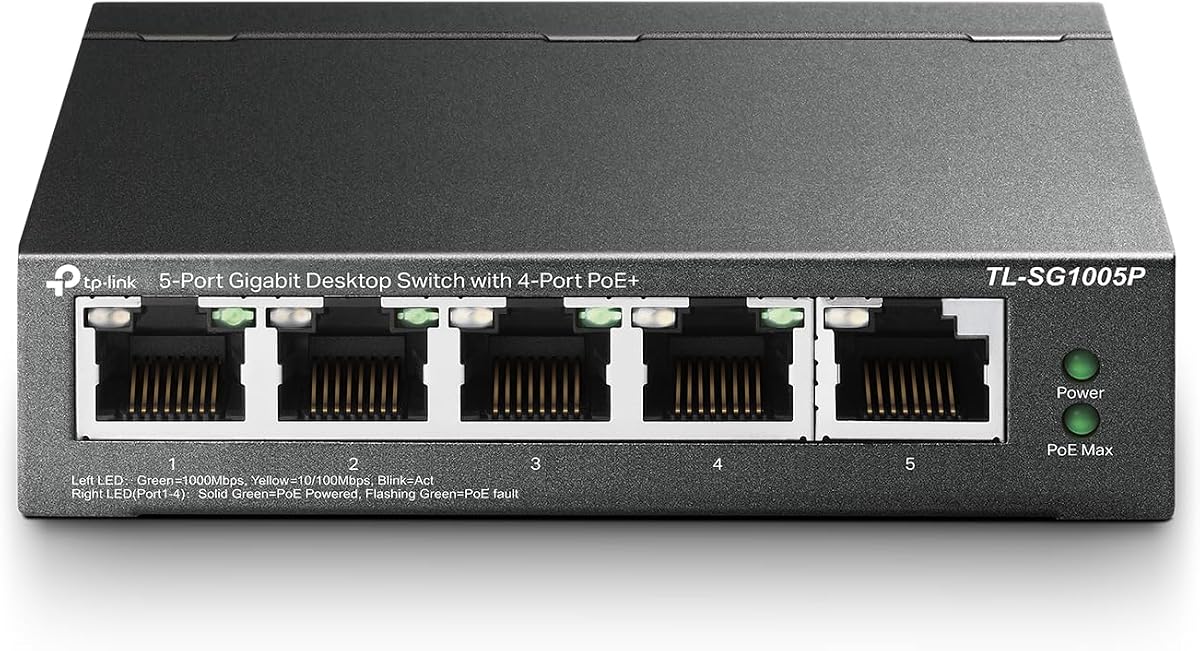
TP-Link TL-SG1005P
4.7Editor score
Sixty five watt power budget
Fanless quiet operation design
Plug and play setup
This guide compares the top ten POE Gigabit Switches for performance and power. We review features to help you find the perfect network switch today.
POE Gigabit Switches are essential for modern networks needing power and data over one cable. They simplify setups for cameras and access points while delivering fast speeds.
We analyzed ten top models based on power budget, port count, and management features. Our comparison highlights reliability and ease of use for various environments.
Each pick shows key specs and real user feedback to guide your choice. Remember that prices and stock levels can change frequently online so check current offers.
4.7Editor score

4.8Editor score

4.4Editor score
This table provides a side by side look at the top ten switches. Compare port counts, power budgets, and key features to find the right fit for your network needs.




The TP-Link TL-SG1005P is a compact five port switch designed for small offices and homes needing basic PoE connectivity. It holds a strong rating from users who value reliability and simplicity in their network setups.
We may earn a commission when you buy through this link, at no additional cost to you.
This device offers four PoE+ ports that can deliver up to thirty watts each for a total budget of sixty five watts. The built in QoS and IGMP snooping help prioritize traffic for smooth video and voice transmission without extra configuration.
While it lacks advanced management features found in higher end models, the fanless design ensures silent operation which is ideal for noise sensitive environments. The sturdy metal case provides durability for long term use on a desk or wall.
If you need a straightforward way to power a few cameras or access points while maintaining gigabit speeds this switch is a solid starting point. Its plug and play nature means you can get online quickly without technical hassle.
The fanless design not only reduces noise but also lowers power consumption making it energy efficient for 24 by7 operation in home or office settings.
With Port-based QoS and IGMP snooping you can ensure that video calls and streaming traffic get priority over less critical data to prevent lag.
We may earn a commission when you buy through this link, at no additional cost to you.
The TP-Link LS108GP is an eight port PoE switch that stands out for its extended transmission capability. It is a strong choice for surveillance systems where cameras are placed far from the network closet.
We may earn a commission when you buy through this link, at no additional cost to you.
By enabling the Extend Mode button this switch can push PoE signals up to eight hundred and twenty feet. This feature eliminates the need for extra extenders or injectors when covering large outdoor areas or warehouses.
The Auto Recovery feature is another highlight that automatically reboots unresponsive devices like cameras or access points. This reduces manual intervention and keeps your network running smoothly even if a device freezes.
For users needing simple reliability over complex controls this model delivers consistent performance. The sturdy metal case and fanless design ensure it stays cool and quiet while powering multiple devices simultaneously.
The Extend Mode allows you to cover distances up to eight hundred and twenty feet which is perfect for large property surveillance without extra hardware.
PoE Auto Recovery ensures that dropped devices are restarted automatically reducing downtime and maintenance visits for IT staff or property owners.
We may earn a commission when you buy through this link, at no additional cost to you.
The NETGEAR GS308EP earns our Editor's Choice for balancing smart features with ease of use. It offers eight PoE+ ports and a managed interface that helps small businesses organize their network traffic effectively.
We may earn a commission when you buy through this link, at no additional cost to you.
The Easy Smart Managed interface allows you to configure VLANs and prioritize traffic without deep networking knowledge. This capability is vital for keeping voice and video data separate from general internet traffic to improve performance.
It operates silently thanks to a fanless design and uses Energy Efficient Ethernet to reduce power consumption without slowing down speeds. The compact metal design fits well on a desk or in a wall mount setup.
If you need more control than an unmanaged switch but don't want enterprise complexity this model is an excellent middle ground. It provides the tools to secure and optimize your network with minimal effort.
The intuitive software interface lets you set up VLANs and manage port settings easily which is great for growing small business networks.
IEEE 802.3az compliance means the switch uses less power when connected devices are idle lowering your energy bill and carbon footprint.
We may earn a commission when you buy through this link, at no additional cost to you.
The STEAMEMO 8 Port Switch is designed for users who need a high power budget without paying premium prices. With a total output of one hundred and twenty watts it can support multiple high demand devices simultaneously.
We may earn a commission when you buy through this link, at no additional cost to you.
It includes a web interface and mobile app for remote management allowing you to monitor traffic and configure VLANs from anywhere. This level of control is rare at this price point and adds significant value for small businesses.
The switch is built with a rugged metal casing and advanced heat dissipation to handle heavy loads without overheating. Built-in lightning and short circuit protection safeguard your connected equipment from electrical surges.
Whether you are setting up a home office or a small business network this switch offers enterprise features like QoS and storm control. It is a versatile choice for those who need power and flexibility.
The web interface and mobile app let you manage your network remotely which is convenient for checking status without visiting the switch location.
Built-in storm control and short circuit protection help prevent network disruptions and protect your devices from electrical damage.
We may earn a commission when you buy through this link, at no additional cost to you.
The TP-Link TL-SG1218MP is a robust eighteen port switch ideal for expanding networks that need significant capacity. It combines sixteen PoE+ ports with two SFP slots for versatile connectivity options.
We may earn a commission when you buy through this link, at no additional cost to you.
With a total power budget of two hundred and fifty watts this switch can power a large number of access points or cameras without needing multiple units. The included QoS features ensure that critical traffic flows smoothly.
The SFP slots allow for fiber connections which extend your network range beyond copper limits. This makes it suitable for larger offices or buildings where devices are spread across different floors.
Its sturdy metal case and professional heat dissipation design ensure reliable operation under heavy loads. The three year warranty adds peace of mind for businesses relying on continuous network availability.
The two SFP slots let you connect via fiber optic cables which is essential for long distance links between buildings or floors.
With two hundred and fifty watts of power budget you can run many high wattage devices on a single unit saving rack space and cost.
We may earn a commission when you buy through this link, at no additional cost to you.
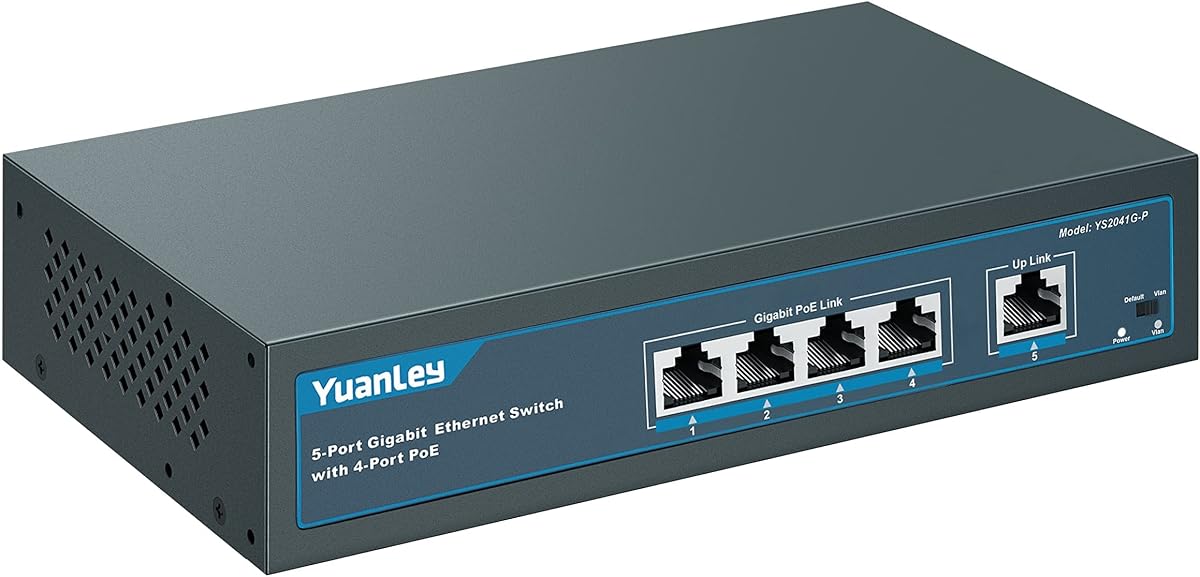
The YuanLey 5 Port Switch offers a simple and effective way to add PoE capabilities to a small network. It features four PoE ports and supports automatic detection of connected devices to simplify setup.
We may earn a commission when you buy through this link, at no additional cost to you.
A standout feature is the One Key VLAN button which isolates PoE traffic for better security. This allows you to separate network traffic without complex configuration which is useful for basic security monitoring.
The built-in power supply eliminates the need for external adapters reducing cable clutter. Its compact metal design and LED indicators make it easy to install and monitor on a desk or wall.
If you need a no fuss solution for powering a few cameras or access points this switch is a strong contender. It balances cost and performance well for users who do not need advanced management tools.
The One Key VLAN button allows you to isolate PoE ports which improves network safety by separating traffic easily.
An internal power supply reduces the need for extra adapters helping to keep your setup clean and tidy.
We may earn a commission when you buy through this link, at no additional cost to you.
The TP-Link TL-SG1008MP is an eight port switch that prioritizes device protection and connectivity quality. It offers a generous power budget and shielded ports to ensure stable data transfer.
We may earn a commission when you buy through this link, at no additional cost to you.
Overload protection with port priority prevents the switch from shutting down when demand exceeds capacity. Instead it disables lower priority ports to keep critical devices running which is vital for security systems.
The shielded ports reduce interference and improve signal quality in environments with electrical noise. This makes it a reliable choice for industrial settings or offices with heavy equipment.
With support for both desktop and rackmount placement this switch adapts to various installation needs. The lifetime protection plan offers long term security for your investment in network hardware.
Prioritized power supply ensures critical devices stay online by disabling lower priority ports during overload situations.
Shielded ports help reduce electromagnetic interference ensuring stable data transmission in busy or industrial environments.
We may earn a commission when you buy through this link, at no additional cost to you.
The NETGEAR GS724TP is a twenty four port switch designed for small businesses needing extensive network coverage. It includes smart management tools and fiber options for scalable growth.
We may earn a commission when you buy through this link, at no additional cost to you.
You get twenty four PoE+ ports with a total budget of one hundred and ninety watts to support many devices. The included one year NETGEAR Insight allows you to manage the network remotely from anywhere.
Two SFP ports enable fiber connections which are useful for connecting to other switches or internet providers. This flexibility helps future proof your network as you add more bandwidth or locations.
While it offers advanced features the intuitive interface keeps setup manageable for non technical users. The compact metal design supports rack mounting making it easy to integrate into a server room.
NETGEAR Insight gives you remote control over your network letting you check status and troubleshoot from any device.
Two SFP ports let you add fiber optic connections which is ideal for extending network distance or linking switches.
We may earn a commission when you buy through this link, at no additional cost to you.
The NETGEAR GS728TP is a powerful twenty eight port switch that offers enhanced connectivity with four SFP slots. It is designed for businesses that need robust fiber options and smart management.
We may earn a commission when you buy through this link, at no additional cost to you.
With a power budget of one hundred and ninety watts it can support a large number of connected devices efficiently. The SNMP support allows for detailed monitoring and integration with larger network management systems.
You can choose to use optional Insight cloud management to control your network remotely. This flexibility makes it a strong choice for companies with multiple locations or remote teams.
Its energy efficient design and quiet operation make it suitable for office environments where noise is a concern. The lifetime warranty adds significant value ensuring long term reliability for your infrastructure.
Four SFP ports provide ample space for fiber connections which is essential for high bandwidth uplinks.
SNMP support enables integration with network monitoring tools for detailed insights into traffic and performance.
We may earn a commission when you buy through this link, at no additional cost to you.
The TP-Link Omada SG2428P is a premium switch that integrates seamlessly into the Omada ecosystem for centralized control. It offers high power and security features suited for growing businesses.
We may earn a commission when you buy through this link, at no additional cost to you.
It features twenty four PoE+ ports with a massive two hundred and fifty watt power budget to support extensive deployments. Static routing helps optimize internal traffic flow improving efficiency across the network.
Robust security strategies including IP MAC Port Binding and 802.1X authentication protect your data from unauthorized access. The five year warranty provides excellent long term support for enterprise grade hardware.
If you plan to expand your network with multiple access points and cameras this switch scales well. Its cloud management allows you to oversee the entire network from a single dashboard.
The Omada app and cloud access let you manage your entire network from one place which simplifies administration.
Features like IP MAC Port Binding and ACLs ensure that only authorized devices can access your network securely.
We may earn a commission when you buy through this link, at no additional cost to you.
Selecting the right switch requires understanding your power needs and network goals. We break down key factors to help you find the perfect match.
Consider how many devices you need to connect now and in the future. Switches range from five ports to twenty eight or more. Ensure you have enough PoE ports for cameras and access points plus extra for general computers or routers.
Choose a port count that allows for growth without overcrowding your network closet.
The power budget is the total wattage the switch can deliver to all ports combined. Calculate the wattage of your devices like cameras or phones to find the right match. A higher budget prevents overload when adding more devices later.
Always select a switch with a power budget exceeding your total device requirements for safety and stability.
Unmanaged switches are plug and play with no configuration needed making them ideal for simple setups. Managed switches offer control over VLANs and traffic prioritization which is useful for complex networks.
Decide based on whether you need basic connectivity or advanced network control features.
Gigabit switches support speeds up to one thousand Mbps which is essential for modern high speed data transfers. Fast Ethernet is limited to one hundred Mbps and may bottleneck performance with high definition video.
Ensure all ports support Gigabit speeds to future proof your network against slower connections.
Switches come in desktop or rackmount designs depending on your installation space. A sturdy metal case helps dissipate heat and protects the device from physical damage in busy environments.
Choose a form factor that fits your desk or server rack securely.
Security features like IP MAC binding and storm control protect your network from unauthorized access and attacks. VLAN support helps isolate traffic to prevent sensitive data leaks.
Prioritize switches with built-in security tools to keep your network safe.
A longer warranty indicates confidence in the product quality and durability. Technical support availability is also important if you encounter setup issues or need advice.
Look for brands offering at least a three year warranty and accessible customer service.
Ensure the switch can operate safely in your environment temperature. Some models are designed for wider ranges which is vital for warehouses or outdoor installations.
Check the manufacturer specifications to confirm the device handles your local climate.
Connect the switch to a power source using the included adapter. Then plug in your modem and computer to the dedicated non PoE uplink port to ensure internet access.
Attach your PoE devices like cameras or access points to the PoE ports using Cat6 or Cat5e cables. The switch will automatically detect and power these devices without extra steps.
Keep the switch in a well ventilated area to prevent overheating. Periodically check cable connections and firmware updates to maintain optimal performance over time.
The main benefit is combining power and data transmission over a single cable. This reduces cable clutter and simplifies installation for devices like cameras and access points.
Yes most POE switches are designed to work with both POE and non POE devices. They only supply power when a compatible device is connected so regular computers are safe.
Most unmanaged POE switches work immediately upon connection without configuration. Managed switches may require web interface setup for VLANs or traffic prioritization settings.
If you exceed the budget some switches will shut down while others disable lower priority ports. Always ensure your total device wattage stays within the switch limits.
Many modern POE switches use fanless designs for silent operation. However some high power models may include fans that generate a low hum during heavy use.
Quality POE switches often last for many years if properly ventilated. They are solid state devices with no moving parts which contributes to long term reliability.
Standard Cat5e or Cat6 cables work fine for POE connections. Ensure the cables are intact to maintain power efficiency and signal quality.
Some models support stacking via specific ports but many just connect as daisy chains. Check the manual to see if stacking is supported for your unit.
We reviewed ten top models ranging from simple unmanaged units to advanced managed solutions. Each offers unique strengths in power budget and management tools.
Prioritize your power needs and required port count when making a decision. Managed features are valuable if you need traffic control and security.
Remember to check current prices and stock levels before buying as they fluctuate online. Selecting the right switch now ensures a stable network for your future needs.