
Canon MegaTank G3270
4.1Editor score
Includes up to two years ink
Prints 6000 black pages
Low cost per page
Finding a photo printer with cheap ink is essential for anyone who loves capturing memories without breaking the bank. High-quality prints should not come with expensive recurring costs that add up quickly over time.
We have analyzed ten top-rated models to find the best options for affordable printing. Our comparison looks at ink systems, page yields, and overall value to ensure you get the most for your money.
Each pick shows key strengths and potential trade-offs to help you decide. Prices and availability can change frequently so always check the current listing before making your final purchase decision today.
4.1Editor score

4.0Editor score

4.4Editor score
As an Amazon Associate we earn from qualifying purchases.
This table provides a quick side-by-side overview of all ten models ranked by value and performance. Use it to compare key specifications like ink type, connectivity, and primary functions at a glance.


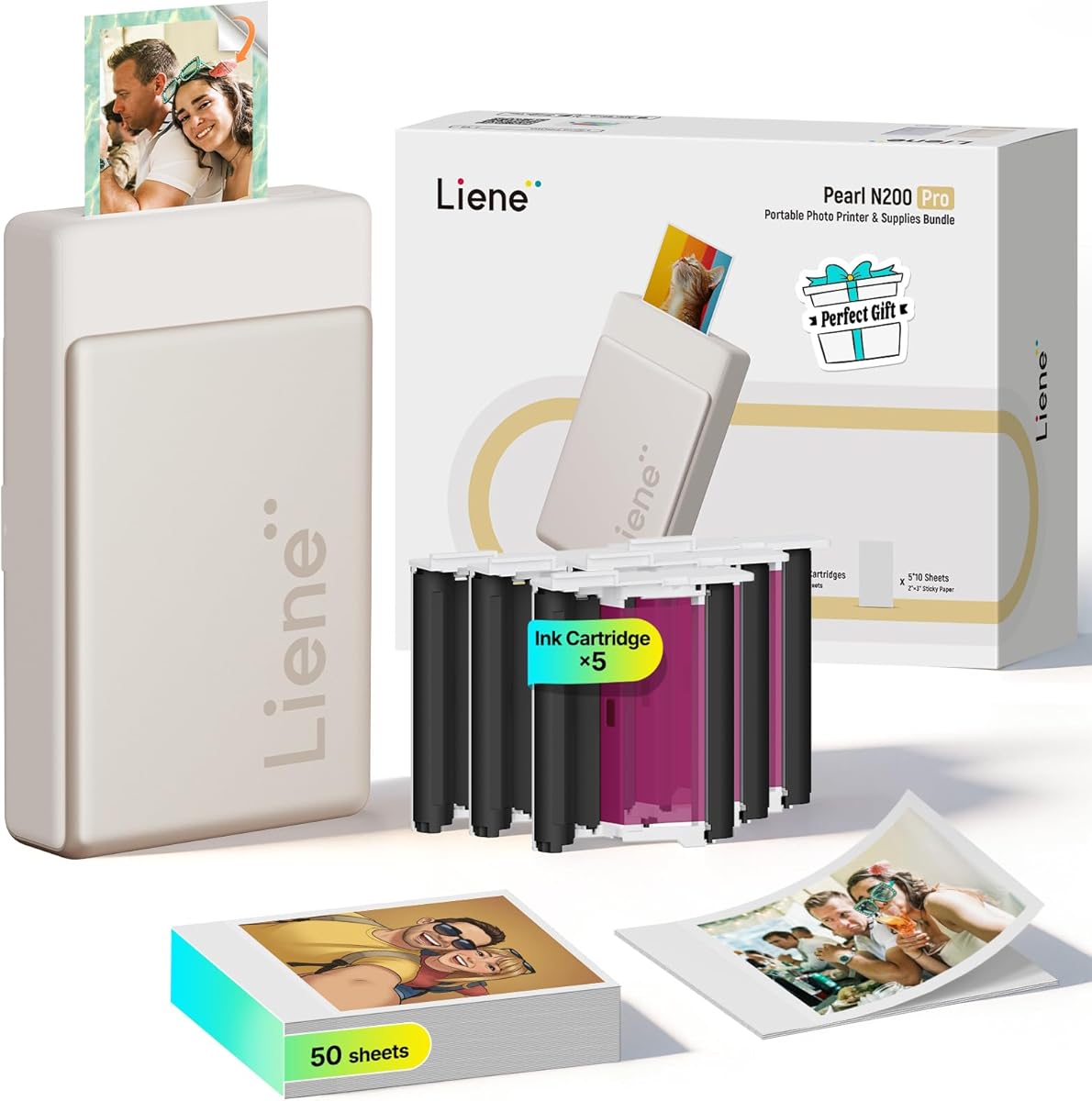

The Liene M100 stands out as a top choice for instant photo printing at home. It uses thermal dye sublimation technology to create vibrant, durable 4×6 prints that resist water and fading.
We may earn a commission when you buy through this link, at no additional cost to you.
Users appreciate the convenience of the built-in Wi-Fi hotspot which allows direct connection without relying on external networks. The included 100 sheets and three cartridges provide immediate value upon unboxing.
While the initial investment is higher than basic inkjets the cost per print is reasonable for the quality provided. The proprietary paper and cartridges mean you are locked into the Liene ecosystem.
This printer is ideal for families who want to turn smartphone photos into physical memories quickly. Its compact size makes it easy to store when not in use.
Dye sublimation ensures deep color penetration and a laminated finish that protects against fingerprints and scratches.
The independent hotspot ensures stable connections even in areas with weak Wi-Fi signals.
We may earn a commission when you buy through this link, at no additional cost to you.
This multifunction printer is designed for households needing more than just photos. It handles documents and homework alongside high-quality borderless photo prints with ease.
We may earn a commission when you buy through this link, at no additional cost to you.
The AI-enabled features automatically adjust layouts to prevent wasted pages ensuring emails and web pages print exactly as intended. This saves paper and frustration for busy families.
While the HP Instant Ink trial helps initially ongoing costs depend on usage volume. The device requires a stable network connection to fully utilize its smart features.
It is a solid choice for those who want a single device for all printing needs. The intuitive interface makes daily tasks straightforward for all users.
HP AI removes unwanted content from web pages to ensure prints are just the way you want.
Print speeds up to 15 pages per minute for black text keep your workflow moving.
We may earn a commission when you buy through this link, at no additional cost to you.
The TS6520 offers exceptional value for home users and hybrid workers needing a reliable all-in-one solution. Its hybrid ink system delivers sharp text and vivid color photos efficiently.
We may earn a commission when you buy through this link, at no additional cost to you.
Dual-band Wi-Fi ensures stable connections regardless of where you place the device in your home. The OLED display makes monitoring ink levels and status quick at a glance.
Automatic two-sided printing helps reduce paper consumption and speeds up workflows for larger documents. However the small footprint means paper handling capacity is somewhat limited.
This model is perfect for small spaces where functionality cannot be compromised. It balances cost and performance effectively for everyday tasks.
Using separate cartridges for text and photos optimizes ink usage and print quality.
Print directly from smartphones using Canon PRINT App AirPrint or Mopria services.
We may earn a commission when you buy through this link, at no additional cost to you.
For high-volume printing needs this model offers unbeatable value with up to two years of ink included in the box. It can print thousands of pages on a single set of refills.
We may earn a commission when you buy through this link, at no additional cost to you.
The tank system eliminates the need for frequent cartridge replacements saving significant money over time. Users report exceptional value for families with students or small offices.
While it lacks automatic duplex printing the savings on ink more than make up for it. The device requires more desk space than compact all-in-ones but performs well.
This is the top pick for anyone looking to minimize long-term printing costs. It is a practical investment for heavy users.
Save up to 1000 dollars on ink compared to standard cartridge printers.
Replenish ink with an easy-access system that prevents spills and mess.
We may earn a commission when you buy through this link, at no additional cost to you.
This budget-friendly printer delivers impressive value for casual users needing reliable color output. It supports versatile media including photos up to standard letter size with borderless options.
We may earn a commission when you buy through this link, at no additional cost to you.
The hybrid ink system ensures sharp text and vivid colors across documents and creative projects. Eco-certification helps reduce your environmental footprint while maintaining performance.
While it lacks advanced features like touchscreens it handles core tasks efficiently. Automatic two-sided printing helps save on paper costs for daily documents.
It is an excellent choice for users prioritizing sustainability and affordability. Compact design fits well in tight spaces.
EPEAT Silver and ENERGY STAR certification ensures reduced environmental impact.
Print a wide range of photos and documents up to 8.5 by 11 inches.
We may earn a commission when you buy through this link, at no additional cost to you.
This cartridge is designed specifically for the Nelko PP01 and PP03 portable printers ensuring smooth and reliable operation. It uses high-quality dye ink for bright saturated colors.
We may earn a commission when you buy through this link, at no additional cost to you.
Each cartridge prints up to 80 photos making it a cost-effective option for regular scrapbooking or journaling. The water-resistant feature protects your photos from moisture damage.
While the ink can dry out if left unused for long periods proper storage solves this issue. The intelligent chip ensures compatibility without error messages.
It is essential for users wanting to maintain print quality on their portable devices. The stable output prevents clogging and delays.
Prints are waterproof and smudge-resistant once dry for safe handling.
Intelligent chip ensures smooth printing process without clogging issues.
We may earn a commission when you buy through this link, at no additional cost to you.
This pocket-sized printer makes it easy to bring your photos to life anywhere. It uses advanced inkjet technology to produce 600 DPI high-resolution images with adhesive backing.
We may earn a commission when you buy through this link, at no additional cost to you.
The Nelko app offers extensive editing tools including frames filters and AI image editing for personalizing every shot. Prints are ready in under 90 seconds.
While the 2×3 size is small it is perfect for planners scrapbooks and travel journals. The battery lasts for up to 27 stickers on a single charge.
It is ideal for students and crafters who value convenience. The portable nature makes it great for events and trips.
Use collage tools and AI editing to create unique personalized photos instantly.
Sticky-backed paper makes sticking photos into journals or planners effortless.
We may earn a commission when you buy through this link, at no additional cost to you.
This model serves as a reliable entry point for those needing basic wireless printing scanning and copying. Its small footprint fits easily into small apartments or home offices.
We may earn a commission when you buy through this link, at no additional cost to you.
Wireless connectivity allows for convenient mobile printing without tangled cables. It handles daily document tasks effectively for light users.
Print speeds are slower than premium models but sufficient for occasional use. It offers a balance of price and functionality for starters.
It is a good fit for those who do not require high volume or fast output. The setup process is straightforward and quick.
Print from anywhere in your home using standard wireless connections.
Combine print scan and copy functions in one compact device.
We may earn a commission when you buy through this link, at no additional cost to you.
This premium portable unit delivers sharp resolution and vibrant colors using thermal dye sublimation in a compact 3-inch design. It is perfect for on-the-go spontaneous moments.
We may earn a commission when you buy through this link, at no additional cost to you.
The Liene Photo App offers AI reimagination tools and diverse artistic styles to help you create professional-looking portraits without switching platforms. One-touch shooting simplifies capturing memories.
While it is pricier than basic portable options the quality justifies the cost. Bluetooth pairing allows multiple users to print simultaneously at events.
It is the top pick for enthusiasts wanting high-quality stickers and prints. The creative freedom exceeds typical portable printers.
Choose multiple artistic styles to generate beautifully styled portraits easily.
Quick-connect technology supports group printing for parties or gatherings.
We may earn a commission when you buy through this link, at no additional cost to you.
Designed for high-volume printing this model comes with up to three years of ink included. The tank system supports printing thousands of pages right out of the box.
We may earn a commission when you buy through this link, at no additional cost to you.
HP's easy-access refill system ensures you can replenish ink without squeezing or spilling. This reduces maintenance issues and keeps printing flowing smoothly.
While the physical size is larger than desktop models the operational savings are significant. It is built to be the last printer you might need.
This is ideal for households with heavy printing needs who want reliable performance. It offers a mess-free approach to ink management.
Get up to 6000 color or black pages from the initial ink supply.
Plug ink bottles into the tank to drain automatically without manual intervention.
We may earn a commission when you buy through this link, at no additional cost to you.
Selecting the right printer involves balancing upfront cost with long-term ink expenses. This guide covers key factors to help you find the most economical option for your needs.
Consider whether the printer uses cartridges or a tank system. Tank printers like the MegaTank and Smart Tank allow you to refill with bottles which drastically reduces the cost per page compared to proprietary cartridges.
If you print frequently tank systems offer better long-term value despite a higher initial price.
Check the estimated number of pages a set of ink can produce. High-yield cartridges or bottles that print 3000 to 6000 pages provide a lower cost per page and fewer replacements.
Higher page yields mean less frequent purchases and lower overall spending.
Different technologies like thermal dye sublimation and inkjet affect both quality and cost. Dye sub printers often have higher upfront costs but produce durable high-quality photo prints without smudging.
Standard inkjets may have lower entry costs but ink usage varies significantly by model.
Wi-Fi and Bluetooth connectivity allow for wireless printing from smartphones which saves time and reduces paper waste from test prints. Ensure the printer supports the apps and devices you use regularly.
Wireless features streamline your workflow and enhance convenience.
Decide whether you need standard 4×6 photos or smaller 2×3 prints. Portable models often use sticker paper or smaller formats which can be cheaper per print but have less versatility than full-size sheets.
Match the size to your primary use case to avoid unnecessary costs.
Look for bundles that include extra paper and ink cartridges. Having supplies included in the box helps offset the initial purchase price and gets you printing immediately.
Bundles with extra supplies provide immediate value and savings.
Ease of setup and maintenance impacts long-term convenience. Printers with mess-free refill systems or simple cartridge installation reduce the time spent troubleshooting or dealing with spills.
User-friendly maintenance keeps your printing experience smooth and efficient.
Eco-certified models like ENERGY STAR printers consume less energy and often support duplex printing to reduce paper usage. This not only helps the environment but also cuts material costs.
Sustainable features save money while reducing environmental impact.
To maintain optimal print quality regularly run the printer's cleaning cycle if you notice streaks or missing colors. Keeping the print head clear ensures vibrant output and prevents clogs that lead to waste.
Store ink cartridges in a cool dry place to prevent them from drying out. If using a tank system ensure the bottles are sealed tightly after every refill to avoid leaks and spills.
Clean the exterior and rollers periodically using a soft lint-free cloth to remove dust. Proper care extends the life of the printer and ensures reliable performance over time.
Using a tank system printer like the Canon MegaTank or HP Smart Tank is typically the cheapest method. These models use refillable ink bottles that cost significantly less per page than standard cartridges.
Dye sublimation printers like the Liene models produce higher quality water-resistant photos. Inkjets are more versatile for documents and color photos but require careful handling to avoid smudges.
You should run a cleaning cycle every few weeks if you use the printer regularly. If you print infrequently clean it every month to prevent ink from drying and clogging the nozzles.
Using third-party ink can save money but may void warranties or cause print quality issues. Manufacturers recommend using genuine ink to ensure compatibility and prevent damage to the printhead.
Portable printers often use specialized paper and cartridges which can be more expensive per print. However they save on bulk paper costs and waste since you only print what you need instantly.
The cost per photo depends on the page yield of the ink the size of the photo and the printer model. Tank systems generally offer the lowest cost per page compared to traditional cartridges.
Choosing a photo printer with cheap ink depends on your specific needs for volume and quality. Tank systems offer the best value for heavy users while portable dye sub models excel for instant high-quality prints.
Prioritize long-term savings by considering page yields and ink costs before buying. A higher upfront cost can pay for itself quickly if you print frequently at home.
Always check current prices and bundles before purchasing to get the best deal. Prices and availability change regularly so staying flexible helps you find the most cost-effective option.