
Ozeino Wireless Gaming Headset
4.2Editor score
2.4GHz low latency
Dual input modes
Lightweight design
This guide compares the top Mac gaming headsets for sound, comfort, and compatibility to help you choose the best option for your setup.
Finding the right gaming headset for your Mac can be challenging due to connectivity and compatibility issues. You need a device that delivers immersive sound, clear communication, and long-lasting comfort during extended sessions. This guide explores the best options available to enhance your gaming experience.
We evaluated ten top-rated headsets based on audio quality, build durability, and seamless Mac integration. Our analysis covers wireless and wired models, ensuring you find a solution that fits your specific needs and budget. Each product was assessed for its ability to handle diverse gaming genres effectively.
Every pick in this list highlights key strengths and potential trade-offs to help you make an informed decision. We focus on real-world performance metrics and user feedback to ensure reliability. Keep in mind that availability and pricing may fluctuate over time, so check current listings before purchasing.
4.2Editor score

4.6Editor score
4.2Editor score
This side-by-side comparison highlights the key specifications and features of each headset to help you identify the best fit for your Mac gaming needs.




The Corsair Void RGB Elite Wireless stands out as a top choice for Mac gamers seeking high fidelity. With a solid rating and premium features, it delivers an immersive audio experience that enhances every game you play.
We may earn a commission when you buy through this link, at no additional cost to you.
Its custom-tuned 50mm drivers cover a wide frequency range, ensuring you hear every detail from subtle footsteps to explosive actions. The 2.4GHz wireless connection provides stable performance without lag, which is crucial for competitive play on your Mac.
While it offers excellent comfort with breathable mesh and memory foam, some users might find the price point steep. However, the durability and audio quality justify the investment for serious gamers who value performance.
This headset is ideal for those who want a reliable, high-quality wireless option that integrates seamlessly with their Mac setup. It balances performance and comfort effectively, making it a strong recommendation for most users.
The expanded frequency range allows you to detect directional audio cues with precision, giving you an edge in multiplayer matches.
Aluminum yokes ensure the headset withstands daily use and travel, maintaining structural integrity over years of gaming.
We may earn a commission when you buy through this link, at no additional cost to you.
The Valorise Wireless Gaming Headset offers impressive battery life that keeps you connected for days without charging. Its rating reflects strong user satisfaction with its performance and value across various gaming platforms including Mac.
We may earn a commission when you buy through this link, at no additional cost to you.
With a 100-hour battery in Bluetooth mode and robust 2.4GHz wireless for gaming, it provides flexibility for both work and play. The 7.1 surround sound enhances immersion, allowing you to hear audio cues clearly during intense sessions.
While the plastic build is functional, it may lack the premium feel of higher-end models. Still, the comfort and features make it a reliable choice for budget-conscious gamers who need long-lasting performance.
Choose this headset if you prioritize battery endurance and versatile connectivity options. It delivers solid audio and comfort at a price that makes it accessible to a wide range of gamers.
Forget about frequent recharging; this headset supports extended gaming marathons and daily commutes with ease.
Switch between devices seamlessly using Bluetooth or USB dongles, ensuring you stay connected to whatever setup you prefer.
We may earn a commission when you buy through this link, at no additional cost to you.
The Razer Kraken V4 X is a solid wired choice for Mac users who prefer simplicity and reliability. Its rating highlights consistent performance and comfort, making it a great addition to any gaming setup.
We may earn a commission when you buy through this link, at no additional cost to you.
The patented Triforce drivers deliver crisp highs, mids, and lows without muddying the audio. The convertible Type-C and Type-A cable ensures compatibility with modern Macs and older devices alike.
Although it lacks wireless freedom, the retractable mic design adds convenience for calls and casual use. The memory foam cushions provide comfort during long sessions, though the wired setup may be restrictive for some.
This headset is perfect for gamers who value audio quality and versatility over wireless features. It offers a reliable and comfortable experience at a reasonable price point.
The 3-part driver design ensures balanced sound reproduction, enhancing both game audio and music quality.
Switch between devices effortlessly with the included cables, ensuring you can use the headset anywhere.
We may earn a commission when you buy through this link, at no additional cost to you.
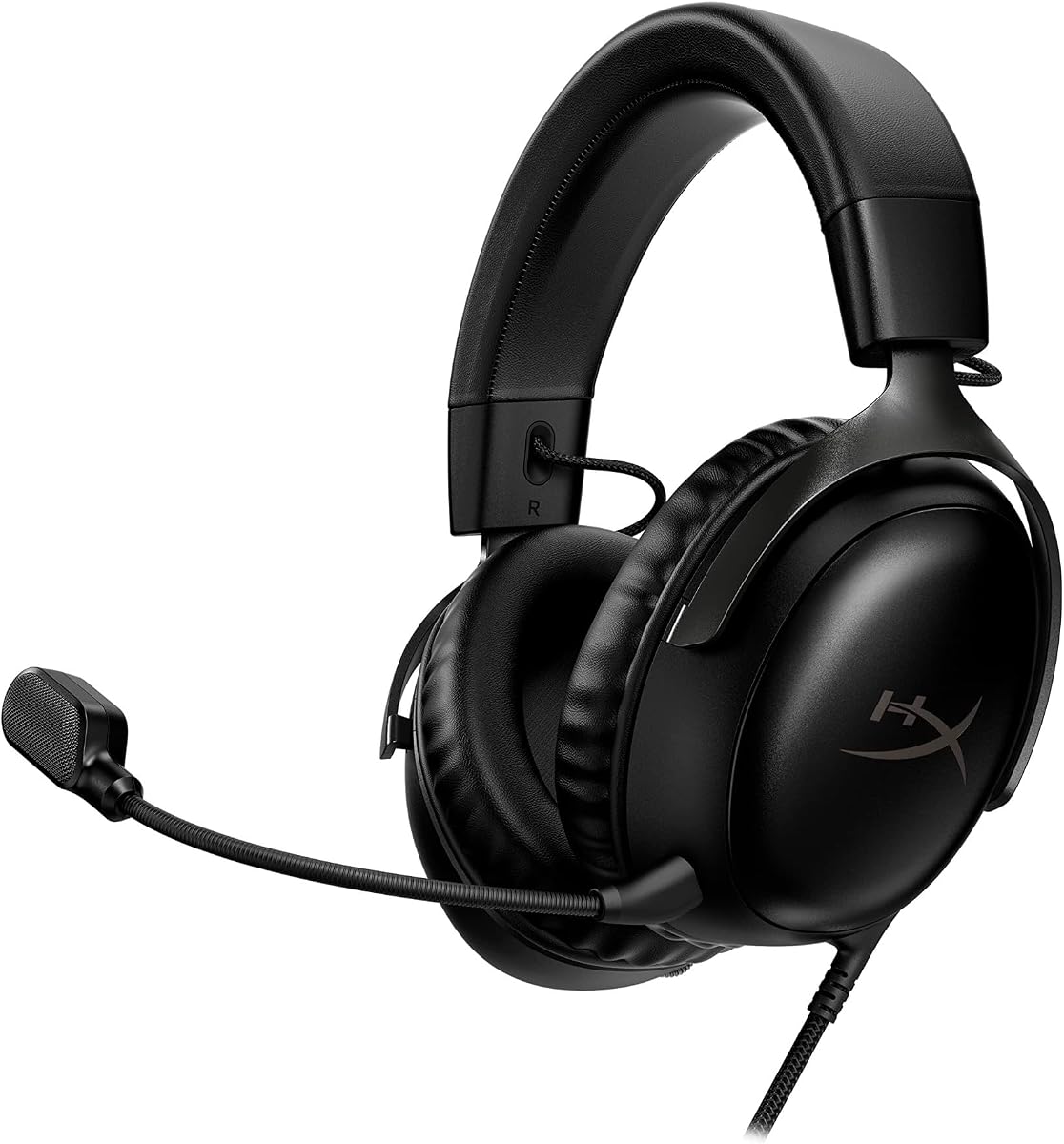
The HyperX Cloud III Black is renowned for its comfort, making it an ideal choice for marathon gaming sessions. Its high rating reflects user appreciation for its ergonomic design and audio performance on Mac and other platforms.
We may earn a commission when you buy through this link, at no additional cost to you.
Angled drivers provide a natural listening experience, while the memory foam cushions ensure you stay comfortable for hours. The aluminum frame adds durability without adding unnecessary weight, ensuring longevity.
Some users may prefer wireless options, but the wired design ensures zero latency. The noise-cancelling mic is a strong addition for clear team communication during competitive matches.
If comfort is your top priority, this headset delivers without compromising on audio quality. It is a robust and reliable choice for serious gamers who spend long hours at their Mac.
The memory foam and fabric cushions reduce heat buildup, keeping your ears cool during extended use.
Built to withstand daily wear and travel, this headset maintains its quality over time with minimal maintenance.
We may earn a commission when you buy through this link, at no additional cost to you.
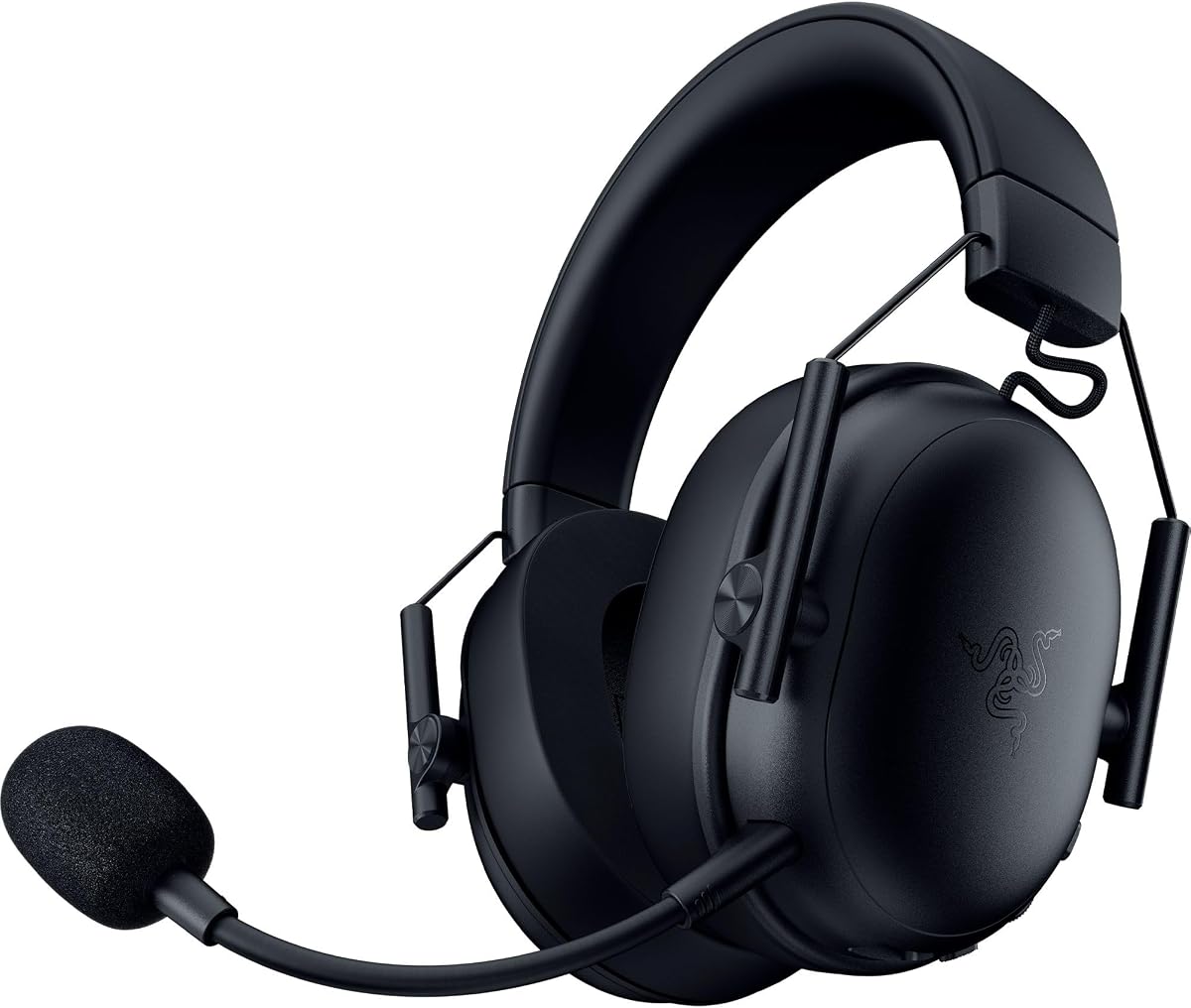
The Razer BlackShark V3 X is designed for comfort and speed, making it a top contender for wireless gaming on Mac. Its rating indicates reliable performance and strong audio quality that meets competitive needs.
We may earn a commission when you buy through this link, at no additional cost to you.
Weighing only 270 grams, it reduces ear fatigue during long sessions. The HyperSpeed wireless technology ensures synchronized audio, which is critical for timing and reaction in fast-paced games.
While the battery life is standard, the detachable mic adds flexibility for different use cases. Some users might find the price higher than budget alternatives, but the performance justifies the cost.
This headset is perfect for gamers who need a lightweight and low-latency wireless experience. It balances portability with robust features, making it a versatile choice for various setups.
The drivers are tuned to improve clarity, helping you locate footsteps and sounds with greater precision.
Switch between PC and mobile easily with dual wireless modes, keeping you connected wherever you go.
We may earn a commission when you buy through this link, at no additional cost to you.
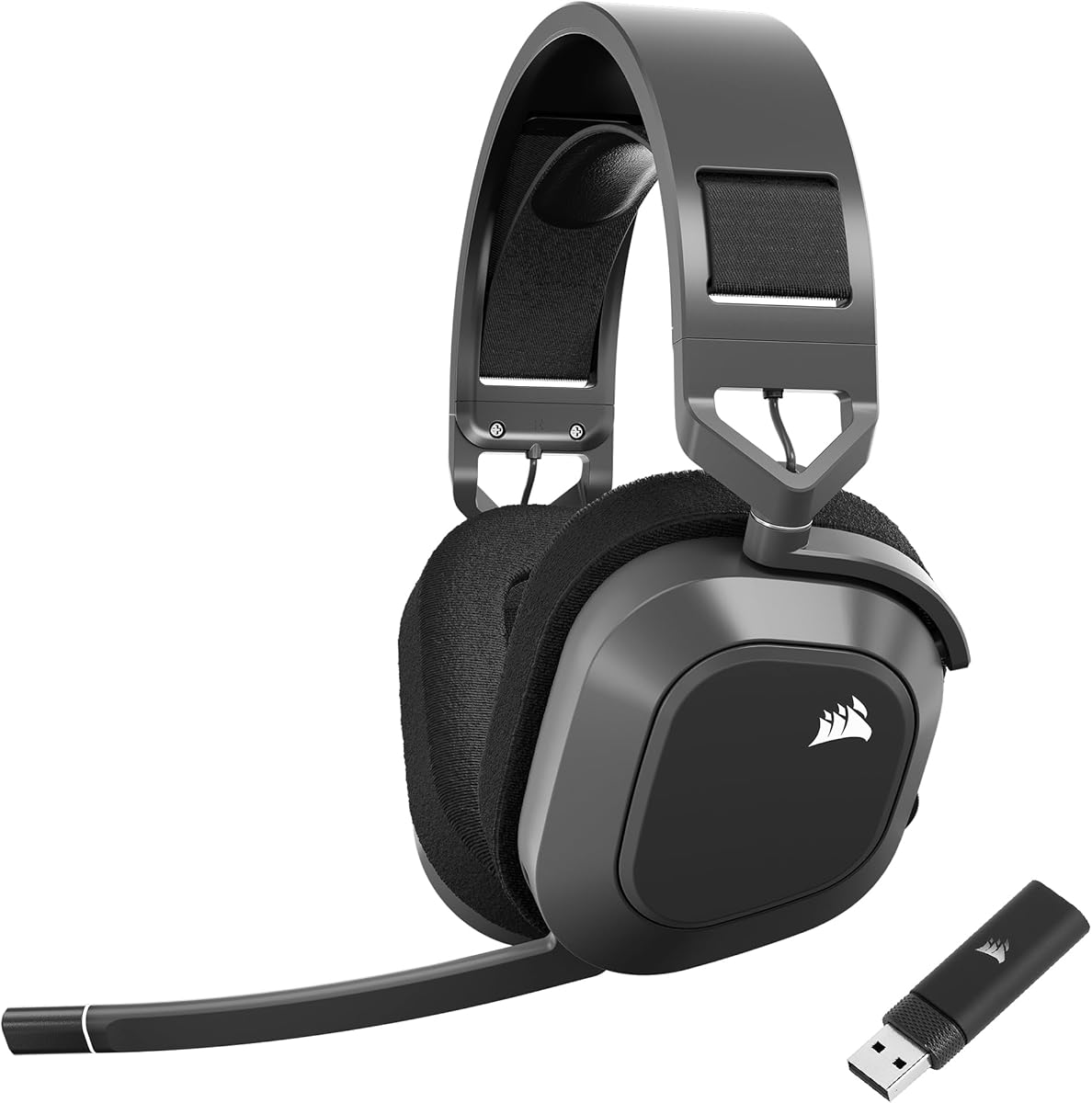
The Corsair HS80 RGB Wireless delivers a cinematic sound experience with Dolby Atmos support, enhancing your Mac gaming sessions. Users appreciate its solid build and comfortable design, reflected in its positive rating.
We may earn a commission when you buy through this link, at no additional cost to you.
The custom-tuned drivers provide expansive sound coverage, while the SLIPSTREAM wireless ensures stable and lag-free performance. The broadcast-grade mic ensures your voice is heard clearly, adding value for team-based games.
However, you may need Corsair's software to unlock all features, which can be cumbersome. Additionally, the lack of Bluetooth limits its utility for mobile devices or non-gaming tasks.
Choose this headset if you want rich, immersive audio and a reliable wireless connection. It is a great fit for those who prioritize sound quality and build durability.
The 3D audio places sounds around you, making action scenes and environments feel more alive and reactive.
The omni-directional mic captures your voice accurately, reducing distractions and improving team communication.
We may earn a commission when you buy through this link, at no additional cost to you.
The HyperX Cloud III White stands as a premium option with top-tier comfort and audio quality. Its high rating reflects user satisfaction with its robust build and ergonomic design, making it a favorite for serious gamers.
We may earn a commission when you buy through this link, at no additional cost to you.
Angled drivers and memory foam provide a tailored listening experience, while the full metal frame ensures durability. On-ear controls allow quick adjustments without interrupting your game, adding convenience.
Although it is a wired model, the flexible connectors support multiple devices including Mac. The price may be higher than budget options, but the quality and longevity justify the investment.
This headset is ideal for those who want a refined, durable, and comfortable audio solution. It combines premium features with reliable performance for an unmatched gaming experience.
USB-C, USB-A, and 3.5mm options ensure you can use the headset across a wide range of devices effortlessly.
The metal frame resists wear and tear, ensuring the headset stays reliable through years of daily use.
We may earn a commission when you buy through this link, at no additional cost to you.
The Razer Barracuda X Chroma offers unique dual wireless connectivity, making it easy to switch between gaming and mobile use. Its rating highlights its versatility and comfort, appealing to gamers with diverse device needs.
We may earn a commission when you buy through this link, at no additional cost to you.
With 2.4GHz for low latency gaming and Bluetooth for streaming, it adapts to your lifestyle. The ergonomic design and lightweight build ensure comfort during long sessions, while the customizable lighting adds style.
However, the lack of Xbox support may limit some users, and RGB lighting can impact battery life. Still, for Mac and PC users, it offers a flexible and stylish audio solution.
Choose this headset if you want seamless switching between devices and a lightweight design. It balances performance with convenience, making it a great option for multi-device users.
Toggle between 2.4GHz and Bluetooth with a simple switch, ensuring you stay connected to your devices without hassle.
Enjoy up to 70 hours of battery life, reducing the need for frequent recharging and keeping you in the game longer.
We may earn a commission when you buy through this link, at no additional cost to you.
The Ozeino Wireless Gaming Headset is an excellent budget option that delivers quality audio without breaking the bank. Its rating reflects good value and performance, making it a strong candidate for casual and entry-level gamers.
We may earn a commission when you buy through this link, at no additional cost to you.
The 2.4GHz connection ensures low latency gaming, while the 50mm drivers provide rich sound. With 40 hours of battery life, it supports long play sessions without interruption.
While the build materials are basic, the design is functional and comfortable. Bluetooth use on Mac may require an adapter, but the USB connection offers stable performance for gaming.
If you need a reliable and affordable headset, this model is a great choice. It provides essential features and decent sound quality at a price accessible to everyone.
Get reliable wireless audio and long battery life without the high cost of premium gaming headsets.
Plug in the USB dongle and start gaming immediately, avoiding complex pairing processes.
We may earn a commission when you buy through this link, at no additional cost to you.
The Corsair HS80 MAX Wireless offers industry-leading battery life and high-fidelity audio, making it a top-tier choice for enthusiasts. Its rating reflects strong performance and comfort, appealing to users who demand quality.
We may earn a commission when you buy through this link, at no additional cost to you.
With up to 130 hours of battery life in Bluetooth mode, it supports days of use without charging. The 24bit/96kHz audio ensures detailed sound, while the plush comfort supports long sessions.
The higher price point may be a barrier for some, but the features and battery life justify it for power users. The design is slightly heavier, which some may find comfortable and others less so.
Choose this headset if you prioritize battery endurance and audio fidelity. It is a premium solution for gamers who want reliability and high performance across multiple devices.
Go days or even weeks without recharging thanks to the massive battery capacity in Bluetooth or wireless modes.
The 24bit sound reproduction delivers studio-quality audio that captures subtle details in your games and music.
We may earn a commission when you buy through this link, at no additional cost to you.
Selecting the right gaming headset for your Mac requires understanding various technical aspects and personal preferences. This guide outlines the key factors to consider before making a purchase.
Mac compatibility often depends on the connectivity type you choose. Wired headsets typically use USB-C or 3.5mm jacks, which are standard on Macs, ensuring zero latency. Wireless models may require a USB dongle for low-latency gaming or Bluetooth for streaming. Always check if your Mac supports the specific wireless protocol or if an adapter is needed.
Choose wired for competitive gaming and wireless for convenience, ensuring compatibility with your Mac's ports.
Audio quality is crucial for immersion and competitive play. Look for drivers with good frequency range and clear highs and lows. Features like surround sound or spatial audio can enhance directional cues. High bit-rate audio ensures detailed sound reproduction.
Prioritize drivers and surround sound features that match your gaming style and preference for audio clarity.
A clear microphone is essential for team coordination. Noise-canceling technology helps block background distractions. Detachable or retractable designs offer flexibility. Ensure the mic is compatible with Mac voice chat apps.
Select a mic with noise cancellation and flexible positioning for clear communication.
Comfort affects long gaming sessions. Memory foam earpads and adjustable headbands reduce pressure. Materials like aluminum or durable plastic ensure longevity. Consider weight; lighter models reduce fatigue over time.
Choose ergonomic designs with quality materials to ensure comfort during extended use.
For wireless headsets, battery life determines how often you need to charge. Models range from 20 to 100 hours. Some support simultaneous charging and use. Longer battery life reduces interruptions during play.
Opt for longer battery life if you game frequently without easy access to a power source.
Gaming headsets vary widely in price. Budget options offer basic features, while premium models provide advanced audio and build. Determine your spending limit and prioritize features that matter most.
Balance your needs with your budget to find the best value without overspending.
If you use multiple devices like consoles or phones, a headset with versatile compatibility is useful. Some support switching between PC and mobile seamlessly. Check specific device compatibility notes.
Select a headset that supports all your devices to maximize utility and convenience.
Many headsets come with companion software for EQ adjustments and lighting. Ensure the software is supported on macOS. Some features may require specific OS versions. Check compatibility before purchasing.
Verify software support on your Mac to unlock all advanced features effectively.
Connect your headset properly to ensure optimal performance. For wired models, plug into the USB-C or audio jack on your Mac. For wireless, pair via Bluetooth or insert the USB dongle into an available port.
Adjust the fit for comfort and sound isolation. Loosen the headband to fit your head size, and adjust earcups to fully enclose your ears. This improves comfort and audio immersion.
Maintain your headset to prolong its life. Clean the earpads regularly with a soft cloth to prevent buildup. Store in a dry place and avoid extreme temperatures to protect internal components.
Most modern headsets listed are compatible with Mac via USB-C or 3.5mm jacks. Some wireless models may need an adapter for Bluetooth. Always check the product specifications to confirm Mac compatibility before purchasing.
Many gaming headsets use a 2.4GHz USB dongle for low-latency performance. Bluetooth models may not need one but can suffer latency. Check the product details to see if a dongle is included or required.
Models with memory foam earpads and adjustable headbands offer superior comfort. The HyperX Cloud III is highly rated for its plush cushions and ergonomic design that reduces fatigue over hours.
Yes, most headsets include microphones compatible with Mac voice and video apps. Ensure the mic is muted or unmuted as needed and adjust input settings in System Preferences for clarity.
Most headsets have LED indicators or companion apps that display battery levels. Refer to the user manual for specific indicators. Some systems show battery status directly in macOS settings.
Wired headsets offer zero latency and reliable connectivity but limit mobility. Wireless models provide freedom of movement but may introduce slight latency. Choose based on your preference for convenience versus performance.
The best Mac gaming headset depends on your priorities for comfort, audio quality, and connectivity. Top picks like the HyperX Cloud III and Corsair HS80 MAX offer balanced features suitable for various gamers.
Consider your typical usage scenario and budget to narrow down options. Wired models suit competitive play, while wireless options provide flexibility. Balance these factors with your Mac's compatibility needs.
Prices and availability can change, so always review the latest product information before buying. Stay updated with current deals to get the best value for your gaming setup.