
Tomee 16MB Memory Card
4.7Editor score
251 blocks of storage
Full GameCube compatibility
Affordable entry level price
This guide compares the top GameCube Memory Card options for saving game data on Nintendo GameCube and compatible Wii consoles effectively.
Preserving your gaming progress is essential when playing classic titles on older consoles. A reliable GameCube Memory Card ensures your saved files remain safe during power outages or system resets. Without proper storage, hours of gameplay can vanish instantly.
We evaluated ten distinct memory card models based on storage capacity, build quality, and compatibility with specific console versions. Our analysis focuses on real block counts, switch mechanisms, and reliability to help you choose the right accessory for your setup.
Each selection below highlights specific strengths like multi-area storage or high-speed performance. Please note that availability and pricing can shift frequently so verify current details before making your final purchase decision for your console needs.
4.7Editor score

4.7Editor score

4.7Editor score
The following table provides a side-by-side overview of all ten selected memory cards highlighting their unique storage specifications and compatibility notes for quick reference.
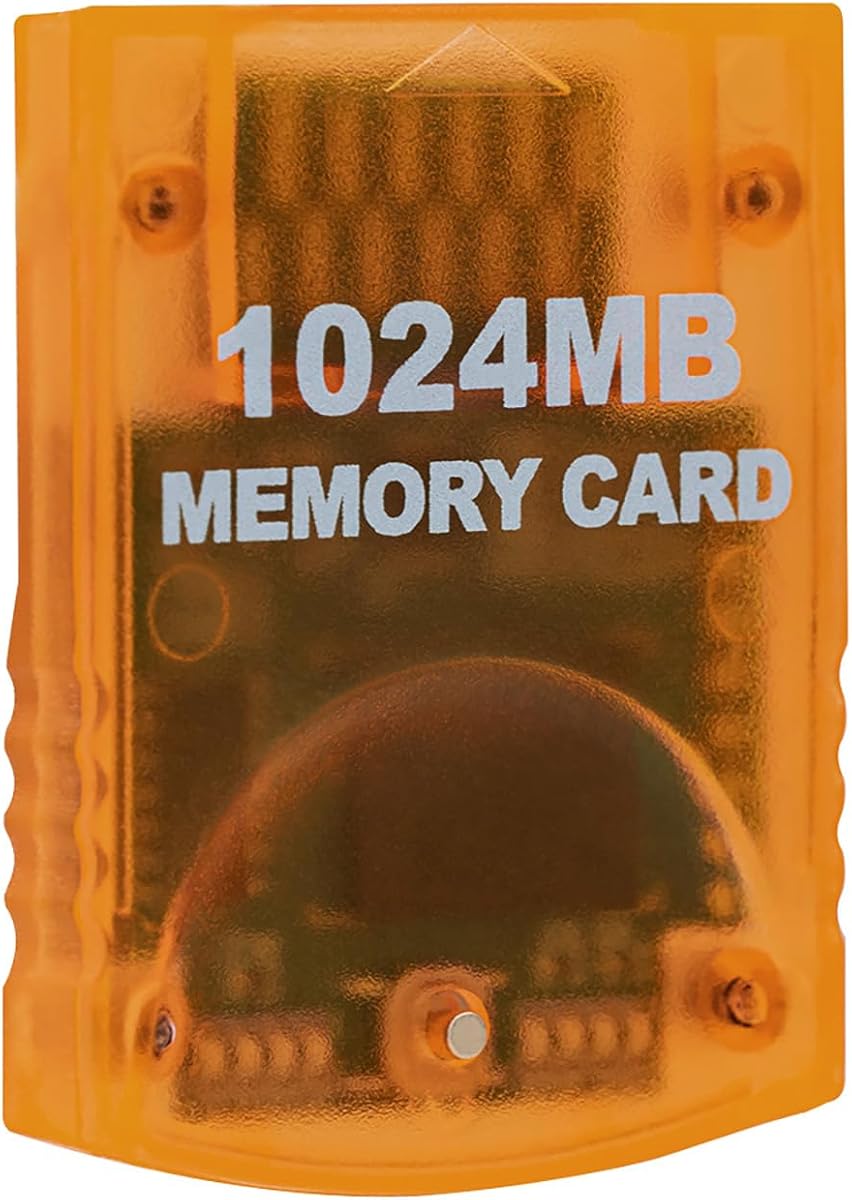


This card stands out for its massive 16344 real uncompressed blocks divided into eight independent areas. It holds a top rating for collectors who need to store hundreds of save files without constant management.
We may earn a commission when you buy through this link, at no additional cost to you.
The physical button on the front allows you to switch between storage areas effortlessly while the indicator lights show which section is currently live. This design prevents accidental overwrites and keeps your game data organized by title.
While it offers exceptional space, be aware that it only works with the original Wii model RVL-001 which has the memory card slot. It is a third party product so official Nintendo branding is not present on the shell.
Collectors and enthusiasts seeking maximum storage capacity should choose this option to avoid deleting old saves. It balances high capacity with user friendly switching features that enhance the classic gaming experience significantly.
The card holds 16344 real uncompressed blocks in total without using compression tricks that fail with some titles.
Press the button on the front to move to the next area with lights showing which one is active.
We may earn a commission when you buy through this link, at no additional cost to you.
This memory card offers a classic 251 blocks of storage which covers most single title save needs efficiently. It is a trusted budget friendly choice for players who just need to save their current game without extra features.
We may earn a commission when you buy through this link, at no additional cost to you.
You can easily load save copy and delete game saves using this card which works fully with GameCube games that support saving. It fits snugly into the slot and provides a stable connection during your gameplay sessions.
While it lacks the large capacity of newer models it remains an excellent low cost solution for casual players. The standard design ensures compatibility with every GameCube console including the launch and mini versions.
Casual gamers who need a simple reliable card for daily play should consider this option for its value. It delivers consistent performance at a fraction of the cost of larger storage alternatives.
Store levels characters and top scores with 251 blocks of standard memory space.
This card is fully compatible with all GameCube games that include a save option.
We may earn a commission when you buy through this link, at no additional cost to you.
This card features an upgraded innovation chip that processes and saves game data faster than older versions. It provides premium performance for serious gamers who want smooth steady saving without interruptions during long sessions.
We may earn a commission when you buy through this link, at no additional cost to you.
It includes eight improved storage sections that can save up to 16344 blocks total. The package is newly designed with a fresh elegant look that allows for easy insertion and removal from the console slot.
A standout feature is the sixty month worry free warranty which provides long term peace of mind for your purchase. This extended support helps distinguish it from generic alternatives on the market today.
Enthusiasts who value speed and long term reliability will appreciate the premium features of this card. It offers the best combination of capacity and technical innovation among the third party options reviewed.
The upgraded chip processes and saves games 20 percent faster for smooth uninterrupted gameplay.
Friendly support and a 60 month warranty ensure your purchase is protected for years.
We may earn a commission when you buy through this link, at no additional cost to you.
This card offers real 16344 blocks non-compress divided into eight 128MB parts. It is designed for high speed efficient saving ensuring you do not lose progress during intense gameplay sessions.
We may earn a commission when you buy through this link, at no additional cost to you.
Pressing the button on the card allows you to switch between parts easily making management straightforward. It functions as an essential accessory for saving game data that you worked hard to achieve.
Users must note that only Wii consoles with model number RVL001 and Gamecube consoles are compatible with this card. It is made by a third party so it is not an official Nintendo item.
For those needing maximum space without compression issues this card delivers consistent results. It balances performance and capacity well for users who prioritize reliability in their save storage.
Real 16344 blocks non-compress ensure compatibility with all titles that require standard memory.
Simply press the button on the card to switch between the eight available parts.
We may earn a commission when you buy through this link, at no additional cost to you.
This blue card provides real 8192 blocks non-compress across four 128MB parts. It serves as a middle ground for users needing more space than standard cards but less than the largest options.
We may earn a commission when you buy through this link, at no additional cost to you.
Four data areas allow for organized storage while keeping the card simple to use via the switch button. It is an essential accessory for saving game data that you worked hard to achieve.
Only Wii consoles with model number RVL-001 and Gamecube consoles are compatible with this memory solution. It is made by a third party and ensures high speed performance for your saved files.
Players looking for a balance between capacity and cost will find this option practical. It offers reliable storage without the complexity of larger multi area cards.
Four 128MB parts allow you to organize saves by game genre or type easily.
This card is designed for easy plug and play use with compatible consoles.
We may earn a commission when you buy through this link, at no additional cost to you.
This high-quality card features 16MB or 251 blocks of storage for your GameCube and Wii console needs. It is designed as a plug-and-play third-party accessory that replaces bulky original cards while maintaining full compatibility.
We may earn a commission when you buy through this link, at no additional cost to you.
The shock-resistant build protects your files from accidental drops or power outages which is essential for marathon gaming sessions. It also features a streamlined profile that fits snugly in any console slot.
Users should note that this card is only compatible with Wii RVL-001 model launch edition consoles. It outperforms aging OEM cards and eliminates common issues like card wobble during use.
Casual players wanting a reliable standard card with a durable build should consider this model. It provides essential storage with added physical protection for your game saves.
Engineered for durability to protect your files from accidental drops or power outages.
The streamlined profile fits snugly in any console slot eliminating the wobble issue.
We may earn a commission when you buy through this link, at no additional cost to you.
This card offers Massive 256MB with dual banks which are two independent 128MB sections for storage management. It features individual LEDs showing the active section when you press the button to switch between banks.
We may earn a commission when you buy through this link, at no additional cost to you.
It is designed specifically as a memory card for GameCube and Wii Console with model RVL-001. The plug-and-play convenience makes it safe and easy to use if you insert it when the console is powered off.
Please note that this card is NOT compatible with the Wii U console which lacks the required memory card slot. It is a third party option that provides fast data transfer for your saves.
Gamers needing moderate extra space in a compact form factor will appreciate this dual bank option. It balances capacity with physical size for comfortable handling.
Storage is split into two independent 128MB sections managed via button and LEDs.
Insert or remove the card only when the console is powered off for safest operation.
We may earn a commission when you buy through this link, at no additional cost to you.
This blue card provides 4 storage areas for the 512MB memory capacity which is ideal for organizing multiple saves. Each storage area is given slots of 2043 blocks allowing for structured file management.
We may earn a commission when you buy through this link, at no additional cost to you.
It is compatible with GC and Wii consoles and works plug and play once inserted. You can switch the storage areas by pressing the button on the memory card itself.
Only Wii consoles with model number RVL001 and GC consoles are compatible with this specific memory card. It is a third party product that offers robust performance for your classic console saves.
Users looking for a reliable blue card with structured storage areas will find this choice effective. It simplifies management across multiple games with clear areas.
4 storage areas are available with 2043 blocks of space allocated to each area.
Press the button on the memory card to switch the storage areas as needed.
We may earn a commission when you buy through this link, at no additional cost to you.
This standard card features 16MB Flash Memory which provides 251 blocks to store your games and settings. It is a straightforward solution for players who need a replacement for a lost or damaged original card.
We may earn a commission when you buy through this link, at no additional cost to you.
The 16MB capacity allows you to save levels characters and top scores across multiple game sessions. It is designed to work with the standard memory card slot on your GameCube console.
While it lacks advanced features like multiple banks it remains a reliable option for essential storage. The basic design ensures compatibility with any title that requires save file memory.
Casual gamers who do not need large storage capacity will find this standard card sufficient. It delivers basic functionality without unnecessary complexity for daily use.
The card uses standard 16MB Flash Memory technology for stable data storage.
251 blocks are provided to store your games and settings effectively.
We may earn a commission when you buy through this link, at no additional cost to you.
This transparent adapter can run on any version of Gamecube and Wii console which is a distinct advantage over fixed cards. It allows you to easily use your idle micro SD card on these hosts for storing games.
We may earn a commission when you buy through this link, at no additional cost to you.
The GC2SD adapter needs to be used with software such as swiss xeno GCloader Lite or pcioboot to function. It will automatically load the TF card game list when set up correctly with the required loader.
It supports micro SD card with max memory of 512GB providing far more space than standard memory cards. This setup requires some technical knowledge but offers great flexibility for users who want SD storage.
Advanced users seeking massive storage capacity should consider this adapter paired with a compatible modloader. It provides unique flexibility for storing and managing homebrew and saved games.
Support micro SD cards with up to 512GB of memory for vast storage capacity.
Requires software like Swiss or xeno to load the TF card game list.
We may earn a commission when you buy through this link, at no additional cost to you.
Choosing the right memory card requires understanding your console model storage needs and compatibility requirements to ensure your saves remain safe.
Verify your console model number before purchasing because many third party cards only work with the original Wii RVL-001 that has the card slot. Later models like the Wii Family Edition or Mini do not have the physical slot to accept these cards.
Always check the underside of your console for the model number to confirm it supports the memory card card properly.
Standard cards offer 251 blocks which is sufficient for a few games but larger cards offer 512MB or 1024MB for extensive libraries. Higher capacity reduces the need to manage delete old files frequently.
If you play many titles choose a card with higher block count to avoid overwriting valuable data.
Look for real uncompressed blocks because some cards advertise high counts using compression that may fail with certain games. Uncompressed blocks ensure consistent performance across all titles.
Check the product details for real block figures to avoid fake capacity claims.
Cards with multiple areas let you organize saves by game or profile using a physical button or LEDs. This feature is helpful for managing large libraries without deleting files.
Choose cards with clear indicators to avoid accidentally switching to the wrong area.
Third party cards vary in build quality so look for shock-resistant designs that protect your saves from physical drops. Good build quality also ensures a snug fit to prevent connection issues.
Read reviews to confirm the card feels durable and fits securely in your slot.
Some sellers offer extended warranties such as 60 months which can provide peace of mind for hardware purchases. A good warranty signals the manufacturer stands behind the product quality.
Prioritize sellers offering longer warranties if the card is a premium option.
Official cards are rare now so most third party options are reliable alternatives. However third party means not officially licensed so brand quality varies between manufacturers.
Select reputable brands with high ratings to ensure a safe replacement for original cards.
For massive storage you can use adapters that let you use micro SD cards but these often require software loaders. This option is ideal for advanced users willing to install mods.
Consider adapters only if you are comfortable using custom software like Swiss.
Always power off your console before inserting or removing the memory card to prevent data corruption or file loss during transfer.
Insert the card firmly into the slot located on the front of your console until it clicks into place and sits flush.
Store your card in a dry cool place away from direct sunlight when not in use to maintain long term reliability.
Yes if you want to save your progress in GameCube titles. The Wii RVL-001 has a slot that accepts standard GameCube cards. Later Wii models do not have this slot so you cannot use the original cards with them.
There is no practical difference as 16MB equals 251 blocks. Both terms refer to the standard storage capacity of a single slot memory card used for saving game data.
Multiple areas allow you to separate save files into different zones which helps avoid accidental overwrites. You can assign specific games to specific areas to keep your progress organized.
No these cards only work with GameCube and the original Wii RVL-001. The Wii U does not have the memory card slot needed to insert these cards.
Pressing the button switches the active storage area so you can move between different sections of memory. This helps you select a different set of saves to write to without deleting files.
Most reputable third party cards are reliable and perform similarly to original ones. Look for high ratings and reviews that confirm consistent saving behavior and good physical fit.
Check your model number on the underside and the slot on the top front. If it shows RVL-001 and has the slot near controller ports it supports them.
No inserting a card does not format it unless you choose to format it via the system menu. It is safe to use if the card already contains files.
We identified the Tolesum 1024MB Suncala 1024MB and Tomee 16MB as top choices for different user needs and storage preferences.
Prioritize real uncompressed blocks and console compatibility to ensure your saved games remain intact across multiple sessions.
Prices and availability change often so check current listings before completing your purchase to get the best deal.