
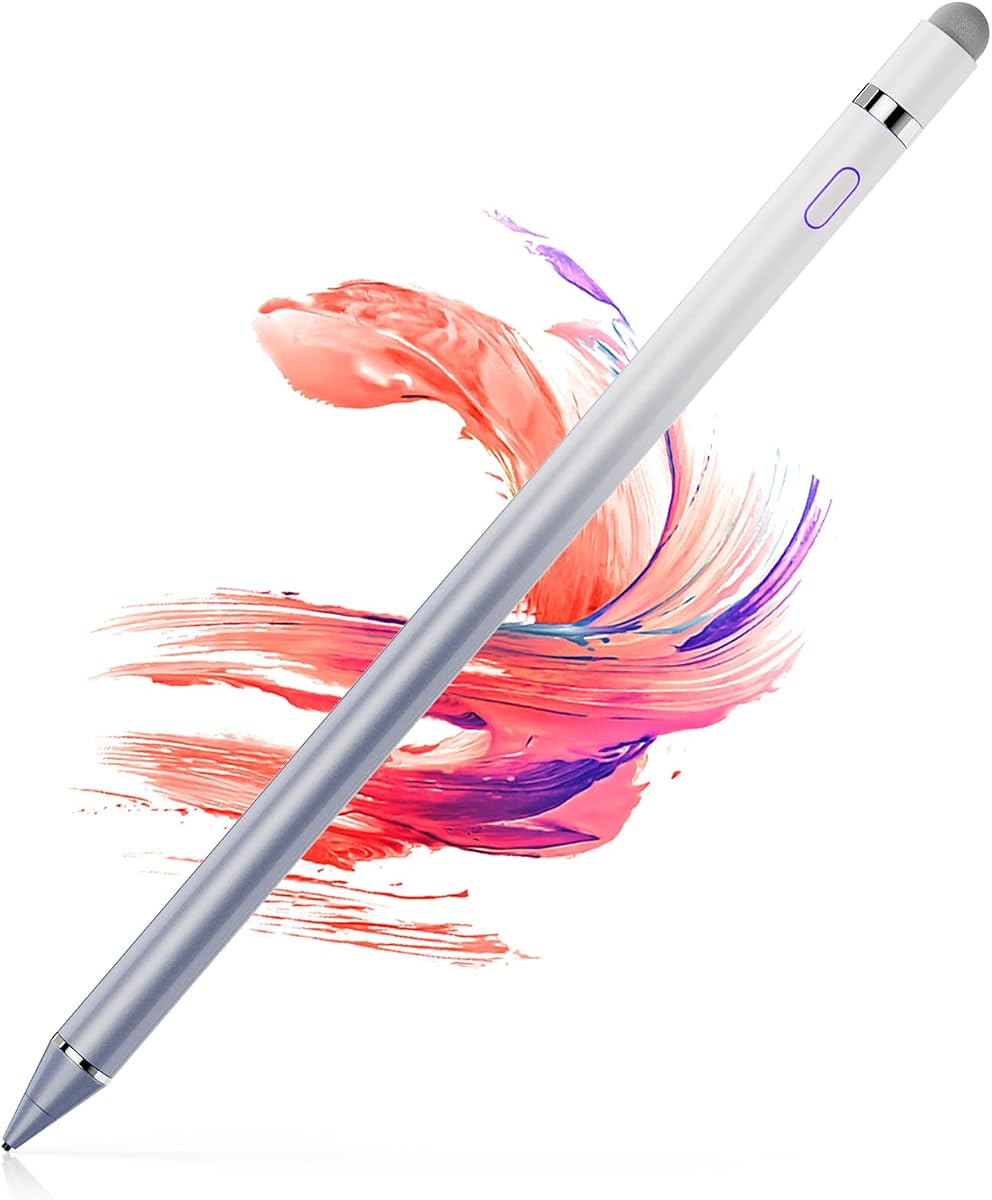
ChaoQ Stylus Pen for Touchscreen
4.6Editor score
Dual rubber tips for precision
Lightweight aluminum body
Replaceable tips included
This guide compares the top fine tip stylus options for touchscreens including iPad and Android to help you find the perfect writing tool for your needs.
Finding the right fine tip stylus can transform how you interact with your touchscreen devices. Whether you are an artist needing precision or a student taking notes, the right tool matters. These styluses offer accuracy without the bulk of traditional pens.
We evaluated ten popular models based on tip design, compatibility, and build quality. Each option provides unique benefits for different users and devices. Our comparison highlights versatility, comfort, and value to guide your purchase decision effectively.
Each pick below showcases specific strengths and ideal use cases. Note that prices fluctuate often so check current listings before buying. These selections represent the best value and performance available in the current market landscape for stylus tools.
4.6Editor score

4.6Editor score

4.0Editor score
This side-by-side comparison highlights key specifications for each stylus to help you compare features quickly. Consider tip type and compatibility when choosing the best fit for your workflow.



The MEKO Stylus Pen stands out as a top choice for users needing versatility. With a 4.6 rating it offers precision and durability for everyday tasks. Its design handles browsing writing and gaming with ease.
We may earn a commission when you buy through this link, at no additional cost to you.
This stylus features a unique 3-in-1 system. The transparent disc tip allows visibility of the contact point ensuring high accuracy. The dual rubber tips suit different needs like scrolling or playing games without scratching screens.
While it requires no battery the tips are replaceable to extend life. The cap protects the disc tip when not in use. Some users may need to order extra tips separately which is a minor trade-off for such flexibility.
Ideal for students and professionals who want one tool for many tasks. Its universal compatibility makes it a safe bet for various devices. We recommend it for its balance of price performance and thoughtful design features.
The disc tip ensures you see exactly where your strokes land for better control.
Works seamlessly with iPads iPhones Android tablets and most touchscreens without pairing.
We may earn a commission when you buy through this link, at no additional cost to you.
The Bopomofo Stylus offers exceptional value with a five-piece set in vibrant colors. It scores high on ratings due to its reliable performance and thoughtful packaging. This option suits families or classrooms needing multiple tools.
We may earn a commission when you buy through this link, at no additional cost to you.
Each stylus combines a rubber tip and a flexible transparent disc tip for varied use. The design is patented ensuring a unique look. You get six rubber nibs and three disc nibs in the box for extended use.
One limitation is the plastic piece on the disc tip cannot be removed. However this does not hinder functionality for most tasks. The set is ideal for users wanting colorful reliable tools for notes or gaming.
Best for those who want variety without spending much. Its ergonomic design reduces hand strain during long sessions. We recommend this for students or offices needing durable budget-friendly styluses for daily use.
Five colorful pens and extra tips make this a complete starter kit.
Unique aesthetics make it a great gift for teachers or designers.
We may earn a commission when you buy through this link, at no additional cost to you.
This stylus represents an upgraded 2026 model designed for high precision. It delivers excellent sensitivity for writing and drawing on modern screens. The design aids users with limited hand movement such as arthritis patients.
We may earn a commission when you buy through this link, at no additional cost to you.
Features include a sensitive disc tip and two rubber sizes for different tasks. The 180 degree flexible angle reduces strain during use. It supports a wide range of devices including Nintendo Switch and Fire MAX tablets.
Replacement tips are available via a separate ASIN search which adds a step. The packaging includes a full set for immediate use. This model is a strong choice for users wanting the latest tech improvements.
Perfect for daily work or learning needs on tablets. It provides smooth transitions between touch and stylus interactions. We suggest this for those valuing ergonomic design and modern device compatibility in their tool.
Flexible angle and rubber tips reduce strain for long writing sessions.
Compatible with Switch Chromebook Kindle and most touchscreens for versatility.
We may earn a commission when you buy through this link, at no additional cost to you.
This pair offers dual functionality with silicone for capacitive and plastic for resistive screens. It is a unique choice for older devices like GPS or POS machines. Users get two pens in a basic set for immediate use.
We may earn a commission when you buy through this link, at no additional cost to you.
The silicone head works well on modern phones and tablets for navigation. The plastic tip ensures compatibility with legacy systems. This mix makes it suitable for mixed environments needing different tool types.
However the plastic tip cannot work on iPhones or iPads which are common. Users must be aware of this limitation to avoid confusion. It remains a solid budget option for specific industrial or old tech needs.
Best for maintenance workers or collectors using older tech. It provides versatility in one pack. We recommend this only if you specifically need resistive screen support alongside standard touch.
Works on both modern capacitive and older resistive touch screens.
Simple design focused on function rather than aesthetic appeal.
We may earn a commission when you buy through this link, at no additional cost to you.
The Acempire set includes seven pens for large groups or classrooms. It uses a lightweight alloy body for durability. The stylus requires no pairing or charging making it ready to use instantly.
We may earn a commission when you buy through this link, at no additional cost to you.
Its high sensitivity ensures smooth writing and drawing on major OS systems. Users report a comfortable grip and sturdy build that resists wear. The multi-purpose design fits gaming note-taking and reading on phones or laptops.
While the price is high for such quantity the durability justifies it. Customer service is available if issues arise. This set is ideal for businesses needing multiple tools without complex setup.
Perfect for schools or offices needing bulk pens for all staff. It simplifies device interaction by replacing messy fingerprints. We recommend this for bulk buyers valuing reliability and ease of use.
Seven pens and multiple colors cover many users at once.
Metal body ensures longevity compared to plastic alternatives.
We may earn a commission when you buy through this link, at no additional cost to you.
ChaoQ offers a three-pack of aluminum styluses in vibrant colors. It is budget-friendly while maintaining high quality for daily tasks. The dual rubber tips allow for both precision and bold writing needs.
We may earn a commission when you buy through this link, at no additional cost to you.
The lightweight aluminum body feels sturdy yet light in hand. Tips are anti-scratch and fingerprint-resistant to protect your screen. Replacement tips are included so you can keep using them indefinitely.
There are no advanced features like charging but the simplicity is a plus. Users get immediate functionality without setup. It suits casual users who want a reliable tool without extra costs.
Ideal for students or parents needing multiple pens for devices. It offers a great balance of form and function. We suggest this for anyone wanting affordable colorful tools for quick notes.
Metal construction feels premium and durable for everyday carry.
Bright colors help distinguish styluses among family members.
We may earn a commission when you buy through this link, at no additional cost to you.
This universal stylus includes a magnetic design for easy attachment to iPads. It charges quickly and offers long battery life for continuous use. The one-touch switch adds convenience for turning it on and off.
We may earn a commission when you buy through this link, at no additional cost to you.
It works well on iPhones and most capacitive devices. The accuracy ensures no screen damage during use. However it does not prevent accidental touches which affects complex drawing workflows.
Users must adjust settings if it fails to power on correctly. The package includes extra nibs for future use. It is a strong option for those wanting a wireless feel without full active features.
Best for note-takers needing quick access on their tablet. It balances price and convenience effectively. We recommend this for users wanting magnetic attachment without paying for top-tier pens.
Attaches to iPad Pro sides to prevent loss during work.
Ten hour usage with quick recharge ensures all-day availability.
We may earn a commission when you buy through this link, at no additional cost to you.
The OASO stylus uses a disc tip to simulate human finger contact. It includes a magnetic cap for storage protection and an extra tip. A leather case helps carry the pen securely in a bag.
We may earn a commission when you buy through this link, at no additional cost to you.
No battery is required so it works instantly on any touch screen. Users appreciate the simplicity and low cost for basic tasks. It supports major devices from iPad to Chromebook easily.
Some users may find the disc tip requires more pressure than active pens. However it remains effective for scrolling and basic drawing. The included extras add value to the purchase price.
Suitable for travelers needing a reliable accessory without weight. It is a straightforward tool for general navigation. We suggest this for those wanting portability and protection accessories.
Includes a leather case for safe transport in any bag.
No pairing needed for instant readiness on any device.
We may earn a commission when you buy through this link, at no additional cost to you.
This stylus features a 1.5mm copper tip for detailed control on Pro models. It offers a solid battery life with automatic sleep mode. The magnetic cap ensures the pen attaches securely to the device.
We may earn a commission when you buy through this link, at no additional cost to you.
Users find it smooth for signatures and annotations without lag. It works on most screens including Chromebooks. The lack of palm rejection means resting hands may interfere with work.
It excludes Windows devices which limits its universal use. Still it offers a realistic pen feel for artists on budget. The copper tip durability is a key highlight for precision tasks.
Best for users needing a slim detailed stylus for art. It provides a good middle ground between rubber tips and active pens. We recommend this for creators wanting precision without pairing setup.
Durable metal tip provides a distinct feel for detailed strokes.
Saves power by turning off after minutes of inactivity.
We may earn a commission when you buy through this link, at no additional cost to you.
This active pen offers a fine point tip for realistic drawing. It turns on within a second and charges via USB. The battery lasts long enough for full creative sessions without interruption.
We may earn a commission when you buy through this link, at no additional cost to you.
The design supports many tablets and phones for universal use. Artists find it good for painting and handwriting due to tip size. However it lacks pressure sensitivity which limits line variation.
It works with most major brands including Samsung and Dell. The automatic off saves power during breaks. This is a strong contender for artists needing a lightweight affordable active tool.
Ideal for hobbyists wanting a pen-like experience. It provides a professional feel at a budget price. We suggest this for creators prioritizing tip precision over advanced features.
Turns on in a second so you never miss a stroke.
Twelve hours of use supports all-day creative projects.
We may earn a commission when you buy through this link, at no additional cost to you.
Choosing the right stylus requires considering tip type device compatibility and build quality to meet your needs effectively.
The tip material determines the writing experience on your screen. Rubber tips offer a soft feel suitable for general use. Disc tips provide higher precision by showing exactly where you touch. Copper or metal tips offer a pen-like feel for detailed art.
Choose disc or metal tips for precision and rubber for casual use.
Ensure the stylus works with your specific device such as iPad or Android. Most passive styluses work on all capacitive screens. Active styluses may only work with specific models. Check the manufacturer list before buying.
Match the stylus type to your device to avoid compatibility issues.
Passive styluses need no charging but active ones offer features like palm rejection. Consider your workflow and how often you can charge. Passive is convenient for quick notes while active suits long sessions.
Opt for passive for simplicity or active for advanced features.
A lightweight stylus reduces hand fatigue during long writing sessions. Aluminum bodies feel sturdy but may be heavier than plastic. Look for ergonomic shapes that fit comfortably in your grip.
Select a weight and shape that feels comfortable for daily use.
Wear and tear can affect tip performance over time. Some brands include extra tips while others require separate purchases. Check the availability of replacements to maintain value.
Ensure spare tips are available for the stylus you choose.
Budget styluses offer basic functionality while premium ones add battery and magnetic caps. Determine if you need advanced features or just a reliable tool. Balance cost with the specific needs of your tasks.
Prioritize features that add value to your specific workflow.
Materials like aluminum or high-grade plastic impact durability. A sturdy build prevents breakage if dropped. Consider the finish and overall construction to ensure longevity.
Invest in robust construction for long-term reliability.
Always ensure your screen is clean before using the stylus to avoid scratching or inaccurate input. A soft microfiber cloth works best for removing dust and fingerprints.
For active styluses charge the device fully before first use and monitor battery levels. For passive ones check tips regularly and replace them when they show signs of wear or damage.
Store your stylus in a protective case or use magnetic features if available. Avoid exposing it to extreme temperatures which can affect materials and performance.
Most passive fine tip styluses work on any capacitive screen such as iPads and Android tablets. Active styluses require specific models like the iPad Pro. Check device compatibility lists to ensure a perfect match.
Yes many styluses come with replaceable tips to extend their lifespan. You can purchase replacements from the manufacturer or a third party. Follow the instructions to ensure proper installation.
Passive styluses simulate a finger without needing batteries. Active styluses use electronics for pressure sensitivity and palm rejection. Passive options are simpler while active ones offer precision drawing features.
High-quality styluses are designed not to scratch screens due to soft materials. Avoid using damaged tips or pressing too hard to prevent potential marks. Use a screen protector for added safety.
Check if Bluetooth is on for active models or if the tip is dirty for passive ones. Restart your device and ensure software updates are installed. Clean the screen tip with a dry cloth.
Battery life varies by model but typically lasts ten to twelve hours on a full charge. Some devices have auto sleep modes to save power. Charging usually takes under two hours for a full cycle.
Yes most styluses work through tempered glass protectors. Ensure the protector is not too thick which might affect touch sensitivity. Test on a small area before full use to confirm responsiveness.
Our top picks highlight the MEKO stylus for versatility and Bopomofo for value. The ChaoQ set is ideal for teams needing multiple tools at low cost.
Prioritize tip precision and build quality based on your main tasks. If you need advanced features consider an active option for better drawing control.
Remember to check current prices and compatibility before purchasing. A good stylus enhances your device experience significantly.