
Epson Workforce ES-50 Compact & Lightweight Mobile Document Scanner
4.3Editor score
USB powered no battery needed
Scans up to 72 inches long
Includes Nuance OCR software
This guide compares the top 10 business card scanners for speed, accuracy, and software integration to help professionals digitize contacts efficiently.
Business card scanners transform physical networking into digital CRM entries instantly. Modern devices use advanced OCR to extract names, emails, and phone numbers with high precision. Choosing the right scanner saves hours of manual data entry and keeps your contact database organized and searchable for future outreach.
We evaluated ten leading models based on scanning speed, image quality, and software compatibility. Our analysis covers portable options for travelers and desktop units for high-volume office use. Each product was reviewed against real-world workflow needs including cloud integration and duplicate contact detection features.
Every pick highlights key strengths and potential limitations to match your specific business requirements. Prices and availability change frequently so verify current details before purchasing. Use this guide to find the scanner that fits your budget and productivity goals perfectly.
4.3Editor score

4.9Editor score

4.2Editor score
This side-by-side comparison highlights key specifications and capabilities across all ten selected models to help you identify the best fit for your workflow needs.


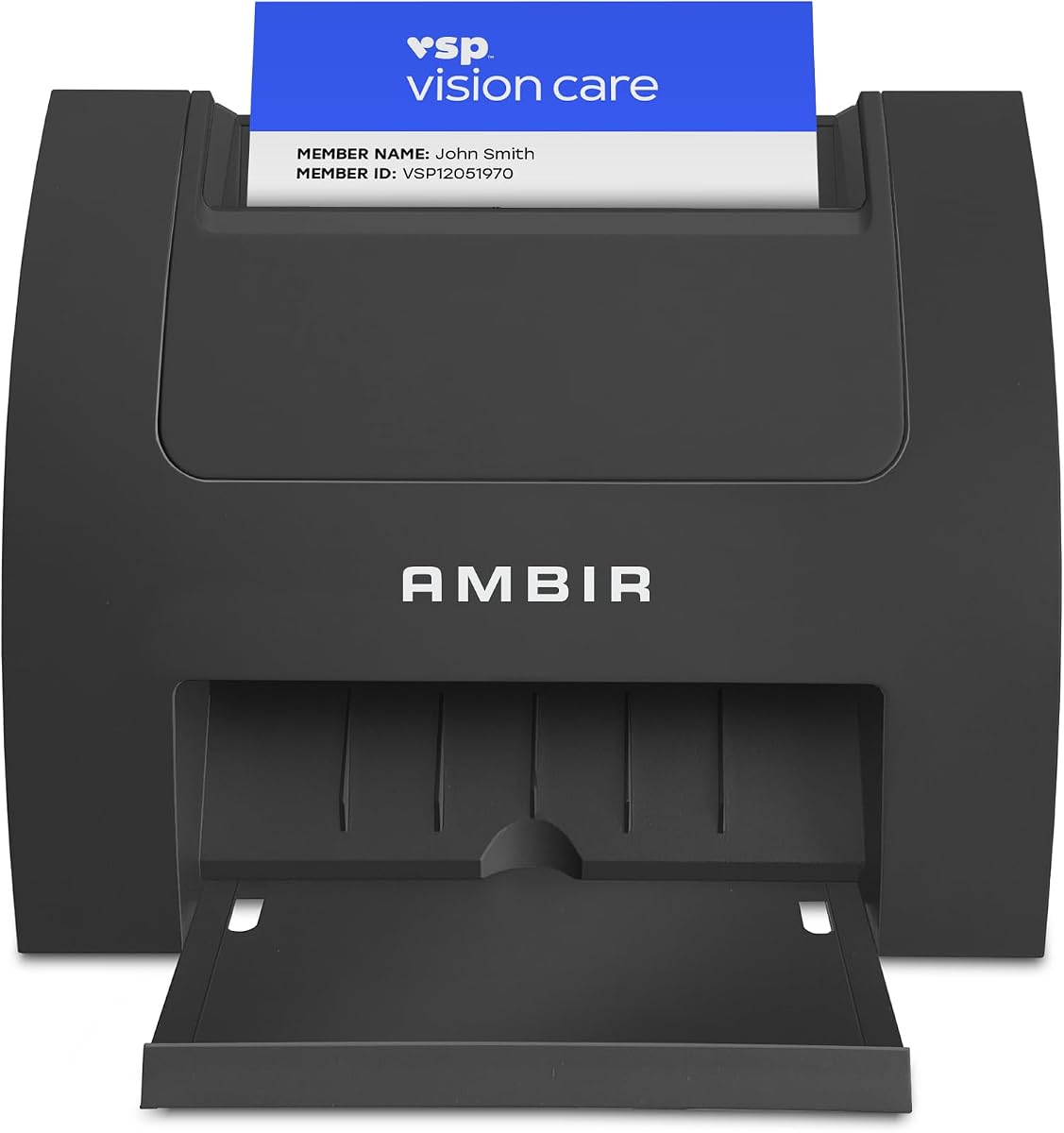


The Ambir ImageScan Pro 687-AS stands out as the top choice for professionals needing speed and versatility. With a near perfect rating it handles everything from business cards to insurance IDs in just three seconds. Its duplex scanning capability captures both sides simultaneously saving valuable time during busy networking events.
We may earn a commission when you buy through this link, at no additional cost to you.
Superior card handling ensures even textured or raised character cards scan without jams. The included AmbirScan software supports saving to PDF TIF or JPG and integrates seamlessly with cloud services like Dropbox and Google Drive. Zapier automation adds another layer of efficiency by triggering workflows in apps like QuickBooks or Slack automatically.
While the price is higher than basic models the time saved on manual entry justifies the investment. The TWAIN driver ensures compatibility with virtually any document management system you already use. Some users might find the size larger than pocket scanners but the speed compensates for desk space.
This scanner is ideal for office environments or sales teams processing high volumes of contacts daily. Its reliability and feature set make it a long term solution for digitizing physical business records efficiently.
Scanning both sides of a card in one pass reduces workflow time significantly for high volume users.
Zapier webhook integration connects scanned metadata to over 6000 apps enabling custom automated follow up tasks.
We may earn a commission when you buy through this link, at no additional cost to you.
The Epson Workforce ES-50 offers an affordable entry point for mobile professionals needing reliable digitization. It scans single pages in roughly 5.5 seconds and weighs less than most competitors making it perfect for travelers. Its USB power means you never need to hunt for an outlet or carry extra cables.
We may earn a commission when you buy through this link, at no additional cost to you.
Beyond business cards it handles long documents up to 72 inches which is rare for this size. The included Nuance OCR creates searchable PDFs and editable Word files enhancing usability. Setup is intuitive and the ScanSmart software helps organize files directly to cloud storage or local folders.
Trade-offs include slower speeds and lack of duplex scanning which may limit high volume use. It is best for occasional scanning tasks rather than daily office workflows. The build is sturdy enough for frequent transport though not as robust as desktop units.
Choose this scanner if portability and cost are your main priorities. It fits easily in laptop bags and works seamlessly with both Windows and Mac systems for versatile usage.
Its compact size and USB power make it easy to carry in any bag for on the go scanning needs.
Nuance OCR turns images into editable text enabling easy editing and searching of scanned content later.
We may earn a commission when you buy through this link, at no additional cost to you.
The ScanSnap iX1300 combines speed with wireless freedom for modern offices. It scans up to 30 pages per minute in duplex mode and handles various media including thick plastic cards. Its innovative design saves desk space while remaining stable during operation.
We may earn a commission when you buy through this link, at no additional cost to you.
ScanSnap Home software centralizes file management allowing drag and drop to favorite apps or cloud services. The Quick Menu lets you customize output destinations per job which streamlines repetitive tasks. Wireless connectivity removes cable clutter and allows scanning from multiple devices including mobile phones.
Priced higher than many alternatives it demands a budget conscious approach. Some users report initial driver setup complexity but performance stabilizes quickly. The lack of standalone mode means a computer or network connection is required for full functionality.
Ideal for small businesses or home offices needing robust digitization without a large footprint. Its versatility and speed justify the cost for users valuing efficiency and wireless access.
Wi-Fi connectivity allows scanning from multiple devices reducing cable clutter and increasing workstation flexibility.
Handles thick items and plastic cards easily without extra rollers or complex settings for diverse scanning tasks.
We may earn a commission when you buy through this link, at no additional cost to you.
The PenPower WorldCard Pro supports business cards in 24 languages making it suitable for global business interactions. It scans and recognizes text quickly converting physical contacts into digital formats compatible with most address books. The built-in management tools allow editing and categorizing contacts easily after scanning.
We may earn a commission when you buy through this link, at no additional cost to you.
Users can search contacts by keyword or click address links to open maps directly. Export options include vCard CSV and HTML ensuring flexibility for sharing data. While the scanner hardware is reliable the software interface feels less modern than newer competitors.
Accuracy varies depending on card font and quality which may require manual corrections. The lower rating reflects occasional extraction errors with complex layouts. However for users needing multi-language support this remains one of the few dedicated options available.
Choose this model if your contacts frequently use non English languages. The specialized recognition algorithms help maintain accuracy across different scripts despite hardware limitations.
Recognition engines handle 24 languages ensuring names and titles are extracted correctly across borders.
Built-in tools let you edit categorize and search scanned contacts directly within the software environment.
We may earn a commission when you buy through this link, at no additional cost to you.
The Ambir ImageScan Pro 667 excels at integrating with Microsoft Outlook for seamless contact management. Scanned data imports directly into your address book eliminating manual entry errors. Optional AI processing improves extraction accuracy for names and titles while keeping data local for privacy.
We may earn a commission when you buy through this link, at no additional cost to you.
Duplicate detection keeps your contact list clean by flagging repeating entries automatically. Shared folder support enables teams to centralize scanned contacts in distributed environments. Export options include CSV for importing into third party CRMs like Salesforce.
Software compatibility is limited to Windows 10 and 11 which excludes Mac users from full functionality. AI features require enabling manually which might confuse less technical users. The build quality is solid but the feature set is narrower than top competitors.
Best suited for organizations heavily invested in the Microsoft ecosystem. Its specialized tools simplify contact management for Windows users working within Outlook.
Direct import into Outlook address book reduces steps needed to save new contacts efficiently.
Local AI processing improves extraction of names and titles without sending data to cloud servers.
We may earn a commission when you buy through this link, at no additional cost to you.
The AMBIR PS670ST is designed for speed scanning cards in under two seconds. Its vertical feed path simplifies loading and reduces the risk of paper jams compared to horizontal designs. This makes it ideal for front desk applications or high volume scanning environments.
We may earn a commission when you buy through this link, at no additional cost to you.
It produces 600 dpi images that meet third party software standards for archival or verification. Continuous scan mode allows you to feed cards without waiting for prompts which enhances throughput. Zapier integration connects scanned metadata to apps like QuickBooks for automated workflows.
Being single sided limits it for documents requiring double capture. It lacks automatic text recognition so you only get images not extracted data. Users needing OCR will require additional software integration.
Best for teams needing rapid image capture of IDs or cards where data extraction is handled separately. Its speed and durability make it a reliable workhorse.
Vertical feeding mechanism minimizes jams and allows quick sequential scanning during busy periods.
600 dpi output ensures high clarity for verification purposes or digital archives without loss.
We may earn a commission when you buy through this link, at no additional cost to you.
The AMBIR PS667 is a turnkey solution for businesses requiring age verification and data extraction. It reads 2D barcodes on US IDs to extract names dates and addresses instantly. All data stores locally ensuring privacy and control without cloud dependencies.
We may earn a commission when you buy through this link, at no additional cost to you.
Age verification tools flag minors automatically and detect expired IDs to prevent illegal sales. Anti-passback security prevents card sharing by blocking duplicate scans within a set timeframe. Customer management features include ban lists and visit tracking for enhanced security.
This model serves a specialized niche compared to general business card scanners. The one time purchase model avoids recurring fees which saves costs long term. Setup is straightforward but features are tailored strictly to ID compliance.
Ideal for retail venues liquor stores or clubs needing compliant age checking tools. Its privacy focused design ensures customer data remains secure on-premise.
Local storage ensures no cloud transmission of personal data enhancing security and regulatory compliance.
Built-in age restrictions and expired ID detection streamline compliance checks for age restricted sales.
We may earn a commission when you buy through this link, at no additional cost to you.
The ScanSnap iX1300 delivers professional scanning in a compact footprint suited for small offices. Its duplex speed of 30 pages per minute ensures quick processing of mixed document types including business cards. The space saving design keeps desks tidy without sacrificing performance.
We may earn a commission when you buy through this link, at no additional cost to you.
Auto de-skew and color optimization produce consistent results without manual adjustments. Quick Menu integration allows you to drag scanned files directly into favorite apps like Gmail or Slack. Wireless connectivity enables scanning from tablets or phones without a computer nearby.
Initial setup may require driver installation which can delay immediate use. The price reflects premium features but may be steep for casual users. Overall it balances speed and convenience effectively for busy desks.
Best for users needing reliable wireless scanning in limited space. Its software suite simplifies file organization across multiple devices.
Compact design allows placement on crowded desks while still providing full duplex scanning power.
Quick Menu drag and drop integration streamlines file delivery to cloud or local applications directly.
We may earn a commission when you buy through this link, at no additional cost to you.
The DocketPORT 667 is roughly the size of a stapler making it extremely portable for travelers. It uses USB power so no external adapter is needed. Scanning directly to PDF streamlines document management without extra conversion steps.
We may earn a commission when you buy through this link, at no additional cost to you.
Its lightweight design fits easily in backpacks or briefcases. TWAIN driver compatibility ensures it works with most software tools. While simple in features it performs reliably for basic card digitization needs.
It lacks OCR capabilities so text remains non searchable unless processed externally. Single sided scanning requires manual flipping for double face cards. These limitations keep the cost low but reduce advanced utility.
Ideal for sales reps or consultants needing to digitize cards while on the road. Its simplicity and portability outweigh feature limitations for mobile workflows.
Stapler sized footprint ensures it fits in any bag for scanning while traveling.
USB powered operation eliminates need for separate power supplies or outlet access.
We may earn a commission when you buy through this link, at no additional cost to you.
The Brother DS-640 offers fast scanning at 16 ppm with color and black and white speeds being identical. Its compact size allows it to fit in bags or pockets for mobile use. Micro USB power ensures it runs from any computer port without extra adapters.
We may earn a commission when you buy through this link, at no additional cost to you.
Auto image enhancement adjusts brightness and removes backgrounds for clearer documents. It supports Windows Mac and Linux making it versatile across different office environments. The included software suite adds OCR and cloud sharing capabilities for better usability.
Lacking duplex scanning means double sided cards require two passes which slows workflow. The short cable can be limiting without extensions. However performance per dollar remains competitive.
Choose this scanner for cross platform mobile scanning needs. Its speed and support make it practical for varied tech environments.
Supports Windows Mac and Linux ensuring compatibility with diverse company computer systems.
Auto enhancement software improves text legibility and removes unnecessary backgrounds automatically.
We may earn a commission when you buy through this link, at no additional cost to you.
The Epson Workforce ES-400 II is built for batch processing with a 50 sheet auto document feeder. It handles high volumes quickly scanning both sides of pages automatically. This makes it ideal for offices digitizing stacks of contracts or business cards in bulk.
We may earn a commission when you buy through this link, at no additional cost to you.
Automatic file naming and cloud sharing save time on organizing outputs. Ultrasonic double feed detection prevents missing pages during fast scans. The included OCR converts images to editable Word or Excel files efficiently.
It requires significant desk space and power so it is not portable. The cost reflects its high throughput capabilities. Users not needing batch processing may find simpler options more practical.
Best for business teams processing large document sets daily. Its reliability and speed reduce bottlenecks in office workflows.
50 sheet feeder allows scanning large document sets without manual intervention.
Direct upload to Dropbox and Google Drive simplifies team collaboration and storage.
We may earn a commission when you buy through this link, at no additional cost to you.
Selecting the right scanner depends on your volume needs and connectivity preferences.
Speed determines how quickly you can process cards during busy events. Look for models that scan single or duplex cards in under five seconds for efficiency. Faster scanners reduce wait times and keep your workflow moving smoothly.
Prioritize speed if you scan dozens of cards daily.
Connectivity affects how you transfer files to your devices. USB powered units offer simplicity but may need a direct connection. Wireless models allow scanning from multiple devices and save desk space.
Choose wireless for flexibility or USB for reliability without extra setup.
Software transforms scanned images into usable data through OCR and management tools. Ensure the software supports your preferred formats like CSV or vCard for easy CRM import. Advanced features like duplicate detection prevent contact list clutter.
Check software compatibility with your operating system before buying.
If you travel frequently a compact lightweight scanner is essential. Pocket sized models fit in bags and require minimal desk space. However portable units may have slower speeds or smaller capacity than desktop versions.
Balance size against performance needs for your lifestyle.
Quality card handling ensures textured or raised character cards pass without jamming. Look for models with dedicated rollers or vertical feed paths designed for plastic materials. Proper handling extends the device lifespan and reduces frustration.
Verify that the scanner supports thick cards if you scan diverse types.
Cloud integration enables immediate saving of scans to services like Dropbox or Google Drive. This reduces local storage needs and enhances data backup. Ensure your model supports direct upload or uses compatible third party apps.
Use cloud support to keep data accessible across devices.
Automation tools like Zapier connect your scanner to CRMs or email apps automatically. This eliminates manual data entry by syncing scanned contacts to your workflows instantly. Check if the device supports webhook integrations for custom automation.
Opt for automation if you want minimal manual processing time.
Prices vary from budget mobile units to premium desktop scanners. Higher costs often bring better speed and automation features. Consider how much time saving matters to your business efficiency before investing.
Set a budget but prioritize features that solve your specific bottlenecks.
Begin by installing all necessary drivers and software on your computer before connecting the device. Ensure your system meets the software requirements to avoid compatibility issues later. Test the scanner with one card first to confirm settings are correct.
Feed cards cleanly and aligned to prevent jams especially when handling textured materials. Clean the rollers regularly with a soft dry cloth to maintain optimal grip and performance. Avoid exposing the scanner to dust or moisture for longer device life.
Review scanned files immediately after capture to ensure accuracy before saving permanently. Organize your digital contacts in folders or your CRM system to maintain easy access. Update software periodically to benefit from performance improvements and new features.
Most dedicated business card scanners handle standard plastic cards without issues. Look for models with adjustable rollers or vertical feed paths for better grip. High end units often advertise compatibility with ID cards specifically.
Some models support Wi-Fi or mobile apps for scanning directly to smartphones. Check if the device offers companion iOS or Android apps. USB OTG support may allow direct connections to Android devices too.
Most devices output images like JPG or PDF and some include text files via OCR. Advanced scanners allow saving directly to Excel or Word formats. Verify software options match your document storage needs.
With regular cleaning and proper handling scanners can last several years. Mechanical parts like rollers may wear out over time. Manufacturers often provide warranties covering parts and labor for peace of mind.
Basic scanning works offline but cloud features need internet access. If you use automation or cloud storage ensure stable connectivity. USB models can function fully without internet if using local software.
Duplex scanners capture both sides of a card in one pass saving time. Single sided models require manual flipping to capture the reverse. Choose duplex for efficiency if double sided cards are common.
Most manufacturers offer phone or email support for drivers and setup. Some provide online knowledge bases and video tutorials for help. Extended warranties may include additional assistance or repair services.
Manual review of extracted text ensures accuracy before importing to contacts. Adjust software settings like image contrast to improve OCR performance. High resolution scans generally yield better text extraction results.
The Ambir ImageScan Pro 687-AS leads this list with unmatched speed and automation capabilities. For travelers the Epson Workforce ES-50 offers portability and value that balances performance. The ScanSnap iX1300 brings premium wireless convenience for busy desks.
Prioritize features that match your daily workflow whether that is OCR accuracy or cloud connectivity. Ensure the software supports your operating system and CRM platform for seamless integration. Consider long term support options before making a purchase.
Prices fluctuate frequently so verify current deals and availability before buying. Use the comparison table to weigh specs side by side for the best decision. Investing in the right scanner streamlines your networking efforts significantly.