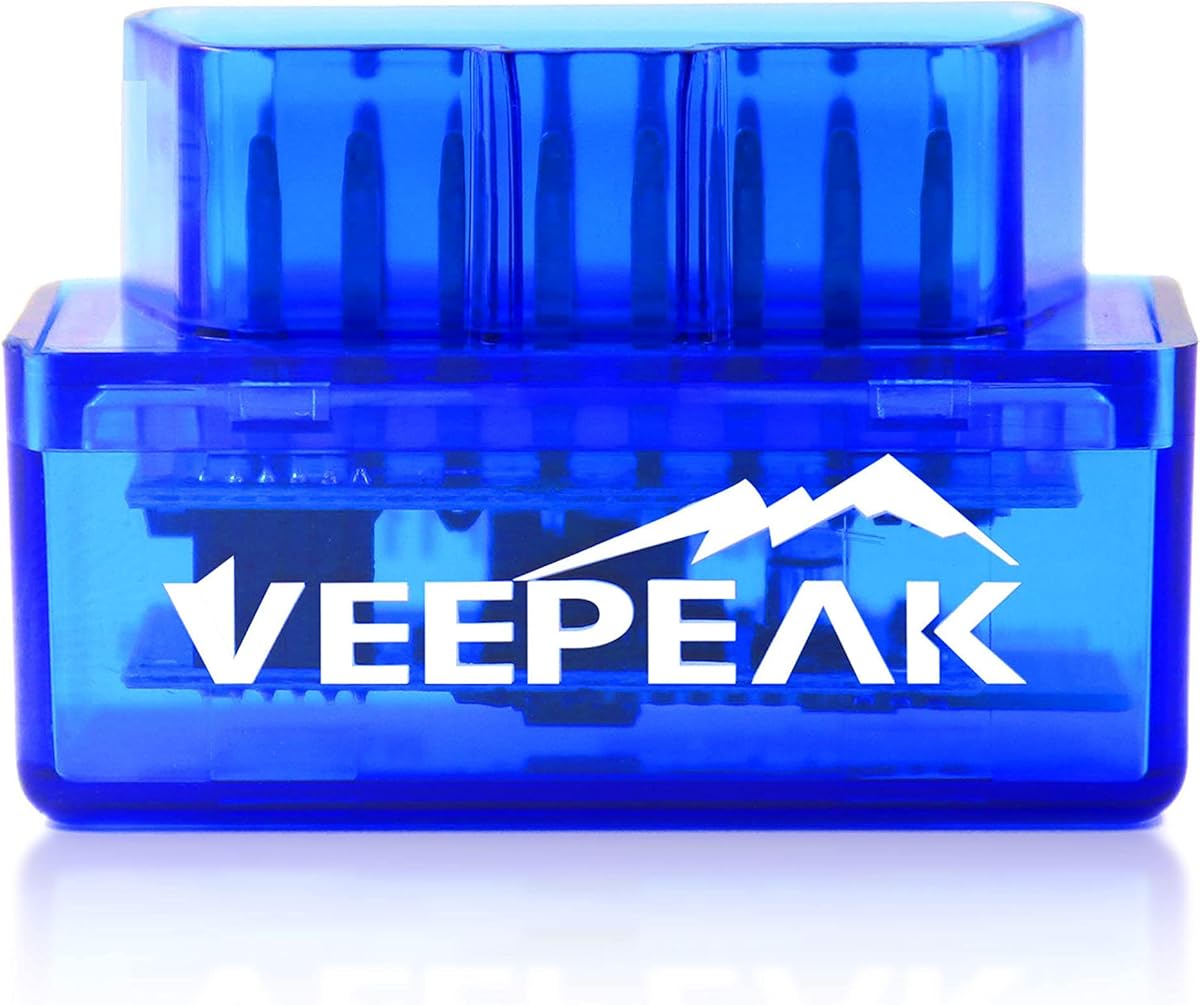
Veepeak Mini Bluetooth OBD2 Scanner Code Reader for Android (NOT for iOS)
4.4Editor score
Affordable entry-level price
Compact and portable design
Supports classic Bluetooth
Compatible with Android only
This guide compares the top Android Obdii Scanner Tool models for 2026 to help you choose the right diagnostic scanner for your vehicle and budget needs.
Finding the right Android Obdii Scanner Tool can save you time and money on vehicle maintenance. These devices connect to your car’s computer to read error codes and monitor performance in real time.
We evaluated ten leading models based on compatibility, features, ease of use, and user feedback. Each option offers unique strengths for DIYers and professionals seeking reliable diagnostic capabilities.
Our picks highlight the best budget, premium, and overall choices for Android users. Remember that prices and availability change, so verify details before purchasing your next diagnostic tool.
4.4Editor score

4.6Editor score

4.5Editor score
This comparison table outlines key specifications and capabilities across all ten Android Obdii Scanner Tool models to help you make an informed decision.


The OBDLink MX+ is a professional grade diagnostic tool designed for serious DIYers and mechanics. It supports enhanced OEM protocols for popular manufacturers like Ford and GM.
We may earn a commission when you buy through this link, at no additional cost to you.
Its speed and reliability make it a favorite among power users. The scanner connects via Bluetooth LE and works seamlessly with apps like FORScan and BimmerCode for deep diagnostics.
The main trade-off is the cost compared to basic code readers. However, the enhanced features and robust build quality justify the investment for those needing detailed vehicle insights.
If you want the most capable Bluetooth scanner for Android and Windows, this model delivers professional performance without the need for expensive handheld hardware.
Access advanced parameters like ABS and TPMS data that basic scanners cannot read.
Over-voltage protection ensures your car battery does not drain while the tool is connected.
We may earn a commission when you buy through this link, at no additional cost to you.
BlueDriver stands out for its unique repair reports that match your VIN to verified fixes. This makes it easy to understand what a check engine light means.
We may earn a commission when you buy through this link, at no additional cost to you.
The scanner reads codes for Check Engine, ABS, SRS, and more. It provides live data graphs so you can monitor vehicle health in real time while driving.
Unlike some tools, BlueDriver has no monthly fees. The one-time purchase includes full access to all features and free app updates indefinitely.
This is an ideal choice for owners who want a reliable, easy-to-use diagnostic tool without dealing with complex technical jargon or subscriptions.
Get technician-verified repair suggestions matched directly to your vehicle's VIN for accurate troubleshooting.
Enjoy full access to all features with a single purchase and no recurring subscription costs ever.
We may earn a commission when you buy through this link, at no additional cost to you.
The Veepeak Mini offers an entry-level way to check your car on Android devices. It is tiny and fits easily in your glove box for quick checks.
We may earn a commission when you buy through this link, at no additional cost to you.
It reads and clears check engine light codes and shows live data. However, it does not support advanced modules like ABS or SRS on most cars.
You must download a third-party app like Torque to use it. While this adds a step, it keeps the device cost low and simple for casual use.
For Android users on a tight budget who only need basic engine diagnostics, this scanner is a solid and convenient option.
Get basic diagnostic capabilities for a fraction of the price of professional tools.
This device uses Classic Bluetooth and only works with Android phones and tablets.
We may earn a commission when you buy through this link, at no additional cost to you.
The Veepeak OBDCheck BLE works with both iOS and Android devices using Bluetooth LE. It allows wireless communication with your vehicle's computer system.
We may earn a commission when you buy through this link, at no additional cost to you.
It handles generic OBD-II functions like reading codes and viewing freeze frame data. Users often pair it with apps like Car Scanner or Torque for full functionality.
While it does not support advanced manufacturer-specific diagnostics, it is perfect for standard engine monitoring. The small form factor makes it easy to leave in your car.
This model is a good middle ground for Android users who want Bluetooth convenience without spending a premium on a professional tool.
Low energy consumption allows for longer battery life and efficient wireless connections.
Reads and clears standard trouble codes for most vehicles from 1996 and newer.
We may earn a commission when you buy through this link, at no additional cost to you.
The Veepeak OBDCheck BLE+ adds classic Bluetooth support to the existing BLE model. This improves compatibility with Android apps that rely on standard Bluetooth protocols.
We may earn a commission when you buy through this link, at no additional cost to you.
It performs standard OBD-II diagnostics efficiently. Users can monitor live sensor data and clear check engine lights with the right mobile application installed.
This upgrade offers more flexibility for Android users compared to the standard BLE version. It maintains the low price point while expanding connection options.
For those who need a versatile wireless scanner that works across many app types, this BLE+ model is a practical choice.
Supports both Bluetooth LE and Classic to ensure broader app compatibility for Android devices.
Monitor engine parameters in real time to diagnose issues as they occur while driving.
We may earn a commission when you buy through this link, at no additional cost to you.
The ANCEL AD310 is a classic handheld scanner that connects directly to the vehicle without Bluetooth. It features a sturdy cable that keeps the unit close during diagnosis.
We may earn a commission when you buy through this link, at no additional cost to you.
It supports all OBD2 protocols and works with most 1996 and newer vehicles. The large screen displays clear results and requires no external batteries.
This simplicity makes it very reliable in garages where phone battery might be low. It handles basic engine codes quickly and effectively.
For users who prefer a dedicated tool over an app-based solution, this wired scanner offers a robust and straightforward experience.
Supports all OBD2 protocols including CAN, KWP2000, and J1850 for broad vehicle compatibility.
Powers directly from the vehicle’s OBDII port so you never need to charge it.
We may earn a commission when you buy through this link, at no additional cost to you.
The FOXWELL NT301 is a dedicated handheld scanner with a bright color screen. It does not rely on your phone, making it a standalone solution for diagnostics.
We may earn a commission when you buy through this link, at no additional cost to you.
Its live data graphing feature helps visualize sensor performance quickly. The built-in speaker provides audio feedback so you can hear status changes without looking.
Lifetime free updates ensure your scanner stays current with vehicle protocols. This model is ideal for those who want a reliable handheld tool with no phone dependency.
If you prefer a device that works independently of your smartphone, the NT301 delivers professional features in a user-friendly package.
View sensor data as visual graphs to spot trends and anomalies in real time.
Audio prompts keep you informed of readiness status and connection health during use.
We may earn a commission when you buy through this link, at no additional cost to you.
This BlueDriver model is designed for next-generation vehicles with expanded compatibility. It supports select light-duty trucks and newer 2024 plus models.
We may earn a commission when you buy through this link, at no additional cost to you.
It offers the same verified repair reports and no subscription model as the classic version. The enhanced communication helps with modern electronic systems.
While it has a lower rating than the classic model, it targets newer fleets and trucks. Users get the benefit of updated tech for current vehicles.
For owners of newer cars or trucks who need advanced diagnostics, this updated scanner provides reliable access to modern vehicle systems.
Includes support for select light-duty trucks like F-250 and Silverado for better diagnostics.
Improved communication protocols ensure accurate data reading on newer vehicle platforms.
We may earn a commission when you buy through this link, at no additional cost to you.
The XTOOL A30D provides bidirectional control, allowing you to actively test components like fuel pumps. This helps isolate electrical issues without disassembly.
We may earn a commission when you buy through this link, at no additional cost to you.
It includes 19 reset functions for routine maintenance tasks like oil and EPB resets. All functions are included without extra subscription charges.
This scanner is powerful for DIYers who do their own maintenance. The wireless connection keeps your phone free while you work around the vehicle.
If you need a tool for resets and component tests, the A30D offers professional features at a competitive price point.
Send commands to vehicle ECUs to test parts like windows and valves in real time.
Includes resets for EPB, TPMS, ABS, and more to simplify routine maintenance tasks.
We may earn a commission when you buy through this link, at no additional cost to you.
The V011 scanner uses Bluetooth 5.4 for fast and stable connections. It comes with an exclusive app tailored to interpret data for Android and iOS.
We may earn a commission when you buy through this link, at no additional cost to you.
It supports 9 protocols and covers most makes and models. The app displays data in clear charts making it easy for beginners to understand.
This device is great for those who want modern connectivity. The dedicated app ensures you get the most out of the scanner without setup issues.
For users seeking a fresh, reliable option with the latest Bluetooth tech, the V011 is a strong candidate for your next tool.
Upgraded wireless connectivity ensures faster data transfer and stable pairing with your device.
Data is presented in easy-to-read visual formats to simplify diagnosis for any user.
We may earn a commission when you buy through this link, at no additional cost to you.
Choosing the right scanner depends on your vehicle and how deep you need to diagnose problems.
Most Android Obdii Scanner Tool options use Bluetooth to connect your phone. Bluetooth Low Energy (BLE) saves power while classic Bluetooth supports older apps.
Select Bluetooth LE for efficiency unless your specific app requires classic modes for compatibility.
Check if the scanner supports your vehicle year and make. Generic tools work on 1996+ cars but may miss advanced systems on newer models.
Ensure the tool lists your manufacturer for specific engine or transmission diagnostics.
Many tools rely on third-party apps to display data. Some come with dedicated apps that offer better visualization.
Verify the app is supported and updated frequently to avoid data reading issues.
Standard tools read engine codes while others access ABS and SRS systems. Bidirectional tools let you test components like fuel pumps.
Choose based on whether you need basic codes or full system resets and tests.
Some brands charge monthly fees for reports or updates. Others offer one-time purchases with lifetime updates.
Look for no subscription options to save money on long term use.
A scanner with a clear interface saves time. Some models include speakers or color screens for better feedback.
If you dislike phone reliance, a standalone handheld device might be more practical.
Reliable customer support is key when facing technical issues. Good brands offer warranties and responsive assistance.
Check for 24/7 support options especially for complex diagnostic needs.
Connect the scanner to the OBD port under your dashboard and turn the ignition on without starting the engine.
Open the paired app on your Android phone and wait for it to detect the scanner device automatically.
After checking codes and data, disconnect the scanner and store it safely to avoid cable or Bluetooth damage.
Most OBD2 tools are designed for 1996 and newer cars. Vehicles before 1996 may use OBD1 systems which require different adapters or tools.
Yes, Bluetooth scanners rely on apps to display data. Standalone handhelds like the ANCEL AD310 do not require phone apps.
Basic tools only read engine codes. Advanced models like BlueDriver or OBDLink MX+ can access ABS and SRS systems for complete diagnostics.
Many tools like BlueDriver have no subscription. Always check the product details to ensure the model includes free lifetime updates.
Check if your phone supports the Bluetooth type. Also ensure your car battery is strong enough to power the scanner connection.
Most scanners have a clear code function. Ensure you have fixed the underlying issue first to prevent the light from returning.
We highlighted top picks like the OBDLink MX+ for pros and Veepeak Mini for budget needs.
Prioritize compatibility with your vehicle and whether you want advanced features or basic engine codes.
Prices change often so check current deals before buying your new Android Obdii Scanner Tool.