
HP OfficeJet Pro 8125
3.9Editor score
20 ppm black print speed
Instant Ink trial included
Wireless scanning features
This expert guide compares the top 10 AI printers for home and office, analyzing features, speed, and value to help you choose the perfect device.
AI printers are transforming how we handle documents at home and work. These smart devices use artificial intelligence to optimize layouts, reduce waste, and simplify printing tasks. Choosing the right one means looking for reliability, speed, and seamless connectivity options that fit your daily workflow needs.
We have carefully compared the latest models available on the market today. Our analysis focuses on key aspects like print quality, ink costs, and smart features that save time. Each product was evaluated based on user feedback and technical specifications to ensure a reliable recommendation for every budget.
Every pick in this list shows exactly what you can expect from the device. You will see detailed breakdowns of strengths and weaknesses to guide your decision. Please note that prices and availability can change frequently, so checking the current links is always a good idea before buying.
3.9Editor score

4.0Editor score

4.7Editor score
This section provides a side-by-side overview of all ten selected models. We highlight their core capabilities and unique selling points to help you quickly identify which printer aligns best with your specific printing requirements.




The HP OfficeJet Pro 9135 stands out as the top choice for businesses needing reliable AI-powered printing. With a 4.0 rating from users, it balances speed and smart features effectively. Its AI capabilities streamline document formatting and reduce manual adjustments before printing.
We may earn a commission when you buy through this link, at no additional cost to you.
Key strengths include rapid printing speeds of up to 25 ppm for black text. The HP AI feature optimizes web pages and emails to prevent wasted paper. Additionally, HP Wolf Pro Security protects your network from cyber threats during operation.
Trade-offs involve the higher initial investment and the necessity of an ink subscription after the trial period. However, the time saved and improved document quality make these compromises acceptable for active offices.
This printer is ideal for professionals who prioritize efficiency and security. If you need a robust all-in-one solution that handles faxing and scanning well, the 9135 is a strong recommendation.
HP AI removes unwanted content from web pages to ensure precise layouts without wasting paper.
HP Wolf Pro Security helps keep your network protected from cyber threats while printing.
We may earn a commission when you buy through this link, at no additional cost to you.
The HP OfficeJet Pro 8125 offers a budget-friendly entry into AI printing. It is rated 3.9 and perfect for home offices needing professional quality without breaking the bank. Its AI tools optimize print formatting to save paper and time.
We may earn a commission when you buy through this link, at no additional cost to you.
Strengths include a 20 ppm black print speed and a 225-sheet input tray. The HP AI feature removes unwanted content from emails and web pages efficiently. Dual-band Wi-Fi ensures a stable connection for remote printing.
Compared to the 9135, it lacks fax and some security features, but it remains cost-effective. The trade-off is acceptable for users who primarily print documents and need basic scanning.
This model suits home users looking for affordability. If you want AI benefits at a lower price point, the 8125 is a practical choice.
Save money upfront with lower hardware costs and include trial of instant ink service.
Ideal for small spaces needing reliable printing and scanning without high expenses.
We may earn a commission when you buy through this link, at no additional cost to you.
The Bambu Lab P2S Combo redefines printing with advanced AI in 3D modeling. Rated 4.7, it delivers professional-grade precision for hobbyists and professionals. Its AI detects failures early to prevent wasted materials.
We may earn a commission when you buy through this link, at no additional cost to you.
Strengths include speeds up to 600 mm/s and seamless multi-color printing via AMS 2 Pro. The adaptive airflow system ensures overhangs stay crisp. Setup is quick, taking just 15 minutes.
The high price is the main drawback, but the performance justifies it for serious users. Compared to inkjet printers, it serves a different purpose but with superior technological innovation.
Buy this if you need high-quality 3D prints. For creators wanting to push boundaries, this is the premium choice.
AI failure detection ensures prints are completed without interruptions or wasted filament.
AMS 2 Pro allows seamless multi-color and multi-material 3D printing projects.
We may earn a commission when you buy through this link, at no additional cost to you.
The HP Smart Tank 5003 is a favorite for homes printing high volumes. With a 4.1 rating, it offers up to three years of ink. Its AI capabilities optimize print jobs for efficiency.
We may earn a commission when you buy through this link, at no additional cost to you.
Strengths include the mess-free refill system that eliminates spills. You get up to 6,000 pages right out of the box. This reduces ongoing costs significantly compared to cartridge models.
Trade-offs include the lack of fax and slower speeds than the OfficeJet series. However, for basic document needs, it offers unmatched value and simplicity.
This printer is perfect for families printing homework and photos. If cost per page is your priority, the 5003 is the top pick.
Get up to three years of ink included to save money on frequent refills.
Mess-free refill system prevents spills and makes changing ink easy and clean.
We may earn a commission when you buy through this link, at no additional cost to you.
The HP Envy 6155 is designed for home users focusing on photos. Rated 4.2, it uses True-to-Screen tech to match prints to your display. AI tools ensure layouts look sharp.
We may earn a commission when you buy through this link, at no additional cost to you.
Strengths include borderless photo printing and a 2.4-inch touchscreen. The AI optimization removes unwanted content from documents. It uses recycled plastic for sustainability.
Trade-offs involve slower black print speeds of 10 ppm. For text-heavy users this might be slow, but for mixed media it is sufficient.
Choose this if you prioritize photos and design. For a stylish, creative home office, the 6155 delivers.
Prints match screen colors for vibrant and accurate photo outputs every time.
Made with at least 60% recycled plastic to reduce environmental impact.
We may earn a commission when you buy through this link, at no additional cost to you.
The HP Smart Tank 7603 combines tank efficiency with faxing. Rated 3.9, it suits home offices needing more than printing. AI tools optimize documents to save resources.
We may earn a commission when you buy through this link, at no additional cost to you.
Strengths include up to 8,000 color pages and a magic touch panel. The mess-free refill system keeps your desk clean. It handles high volumes with ease.
Trade-offs include a slightly complex interface. However, the savings on ink make it worthwhile for frequent printing.
This model is great for offices sending faxes. If you need volume and fax features, the 7603 is reliable.
Includes fax functionality to handle business documents and correspondence efficiently.
Magic touch control panel allows quick and intuitive device navigation.
We may earn a commission when you buy through this link, at no additional cost to you.
The HP OfficeJet Pro 8139 offers a unique one-year ink trial. Rated 4.0, it balances features for home offices. AI tools ensure your prints look professional every time.
We may earn a commission when you buy through this link, at no additional cost to you.
Strengths include the extended trial that covers a full year of use. It supports faxing and has a 225-sheet tray. Security features keep data safe.
Trade-offs involve the price point and eventual subscription. However, the first year savings are significant for home users.
Buy this if you want long ink coverage. For home offices needing faxing, the 8139 is smart.
Get one full year of ink trial included to reduce early costs significantly.
HP Wolf Essential Security bolsters security and keeps your network protected.
We may earn a commission when you buy through this link, at no additional cost to you.
The HP Smart Tank 7603 D34F7A variant brings similar benefits with updated styling. Rated 4.0, it handles high volumes easily. AI features optimize documents for better results.
We may earn a commission when you buy through this link, at no additional cost to you.
Strengths include up to 8,000 color pages and easy refills. The magic touch panel simplifies controls. It is ideal for busy offices.
Trade-offs involve a higher cost compared to entry-level models. Yet the long-term savings on ink justify the investment.
This model suits offices needing volume. If you need fax and efficiency, the D34F7A works well.
Get up to 8,000 color pages to handle heavy printing needs effortlessly.
Magic touch panel ensures easy access to all printer settings and features.
We may earn a commission when you buy through this link, at no additional cost to you.
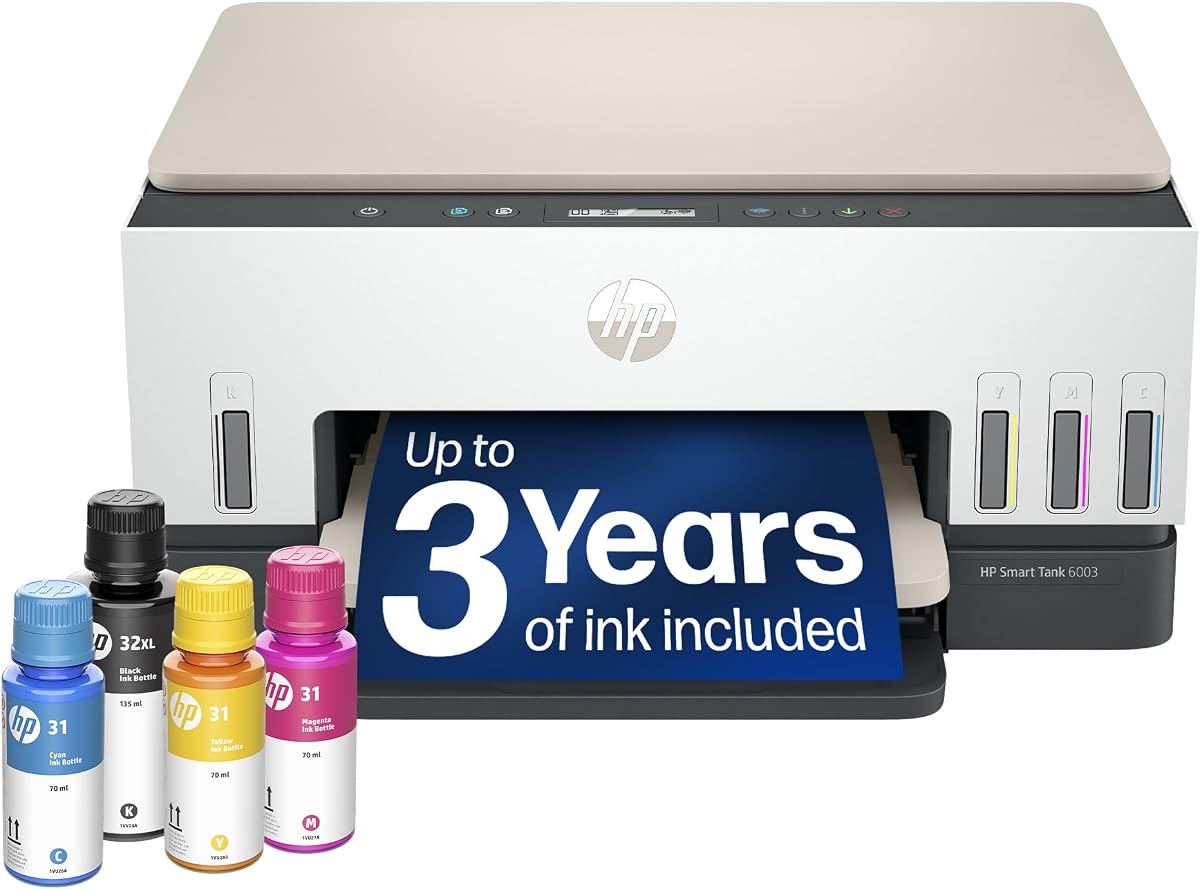
The HP Smart Tank 6003 is a solid entry-level tank printer. Rated 3.8, it saves money on ink. AI tools help refine print settings.
We may earn a commission when you buy through this link, at no additional cost to you.
Strengths include up to 8,000 color pages and wireless options. The refill process is clean. It serves families well for schoolwork.
Trade-offs involve basic features and slower speeds. However, the low cost makes it a great starter device.
This model fits small homes. If you need savings and simplicity, the 6003 is practical.
Low initial cost and included ink make it accessible for budget-conscious buyers.
Mobile and wireless printing options allow easy printing from any device.
We may earn a commission when you buy through this link, at no additional cost to you.
The Liene PixCut S1 is unique with its print and cut capability. Rated 4.2, it is perfect for creators. AI extraction creates custom stickers in minutes.
We may earn a commission when you buy through this link, at no additional cost to you.
Strengths include high-resolution 300 dpi prints and waterproof durability. The AI Lab transforms selfies into art. No subscriptions mean unlimited creativity.
Trade-offs involve specialized use for stickers. For general documents, it is not suitable, but for crafts it excels.
This printer is ideal for DIY enthusiasts. If you love making custom labels, the PixCut S1 is fun.
Automatically recognizes subjects from photos to create custom stickers.
No subscription fees allow you to create without limits or hidden costs.
We may earn a commission when you buy through this link, at no additional cost to you.
Selecting the right printer involves considering several key factors beyond just the price. We have identified critical aspects to help you make an informed decision for your needs.
Print speed is critical for high-volume environments. Look for models that offer at least 20 ppm to avoid bottlenecks.
Choose a model with higher speeds if you print daily.
Decide between cartridge and tank systems. Tank systems have lower costs per page but higher upfront costs.
Tank systems are ideal for frequent printing needs.
Modern printers offer AI for formatting and optimization. This feature reduces waste and improves document layouts automatically.
Look for AI tools that save you time on formatting tasks.
Office printers must protect data. Ensure the device includes security software like HP Wolf Pro.
Security features safeguard your network from potential threats.
Reliable wireless connectivity is essential. Dual-band Wi-Fi ensures stable connections for mobile printing.
Check for wireless support to enable flexible printing.
Input tray size affects workflow. A larger tray reduces the frequency of refills.
Select a printer with a large capacity for efficiency.
Eco-friendly designs use recycled materials. This reduces the environmental footprint of the device.
Opt for sustainable options to support green practices.
Consider the total cost including ink. Subscription plans can offer savings over time.
Calculate long-term costs to avoid unexpected expenses.
Connect your printer to your Wi-Fi network using the dedicated app for easy setup.
Download drivers and apps to access all features like AI formatting.
Clean the print heads regularly to maintain consistent output quality.
Yes, AI printers optimize layouts and reduce waste. This saves time and paper over the long term.
Tank printers last longer because they use refillable bottles. They support higher volume needs.
Choose tank for high volume and low cost per page. Choose cartridge for lower initial cost.
Average speeds range from 10 to 25 ppm depending on the model. Higher speeds suit busy offices.
Yes, all models support dual-band Wi-Fi. This ensures stable connections for all devices.
Many models use recycled plastic and energy-saving modes. Look for sustainable design in the specs.
Most models offer a free trial. Subscriptions may apply later for convenience and savings.
Our top picks include the HP OfficeJet Pro 9135 for overall performance and the Bambu Lab P2S for premium tech.
Prioritize speed and ink costs based on your usage volume to find the best value.
Prices fluctuate so check current links before purchasing to secure the best deal.