
Fully Assembled Mini 3D Printer
4.4Editor score
Fully Assembled
One-Button Auto-Leveling
Complete Starter Kit
This guide compares the top 3D printers for beginners in October 2026 focusing on ease of use speed and reliability for new makers.
Starting your journey into 3D printing can feel overwhelming with so many options available. Finding the right machine requires balancing ease of use reliability and performance to ensure success from the very first print.
We have analyzed the most popular models on the market today to create this comprehensive list. Our evaluation focuses on user feedback assembly requirements and key features that matter most to newcomers starting their creative path.
Each pick in this guide highlights specific strengths to help you match a printer to your needs. Remember that prices and availability can change frequently so check current listings before making your final purchasing decision.
4.4Editor score

4.7Editor score

4.5Editor score
Below is a side-by-side comparison of all ten featured printers showing their key specifications and features to help you make an informed decision based on your specific requirements.



The Bambu Lab A1 stands out as a top choice for beginners seeking a reliable and efficient printing experience. With an impressive rating of 4.7 stars users praise its ability to deliver high quality prints without the usual hassles of manual setup.
We may earn a commission when you buy through this link, at no additional cost to you.
Its high-speed precision is unmatched in this price range with an acceleration of 10000 mm/s² ensuring fast turnaround times. The full-auto calibration feature eliminates the need for tedious manual adjustments making it accessible even for those with no prior experience.
While the A1 offers multi-color printing capabilities with the AMS lite this accessory must be purchased separately. Additionally its filament support is ideal for PLA and PETG but may not suit all advanced materials without upgrades.
This printer is perfect for beginners and kids who want to start creating immediately without frustration. The quiet operation and easy maintenance features ensure a pleasant environment making it a strong recommendation for home use.
The A1 delivers blazing-fast printing while maintaining exceptional accuracy and detail in your prints due to its advanced acceleration technology.
Say goodbye to manual calibration hassles as the A1 takes care of all calibration processes automatically ensuring optimal performance for every print.
We may earn a commission when you buy through this link, at no additional cost to you.
This mini 3D printer is an excellent entry point for those on a budget who want a fully functional machine right out of the box. Its 4.4-star rating reflects user satisfaction with its simplicity and reliability for school and home projects.
We may earn a commission when you buy through this link, at no additional cost to you.
The printer achieves high precision at 0.01mm while maintaining a top speed of 250mm/s reducing wait times for small creations. The one-button auto-leveling feature simplifies setup ensuring consistent print quality without technical knowledge.
Although the build volume is small it is perfect for toys and small prototypes. The included filament and accessories mean you can start printing immediately but advanced users may find the limitations restrictive for larger projects.
Ideal for kids and beginners this starter kit offers a worry-free experience with a 30-day return policy and lifetime technical support. The friendly warranty ensures peace of mind for families exploring 3D printing together.
Automatic nozzle cleaning and one-touch filament loading ensure consistent print quality and easy operation for users with no prior experience.
The complete set includes a mini printer a roll of PLA filament an SD card and accessories making it easy to get started instantly.
We may earn a commission when you buy through this link, at no additional cost to you.
The Bambu Lab P1S offers a premium experience with its enclosed design and high-speed capabilities making it suitable for those ready to invest in quality. Its 4.5-star rating highlights reliability and ease of use for diverse printing needs.
We may earn a commission when you buy through this link, at no additional cost to you.
Users can enjoy up to 16 colors with the optional AMS system bringing vibrant designs to life. The fully enclosed body improves performance for advanced filaments while the automatic bed leveling ensures high-quality prints every time.
While the setup is quick and user-friendly the need for separate AMS connections for multi-color printing adds to the cost. Additionally certain reinforced polymers are not recommended limiting material choices for specialized industrial applications.
This printer is ideal for beginners who want room to grow into advanced projects. The fast acceleration and streamlined setup process let you focus on creating rather than waiting or troubleshooting complex configurations.
With 500mm/s and 20000 mm/s² acceleration the P1S lets you focus on creating not waiting around for your masterpieces to finish.
Spend more time printing and less time setting up with a design that ensures a hassle-free assembly experience for all skill levels.
We may earn a commission when you buy through this link, at no additional cost to you.
The P1S Combo brings multi-color printing accessibility to beginners by including the AMS system which is sold separately in the standard unit. This package allows for vibrant designs right out of the box with a solid 4.2-star rating.
We may earn a commission when you buy through this link, at no additional cost to you.
Its enclosed design ensures stability for advanced filaments while the speed acceleration minimizes wait times. The setup process is streamlined to just 15 minutes allowing users to start creating almost immediately after unboxing.
The added cost of the combo compared to the standalone printer may be a consideration for tight budgets. Furthermore certain carbon fiber reinforced materials are not recommended which might limit specialized engineering projects.
For those eager to explore multi-material capabilities this combo is a fantastic choice. It balances high performance with ease of use making it a strong contender for home studios and creative enthusiasts.
Bring your designs to life with vibrant multi-color and multi-material printing capabilities perfect for showcasing your creativity without extra hardware.
The enclosed body improves print performance for advanced filaments while automatic bed leveling ensures high-quality and successful prints every time.
We may earn a commission when you buy through this link, at no additional cost to you.
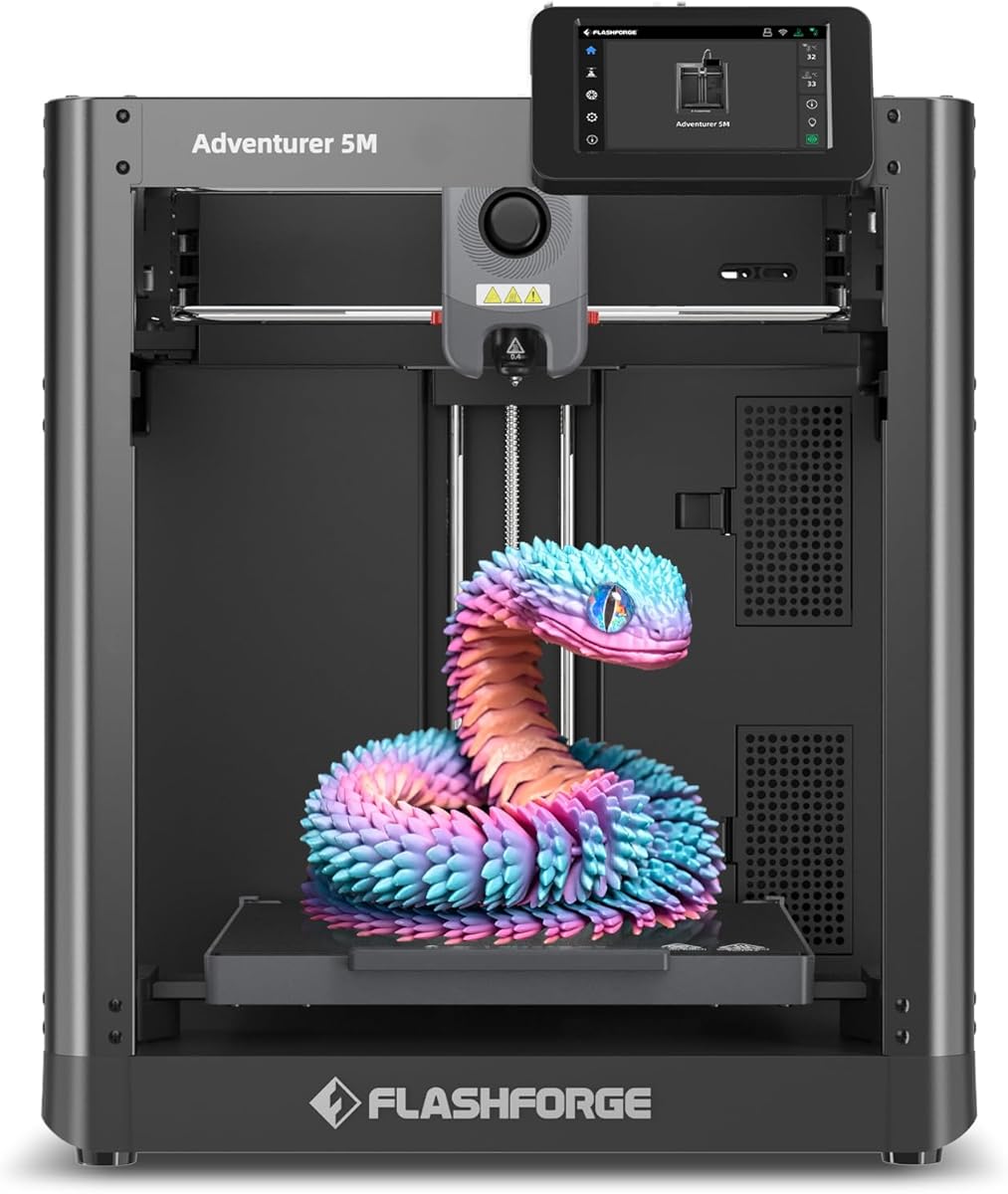
The FLASHFORGE Adventurer 5M impresses with its high-speed capabilities allowing users to produce parts quickly without sacrificing quality. With a rating of 3.9 stars it offers a competitive mix of speed and precision for various projects.
We may earn a commission when you buy through this link, at no additional cost to you.
Features like one-click automatic printing and a 3-second detachable nozzle make maintenance easy for beginners. The CoreXY structure supports fast travel speeds and acceleration reducing production cycles significantly compared to standard printers.
Some users may find the nozzle compatibility requires careful selection for optimal results. Additionally the slightly lower rating compared to other top picks suggests minor inconsistencies in build quality or support experiences.
This printer is suitable for those prioritizing speed and efficiency in their workflow. The smart mobile control ensures a seamless experience allowing you to monitor and adjust prints remotely with ease.
The CoreXY structure maximizes efficiency and ensures high precision making it ideal for rapid prototyping and mass production needs.
Monitor print progress and adjust settings remotely with the Flash Studio app for a seamless effortless printing experience anytime anywhere.
We may earn a commission when you buy through this link, at no additional cost to you.
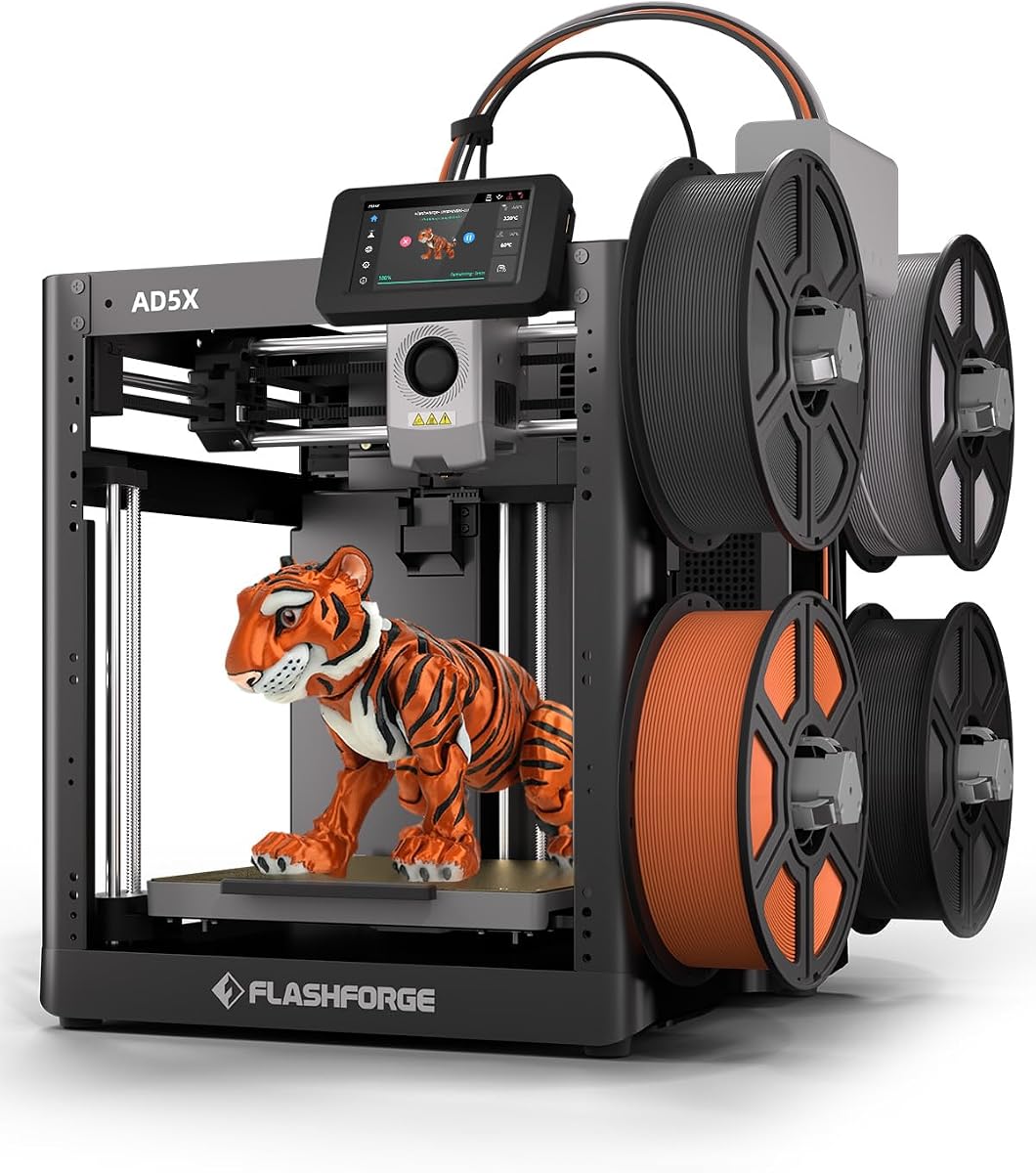
The FLASHFORGE AD5X brings multi-color printing to a high-speed platform allowing for creative versatility at a reasonable entry point. Its 3.9-star rating reflects steady performance for users seeking advanced features without complexity.
We may earn a commission when you buy through this link, at no additional cost to you.
Vivid multi-color printing up to four colors simultaneously opens new design possibilities. The 300°C direct-drive extruder supports a wider range of materials while the 1-click auto leveling simplifies initial setup significantly.
While the build volume is standard for this category some may require larger formats for big projects. Users should also note that multi-color functionality often requires careful filament management to avoid clogs or mismatches.
Ideal for hobbyists looking to experiment with color this printer offers smart features like resume printing and mobile monitoring. Its efficiency and precision make it a solid choice for home studios needing speed and versatility.
Bring your creations to life with vibrant multi-color prints supporting up to four colors simultaneously for endless creative possibilities.
The Core XY structure boosts efficiency and print quality making it ideal for rapid prototyping and batch production without compromising stability.
We may earn a commission when you buy through this link, at no additional cost to you.
The AOSEED AI 3D Printer transforms the printing experience with integrated AI tools that allow users to create models from voice or text prompts. With a 4.5-star rating it is highly regarded for its educational value and ease of use.
We may earn a commission when you buy through this link, at no additional cost to you.
AI Doodle and MiniMe features make design accessible to children without prior skills. The enclosed safe design ensures safety while real-time monitoring via camera lets parents watch progress from any device at home.
While it supports single-color printing only the included 8 rolls of filament and 8000+ models provide plenty of immediate projects. The focus is on ease and safety which may limit users wanting complex multi-material experiments.
This printer is perfect for families and educators looking to inspire creativity. The all-in-one kit and friendly warranty ensure a smooth start making it an excellent investment for young makers.
Let kids bring their imagination to life with AI Doodle creating custom models using voice text or image prompts without design skills.
The enclosed pinch-resistant design and quiet operation make every project simple and safe for kids to enjoy at home safely.
We may earn a commission when you buy through this link, at no additional cost to you.
The A1 mini combines the reliability of the A1 series in a smaller package ideal for limited spaces. Its 4.4-star rating highlights satisfaction with its ready-to-use nature and the included LED lamp kit for creative projects.
We may earn a commission when you buy through this link, at no additional cost to you.
Automatic calibration and a smooth printing experience mean less time troubleshooting and more time creating. The Bambu ecosystem provides access to a huge library of ready-to-print models and easy app management.
The compact size is perfect for desktop use but limits the scale of projects you can undertake. Users needing larger builds might find it restrictive for functional parts or larger prototypes.
This model is best suited for beginners or kids needing a reliable machine for smaller tasks. Its quiet and fast performance ensures a pleasant environment making it a great choice for home studios.
Access MakerWorlds huge library of ready-to-print models and manage prints through the Bambu Handy app for a connected smarter experience.
Turn ideas into real-life creations with a seamless enjoyable printing experience perfect for toys home decor and personalized gifts.
We may earn a commission when you buy through this link, at no additional cost to you.
The Creality Ender 3 V3 SE offers impressive speed and reliability with a strong 4.9-star rating. It is designed to improve on previous models with upgraded extrusion and auto leveling making it a top budget choice.
We may earn a commission when you buy through this link, at no additional cost to you.
The upgraded Sprite direct extruder ensures smooth filament feeding and discharging which is crucial for consistent prints. High-speed printing at 250mm/s saves time without sacrificing quality compared to older versions.
While it includes a CR Touch auto leveling system some users might prefer fully automated calibration. The build volume is standard so larger projects may need segmentation or scaling down to fit the bed.
Ideal for those seeking value this bundle includes multiple packs of high-quality PLA filament to get started immediately. The stable dual-axis design ensures precision making it a reliable workhorse for everyday projects.
The Sprite full metal dual-gear direct extruder provides powerful pushing force and lightweight smooth feeding for various filaments.
High-precision dual Z-axis lead screws reduce wobbling ensuring printing stability and higher accuracy over a long-lasting time.
We may earn a commission when you buy through this link, at no additional cost to you.
The FLASHFORGE AD5M combines brand-new technology with superior craftsmanship to meet the needs of both beginners and experts. Its 4.3-star rating reflects user appreciation for its speed and ease of maintenance.
We may earn a commission when you buy through this link, at no additional cost to you.
Fully automatic one-click leveling ensures a flawless first layer every time removing the guesswork from setup. The patent quick-release nozzle allows tool-free swaps in just 3 seconds simplifying maintenance for novices and experts alike.
Network monitoring and resume print function provide added convenience for unattended prints. However internet connectivity is required for some app features which may be a hurdle for users preferring offline setups.
This printer is a perfect companion for those wanting professional features without complex setup. The flexible double-sided PEI steel plate makes it easy to remove models ensuring a stress-free creative journey for everyone.
Fully automatic one-click leveling measures nozzle-to-build plate distance precisely to ensure a flawless first layer every time without manual tools.
Orca-flashforge slicer enables one-click batch transmission and multi-printer monitoring for enhanced control and efficiency on your workflow.
We may earn a commission when you buy through this link, at no additional cost to you.
Selecting the right 3D printer requires understanding your specific needs budget and the features that will make your experience smooth and successful.
For beginners the most critical factor is how easily the printer can be assembled and calibrated. Automatic bed leveling and one-click calibration save time and prevent frustration during the first few prints. Look for machines that promise fast setup times to get you printing quickly.
Prioritize models with full auto-calibration to avoid manual adjustments that often lead to failed prints.
Speed matters if you plan on creating multiple prototypes or toys quickly. Modern printers offer high speeds up to 600mm/s without sacrificing precision. However balance this with print quality to ensure your models look clean and detailed.
Look for printers with high acceleration values to reduce print times without compromising detail on your models.
The build volume determines the maximum size of objects you can print in one piece. Standard sizes range from 220mm to 300mm per axis. Consider what types of projects you intend to make before selecting a machine.
Ensure the build plate is large enough to accommodate your desired project sizes without needing complex slicing strategies.
Beginners often start with PLA but may want to experiment with PETG or TPU later. Choose a printer that supports multiple materials and has a high-temperature extruder if you plan to expand your material library.
Check the maximum extruder temperature to confirm it can handle the variety of filaments you wish to use in the future.
If you want vibrant multi-color prints look for machines with an optional or included multi-material system. Some models allow for up to 16 colors which can transform your designs significantly. Note that this usually adds to the cost.
Decide if you need built-in multi-color support or if you can assemble parts separately to achieve your desired look.
An enclosed design protects the print from drafts and allows for printing with materials like ABS that require controlled temperatures. Open frames are easier to access and maintain but may struggle with certain advanced filaments.
Choose an enclosed machine if you plan to use a variety of materials including those sensitive to temperature fluctuations.
Prices vary significantly from entry-level kits to premium machines. Consider the long-term costs including filament and accessories. A strong warranty and responsive support can save you money and stress if technical issues arise.
Compare warranty terms carefully to ensure you have adequate protection for your investment.
A user-friendly interface and companion app make monitoring and controlling prints easier. Look for features like remote monitoring and automatic slicing software integration to streamline your workflow.
Ensure the printer works with intuitive software that simplifies the path from design to final print.
Always start by leveling the print bed according to the manufacturer instructions or using the auto-leveling feature. A properly calibrated bed ensures the first layer adheres correctly preventing most common print failures.
Clean the print bed regularly with isopropyl alcohol to remove oils and dust that can affect adhesion. Keep the nozzle free from residue by performing periodic cleaning cycles or using a nozzle cleaning tool.
Store your filament in a dry environment with desiccants to prevent moisture absorption which can lead to printing defects. Regularly check for software updates to keep your printer functioning at its best performance.
The Bambu Lab A1 is often considered the easiest due to its fully automatic calibration and user-friendly interface. It minimizes manual setup steps allowing you to focus on creating rather than troubleshooting.
No prior experience is needed as modern printers are designed with beginners in mind. Automatic features like bed leveling and filament loading make it possible for anyone to start creating immediately.
Operating costs depend on the filament used and the size of your prints. Basic PLA filament is affordable but factor in electricity and occasional maintenance parts when budgeting for your hobby.
Yes some models like the Bambu Lab P1S support multi-color printing with an optional accessory. Others may require manual swapping or assembly of separate parts to achieve multi-color results.
PLA is the best choice for beginners because it is easy to print and has minimal warping. It comes in many colors and is suitable for a wide range of household projects and toys.
Regular maintenance includes cleaning the print bed checking nozzle clogs and lubricating moving parts as instructed. Keeping the machine covered when not in use helps protect it from dust and damage.
Many modern printers like the AOSEED AI have enclosed designs and safety features to protect children. Always supervise children during operation and ensure they avoid touching hot parts of the printer.
Most beginners can master basic printing within a few days. Advanced design and troubleshooting may take longer but the initial setup and printing process are designed to be intuitive and straightforward.
The top picks in this guide offer a range of options to suit different needs and budgets. Whether you prioritize speed or ease of use or multi-color capabilities there is a printer designed to help you start your creative journey successfully.
Focus on features that simplify setup and maintenance such as auto-leveling and automated calibration. These elements significantly reduce the learning curve and help ensure consistent quality from your very first print.
Remember that prices and availability fluctuate so always check current listings before making your purchase. We hope this guide helps you find the perfect machine to bring your ideas to life.