
HP LaserJet M207dw
4.0Editor score
Built-in Ethernet port
Fast duplex printing
Dual-band Wi-Fi
Explore our expert guide on the top Ethernet laser printers for 2026. We compare speed, security, and connectivity to help you find the perfect office printer.
Finding the right Ethernet laser printer ensures reliable network sharing and consistent output for busy workspaces. These devices offer wired stability plus fast monochrome speeds ideal for documents and reports.
We evaluated ten top models based on performance, security, and connectivity features. Our analysis focuses on Ethernet capabilities, print quality, and total cost of ownership to guide your purchase decision effectively.
Each selection highlights specific strengths like duplex printing or mobile support. Note that prices and availability fluctuate regularly. Always verify current offers before completing your transaction online or in store.
4.0Editor score

4.0Editor score

4.4Editor score
This side-by-side comparison outlines key specifications for each model to help you identify the best fit for your specific networking and printing requirements.




The Brother HL-L2460DW stands out as a top choice for Ethernet laser printers due to its balance of speed and connectivity. It offers a wired Ethernet port alongside wireless options ensuring stable network access for small offices.
We may earn a commission when you buy through this link, at no additional cost to you.
Its 36 pages per minute speed handles high-volume tasks efficiently while automatic duplexing reduces paper waste. The built-in Ethernet port allows multiple users to share the device without relying on Wi-Fi stability.
Although it lacks color capabilities the monochrome output is crisp and clear for professional documents. The compact design fits easily into shared workspaces without consuming excessive desk space.
We recommend this model for small teams needing dependable wired network printing. Its straightforward setup and robust performance make it an excellent investment for daily document needs.
The Ethernet port ensures consistent connectivity without Wi-Fi dropouts during large print jobs or network congestion periods.
Automatic duplex printing saves paper and money while producing professional two-sided documents effortlessly.
We may earn a commission when you buy through this link, at no additional cost to you.
The HP LaserJet M207dw provides exceptional value for budget-conscious buyers seeking an Ethernet laser printer. It includes a wired Ethernet port ensuring stable network connections without additional costs or adapters.
We may earn a commission when you buy through this link, at no additional cost to you.
Print speeds reach 28 pages per minute which is sufficient for light office workloads. The included Ethernet connectivity allows seamless sharing among multiple devices on your local network.
Its compact size makes it ideal for small offices or home workspaces. While the paper tray is smaller than premium models it meets basic daily printing needs effectively.
This model suits users needing reliable network printing on a tight budget. The combination of Ethernet support and affordability makes it a practical choice for entry-level office setups.
You get essential wired connectivity at a low price point reducing total cost of ownership.
Its small footprint fits easily on desks or shelves without obstructing workflow areas.
We may earn a commission when you buy through this link, at no additional cost to you.
The HP LaserJet Pro 4001dn delivers premium performance for organizations prioritizing speed and security. It features a dedicated Ethernet port ensuring consistent high-speed data transfer over your network.
We may earn a commission when you buy through this link, at no additional cost to you.
With speeds up to 42 pages per minute it handles large documents effortlessly. The Ethernet-only design focuses on stable wired connections ideal for secure environments needing strict network control.
HP Wolf Pro Security protects sensitive data during printing and network transmission. The large paper tray reduces refill frequency ensuring continuous operation during busy periods.
We recommend this model for small teams needing robust security and high throughput. Its wired focus ensures reliability and safety for critical business document workflows.
Built-in hardware and firmware security features safeguard data against cyber threats effectively.
The large input tray and fast speed minimize downtime for continuous office productivity.
We may earn a commission when you buy through this link, at no additional cost to you.
The Brother DCP-L2640DW combines printing scanning and copying with a reliable Ethernet port for network sharing. It is ideal for offices needing a compact all-in-one solution with wired connectivity.
We may earn a commission when you buy through this link, at no additional cost to you.
Print speeds reach 36 pages per minute while the auto document feeder speeds up scanning and copying tasks. The Ethernet connection allows multiple devices to access the printer securely.
Its compact design saves space despite the added scanning and copying capabilities. The automatic duplexing feature helps reduce paper consumption while maintaining high-quality output.
This model suits small offices needing versatile document handling. The combination of Ethernet networking and multi-function features makes it a practical choice for daily business tasks.
Combine printing scanning and copying into one device to streamline your workspace workflow.
Wired Ethernet ensures consistent connectivity for reliable multi-user access to all functions.
We may earn a commission when you buy through this link, at no additional cost to you.
The HP Laserjet Pro 3001dw offers a balanced mix of speed and connectivity for modern offices. It includes an Ethernet port alongside wireless options ensuring flexible network integration.
We may earn a commission when you buy through this link, at no additional cost to you.
Print speeds of 35 pages per minute handle daily tasks efficiently. The Ethernet connection provides a stable alternative to wireless ensuring consistent performance during network congestion.
HP Wolf Pro Security adds a layer of protection for sensitive documents. The printer supports mobile printing making it convenient for users on the go.
We recommend this model for teams needing flexible connectivity options. Its reliable Ethernet port and solid performance make it a dependable choice for office environments.
Choose between wired Ethernet or wireless based on your specific network requirements and stability needs.
Protect sensitive data with built-in security features that safeguard against unauthorized access.
We may earn a commission when you buy through this link, at no additional cost to you.
The Brother HL-L2405W is an excellent choice for home offices needing reliable wired connectivity. It features a compact design with an Ethernet port ensuring stable network access without wireless interference.
We may earn a commission when you buy through this link, at no additional cost to you.
Print speeds of 30 pages per minute are sufficient for personal document needs. The Ethernet connection ensures consistent performance for occasional print jobs during busy work hours.
Its affordable price makes it accessible for individual users. The automatic duplex feature helps save paper while maintaining professional output quality for reports.
This model suits home users needing simple network integration. The combination of Ethernet support and affordability makes it an ideal choice for personal workspaces.
Small footprint and quiet operation make this printer suitable for shared home environments.
Ethernet port ensures reliable connectivity without worrying about wireless signal strength issues.
We may earn a commission when you buy through this link, at no additional cost to you.
The HP LaserJet Pro M404dn is a proven workhorse for businesses prioritizing wired stability. It features a dedicated Ethernet port ensuring consistent network connectivity without wireless fluctuations.
We may earn a commission when you buy through this link, at no additional cost to you.
Print speeds of 40 pages per minute deliver high throughput for busy offices. The Ethernet-only design focuses on security and stability for critical document workflows.
HP Wolf Pro Security protects data effectively while energy efficient technologies reduce costs. Its compact size fits well in shared office spaces without obstruction.
We recommend this model for organizations needing dependable performance. The strong Ethernet support and proven reliability make it a solid choice for daily use.
Years of market presence confirm consistent performance and low maintenance requirements.
Advanced security features protect network and data integrity during every print job.
We may earn a commission when you buy through this link, at no additional cost to you.
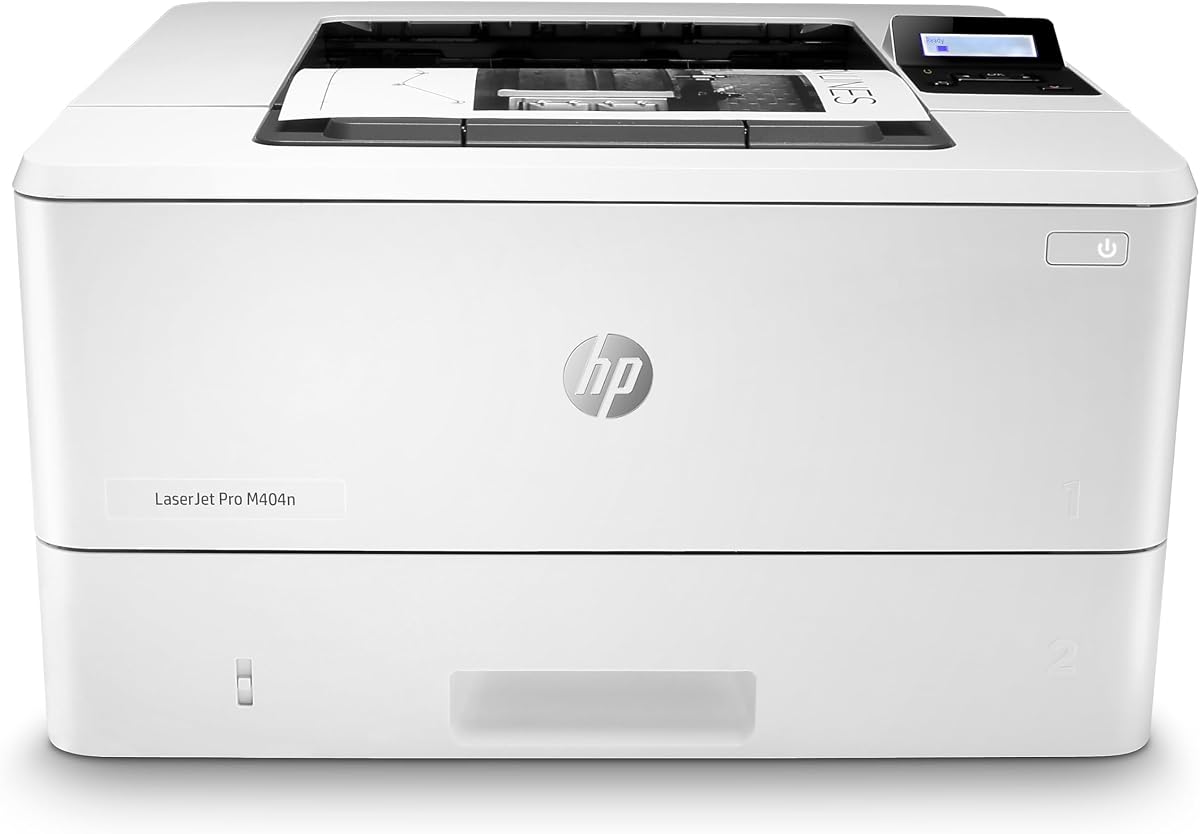
The HP LaserJet Pro M404n offers straightforward printing with a reliable Ethernet connection. It is ideal for users needing a simple network printer without complex features.
We may earn a commission when you buy through this link, at no additional cost to you.
Print speeds reach 40 pages per minute ensuring quick document processing. The Ethernet port provides stable connectivity for multiple users on the same network.
Its single-function design keeps costs lower while maintaining professional output quality. The compact form factor fits easily into most office layouts without hassle.
This model suits users prioritizing speed and stability over extra features. The dedicated Ethernet connection ensures consistent performance for basic document printing needs.
Focus purely on printing with a streamlined interface that reduces setup time and errors.
Shared network access lowers cost per user while ensuring all devices can print easily.
We may earn a commission when you buy through this link, at no additional cost to you.
The Brother HL-L5100DN delivers fast printing with secure wired connectivity for small businesses. It includes an Ethernet port ensuring stable network access without wireless issues.
We may earn a commission when you buy through this link, at no additional cost to you.
Print speeds of 42 pages per minute support high-volume tasks efficiently. The Ethernet connection enables easy sharing across multiple devices on your local network.
Advanced security features protect sensitive data while duplex printing saves paper. Optional tray expansion allows flexibility for growing printing needs.
We recommend this model for teams needing reliable network performance. The combination of speed and Ethernet stability makes it a practical choice for offices.
Secure function lock and advanced security keep unauthorized access away from sensitive documents.
Optional trays allow you to increase paper capacity as business needs grow over time.
We may earn a commission when you buy through this link, at no additional cost to you.
The Brother HL-6210DW is built for high-volume office environments needing robust connectivity. It includes Gigabit Ethernet ensuring fast and stable data transfer across the network.
We may earn a commission when you buy through this link, at no additional cost to you.
Print speeds reach 50 pages per minute handling large jobs effortlessly. The 520 sheet tray reduces refill needs during extended printing sessions.
Advanced security features safeguard network and device integrity. High yield toner options lower operational costs over time.
We recommend this model for businesses prioritizing speed and volume. The combination of Ethernet speed and large capacity makes it ideal for demanding workloads.
Gigabit Ethernet ensures rapid data transfer speeds essential for large document workflows.
Large trays and fast speeds minimize interruptions and maximize continuous office productivity.
We may earn a commission when you buy through this link, at no additional cost to you.
Selecting the right Ethernet laser printer involves balancing speed, security, and connectivity features. This section outlines key factors to consider for informed decisions.
Ethernet provides stable network access which is critical for shared office environments. Look for models with dedicated Ethernet ports if Wi-Fi reliability is a concern.
Prioritize wired connections for security and consistency when multiple devices share the printer regularly.
Speed matters for productivity. Models range from 30 to 50 pages per minute depending on volume needs.
Choose higher speeds for busy offices to reduce wait times during peak printing hours.
Larger trays reduce the frequency of refills and improve workflow efficiency. Standard trays hold 250 sheets but options expandable capacities exist.
Assess daily volume to determine if a larger input tray is necessary for your workflow.
Modern printers include security features like HP Wolf Pro Security or Brother Secure Print to protect data.
Ensure the model supports encryption and secure print protocols if handling sensitive documents.
Automatic duplex printing saves paper and money by printing on both sides of the sheet automatically.
Look for built-in duplex features to reduce waste without manual intervention per job.
Even with Ethernet connectivity mobile printing support via apps or cloud services adds flexibility for remote work.
Verify compatibility with iOS Android and cloud platforms to support diverse user devices.
Consider toner costs and yield when evaluating price. High yield cartridges often reduce costs per page significantly.
Check manufacturer supply policies and subscription options to manage ongoing expenses effectively.
A solid warranty and responsive support reduce downtime during technical issues.
Look for brands offering strong customer service networks and clear warranty terms.
Connect the printer to your router using an Ethernet cable and power it on. Ensure your computer shares the same local network for seamless detection.
Use manufacturer software or built-in drivers to install the printer on your devices. Verify the Ethernet status light is solid indicating a stable connection.
Regularly update firmware to maintain security and performance. Clean the rollers and tray periodically to avoid paper jams and ensure consistent output.
Ethernet offers stable connections with reduced interference which is vital for consistent printing. It ensures reliable data transfer even during network congestion or signal drops.
Many models support both Ethernet and Wi-Fi simultaneously allowing flexible device connections. This dual capability ensures you benefit from wired stability while retaining mobile access.
Look for secure print, encryption, and built-in threat detection like HP Wolf Security. These features safeguard sensitive data during transmission and storage on the device.
Connect an Ethernet cable to your router and the printer. Install drivers on your computer and verify the printer is listed in your network devices list.
Ethernet ensures consistent data transfer which helps maintain rated speeds without delays caused by wireless instability. It supports reliable high-volume job processing.
Models with Ethernet ports may cost slightly more but offer better long-term reliability. The investment pays off in reduced downtime and network stability.
Yes Ethernet printers allow multiple devices on the same network to send jobs. Queueing ensures jobs print in order without conflicts or overlap.
Use a high-quality Ethernet cable rated for your network speed. Keep a spare on hand for quick replacement to minimize downtime.
Our top picks highlight the Brother HL-L2460DW HP LaserJet M207dw and HP LaserJet Pro 4001dn as leading choices. Each model balances speed connectivity and reliability for various needs.
Prioritize Ethernet stability if network security and consistent performance are critical. Consider paper capacity and duplex features to align with your specific workflow demands.
Prices and availability change frequently so always verify current offers before purchasing. Select the model that best fits your business requirements and budget constraints.