
HUANUO FlowLift™ Pro Monitor Arm
4.5Editor score
MechaSpring arm technology
Tool-free VESA mount
Visible tension adjustment
Finding the right monitor holder for desk can transform your workspace into a more efficient and comfortable environment. A good mount lifts your screen to eye level, reducing neck strain and freeing up valuable desk space for other essentials.
We have carefully evaluated ten top-rated options based on build quality, adjustability, and ease of installation. Our comparison covers single and dual arm setups as well as simple risers to suit different desk configurations and monitor sizes.
Each pick in this list highlights specific strengths like cable management or laptop compatibility. Remember that prices and availability can change frequently so always check the latest details before making your final purchase decision.
4.5Editor score

4.3Editor score
4.5Editor score
As an Amazon Associate we earn from qualifying purchases.
The following table provides a side-by-side overview of all ten selected monitor holders. Each entry lists key specifications to help you quickly compare features like weight capacity and screen size limits.


The WALI Adjustable Single Monitor Arm stands out as a top choice for users seeking robust support and versatile positioning. With a solid rating from customers it proves reliable for daily use across various monitor sizes and weights.
We may earn a commission when you buy through this link, at no additional cost to you.
Its ability to support screens up to 34 inches and 26.4 pounds makes it suitable for modern ultrawide or heavy displays. The full motion capabilities including tilt swivel and rotation ensure you can find the perfect viewing angle effortlessly.
While the arm offers great flexibility it is important to check your desk thickness and underside structure before installation. The clamp works best on wooden surfaces without crossbeams which might limit some office setups.
Anyone looking for a dependable single arm solution that balances strength and adjustability will find this model highly satisfying. It effectively clears desk space while keeping your screen secure at eye level for long work sessions.
The high weight limit allows this arm to handle larger and heavier monitors without sagging over time.
Built-in guides keep wires organized and hidden contributing to a cleaner and more professional workspace look.
We may earn a commission when you buy through this link, at no additional cost to you.
This HUANUO model introduces a unique MechaSpring system that promises longer life and consistent support without gas pressure loss. It ranks highly for users who value precision and ease of adjustment in their monitor setup.
We may earn a commission when you buy through this link, at no additional cost to you.
The PrecisionView window allows you to see tension settings clearly removing the guesswork from calibration. Combined with a tool-free VESA plate the installation process becomes remarkably quick and straightforward for most users.
Its weight limit of 15.4 pounds means it may not suit very heavy gaming monitors but is perfect for standard office displays. The strict desk material recommendations ensure stability but could limit usage on glass or metal desks.
For budget-conscious buyers who want premium features like visible tension control and ergonomic certification this arm offers exceptional value. It transforms a basic desk into a professional workspace with minimal effort and expense.
The spring-based design avoids gas leaks and provides reliable support that lasts longer than traditional pneumatic arms.
A yellow indicator shows exactly when tension is calibrated properly ensuring your monitor stays steady in any position.
We may earn a commission when you buy through this link, at no additional cost to you.
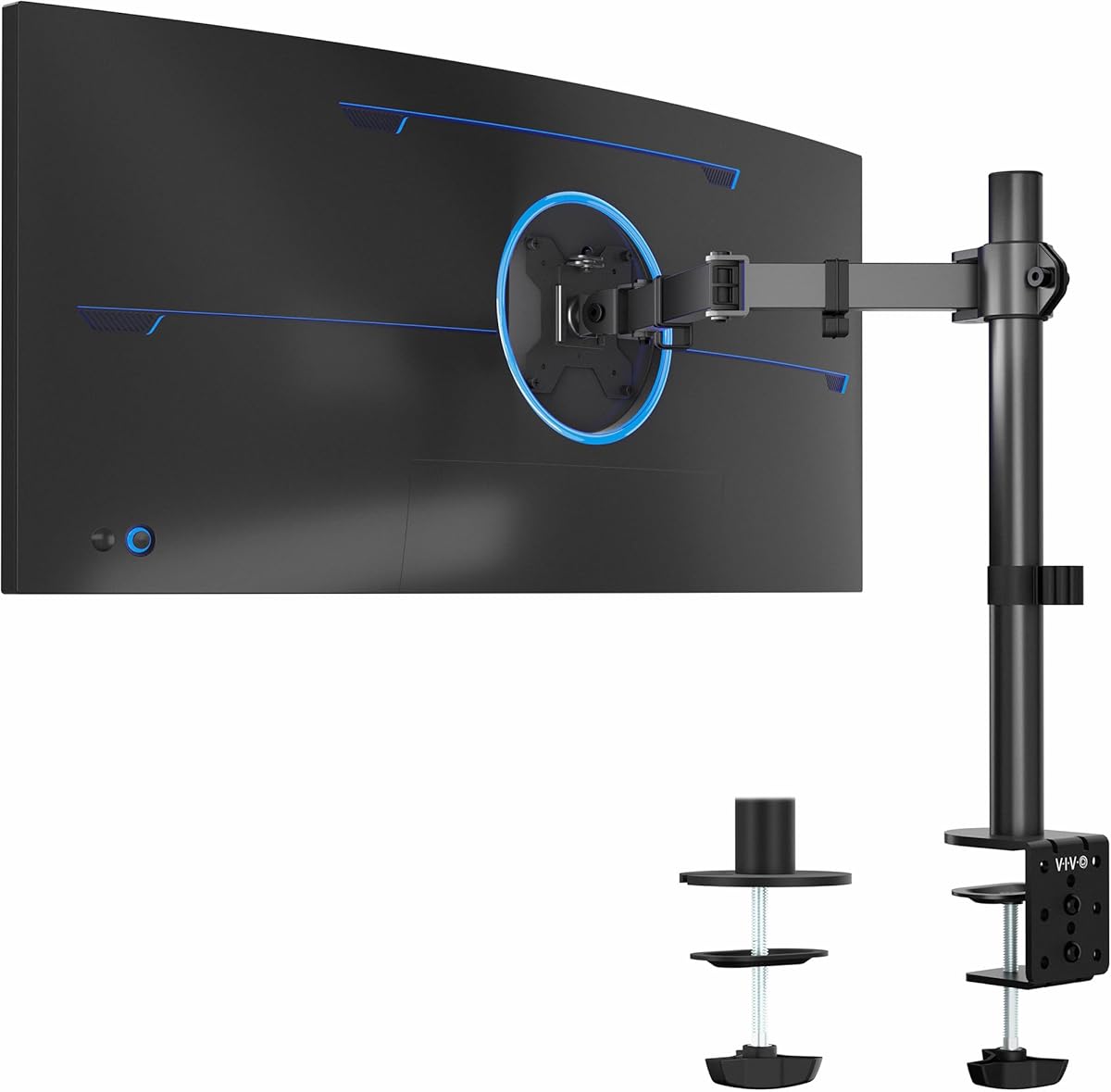
The VIVO Single Ultrawide Monitor Arm is engineered for users with expansive displays up to 38 inches. Its reputation for strength and stability makes it a premium choice for those needing extra support beyond standard monitor sizes.
We may earn a commission when you buy through this link, at no additional cost to you.
The heavy duty clamp secures firmly to desks up to 3.25 inches thick providing a stable base for large screens. You can rotate the screen fully between landscape and portrait modes for versatile content viewing and multitasking.
While it handles ultrawide formats well it is crucial to verify your monitor weight and VESA pattern before purchase. The clamp design is robust but may need adjustment on desks with unusual edge profiles or materials.
Professionals using wide screens for coding design or media consumption will appreciate the range and reliability this mount offers. It maximizes desk real estate while delivering the premium build quality needed for larger hardware.
Designed specifically to accommodate screens up to 38 inches ensuring stable support for the widest monitors available.
Full rotation allows you to switch to vertical orientation easily which is ideal for reading long documents or code.
We may earn a commission when you buy through this link, at no additional cost to you.
This model combines a monitor arm with a dedicated laptop tray making it an excellent choice for hybrid workers. It allows you to mount a monitor above while keeping a laptop accessible below without using extra desk surface.
We may earn a commission when you buy through this link, at no additional cost to you.
The ventilated tray helps prevent laptop overheating during use which is a critical feature for long work sessions. Its ability to support up to 22 lbs ensures it can handle both the monitor and a laptop securely together.
The arm offers flexible adjustment for both tilt and swivel helping you align both devices to your ergonomic needs. However the tray dimensions require sufficient desk width which might be a constraint in compact home office environments.
If you often switch between laptop and external monitor this unit streamlines your workflow by keeping both at comfortable heights. It is a practical solution for maximizing efficiency without cluttering your workspace with multiple stands.
The built-in tray saves desk space by holding a laptop securely while the monitor floats above it.
Breathable vents on the tray allow airflow to reach the laptop fans preventing overheating during extended use.
We may earn a commission when you buy through this link, at no additional cost to you.
The COOPER FlexArm is designed specifically for tablets and portable monitors rather than full desktop displays. It provides an ergonomic hands-free solution for reading or video calls using smaller devices at your desk.
We may earn a commission when you buy through this link, at no additional cost to you.
Its two-segment 24-inch arm offers extensive reach allowing you to position the device exactly where needed. The full-metal clamp grips securely up to 3.5 inches thick ensuring stability even with frequent repositioning.
While it holds 3.3 pounds without sagging it is not intended for standard computer monitors which are often heavier. This limitation makes it perfect for iPads or Kindle devices but not for main workstation screens.
Creators and remote workers who need a secondary screen at eye level will find this holder incredibly useful. It keeps smaller devices accessible and organized while maintaining a clean desk environment free of bulky stands.
The 24-inch arm allows flexible positioning for tablets making it easy to view content from different angles.
Steel construction ensures the arm stays fixed to the desk without sliding or slipping during adjustments.
We may earn a commission when you buy through this link, at no additional cost to you.
This dual monitor stand is ideal for professionals who need to run two screens simultaneously for multitasking. It lifts both monitors off the desk surface freeing up significant space for documents or peripherals.
We may earn a commission when you buy through this link, at no additional cost to you.
Each arm features a pneumatic system that allows smooth movement and holds position well once adjusted. The ability to position each screen independently means you can tailor the setup to your specific workflow needs.
Setting up dual arms can be more involved than single ones so patience is required during installation. Ensuring proper tension on both sides is key to maintaining balance and avoiding uneven droop over time.
For traders designers or developers who thrive on multi-screen setups this stand offers a solid ergonomic foundation. It combines functionality with a clean look that enhances any office environment while improving overall productivity.
Designed to hold two monitors securely allowing for expanded workspace without consuming extra desk real estate.
Air pressure mechanisms provide effortless adjustment so you can move screens with a light touch.
We may earn a commission when you buy through this link, at no additional cost to you.
This WALI mount focuses specifically on elevating laptops to eye level which helps maintain better posture during use. It is perfect for users who use their laptop as the primary screen without an external monitor.
We may earn a commission when you buy through this link, at no additional cost to you.
The ventilated tray includes holes that allow air to circulate around the laptop preventing heat buildup during heavy use. With a capacity of 22 lbs it can handle even the sturdiest notebooks or laptops with additional accessories.
The arm allows 16 inches of height adjustment giving you plenty of range to find the right viewing position. However installation is best suited for wooden desks which might restrict its use in modern glass office environments.
Anyone struggling with neck pain from hunching over a laptop will find this mount a worthwhile investment. It transforms a standard workspace into a healthier ergonomic station without needing complex modifications or extra furniture.
Integrated vents on the tray help dissipate heat keeping your laptop cool and performing optimally during tasks.
Significant height adjustment brings the screen to eye level reducing strain on your neck and shoulders daily.
We may earn a commission when you buy through this link, at no additional cost to you.
The gianotter riser offers a simple no-fuss way to elevate a monitor while adding useful storage to your desk. It is perfect for users who prefer a static setup over an adjustable arm for their screen.
We may earn a commission when you buy through this link, at no additional cost to you.
The included drawer and pen holders help keep office supplies organized and easily accessible within arm's reach. By lifting the monitor it creates space underneath for a keyboard or mouse helping to declutter the surface.
Unlike dynamic arms this unit has a fixed height which may not suit everyone depending on their chair and body size. However for those who want quick setup and organization it delivers exactly what is needed effectively.
If you value a tidy desk and immediate storage solutions this riser provides a practical upgrade for your workstation. It enhances both aesthetics and functionality making it a strong contender for minimalists and students.
Built-in compartments for pens and small items keep your desk surface clear and organized efficiently.
No assembly is required meaning you can unbox and use the stand immediately without tools or effort.
We may earn a commission when you buy through this link, at no additional cost to you.
This Ergear mount is a straightforward and reliable option for users needing basic screen elevation. It delivers essential features like full motion and cable management without unnecessary complexity or high costs.
We may earn a commission when you buy through this link, at no additional cost to you.
The 15.75-inch steel pole provides a sturdy backbone for the arm ensuring stability during adjustments. Full tilt swivel and rotation options allow you to customize viewing angles to suit your comfort preferences.
While it lacks premium features like spring mechanisms its simplicity makes it easy to set up for most desks. Just ensure your table fits the thickness requirements to avoid issues with the clamp installation.
For budget buyers seeking a no-nonsense solution that gets the job done this mount is an excellent choice. It improves ergonomics and desk space efficiently without breaking the bank or complicating your setup.
A clean and uncomplicated structure makes installation and daily use hassle-free for most standard desks.
Steel construction ensures the arm remains stable and reliable even after frequent position adjustments.
We may earn a commission when you buy through this link, at no additional cost to you.
This dual mount from MOUNTUP offers a reliable platform for two screens with clear instructions to guide setup. It is well-suited for office environments where multiple monitors are standard for daily operations.
We may earn a commission when you buy through this link, at no additional cost to you.
Each arm can be adjusted independently allowing you to position screens for specific tasks or viewing angles. The 3-year support warranty provides peace of mind that the product is built to last over time.
Installation might take a bit longer than single mounts but the result is a sturdy dual setup that saves desk space. Proper tension adjustment ensures both monitors stay in place without drooping during the workday.
If you need a dependable dual screen solution with good support and durability this model fits the bill well. It balances performance and affordability making it a great value for professional or home office setups.
Both arms move freely allowing you to customize the layout for optimal productivity and viewing comfort.
A multi-year warranty ensures the manufacturer stands behind the quality and reliability of the mount.
We may earn a commission when you buy through this link, at no additional cost to you.
Selecting the right monitor holder involves considering several key factors to ensure compatibility and comfort. This guide breaks down the most important aspects to help you make an informed decision.
Always check the maximum screen size and weight capacity before buying. Most mounts support 13 to 32 inches and weights between 15 and 25 pounds so verify your display specs match these limits.
Choosing a mount that exceeds your monitor weight ensures stability and prevents sagging over time.
Most holders require standard VESA mounting holes on the back of your monitor typically 75x75mm or 100x100mm. Verify this pattern exists on your device before purchasing to ensure a secure fit.
Without proper VESA holes you may need adapters which can add complexity and affect stability.
Mounts usually clamp onto desks between 0.4 and 3 inches thick. Confirm your desk edge meets these requirements especially if you have a glass or metal surface which may not support standard clamps.
Wooden desks are generally recommended for the strongest hold so check your workspace materials first.
Look for full motion capabilities including tilt swivel and rotation to find the perfect viewing angle. More flexible arms allow you to switch between landscape and portrait modes for different workflows.
Adjustable height and extension are crucial for positioning the screen at eye level comfortably.
Integrated clips or channels help keep power and data cables organized and out of sight. A clean cable system reduces clutter and makes your desk look more professional and functional.
Some models offer detachable clips for easier routing so check this feature during selection.
Most mounts offer C-clamp or grommet options to secure to your desk. Choose based on your desk edge which or if you prefer a hole-through setup for a cleaner look.
Grommet mounts can be more discreet but require drilling a hole while clamps are easier to install.
Metal arms with durable joints ensure the mount lasts through years of daily adjustments. A longer warranty period often indicates confidence in product strength and reliability.
Investing in quality materials prevents drooping and ensures your investment remains safe over time.
Some mounts come with laptop trays or storage compartments which can save space and add utility. These extras are great if you need to integrate multiple devices into your workspace.
Consider if these added features align with your workflow before paying extra for them.
Begin by securing the base clamp or grommet firmly to your desk before attaching the monitor arm. Ensure all screws are tightened properly so the mount does not slip during daily adjustments.
Connect your monitor to the VESA plate and slide it onto the arm securely. Adjust the tension screws until the screen stays in place when you move it without drooping or drifting.
Regularly dust the joints and clamp to prevent buildup that could affect movement. Tighten bolts occasionally if you notice any looseness to maintain a safe and stable workspace setup.
Most standard clamps are designed for wood desks and may not hold securely on glass. Check if the manufacturer offers a specific glass clamp or consider a grommet mount if your desk has a hole.
Most options support standard VESA patterns like 75x75mm and 100x100mm. Always verify your monitor has these hole spacing before purchasing to avoid compatibility issues.
Most holders do not include video or power cables. You will need to use your own existing cables to connect the monitor to your computer securely.
Typical single arms hold between 15 and 25 pounds. Dual monitors usually have similar limits per arm so check the capacity if you plan to use heavier displays.
Yes once installed you can easily adjust the tilt swivel and height of your screen. Some models allow smooth movement while others may require manual tightening for position changes.
Many mounts come with Allen keys or basic tools needed for assembly. Some premium models offer tool-free VESA plates for even easier setup without extra hardware.
We reviewed ten top options ranging from budget single arms to premium dual setups. The WALI and HUANUO models stand out for their balance of price and performance in most home offices.
Prioritize weight capacity and VESA compatibility before looking at features like cable management or storage. A strong foundation ensures your monitor stays safe and stable during daily use.
Prices and availability change frequently so check the current listings before you buy. With the right holder you can create a more ergonomic and productive workspace that supports your health.