
ARRIS SURFboard SB8200
4.4Editor score
Compact modern design footprint
Supports plans up to 2 Gbps
Requires separate WiFi router
Find the best modem for Spectrum cable internet. This guide compares top DOCSIS 3.1 modems and combos for speed, reliability, and rental savings.
Choosing the right modem for Spectrum internet service is essential for unlocking your plan's full potential. A high-quality device ensures stable connections for streaming, gaming, and remote work without unnecessary monthly rental fees.
We evaluated the top ten DOCSIS 3.1 modems and combo units compatible with Spectrum networks. Our analysis focuses on speed capabilities, provider compatibility, build quality, and user feedback to help you make an informed decision.
Each product pick below highlights key specifications and real-world performance expectations. Please note that pricing and availability can change rapidly, so verify the latest details directly with the retailer before purchasing your new device.
4.4Editor score

4.4Editor score

4.3Editor score
This table provides a side-by-side comparison of all ten selected modems. It highlights key specifications such as maximum speed support, Ethernet port configuration, and compatibility notes to help you narrow down your options quickly.



The Hitron CODA56 stands out as a top choice for Spectrum users seeking high-speed connectivity. With a rating of 4.4 stars, it delivers reliable performance for plans up to 2.5 Gbps using advanced DOCSIS 3.1 technology.
We may earn a commission when you buy through this link, at no additional cost to you.
Its 2.5 Gbps Ethernet port ensures you can fully utilize gigabit-tier internet services. The device is optimized for smooth 4K streaming and online gaming, offering low latency even during peak usage hours.
While it lacks integrated WiFi, this design choice allows users to pair it with their preferred high-performance router. This flexibility is ideal for those who already own mesh systems or want to upgrade wireless capabilities independently.
This modem is best suited for Spectrum subscribers with cable internet plans above 1 Gbps. It effectively replaces monthly rental hardware, providing long-term savings and improved network stability for your household.
The dedicated 2.5 Gbps port ensures your router receives the full speed of your Spectrum plan without bottlenecks.
DOCSIS 3.1 support ensures compatibility with upcoming network upgrades and higher speed tiers from your provider.
We may earn a commission when you buy through this link, at no additional cost to you.
The ARRIS SURFboard SB8200 offers an affordable entry point into owning your own cable modem. It maintains a strong 4.4-star rating by supporting plans up to 2 Gbps with stable DOCSIS 3.1 performance.
We may earn a commission when you buy through this link, at no additional cost to you.
Its compact design fits easily into any home setup while providing two gigabit Ethernet ports. This allows for direct connections to gaming consoles or desktop PCs while linking to a separate router.
Although it does not include WiFi capabilities, it works seamlessly with most modern routers. The trade-off is acceptable for users prioritizing cost savings on hardware and eliminating recurring rental charges.
This model is ideal for Spectrum customers on a budget who still want reliable high-speed performance. It delivers excellent value by combining proven technology with a reasonable purchase price point.
Dual gigabit ports allow you to connect a router and a wired device simultaneously without additional switches.
CableLabs certification ensures the device meets strict standards for performance and compatibility across major ISPs.
We may earn a commission when you buy through this link, at no additional cost to you.
The NETGEAR Nighthawk CM3000 represents the pinnacle of cable modem technology for Spectrum users. With a 4.3-star rating, it unlocks the fastest available tiers using revolutionary mid/high-split technology and DOCSIS 3.1.
We may earn a commission when you buy through this link, at no additional cost to you.
Its unique link aggregation feature allows you to combine multiple gigabit ports for speeds up to 2 Gbps on wired devices. This is exceptional for power users who need maximum throughput for data transfers.
The device ensures stable, low-latency performance essential for gaming and video calls. While it comes at a higher price point, the performance gains and elimination of rental fees justify the investment.
This modem is perfect for enthusiasts seeking the absolute best performance from their Spectrum connection. It pairs ideally with high-end WiFi 6E or WiFi 7 routers for whole-home wireless coverage.
Combining Ethernet ports creates a wider data pipe for high-bandwidth tasks like large file transfers.
This technology enables significantly faster upload speeds compared to standard modem designs.
We may earn a commission when you buy through this link, at no additional cost to you.
The ARRIS Surfboard S33 delivers multi-gigabit performance in a sleek, compact enclosure. It supports internet plans up to 2.5 Gbps, making it a future-proof choice for Spectrum households with high-speed needs.
We may earn a commission when you buy through this link, at no additional cost to you.
Its simple LED indicators provide clear status updates without cluttering the design. The modem is straightforward to set up, requiring only a cable connection and activation through your service provider.
While it lacks integrated wireless features, it pairs well with any standard WiFi router. The focus here is purely on robust wired connectivity and eliminating monthly equipment rental fees.
This modem is suitable for users who want high speeds without compromising on space efficiency. It offers a balance of performance and practicality for modern home networks.
Support for 2.5 Gbps plans ensures your network remains ready for future bandwidth upgrades.
The compact footprint allows the modem to blend seamlessly into home entertainment centers.
We may earn a commission when you buy through this link, at no additional cost to you.
The Hitron CODA56 Data Only variant is designed exclusively for high-speed internet data delivery. It handles plans up to 2.5 Gbps with DOCSIS 3.1 technology, ensuring reliable performance for Spectrum cable subscribers.
We may earn a commission when you buy through this link, at no additional cost to you.
Since it does not support telephone services, it is ideal for users who rely solely on internet connectivity. This specialization ensures optimal resource allocation for data transmission without voice overhead.
Setup involves connecting the coaxial cable and pairing it with a separate WiFi router for wireless access. The device includes robust technical support coverage for any configuration challenges.
This modem is best for users needing high-speed data without voice features. It provides a stable, dedicated connection for streaming and gaming while avoiding unnecessary functionality.
The device is optimized purely for internet traffic, ensuring no interference from voice channels.
Certified for use with Spectrum, Xfinity, and Cox to ensure seamless activation and performance.
We may earn a commission when you buy through this link, at no additional cost to you.
The Arris Surfboard S34 is designed with future network upgrades in mind, featuring support for next-generation upstream speeds. It delivers download speeds up to 2.5 Gbps, matching the requirements of modern Spectrum plans.
We may earn a commission when you buy through this link, at no additional cost to you.
Its versatile port configuration includes both a 2.5 Gigabit port and a standard 1 Gigabit port. This allows for flexible connections to routers and wired devices simultaneously without extra hardware.
CableLabs certification ensures compatibility across major providers like Spectrum. The device maintains a compact footprint, making it easy to install in any home setup.
This modem is ideal for users anticipating higher upload requirements for work or content creation. It balances current performance needs with future-proofing for upcoming network capabilities.
Prepared for higher upload speed tiers that will be available in the future.
Different port speeds allow for optimized connections to both the router and local devices.
We may earn a commission when you buy through this link, at no additional cost to you.
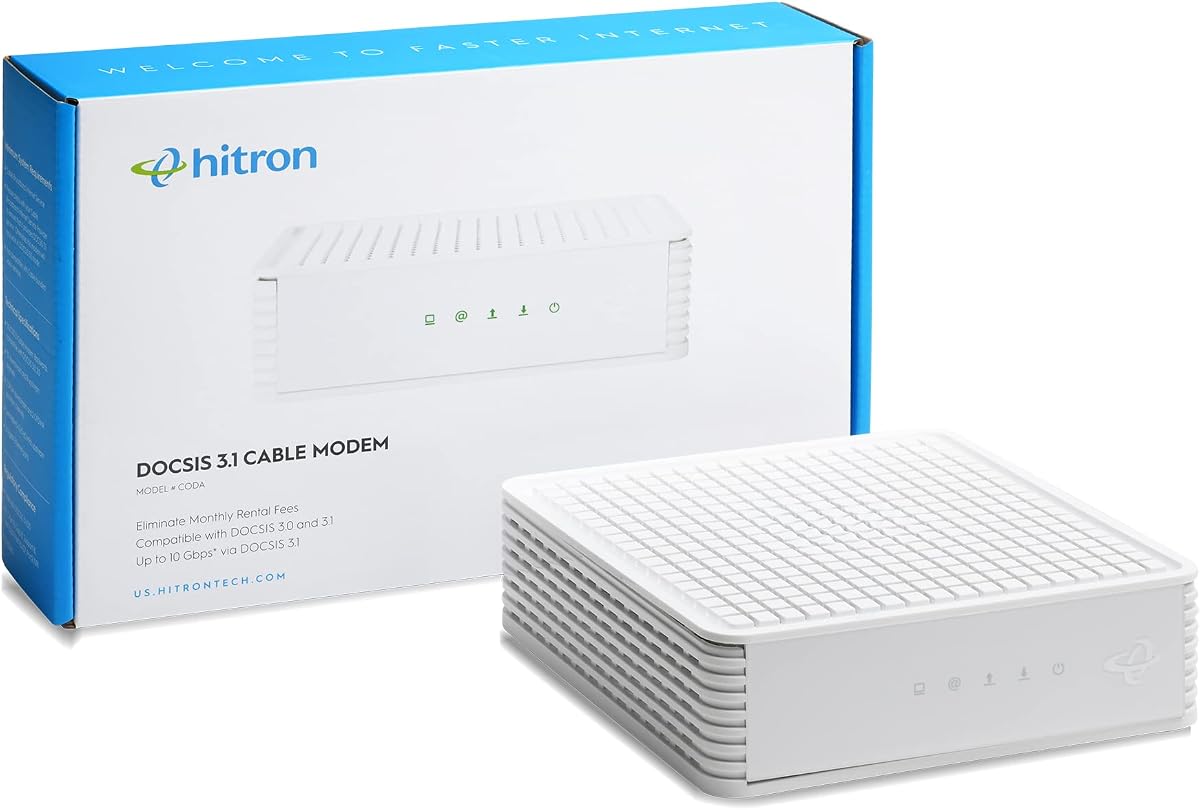
The Hitron CODA DOCSIS 3.1 modem offers reliable performance for Spectrum users with gigabit plans. Its 4.1-star rating reflects steady connectivity and ease of use for home internet needs.
We may earn a commission when you buy through this link, at no additional cost to you.
It features a single Ethernet port that connects directly to your wireless router. The setup process is streamlined, requiring minimal technical knowledge to get online quickly.
While it is limited to 1 Gbps speeds, it fully utilizes standard gigabit plans. The elimination of rental fees provides immediate financial benefits over renting equipment from your provider.
This model is recommended for standard users seeking a straightforward, no-frills connection. It works seamlessly with existing router setups to provide stable internet access.
Officially certified for use with Spectrum to guarantee activation and network stability.
The installation process is designed for simplicity, allowing users to get online quickly.
We may earn a commission when you buy through this link, at no additional cost to you.
The NETGEAR Nighthawk CM3000 Mid-Split modem is built for power users requiring the fastest available speeds. It utilizes mid/high-split technology to unlock download speeds up to 2.5 Gbps.
We may earn a commission when you buy through this link, at no additional cost to you.
Features like OFDMA improve response times during peak hours, ensuring lag-free gaming and video calls. The 2.5 Gig Ethernet port ensures your router receives maximum throughput from your ISP.
While this device comes with a higher initial cost, the performance gains justify the investment. It pairs perfectly with modern WiFi systems to deliver a seamless home network experience.
This modem is best for those seeking maximum speed potential from their Spectrum plan. It combines robust hardware with software enhancements for superior real-world performance.
Improves response times significantly during peak usage when multiple devices are active.
Includes ninety days of technical support to assist with setup and troubleshooting.
We may earn a commission when you buy through this link, at no additional cost to you.
The NETGEAR Nighthawk CM2500 Mid-Split modem distinguishes itself with significantly faster upload capabilities. It supports up to 2 Gbps downloads and 1 Gbps uploads, essential for video conferencing and content creation.
We may earn a commission when you buy through this link, at no additional cost to you.
Link aggregation allows you to combine ports for higher wired throughput. This device prepares your home network for future speed tiers and ensures consistent performance across all devices.
Its design focuses on responsiveness and capacity. The device handles multiple connected devices efficiently without significant drops in speed during heavy usage.
This modem is highly recommended for families with multiple users and high upload demands. It offers a robust solution for those needing symmetrical speed performance.
Ten times faster upload speeds ensure smoother video conferencing and file sharing experiences.
Combining Ethernet ports allows for higher total wired bandwidth on your desktops and consoles.
We may earn a commission when you buy through this link, at no additional cost to you.
The NETGEAR Nighthawk CM3000 High Speed modem delivers top-tier performance with revolutionary mid/high-split technology. It supports download speeds up to 2.5 Gbps and upload speeds up to 1 Gbps.
We may earn a commission when you buy through this link, at no additional cost to you.
Its link aggregation feature creates a wider connection for your router. This ensures that even the fastest plans can be fully utilized without throttling at the hardware level.
The device is engineered for stability and low latency. It is designed to replace rented equipment with a high-performance unit that reduces monthly ISP fees significantly.
This modem is the ultimate choice for Spectrum users seeking maximum performance. It ensures your network remains robust and ready for the latest internet applications.
Delivers faster upstreams that go beyond what standard modems can achieve easily.
Combines multiple ports to create a faster wired connection for your router.
We may earn a commission when you buy through this link, at no additional cost to you.
Selecting the right modem involves checking compatibility and speed capabilities. This guide outlines the key factors to consider before purchasing.
DOCSIS 3.1 is the current standard for cable internet and is required for high-speed Spectrum plans. It allows for faster downloads and better efficiency than older DOCSIS 3.0 models. Choosing a modem with this technology ensures you can utilize your full internet plan speeds without hardware bottlenecks.
Look for the DOCSIS 3.1 label on the product packaging or description to ensure compatibility with gigabit plans.
Modems come with maximum speed ratings that indicate the fastest plan they can support. For Spectrum, ensure the modem supports at least the speed of your current subscription. If you have a 1 Gbps plan, a modem rated for 2 Gbps or higher provides better headroom for future upgrades.
Always match the modem's max speed rating to your plan to prevent connection slowdowns during heavy usage.
The number and speed of Ethernet ports matter for connecting devices directly. Some modems have a single 2.5 Gbps port which is ideal for pairing with high-speed routers. Others offer multiple 1 Gbps ports for wired connections to desktops or game consoles.
Check the port types to ensure they match your router capabilities and wired device needs.
Not all cable modems work with all ISPs. Spectrum maintains an approved device list to ensure proper activation. Always check the manufacturer's website or the product listing to confirm that the modem is approved for Spectrum networks specifically.
Using an unapproved modem may result in activation errors or lack of support from the ISP.
Modems are sold as standalone units or as modem-router combos. Standalone modems require you to buy a separate WiFi router, offering more flexibility. Combos are convenient but may limit future router upgrades.
Choose a standalone modem if you want to use your preferred wireless router for better coverage.
Internet speeds are increasing, and modems should last several years. Look for models that support future upload tiers or have higher speed margins. This ensures you won't need to replace the hardware soon after purchase.
Invest in a modem with higher speed ratings than your current plan to avoid frequent replacements.
Pricing varies based on features and speed ratings. While cheaper models exist, investing in a higher-rated modem can save money over time by eliminating rental fees. Calculate the payback period based on your ISP's rental rates.
A higher upfront cost is often justified by long-term savings and better performance stability.
Easy setup and reliable support are crucial for a smooth transition. Manufacturers often provide online tools or customer support for activation. Check if the modem comes with clear documentation or apps to simplify the process.
Verify that technical support is available in case you encounter activation issues with your ISP.
To install your new modem, first disconnect the power and coaxial cable from your old router. Connect the coaxial cable to the new modem and plug it into a power outlet.
Next, connect an Ethernet cable from the modem to your WiFi router. Once the router is also powered on, wait for the modem lights to turn solid to indicate a successful connection.
Maintain your modem by keeping it in a cool, well-ventilated area to prevent overheating. Regularly check the lights and reboot the device if you experience any connectivity issues.
Yes, you typically need to contact Spectrum or use their online portal to activate a new device. This step ensures the modem is authorized on the network. You can often do this by providing the MAC address found on the modem label.
If your current modem is older than DOCSIS 3.1, upgrading may improve speeds and stability. However, if you already have a compatible modem, your speed depends on your plan. A new modem primarily prevents hardware bottlenecks.
Most standalone modems work with any standard router. Ensure the router has an Ethernet port to connect to the modem. High-speed plans benefit from routers that also support DOCSIS 3.1 standards for optimal throughput.
No, these modems are designed exclusively for cable internet using coaxial connections. They are not compatible with fiber or DSL services. Verify your internet type before purchasing to ensure the modem works with your ISP.
Activation is usually confirmed when the online light on the modem turns solid. If it blinks or stays off, you may need to call your ISP to complete the process. Some ISPs send a confirmation email upon activation.
Buying a modem usually pays for itself within a year due to rental fee savings. It also gives you more control over your network and avoids recurring monthly charges. Long-term savings make purchasing a smarter financial choice.
We reviewed ten top-rated modems to help Spectrum subscribers find the perfect match for their needs. The Hitron CODA56 and NETGEAR CM3000 stand out for their high-speed performance and reliability.
Prioritize a modem that supports DOCSIS 3.1 and matches your plan speed. Avoid buying outdated hardware that may throttle your connection. Choosing the right device ensures you get the full value of your subscription.
Prices and availability can change, so verify current details before making your purchase. With the right hardware, you can enjoy stable, high-speed internet without rental fees for years to come.