
AX210NGW DTK WiFi Card
4.5Editor score
Tri-Band WiFi 6E Support
Includes Antennas and Cables
Low-Profile Mounting Brackets
Compare the top M2 WiFi Cards for laptops and PCs. We review Intel and third-party options for speed, compatibility, and value in October 2026.
Modern computing demands reliable high-speed wireless connectivity for work and entertainment. M2 WiFi Cards offer a practical upgrade path for older laptops and desktops lacking latest-generation wireless capabilities.
We evaluated ten top-rated wireless network adapters based on chipset performance, supported standards, and real-world compatibility. Our analysis focuses on features like tri-band support, Bluetooth integration, and driver stability across Windows systems.
Each product entry highlights key specifications and practical benefits to help you choose the right adapter. Keep in mind that pricing and availability fluctuate frequently, so verify current details before purchasing.
4.5Editor score

4.8Editor score

4.6Editor score
The following table provides a side-by-side overview of all ten selected adapters. We compare key specifications like wireless standards, maximum speeds, and supported operating systems to help you identify the best fit for your hardware.





This AX210NGW DTK WiFi Card ranks first due to its comprehensive package for budget-conscious buyers. It delivers WiFi 6E performance with tri-band capabilities and includes all necessary cables for immediate installation.
We may earn a commission when you buy through this link, at no additional cost to you.
The card leverages the reliable Intel AX210 chipset to provide speeds up to 574Mbps on 2.4GHz, 2400Mbps on 5GHz, and another 2400Mbps on the 6GHz band. This tri-band setup reduces congestion significantly compared to dual-band predecessors.
While it is a third-party module, it offers excellent value by bundling antennas and mounting brackets that are often sold separately. The only trade-off is ensuring you download the correct drivers manually from Intel.
Buyers seeking a cost-effective upgrade for older laptops should consider this kit. It brings modern connectivity standards to existing hardware without breaking the bank, making it ideal for casual users.
The included RF cables and 5dBi antennas ensure strong signal reception right out of the box, eliminating extra costs for accessories.
Access to the 6GHz band provides interference-free channels for high-speed streaming and low-latency gaming on compatible routers.
We may earn a commission when you buy through this link, at no additional cost to you.
The WiFi 6E AX210 NGW card stands out for its consistent performance and straightforward installation process. It supports the latest WiFi 6E standards while maintaining backward compatibility with older networks.
We may earn a commission when you buy through this link, at no additional cost to you.
Key features include MU-MIMO technology which allows multiple devices to connect simultaneously without significant speed drops. This makes it a strong choice for households with many connected devices.
Its Bluetooth 5.3 integration ensures seamless connectivity for peripherals like mice and headsets. While it lacks premium packaging, the core functionality remains robust and reliable.
This product is suitable for users who want a direct upgrade path without complex setup requirements. It balances performance and ease of use effectively for general computing tasks.
MU-MIMO technology improves network efficiency by managing data streams for multiple devices simultaneously, reducing lag in busy environments.
Support for Windows 10 and 11 ensures you can easily find and install necessary drivers from Intel's official website without issues.
We may earn a commission when you buy through this link, at no additional cost to you.
Intel AX210 Tri-Band Wi-Fi 6E offers the assurance of using an original manufacturer part. It delivers high reliability and is recognized for having the highest user rating among the listed products.
We may earn a commission when you buy through this link, at no additional cost to you.
The integration of WiFi 6E and Bluetooth 5.3 ensures your notebook stays on the cutting edge of wireless technology. It handles both high-speed data transfer and peripheral connections efficiently.
Although it may come at a slightly higher price, the stability and long-term support justify the investment. Users report fewer connection drops and better signal consistency.
This adapter is best for professionals who prioritize stability and brand trust over minor cost savings. It ensures your notebook performs well in diverse network environments.
As an Intel product, this card benefits from rigorous testing and optimized drivers that minimize compatibility issues across different laptops.
Tri-band operation allows for seamless switching between frequencies to avoid congestion and maintain optimal speeds during heavy usage.
We may earn a commission when you buy through this link, at no additional cost to you.
The WiFi 7 BE200 NGW card introduces the latest wireless standard with speeds reaching up to 5800Mbps. It is designed for future-proofing high-performance systems that require maximum throughput.
We may earn a commission when you buy through this link, at no additional cost to you.
Intel's BE200 chipset supports advanced features like Multi-Link Operation which aggregates connections across bands for better reliability. Bluetooth 5.4 further enhances peripheral connectivity with lower latency.
However, this card is strictly limited to Intel 12th generation and newer CPUs. If your system does not meet this requirement, it will not function properly due to hardware limitations.
For users with compatible high-end systems, this card offers unmatched performance. It is ideal for heavy data transfers and demanding applications like 8K streaming or VR.
With tri-band support and wider channel widths, this adapter can deliver gigabit speeds wirelessly without wired bottlenecks.
Bluetooth 5.4 provides stronger anti-interference capabilities and improved battery life for connected wireless devices.
We may earn a commission when you buy through this link, at no additional cost to you.
The EDUP M.2 WiFi 7 Card is unique because it supports both AMD and Intel platforms using the MT7925 chipset. This broad compatibility makes it a great choice for systems where Intel-specific cards fail.
We may earn a commission when you buy through this link, at no additional cost to you.
It delivers WiFi 7 performance with Multi-Link Operation to ensure stable connections even when signal interference is high. The Bluetooth 5.4 module connects up to seven devices simultaneously without lag.
While it requires manual driver installation from the official website, the system compatibility is extensive. It works well with Windows 11 and modern Linux kernels for developers.
This card is perfect for users building custom systems with AMD processors who still want cutting-edge WiFi 7 capabilities. It bridges the gap between high performance and broad hardware support.
Unlike many WiFi 7 cards, this model works on AMD systems, expanding options for users with Ryzen-based laptops or desktops.
Multi-Link Operation intelligently selects the best signal path to eliminate lag during gaming sessions and video calls.
We may earn a commission when you buy through this link, at no additional cost to you.
The EDUP M.2 AX210 card combines Intel's reliable chipset with a focus on longevity and security. It achieves a high user rating thanks to its stable performance and responsive technical support team.
We may earn a commission when you buy through this link, at no additional cost to you.
It supports 160MHz bandwidth for faster data transfer and includes WPA3 security for better network protection. The Bluetooth 5.3 module ensures your peripherals remain connected with low power usage.
This adapter fits laptops with M.2 2230 A/E key slots and requires Windows 10 or 11 for drivers. It is a solid mid-range option for general users wanting reliable connectivity.
Buyers who value customer support will appreciate the lifetime technical assistance provided. It ensures that any setup issues are resolved quickly without needing expert knowledge.
Support for WPA3 security ensures your wireless data is protected against modern threats and unauthorized access attempts.
Lifetime technical support adds value by helping users troubleshoot driver or hardware issues at any point after purchase.
We may earn a commission when you buy through this link, at no additional cost to you.
The Intel 9560NGW is a reliable option for older systems that do not need the latest WiFi 6E features. It offers solid performance at a very low price point compared to newer models.
We may earn a commission when you buy through this link, at no additional cost to you.
It supports 802.11ac Wave 2 with dual-band connectivity, reaching speeds up to 1.73 Gbps. This is sufficient for most streaming and browsing tasks without the premium cost.
Bluetooth 5.1 ensures peripheral devices connect smoothly. While it lacks tri-band capabilities, it remains a dependable choice for basic connectivity upgrades.
This card is suitable for budget builds or older laptops where WiFi 6E is unnecessary. It provides stable internet access without requiring a new router.
Dual-band support on 2.4GHz and 5GHz is still effective for typical home internet speeds and streaming needs.
Designed for mobile efficiency, this card helps preserve battery life in laptops during wireless data transfers.
We may earn a commission when you buy through this link, at no additional cost to you.
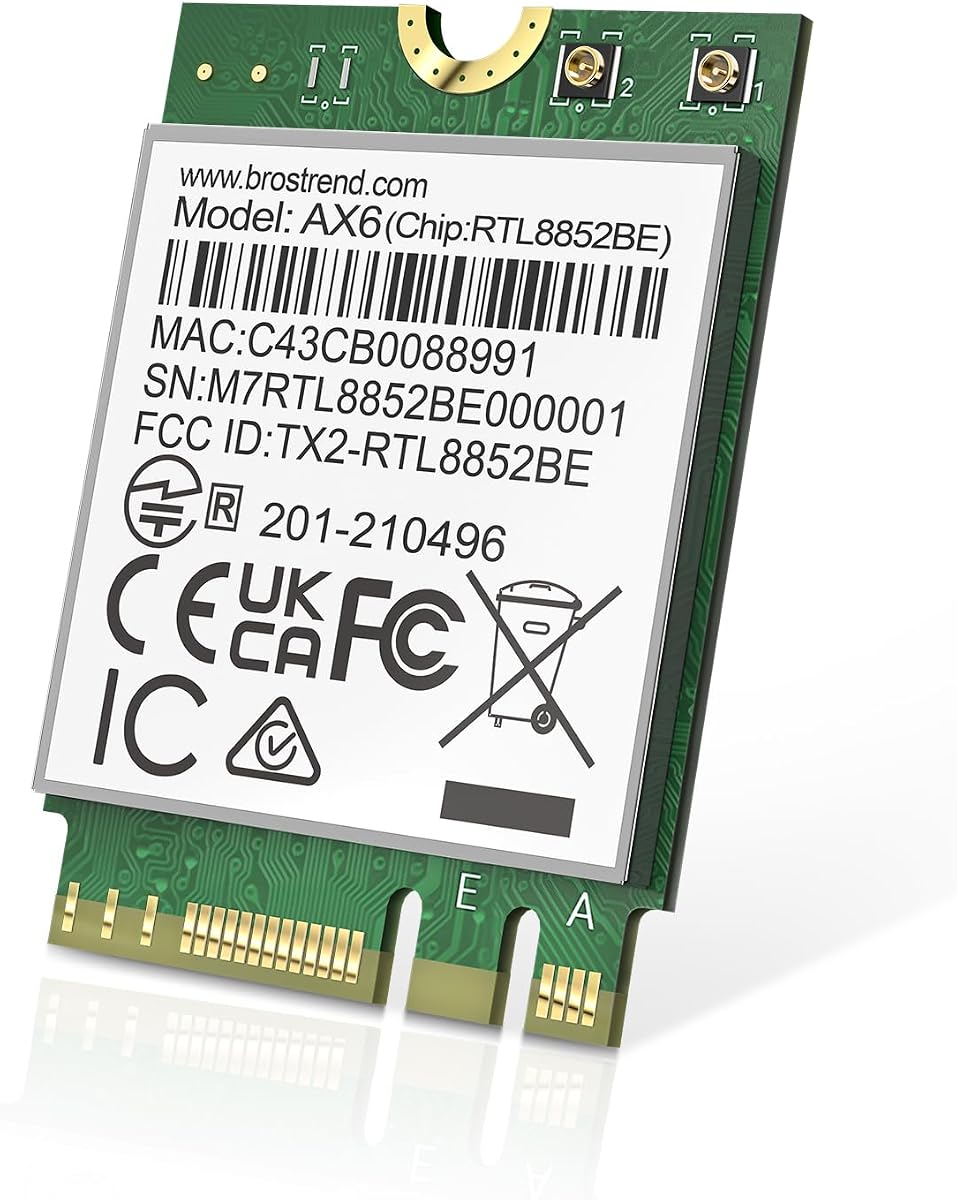
The BrosTrend WiFi 6 M.2 Wireless Card is a strong dual-band option that brings modern WiFi 6 efficiency to older devices. It offers speeds up to 1800Mbps which is sufficient for most households.
We may earn a commission when you buy through this link, at no additional cost to you.
Features like OFDMA and 1024-QAM ensure that data packets are handled efficiently. This reduces congestion when multiple users are online simultaneously at home or office.
It supports Linux kernels 6.5 and higher making it versatile for developer systems. However, you will need to download drivers from the BrosTrend website for full functionality.
This card is ideal for users who need an upgrade but do not require the 6GHz band. It balances cost and performance effectively for standard usage.
OFDMA technology allows multiple devices to share a channel efficiently, reducing latency during busy network times.
Compatibility with modern Linux kernels makes this card a good fit for those running open-source operating systems.
We may earn a commission when you buy through this link, at no additional cost to you.
The Intel Killer BE200 is designed specifically for gamers who need ultra-low latency connections. It prioritizes gaming traffic to ensure smooth performance even when the network is busy.
We may earn a commission when you buy through this link, at no additional cost to you.
With WiFi 7 tri-band support, it delivers speeds up to 5.8 Gbps. This makes it future-proof for next-gen routers and demanding online games requiring fast response times.
It requires Windows 11 and compatible Intel CPUs to function correctly. If your system does not meet these strict requirements, you may face compatibility issues with the driver.
For dedicated gamers using high-end hardware, this card offers a competitive edge. It ensures your game data is prioritized over background downloads or streaming.
Killer optimization tools intelligently identify and prioritize gaming traffic to reduce lag spikes during competitive matches.
Support for WiFi 7 ensures your system is ready for the latest networking standards and faster internet plans.
We may earn a commission when you buy through this link, at no additional cost to you.
The Intel AX411 NGWG NVX is designed with server-grade reliability and advanced Killer networking features. It has earned a perfect rating from users due to its exceptional stability and performance.
We may earn a commission when you buy through this link, at no additional cost to you.
It supports tri-band WiFi 6E with access to the 6GHz band for reduced interference. Killer optimization prioritizes critical apps like streaming and gaming to minimize lag.
While it is marketed for servers, its compatibility with modern laptops makes it a premium choice for desktops. It ensures consistent high-speed performance even under heavy workloads.
This card is best for power users who demand top-tier stability and performance. It justifies its cost with robust hardware and intelligent traffic management.
Built for demanding environments, this card offers consistent uptime and reliability suitable for critical applications.
Advanced algorithms prioritize bandwidth for your most important apps ensuring smooth video calls and gameplay.
We may earn a commission when you buy through this link, at no additional cost to you.
Selecting the right wireless adapter requires understanding key technical factors that impact speed and compatibility. This section outlines the essential elements to consider before purchasing a card.
Ensure the card supports the latest WiFi standards like 6E or 7 to future-proof your system. Newer standards offer faster speeds and more efficient data handling than older AC models.
Check if your current router supports these newer bands to fully utilize the card's capabilities.
Some high-end cards like the BE200 are limited to specific CPU generations. Always verify that your laptop or desktop has the necessary hardware slots and processor support.
Compatibility with Windows or Linux systems should also be confirmed to avoid driver issues after installation.
Most modern cards include Bluetooth modules to connect peripherals like mice and headphones. Look for versions like Bluetooth 5.3 or 5.4 for better range and lower latency.
This eliminates the need for extra dongles and simplifies your setup significantly.
The physical size and key type of the M.2 slot must match the card. Most laptops use the 2230 E-key or A/E-key slots for wireless adapters.
Verify your motherboard specifications to ensure the card fits without physical modification.
Cards often require antennas to function correctly. Some packages include antennas and cables while others expect you to reuse existing ones.
If you plan to install in a desktop, ensure you have external antennas to maintain signal strength.
Brands like Intel provide official driver support that ensures long-term stability. Third-party vendors may offer cheaper options but sometimes lack comprehensive support.
Look for warranties and technical support options to protect your investment against defects.
Modern networks require WPA3 encryption for better security. Ensure the card supports the latest security protocols to protect your data on public and home networks.
Older cards may lack these essential security features leaving your connection vulnerable.
To install your new card, power off your device completely and remove the back panel to access the internal motherboard. Locate the existing wireless slot and gently remove the old card if present before inserting the new one.
Secure the card with screws and connect the antenna cables to the correct main and aux terminals. These color-coded connectors ensure the signal paths are aligned correctly for optimal performance.
Power on your device and install the latest drivers from the manufacturer's website. Reboot the system and check network settings to confirm that both WiFi and Bluetooth are working correctly.
No, M2 WiFi cards require a specific 2230 M.2 slot on your motherboard. Older laptops may only have Mini PCIe slots which are not compatible with M2 modules. Always check your laptop service manual before buying.
WiFi 6E adds support for the 6GHz frequency band which is less congested than the traditional 2.4GHz and 5GHz bands. This results in faster speeds and lower latency for compatible routers.
Yes, you can install them in desktops if you have an available M.2 slot on the motherboard. You will also need external antennas to connect to the card since desktop cases block internal signals.
Sometimes a BIOS update is required to support newer WiFi standards depending on your system manufacturer. Check your laptop support page for any firmware updates related to wireless connectivity.
This usually means the card is not seated properly or the antennas are disconnected. Re-insert the card firmly and ensure all wires are clicked into place before restarting your computer.
Third-party cards using Intel chipsets like AX210 are generally reliable but may have less consistent driver support. Intel branded modules typically offer better long-term stability and software updates.
WiFi 7 cards are backward compatible with older routers but will not unlock the full 7 speeds. To experience the maximum performance you need a WiFi 7 compatible router.
Visit the Intel website or the card manufacturer's official support page to download the latest drivers. Avoid using third-party driver updater tools as they can sometimes cause conflicts.
We reviewed ten diverse options ranging from budget AC models to cutting-edge WiFi 7 adapters. Each pick offers unique benefits depending on your hardware and specific connectivity needs.
Prioritize compatibility and standard support to ensure your investment remains useful for years. Selecting a card that matches your router capabilities prevents wasted spending on unused features.
Remember that prices and stock change frequently so verify availability before purchasing. Check current deals to ensure you get the best value for your upgrade plan.