
GIGABYTE B650 AORUS Elite AX
4.4Editor score
DDR5 memory support
PCIe 5.0 M.2
14+2+1 power phases
Discover the top motherboards for neural network computing. This guide compares power delivery, PCIe lanes, and AI readiness for AMD and Intel systems.
Choosing the right motherboard for neural network workloads requires careful consideration of power delivery and connectivity options. Modern AI applications demand stable voltage regulation and high-speed data transfer capabilities to function efficiently.
We evaluated ten leading motherboards based on their VRM design, memory support, and expansion slot configurations. Our analysis focuses on models that provide the stability needed for intensive computational tasks and machine learning training.
Each selection highlights specific strengths suited for different budgets and performance tiers. Please note that product availability and pricing can fluctuate frequently across online retailers and regional markets.
4.4Editor score

4.4Editor score

3.6Editor score
The following table provides a side-by-side comparison of key specifications across all ten selected motherboards to help you identify the best fit for your specific neural network processing needs.




The ASUS ProArt Z890-CREATOR WIFI stands out as a top-tier option for serious AI development and neural network training. It supports the latest Intel Core Ultra Series 2 processors and includes advanced connectivity features that cater to professional workflows.
We may earn a commission when you buy through this link, at no additional cost to you.
Its 16+2+1+2 teamed power stages ensure stable voltage delivery even under heavy computational loads. The inclusion of Thunderbolt 5 ports allows for rapid data transfer between external storage and the system, which is critical when working with large datasets.
While the board is designed for high-end performance, it does come with a premium price tag. The requirement for specific Intel processors may limit compatibility for those with existing hardware investments or budget constraints.
This motherboard is ideal for researchers and professionals who need reliable performance and future-proof connectivity. If your work involves intensive machine learning tasks, the investment in this board will pay dividends in stability and speed.
The support for Thunderbolt 5 ensures your system can handle next-generation peripherals and storage solutions without bottlenecks.
Built-in AI tools help automate overclocking and cooling adjustments, reducing the time you spend on system tuning.
We may earn a commission when you buy through this link, at no additional cost to you.
The GIGABYTE B650 AORUS Elite AX offers an excellent entry point for building a neural network workstation on the AMD AM5 platform. It balances cost and performance effectively, making it accessible for hobbyists and small startups.
We may earn a commission when you buy through this link, at no additional cost to you.
Its 14+2+1 power phase design provides enough stability for most Ryzen 9 and Ryzen 7 processors without breaking the bank. The inclusion of a PCIe 5.0 M.2 slot ensures your storage remains fast enough for modern data processing tasks.
While it lacks some of the ultra-high-end features found on premium boards, it covers all the essentials needed for AI training. The absence of Thunderbolt is a minor trade-off considering the significant savings compared to higher-tier models.
This board is perfect for users who want to build a powerful system without overspending on unnecessary features. It is a reliable choice for those entering the field of neural network development or expanding their existing lab.
Support for Ryzen 9000 series ensures you can upgrade your CPU later without replacing the motherboard.
Fully covered MOSFET heatsinks help maintain stable temperatures during long training sessions.
We may earn a commission when you buy through this link, at no additional cost to you.
The ASUS Pro WS TRX50-SAGE WIFI is built for enterprise environments where reliability and scalability are paramount. It supports AMD Ryzen Threadripper PRO processors which offer core counts and memory capacity unmatched by consumer chips.
We may earn a commission when you buy through this link, at no additional cost to you.
With 36 power stages and support for up to 1TB of ECC R-DIMM memory, this board handles massive datasets with ease. The multiple PCIe 5.0 x16 slots allow you to scale your GPU resources for deep learning models requiring parallel computation.
The main drawback is the cost associated with both the board and the required CPU architecture. For individual developers or small teams, the price may be prohibitive compared to standard high-end consumer platforms.
This motherboard is the best choice for large institutions or companies running continuous training jobs. If you need the absolute maximum memory and core count available on a desktop platform, this is the definitive solution.
IPMI support allows for remote management and monitoring of your workstation even when it is headless.
Three PCIe 5.0 x16 slots provide ample bandwidth for multi-GPU training clusters.
We may earn a commission when you buy through this link, at no additional cost to you.
For those already invested in the AM4 platform, the Asus ROG Strix B550-F Gaming WiFi II remains a strong option for light neural network workloads. It pairs well with Ryzen 5000 series processors that are still capable of efficient inference tasks.
We may earn a commission when you buy through this link, at no additional cost to you.
Its robust power solution ensures that the CPU runs within stable parameters even under load. The WiFi 6E connectivity provides a reliable network link which is essential for downloading large model weights or accessing remote servers.
The primary limitation is the lack of support for future processor generations and DDR5 memory. As AI models grow larger, the bandwidth limitations of DDR4 and PCIe 4.0 may become bottlenecks for advanced training scenarios.
This board is best suited for students or hobbyists with budget constraints or existing hardware. It offers a solid foundation for learning and development without requiring a full system overhaul immediately.
Allows you to upgrade your CPU to a Ryzen 9 5950X without changing your entire system architecture.
Bundled AIDA64 Extreme subscription provides detailed system monitoring and benchmarking tools.
We may earn a commission when you buy through this link, at no additional cost to you.
The ASUS TUF Gaming B850-PLUS WiFi is designed specifically with the future of AI computing in mind. It offers the connectivity and power stability required for demanding neural network applications without the extreme cost of creator boards.
We may earn a commission when you buy through this link, at no additional cost to you.
Its 14+2+1 power stage solution ensures that Ryzen 9 processors receive consistent power during intensive calculations. The inclusion of Wi-Fi 7 and PCIe 5.0 M.2 slots means your data pathways remain open as technology evolves.
While the price is higher than entry-level options, it balances cost with forward-looking features. It is a pragmatic choice for those who need to stay current with technology standards without overspending on workstation-class components.
This motherboard is ideal for small labs or power users who want a balance of performance and price. It ensures your system remains viable for several years as AI workloads increase in complexity.
Equipped M.2 heatsinks ensure storage drives do not throttle during long data read operations.
Wi-Fi 7 support reduces latency when accessing cloud-based AI resources or datasets.
We may earn a commission when you buy through this link, at no additional cost to you.
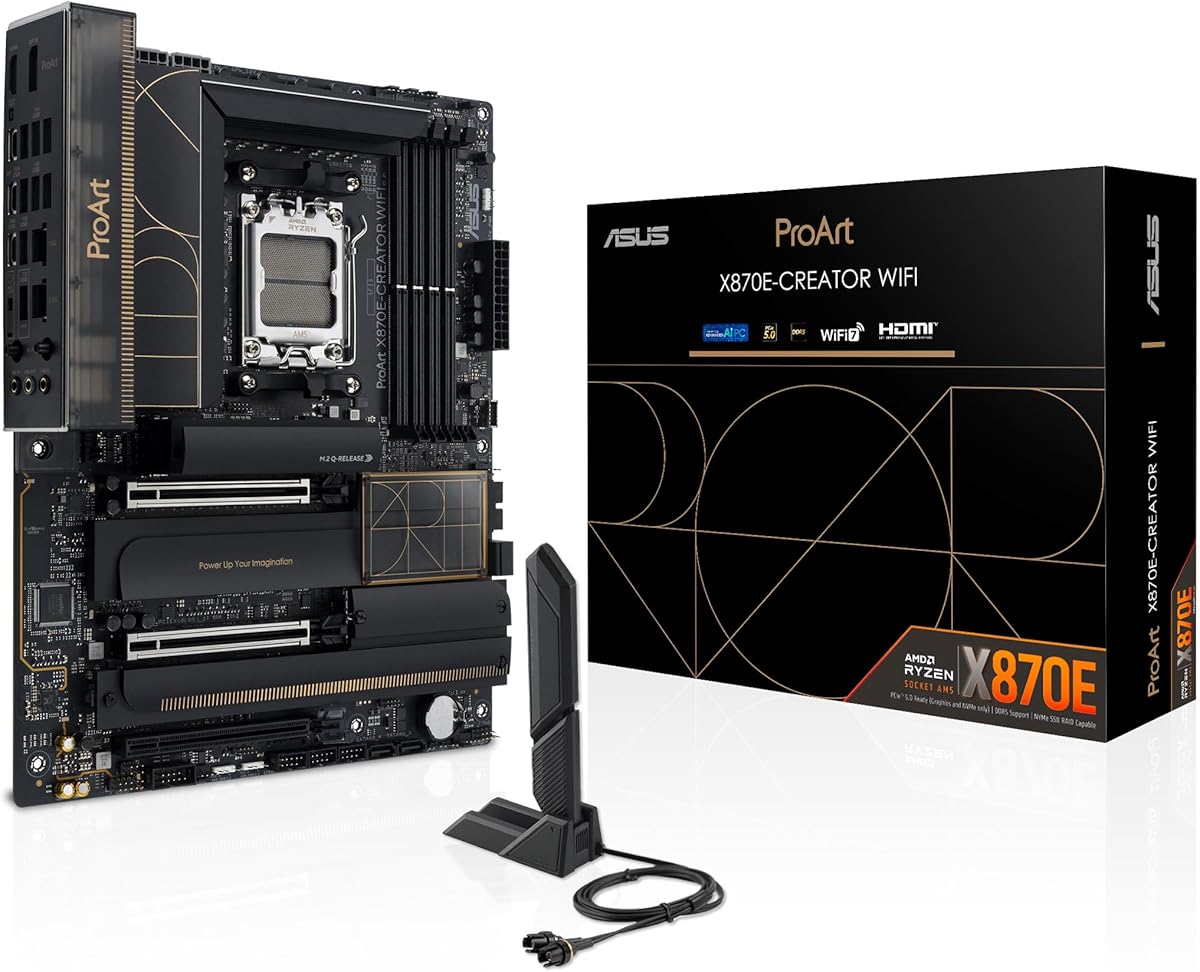
The ASUS ProArt X870E-CREATOR WiFi combines workstation features with the latest AM5 platform capabilities. It is designed for professionals who need maximum bandwidth for both storage and peripheral connections during heavy compute tasks.
We may earn a commission when you buy through this link, at no additional cost to you.
Its 16+2+2 power stages provide the stability needed for Ryzen 9 processors running sustained loads. The dual USB4 ports allow you to connect high-speed external storage or multiple displays without compromising internal PCIe lane usage.
While it is a premium product, the connectivity options justify the cost for creative and technical workflows. The integration of ProArt software helps streamline system management for tasks that require precise color accuracy or performance tuning.
This board is best for creative professionals who also engage in neural network development. It provides a unified platform for both rendering and AI tasks, ensuring no bottleneck occurs during data-intensive operations.
Four M.2 slots allow you to separate datasets, OS, and cache for optimized performance.
10Gb Ethernet port enables rapid backup and synchronization with network-attached storage.
We may earn a commission when you buy through this link, at no additional cost to you.
The ASUS TUF Gaming X870-PLUS WiFi brings enthusiast-level performance to a more accessible price point. It uses the latest X870 chipset to provide extensive connectivity and power options suitable for both gaming and neural network training.
We may earn a commission when you buy through this link, at no additional cost to you.
Its 16+2+1 power stages deliver enough stability for high-end Ryzen processors during peak usage. The USB4 ports allow for rapid data transfer between external drives and the system, which is crucial for managing large datasets efficiently.
While it is marketed as a gaming board, the underlying technology serves AI workloads well. The robust power design ensures that system crashes are minimized during long training epochs, which helps maintain productivity in research settings.
This motherboard is excellent for those who want a single machine for development and leisure. It provides the reliability and speed needed for serious computing without sacrificing the flexibility to use the system for other tasks.
80A SPS power stages ensure voltage remains stable even when system load fluctuates quickly.
USB4 40Gbps allows connection to high-speed external storage or docking stations.
We may earn a commission when you buy through this link, at no additional cost to you.
The MSI MAG X870E Gaming MAX WiFi is optimized for users who want to push memory speeds to their limits. It supports high-frequency DDR5 memory which can benefit applications that rely heavily on cache and memory bandwidth.
We may earn a commission when you buy through this link, at no additional cost to you.
Its 12 Duet Rail Power Phase design ensures that the CPU receives stable power even when overclocking. The thermal design with extensive padding helps maintain system temperatures within safe limits during extended use periods.
While the LAN speed is lower than some competitor boards, the internal performance remains top-tier. For local training jobs, network speed matters less than internal data throughput which this board handles effectively with Gen5 M.2 slots.
This board is best for enthusiasts who want maximum performance for their budget. It is a strong candidate for those who prioritize raw computational power over enterprise networking features or specialized connectivity options.
Memory Boost technology helps stabilize system when using high-speed DDR5 kits beyond standard specs.
Extended heatsink and thermal pads prevent overheating of critical components under load.
We may earn a commission when you buy through this link, at no additional cost to you.
The ASUS B650E MAX Gaming WiFi W stands out with its unique white PCB design and robust feature set for a B650 board. It supports the necessary technologies for modern AI workflows including DDR5 memory and PCIe 5.0 storage.
We may earn a commission when you buy through this link, at no additional cost to you.
Its power delivery is sufficient for most mid-to-high range Ryzen processors making it versatile for various builds. The cooling design ensures that heat is dissipated effectively preventing thermal throttling during intensive workloads.
While it lacks the latest Wi-Fi 7 standard, it still provides reliable wireless connectivity for most setups. The single PCIe 5.0 M.2 slot is adequate for high-speed storage needs in most single-user environments.
This board is ideal for users who want a visually distinct system without compromising on performance. It serves well for developers who need a reliable machine that fits specific aesthetic preferences for their workspace.
White PCB and Aura Sync lighting help create a clean and professional look for your workstation.
Pre-mounted I/O shield and Flashback feature simplify the initial setup process significantly.
We may earn a commission when you buy through this link, at no additional cost to you.
The MSI PRO B850-V EVO WiFi offers an affordable entry point into the AM5 ecosystem with modern connectivity features. It includes a PCIe 5.0 M.2 slot and Wi-Fi 7 which are typically found on much more expensive boards.
We may earn a commission when you buy through this link, at no additional cost to you.
Its power system is designed to support standard Ryzen processors efficiently without the cost of premium VRM components. This makes it an attractive option for those building a dedicated AI box on a strict budget.
While it lacks the extensive features of creator boards, it covers the basics needed for neural network development. The inclusion of Gen5 storage support ensures your data pipeline remains fast enough for most training workflows.
This board is best for students or budget-conscious developers starting a new system. It provides a reliable foundation for learning and experimentation while keeping initial costs manageable for a full setup.
High-end features like Wi-Fi 7 and Gen5 storage at a lower price point than competitors.
Thermal pads and extended heatsinks help maintain component longevity even with daily use.
We may earn a commission when you buy through this link, at no additional cost to you.
Selecting the right motherboard requires balancing power stability, memory bandwidth, and connectivity to meet the demands of machine learning workloads.
Neural network training often keeps the CPU at high utilization for hours. Look for motherboards with robust VRM designs including high amperage stages to ensure voltage remains stable under load.
Prioritize models with at least 12 power phases and efficient cooling to prevent thermal throttling during extended calculations.
Large datasets require significant memory bandwidth and capacity. Ensure the motherboard supports DDR5 for faster data transfer between the processor and memory banks.
Check for support for ECC memory if data integrity is critical for your specific application or if you require up to 1TB RAM capacity.
Fast storage is vital for loading training data quickly into your models. Look for PCIe 5.0 M.2 slots to minimize latency when reading and writing massive datasets.
Multiple M.2 slots allow you to separate your operating system from your data storage for better organization and performance.
Modern workflows often involve distributed training or remote data access. A motherboard with 10Gb Ethernet or advanced Wi-Fi standards ensures your system stays connected without bottlenecks.
Choose a board with high-speed networking to match the bandwidth of your local storage or cloud infrastructure.
While GPUs are primary for training, you may need additional cards for capture or specialized accelerators. Ensure the motherboard has enough PCIe lanes for your specific hardware configuration.
Verify that the board supports the physical length and power requirements of your intended expansion cards before purchasing.
The socket type determines which CPU generations your motherboard can support. Select a socket like AM5 or LGA1851 that aligns with the latest processors to maximize longevity.
Check BIOS update policies to ensure the board can support new CPU releases without requiring a physical replacement.
Heat dissipation is key to maintaining performance over long periods. Look for comprehensive heatsink coverage including VRM and M.2 thermal protection.
Proper cooling prevents the system from slowing down due to heat which can shorten training runs or cause errors.
Technologies like Thunderbolt 5 or USB4 offer high-speed external connectivity for storage and peripherals. These features ensure your system can adapt to future hardware advancements.
Invest in a board with advanced connectivity to extend its usable life as data requirements grow over the next few years.
When assembling your system, ensure the CPU is seated correctly and thermal paste is applied evenly to prevent heat buildup. Secure all power connectors firmly to avoid loose contacts during transport or vibration.
Update the BIOS to the latest version as soon as possible to ensure compatibility with your CPU and optimize memory profiles. Use the manufacturer's software to check stability before starting heavy workloads.
Keep the workspace clean and free of dust to maintain proper airflow through the heatsinks. Regularly check temperature logs during long training sessions to identify any overheating issues early.
While any motherboard can technically run AI tasks, models with robust power delivery and fast memory support are essential for stable training. Look for boards that support DDR5 memory and have enough VRM phases to handle high CPU loads without throttling.
PCIe 5.0 helps significantly with data transfer speeds for storage and potentially for future GPU interconnects. It ensures your storage is not the bottleneck when loading large datasets into memory.
No, ECC memory support is often limited to workstation-class boards like those with Threadripper or specific Pro-series models. Consumer boards typically do not support ECC unless specified by the manufacturer.
AM5 and LGA1851 are currently the most future-proof sockets offering support for several generations of CPUs. These platforms ensure you can upgrade your processor later without replacing the motherboard.
Wi-Fi 7 provides lower latency and higher throughput which helps when downloading models or accessing cloud resources. While not strictly necessary, it offers the best wireless performance available for modern setups.
Workstation boards like the TRX50 support multiple GPUs effectively while consumer boards may have limitations on lane splitting. Check the manufacturer documentation for details on multi-GPU configurations and supported hardware.
The ASUS ProArt Z890-CREATOR WIFI leads our list for its exceptional connectivity and power delivery suited for high-end AI workloads. For budget-conscious builders the GIGABYTE B650 AORUS Elite AX offers a solid foundation for AMD platforms.
When selecting a board prioritize power stability and memory bandwidth to ensure your system can handle demanding tasks. Consider your specific workflow needs such as storage speed or networking to find the best match.
Prices and availability change frequently so verify current stock before purchasing to avoid delays in your project. A reliable motherboard ensures your neural network training runs smoothly and consistently over time.