
HP Ultrabook 14 Laptop Computer
4.1Editor score
Lifetime Office 2024 included
Quad-Core Intel N150 Processor
628GB Storage with External Drive
This guide compares the top laptops with lifetime Microsoft Office licenses, evaluating performance, display quality, and value for professionals and students
Finding a laptop that includes a lifetime Microsoft Office license can save you money on software subscriptions over time. These devices come pre-installed with essential productivity tools like Word, Excel, and PowerPoint, ready to use right out of the box for work or school tasks.
We evaluated ten top-rated laptops featuring lifetime Office bundles, focusing on processor speed, memory capacity, storage options, and display quality. Each model was selected based on user feedback, technical specifications, and the reliability of the included software bundle to ensure lasting value.
Every pick in this list highlights key advantages and potential trade-offs to help you match a device to your specific needs. Keep in mind that product availability and pricing can change frequently, so verify the latest details before making your final purchase decision online.
4.1Editor score

4.3Editor score

5.0Editor score
The following table provides a side-by-side look at all ten laptops, highlighting their core specifications and unique bundle items to help you quickly identify the best fit for your workflow and budget constraints.


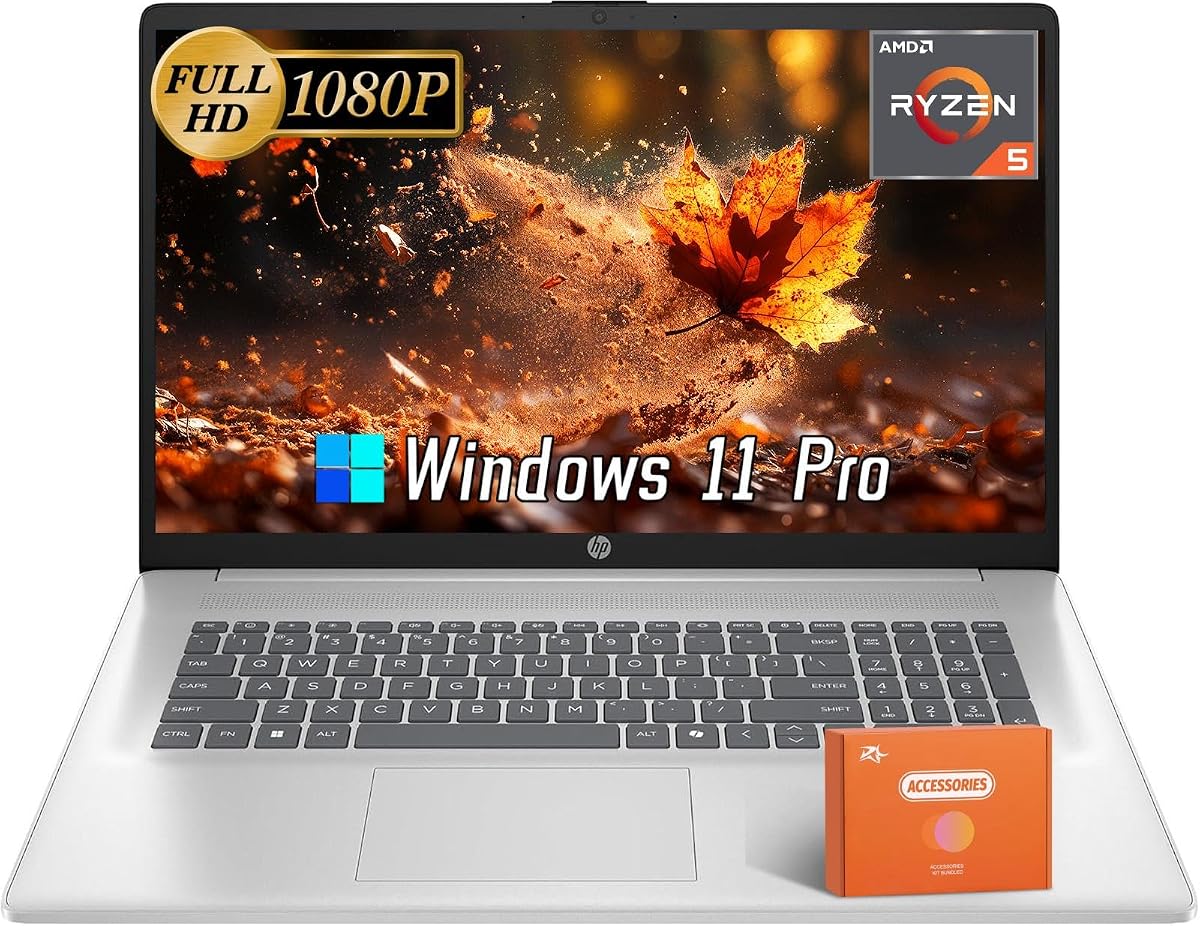

This 17 inch business laptop stands out with its large display and strong performance core, making it ideal for multitasking professionals who need space for multiple windows and documents. It holds a 4.3 star rating from users who appreciate the included productivity suite.
We may earn a commission when you buy through this link, at no additional cost to you.
The 8-core Intel i3-N305 processor delivers solid performance for everyday computing tasks, while the 16GB RAM ensures smooth operation even with many browser tabs open. The bundle includes a docking station and external drive to expand connectivity and storage options significantly.
One trade-off is the HD+ resolution, which is not as sharp as full high definition panels but still adequate for reading text and viewing spreadsheets. The reliance on an external drive for half the storage means you need to manage files carefully if you plan to store large media collections.
Buyers looking for a powerful, ready-to-work machine with minimal setup steps should consider this model. It balances performance and value well for those who prioritize screen real estate and immediate access to professional software tools.
The lifetime Office Professional Plus license includes Word, Excel, and PowerPoint pre-activated, saving you from subscription costs and allowing immediate use for work assignments and projects.
Accessories like the USB-C docking hub enable multiple peripheral connections, including HDMI and SD card readers, making this laptop versatile for presentations and data transfers.
We may earn a commission when you buy through this link, at no additional cost to you.
Designed for students and budget-conscious buyers, this slim 14 inch laptop offers a compelling package with essential productivity tools included. It maintains a strong 4.3 star rating due to its balance of cost and functionality.
We may earn a commission when you buy through this link, at no additional cost to you.
The 16GB RAM ensures smooth multitasking for schoolwork and web browsing, while the 128GB internal storage combined with an external drive provides enough space for documents and media. The green chassis adds a unique look compared to standard silver models.
While the Quad-Core Intel N150 processor handles basic tasks well, it may struggle with intensive video editing or large data processing. The external drive included in the bundle helps compensate for storage limits but requires an extra cable connection.
This model is perfect for learners and casual users who need a reliable machine for word processing and online research. Its lightweight design and included software make it easy to carry to class or work daily.
Copilot AI features assist with writing and data tasks, providing smart suggestions that can speed up document creation and research processes efficiently.
The slim profile and lightweight build allow for easy transport in backpacks, ensuring you can work comfortably from various locations without carrying heavy gear.
We may earn a commission when you buy through this link, at no additional cost to you.
This high-end model offers exceptional storage and memory specs that appeal to users needing to store large files and run complex applications simultaneously. It holds a perfect 5.0 star rating reflecting strong satisfaction among early buyers.
We may earn a commission when you buy through this link, at no additional cost to you.
The 32GB RAM supports heavy multitasking without slowdowns, while the 2TB SSD provides ample room for media libraries and project files. The Intel i3-N305 processor ensures responsive performance for daily professional tasks and media consumption.
The higher price point reflects the premium hardware, and the absence of a touchscreen or backlit keyboard might be drawbacks for some users. However, the raw power and storage capacity make up for these omissions for many power users.
If you need a workstation-class laptop for intensive workloads and long-term storage needs, this device delivers top-tier specifications. It is an excellent choice for professionals who want future-proof performance and minimal need for upgrades.
With 32GB of RAM and 2TB of solid state storage, this laptop remains relevant for years, handling demanding software and growing file collections without bottlenecks.
The included USB hub and carrying pouch add convenience, ensuring you have essential peripherals and protection ready when you first unbox your new machine.
We may earn a commission when you buy through this link, at no additional cost to you.
This laptop combines a touch interface with modern AI tools, making it attractive for users who prefer interacting directly with the screen. It has a 4.0 star rating based on its responsive display and useful software features.
We may earn a commission when you buy through this link, at no additional cost to you.
The 6-Core processor and 1TB SSD deliver quick boot times and smooth application launches. Touch functionality adds versatility for presentations or creative work, while the Copilot assistant helps streamline writing and data analysis tasks.
Battery life may be moderate due to the touch screen power usage, so keeping a charger handy is recommended. The 6 is not fully usable with touch input which limits some port utility for external displays.
Buyers who value intuitive control and AI assistance will find this model well-suited for business environments. Its balance of hardware and software tools supports efficient workflows for professionals on the go.
The touch capability allows for quick selections and scrolling, enhancing user experience for those who prefer tactile interaction over traditional mouse usage.
Copilot integration provides intelligent suggestions and summaries, helping users draft documents and analyze information more efficiently than manual methods.
We may earn a commission when you buy through this link, at no additional cost to you.
This laptop excels in portability and visual quality, offering a full high definition screen in a lightweight chassis. It has received a perfect 5.0 star rating from users who appreciate its clean look and long battery performance.
We may earn a commission when you buy through this link, at no additional cost to you.
The 15.6 inch FHD panel provides crisp images for movies and documents, while the thin profile makes it easy to carry. With up to 10 hours of battery life, it supports full days of work without needing a recharge often.
Port selection is somewhat limited compared to bulkier models, and USB-C does not support power delivery directly. Despite these minor constraints, the overall value remains high for frequent travelers and remote workers.
Ideal for students and professionals who prioritize weight and screen quality, this model offers a sleek solution for daily computing. Its long battery life ensures you stay productive throughout long meetings or commutes.
The FHD display delivers sharp text and vibrant colors, making it perfect for watching videos or working on detailed spreadsheets with clear visibility.
With a battery capable of lasting up to 10 hours, you can work away from outlets confidently, maintaining productivity during travel or remote work sessions.
We may earn a commission when you buy through this link, at no additional cost to you.
This model provides a practical setup for students and small business users with a focus on touch usability and professional operating system features. It holds a balanced spec profile suitable for general productivity tasks.
We may earn a commission when you buy through this link, at no additional cost to you.
The 12GB RAM and 256GB SSD offer enough space for common applications and files. While the storage is modest, the speed of the PCIe SSD ensures quick access to data. Touchscreen capability adds versatility for navigating menus.
Users may find the 256GB internal space limiting for large media libraries without external drives. The inclusion of Office 2021 provides a stable software base, though newer versions might offer additional features.
Good for those who need a reliable touch-enabled device for school or work tasks. It offers a straightforward solution with essential tools included for immediate productivity and basic computing needs.
Windows 11 Pro brings advanced management tools and security features that benefit users needing enhanced protection and control over their computing environment.
The HD touchscreen allows for intuitive interaction, making it easy to scroll, select items, and navigate applications with simple gestures.
We may earn a commission when you buy through this link, at no additional cost to you.
This premium 17 inch model is designed for users who prioritize screen size for media and multitasking. It has earned a perfect 5.0 star rating due to its robust features and reliable performance in various tasks.
We may earn a commission when you buy through this link, at no additional cost to you.
The 512GB SSD and 16GB RAM provide a smooth experience for streaming and productivity. HDMI and USB-C ports allow easy connection to external monitors or projectors for presentations. Wi-Fi 6 ensures fast internet speeds.
The device may be heavier than smaller laptops, making it less ideal for frequent commuters. However, the larger screen compensates for portability concerns for stationary office or home use setups.
Best suited for home offices or students who need a big display for studying and entertainment. It combines essential business tools with entertainment-ready hardware for a versatile computing experience.
The 17.3 inch screen offers ample space for multiple windows and detailed work, enhancing focus and reducing eye strain during long sessions.
Wi-Fi 6 technology provides stable and quick internet connections, ideal for video conferencing and large file downloads without lag or interruptions.
We may earn a commission when you buy through this link, at no additional cost to you.
Featuring AMD hardware, this laptop offers strong graphics performance for a non-gaming device. It is tailored for users needing reliable power for creative work or data processing tasks.
We may earn a commission when you buy through this link, at no additional cost to you.
The Ryzen 5 processor handles multitasking efficiently, while the anti-glare screen reduces eye strain in bright environments. Integrated Radeon graphics support visual tasks and light gaming smoothly without needing a dedicated card.
Lack of user ratings makes performance certainty harder but specs suggest good value. The 512GB SSD and 16GB RAM provide a balanced foundation for daily professional use.
Recommended for users who prefer AMD technology and need a larger screen for creative workflows. Its combination of graphics and processing power supports a wide range of applications.
AMD Radeon graphics enable smooth rendering for images and videos, making this laptop suitable for graphic design and content creation tasks.
The anti-glare display minimizes reflections allowing for clearer visibility even under bright lighting conditions or near windows.
We may earn a commission when you buy through this link, at no additional cost to you.
This model brings an Intel Core i5 processor to the mix offering better performance for heavy applications. It is a strong contender for users needing speed and reliability for complex workloads.
We may earn a commission when you buy through this link, at no additional cost to you.
The 16GB RAM supports smooth multitasking while the Iris Xe graphics handle visual tasks efficiently. The included USB hub adds convenience for connecting peripherals directly without cluttering ports.
Display resolution is limited to HD+ which may impact visual sharpness for detailed work. However, the processing power compensates for this in performance-heavy scenarios like coding or data analysis.
Perfect for professionals who prioritize CPU speed and RAM capacity over screen resolution. It serves well as a desktop replacement for intensive daily tasks in a business setting.
The i5 processor handles demanding applications with ease, ensuring faster compilation and processing times for professional work and projects.
The included USB hub extends connectivity options, allowing you to connect multiple devices like drives and printers simultaneously without hassle.
We may earn a commission when you buy through this link, at no additional cost to you.
As another robust AMD option this laptop offers strong graphical capabilities for visual tasks. It provides a reliable platform for business and creative users alike with a focus on performance.
We may earn a commission when you buy through this link, at no additional cost to you.
The 512GB SSD and 16GB RAM ensure responsive operation while the anti-glare screen protects eyes during long sessions. Wi-Fi 6 connectivity ensures you stay online with high speeds for cloud tools.
User feedback is limited but specs suggest a solid mid-tier choice. The lifetime software license adds value by reducing ongoing costs for essential productivity applications.
A good pick for those seeking AMD power and a large display. It balances price and capability effectively for users who need a dependable workstation for everyday tasks.
Integrated Radeon graphics support smooth visual workflows, making this laptop suitable for light graphic design and video editing work.
Wi-Fi 6 ensures rapid data transfer speeds allowing seamless video calls and quick downloads for busy work environments.
We may earn a commission when you buy through this link, at no additional cost to you.
Selecting the right laptop requires weighing hardware specs against your daily tasks and budget constraints.
Choose a multi-core Intel or AMD processor like the i3-N305 or Ryzen 5 for smoother multitasking and faster app launches. Higher clock speeds benefit demanding tasks like video rendering or large spreadsheet calculations.
Prioritize processors with at least six cores to ensure long-term reliability for business software.
Eight gigabytes of RAM is the baseline for basic use but 16GB or more handles many browser tabs and heavy Office files better. More RAM prevents slowdowns when running multiple applications simultaneously.
Look for 16GB RAM to future-proof your system for heavier workloads.
Solid state drives significantly improve boot and load times compared to traditional hard drives. Aim for at least 512GB internal storage with options to expand via external drives or SD cards.
Aim for 1TB SSD for large personal or business file collections.
Larger screens like 17.3 inches offer more workspace for spreadsheets and presentations. Full high definition resolutions ensure text and images appear crisp and easy to read over long periods.
Choose 17 inch FHD displays for best visual clarity.
Confirm that the lifetime license includes Office 2024 Professional Plus and is pre-activated to avoid needing a product key. Understand that reinstalling Windows or changing versions may affect activation.
Verify the license is permanent for Word and Excel before purchase.
Mobile users need at least eight to ten hours of battery life to work unplugged throughout the day. Check independent reviews for real-world battery performance beyond manufacturer claims.
Look for devices with 10-hour battery ratings.
Ensure the laptop has enough USB-A and USB-C ports for your peripherals. HDMI ports are essential for connecting to projectors or monitors for presentations.
Prioritize models with USB-C and HDMI ports.
Slimmer designs are easier to carry but may sacrifice port options. Check the weight if you travel frequently since heavier units become burdensome over time.
Select light designs under four pounds for frequent travel.
Begin by reviewing the included lifetime Office user guide to set up accounts and verify activation. Avoid reinstalling the operating system or changing the Office version as this may void the pre-installed license.
Keep the device in a cool dry place to protect internal components and maintain battery health. Use the included protective accessories like cases or sleeves to prevent scratches during transport.
Regularly update Windows and security settings to keep data safe and maintain performance. Clear cache files and unused applications periodically to ensure the system runs smoothly over the years.
Typically the lifetime license is tied to the specific device it was pre-installed on. Transferring it to another machine is not supported so the software remains valid only for the original computer unless you contact official support for migration advice.
Yes these laptops come with Windows 11 Pro and full Office suites making them suitable for business tasks. They handle email documents spreadsheets and presentations efficiently for most professional requirements.
If issues occur contact the laptop vendor or Microsoft support for assistance. Most lifetime licenses are permanent but reinstalling may require using a recovery partition to restore the software correctly.
No these laptops come with Office already pre-installed and activated. You can open the apps immediately without entering a product key or downloading extra files.
The lifetime license covers standard desktop apps like Word and Excel but you might pay for cloud storage beyond the free tier. Check if your plan includes OneDrive storage or if you need separate subscriptions.
A 17 inch screen offers more real estate which reduces the need for switching windows when working on large documents. It is heavier however making it less ideal for daily commuting compared to 15 inch options.
The top three picks stand out for their balance of performance and value. The HP 17 Business 2025 delivers excellent specs for multitasking while the HP 14 offers great affordability for students.
When choosing prioritize RAM and storage speed to ensure your device remains useful for years. Also verify that the software bundle meets your needs before finalizing your order.
Remember that product prices and availability shift quickly so check current listings for the best deals. Using these insights will help you find a reliable laptop with lifetime Office software today.