
YUNZII B98 PRO
4.8Editor score
96% layout with dual knobs
Gasket mount with five layers
Tri-mode connectivity and large battery
Discover the top creamy keyboards for smooth typing and quiet sound. This guide compares ten models based on features, sound, and performance.
Creamy keyboards offer a unique typing experience defined by smooth keystrokes and soft acoustic feedback. These mechanical or membrane boards prioritize comfort and silence over loud tactile clicks. Enthusiasts and professionals alike seek this specific sound profile for extended work or gaming sessions.
We evaluated ten top-rated models to find the best options available today. Our comparison focuses on connectivity, build quality, switch types, and customization features. Each product was analyzed against strict criteria to ensure you find a board that meets your specific needs without compromise.
Every pick in this list highlights key strengths and potential trade-offs for informed decisions. We detail specifications, user experiences, and design elements to guide your choice. Please note that availability and pricing may vary over time, so verify current details before purchasing your next board.
4.8Editor score

4.6Editor score
4.6Editor score
This side-by-side comparison breaks down the ten selected creamy keyboards to highlight their unique strengths and specifications. Each entry includes key features like layout, connectivity, and switch type to help you quickly identify the right fit for your setup.


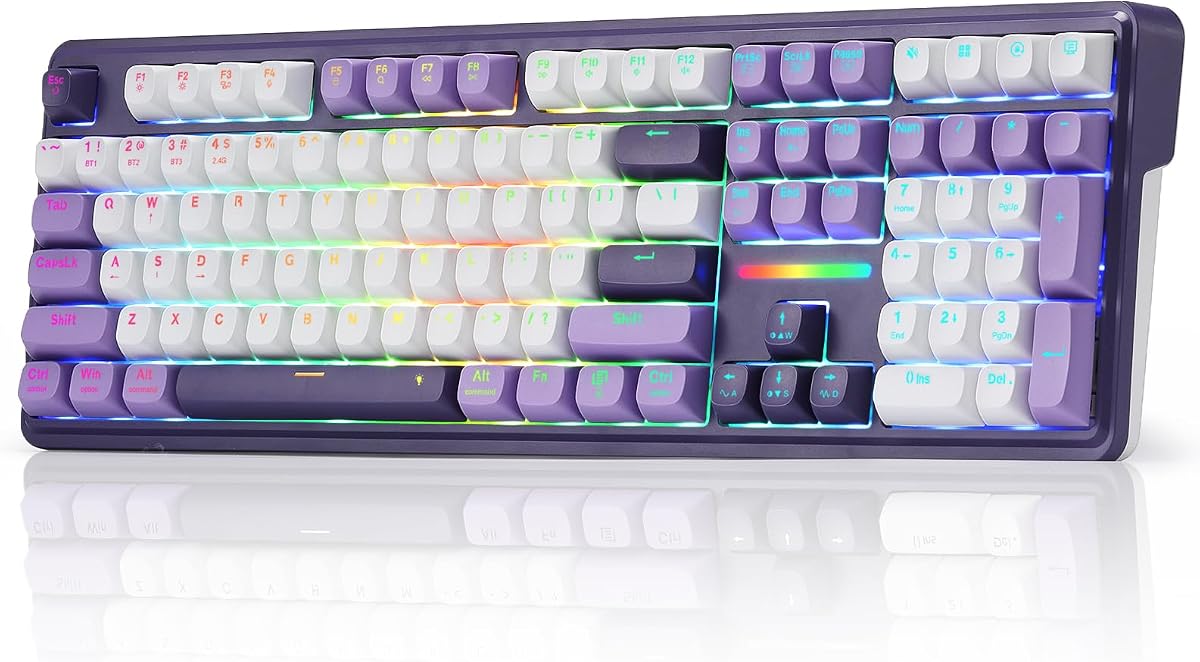


The YUNZII B98 PRO stands out as a top-tier option for those seeking a premium creamy keyboard experience. With a rating of 4.8, it delivers on both aesthetics and performance. Its unique dual-knob design and 96% layout offer a blend of functionality and compactness that is hard to match.
We may earn a commission when you buy through this link, at no additional cost to you.
At its core, the B98 PRO utilizes a gasket mount with a five-layer filling structure to produce a uniquely creamy and consistent sound profile. The pre-lubed switches and tuned stabilizers ensure every keystroke feels smooth and solid. The massive 8000mAh battery supports uninterrupted work or gaming sessions without frequent recharging.
While the customization via QMK/VIA is powerful, it may present a learning curve for beginners who prefer out-of-the-box simplicity. The price point is also higher than budget models, reflecting the advanced materials and build quality. However, the durability and acoustic performance justify the investment for serious enthusiasts.
This keyboard is ideal for users who want a versatile tool that transitions seamlessly between office and gaming environments. Its large battery and wireless flexibility make it perfect for mobile setups. If you value deep customization and a top-tier feel, the B98 PRO is the ultimate choice.
Open-source firmware allows remapping keys and creating complex shortcuts tailored to your workflow.
The built-in 8000mAh battery provides exceptionally long life for extended work or gaming sessions.
We may earn a commission when you buy through this link, at no additional cost to you.
The AULA F75 offers a compelling mix of premium features and affordability, earning it an Editor's Choice badge. With a rating of 4.6, this keyboard brings high-end acoustic performance to a broader audience. Its hot-swappable nature and gasket mount design make it a favorite for customization enthusiasts.
We may earn a commission when you buy through this link, at no additional cost to you.
The F75 features an advanced structure with five layers of filling silencers to counteract cavity noise. This results in a solid and consistent sound profile that is highly desirable for typing. The pre-lubricated stabilizers and linear switches further enhance the smooth typing feel, making every keystroke pleasant.
Users should note that while the RGB lighting adds atmosphere, it can impact battery life if set to maximum brightness. Additionally, maximizing features like macros requires downloading and using the driver software. These minor trade-offs do not significantly detract from its overall performance and versatility.
This keyboard is perfect for gamers and typists who want to DIY their setup without expensive tools. The compact 75% layout saves space while retaining essential keys. If you seek a balance of sound quality, flexibility, and value, the F75 is a standout recommendation.
Beginners can easily change switches without soldering issues using the provided 3-pin or 5-pin base.
Five layers of filling silencers fill gaps to counteract cavity noise effectively for a solid feel.
We may earn a commission when you buy through this link, at no additional cost to you.
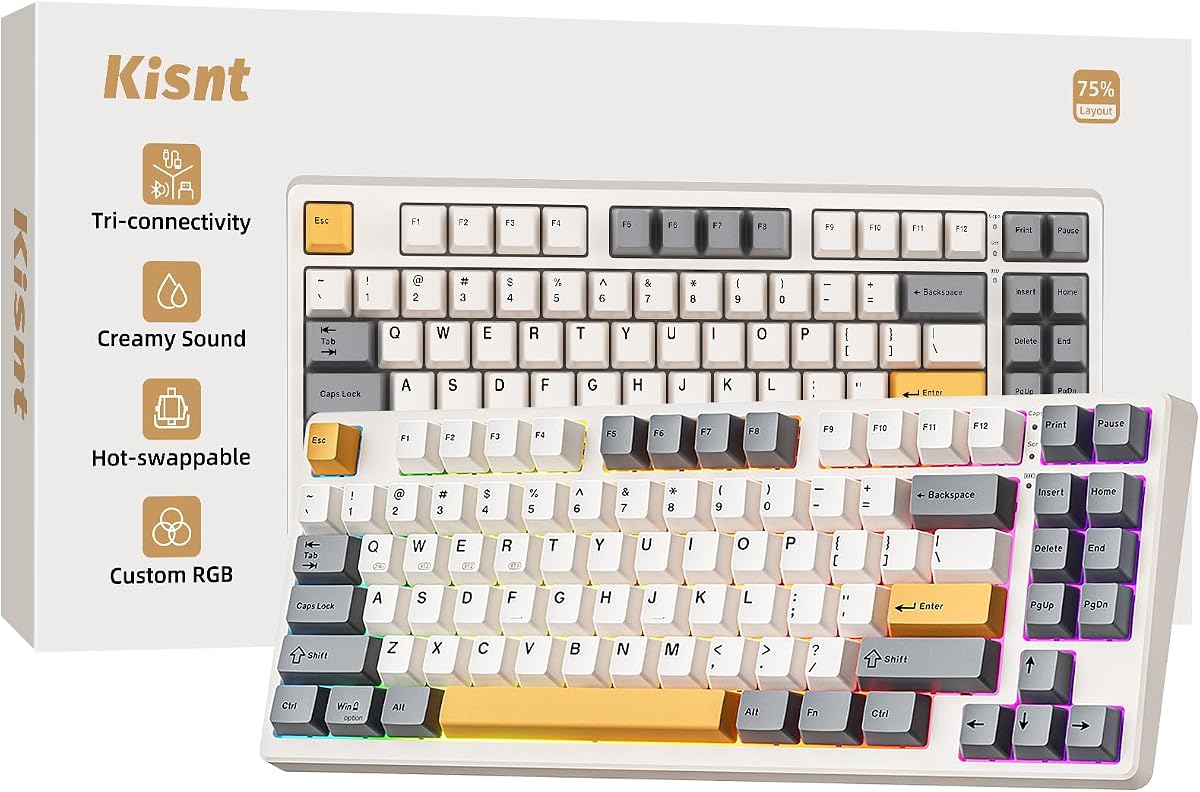
The Kisnt KN85 proves that a creamy keyboard experience does not require a premium budget. With a solid 4.6 rating, it delivers a gasket mount feel at an entry-level price. Its retro beige design and compact 75% layout make it visually appealing and practical for small desks.
We may earn a commission when you buy through this link, at no additional cost to you.
At its heart, the KN85 uses pre-lubed linear switches to provide a buttery response without the need for modification. The gasket mount absorbs harsh vibrations to produce a smooth thock, reducing fatigue during long typing sessions. The RGB backlighting adds a warm ambiance to your workspace.
The driver for customization is available only for Windows, which might limit Mac users who want to remap keys. Additionally, the 75% layout lacks a dedicated number pad, which may not suit everyone. However, for those who prioritize sound and feel, these are acceptable compromises.
Ideal for students and hybrid workers, this keyboard offers a smooth transition between devices. Its battery life is robust enough for daily use without constant charging. If you are looking for an affordable entry into mechanical keyboards, the KN85 is an excellent starting point.
The gasket mount produces a smooth marbly thock rather than loud clacky taps for a better experience.
The 75% layout keeps all essentials while freeing up 25 percent of desk space for mouse movement.
We may earn a commission when you buy through this link, at no additional cost to you.
The HUO JI E-Yooso offers a robust solution for those who prefer wired stability in their setup. It achieves a high rating of 4.6 by combining a compact 96% layout with premium sound dampening features. The white aesthetic adds a clean look to any desk.
We may earn a commission when you buy through this link, at no additional cost to you.
This keyboard features a gasket structure with five layers of sound-absorbing foams to reduce noise significantly. The result is a creamy sound profile that remains stable and clear. The hot-swap PCB allows for easy switch replacement, giving users flexibility without soldering.
The main trade-off is the lack of wireless connectivity, which can limit portability. The RGB effects are functional but may not match the extensive customization of more expensive models. Despite this, the build quality and performance make it a strong contender in its price range.
Perfect for office or home use where cables are manageable, this board is reliable and efficient. The PBT keycaps ensure durability and resist fading over time. If you need a quiet, compact keyboard without paying for wireless features, this is a great choice.
Five layers of foam remove hollow sound effectively while reducing noise for a clear typing experience.
The 99 key layout saves desk space while ensuring full keyboard functionality and arrow keys remain.
We may earn a commission when you buy through this link, at no additional cost to you.
The Redragon K745 PRO brings a full-size layout to wireless gaming with a creamy, cushioned feel. Its rating of 4.6 reflects strong performance in connectivity and customization. The translucent PBT keycaps offer a unique look that enhances the RGB lighting effects.
We may earn a commission when you buy through this link, at no additional cost to you.
This keyboard features a gasket-mounted construction with five-layer noise dampening for a soft, silky bounce. The four extra hotkeys allow for quick access to essential functions like mute or calculator. Tri-mode connectivity ensures smooth switching between devices without re-pairing.
The larger footprint may not be ideal for users with limited desk space. The soft feel is enjoyable but might lack the rigidity some gamers prefer for rapid inputs. However, these features are acceptable trade-offs for a versatile, full-featured wireless board.
This is an excellent option for users who need a full number pad and extra macros. The durability of PBT keycaps ensures long-term satisfaction. If you want a complete, wireless solution with a comfortable feel, the K745 PRO delivers well.
Four dedicated shortcut keys default to useful functions like mute and calculator for better efficiency.
Translucent PBT keycaps resist the greasy shine that ABS develops over time for lasting looks.
We may earn a commission when you buy through this link, at no additional cost to you.
The SOLAKAKA A99 Pro stands out with its LCD screen, providing a visual interface for keyboard status. It scores a 4.5 rating thanks to its unique feature set and solid build quality. The metal knob allows for precise control over volume and lighting.
We may earn a commission when you buy through this link, at no additional cost to you.
The gasket structure with five cushioning layers ensures a soft hand feel and creamy sound. The web driver simplifies customization without requiring software downloads, which is a significant convenience. The PBT keycaps ensure durability and sweat resistance.
The LCD screen can sometimes reflect glare in bright environments. Accessing the web driver requires a wired connection, which might interrupt wireless workflows temporarily. These minor issues are outweighed by the novelty and utility of the visual interface.
Ideal for users who want a modern, tech-heavy keyboard experience, this board is versatile and fun. The battery life is robust for extended use. If you value unique features and convenience, the A99 Pro is a strong pick.
The display shows date time battery level and connection mode intuitively for easier operation.
Web driver support means you do not need to download any software to customize settings.
We may earn a commission when you buy through this link, at no additional cost to you.
The AULA S99 provides an accessible entry point for users seeking a creamy feel without mechanical costs. It holds a 4.2 rating for its unique combination of features and affordability. The dual-mode rotary knob adds a touch of premium usability to a budget board.
We may earn a commission when you buy through this link, at no additional cost to you.
While it uses membrane switches rather than mechanical ones, it still offers a satisfying typing experience. The 96% layout retains the numeric keypad while saving space on the desktop. RGB lighting effects add a gaming aesthetic that enhances the overall look.
The lack of hot-swap support means you cannot change switches later to customize the feel. Membrane switches generally have a shorter lifespan than mechanical alternatives. However, for casual users, these limitations are acceptable given the price and feature set.
This board is ideal for beginners or those needing a quiet, compact keyboard for office use. The macro support is useful for basic automation. If you want a budget-friendly option with useful features, the S99 is a solid choice.
Dual-mode rotary knob allows easy adjustment of volume audio lighting effects without complex key combos.
The 96 percent layout retains the familiar typing experience while freeing up more desktop space.
We may earn a commission when you buy through this link, at no additional cost to you.
The AULA Pink Gaming keyboard stands out for its unique color scheme and wireless convenience. With a 4.2 rating, it offers a blend of style and utility for casual users. The pink design makes it a statement piece for any setup.
We may earn a commission when you buy through this link, at no additional cost to you.
It includes a rotary knob for adjusting volume and lighting effects, adding practical functionality. The RGB lighting effects are vibrant and customizable to match your mood. The wireless modes ensure a clutter-free desk experience.
As a membrane keyboard, it lacks the tactile feedback and durability of mechanical switches. The lifespan may be shorter for heavy typists. However, for casual use or specific aesthetic needs, these compromises are acceptable.
Ideal for users who prioritize looks and wireless functionality, this keyboard fits well in gaming or home setups. The macro support helps with basic efficiency. If you want a colorful, wireless board, the Pink Gaming model is a good fit.
Sixteen pre-set lighting effects add a great atmosphere to the game or workspace environment.
Macro software allows you to create unique lighting setups to make your RGB keyboard more interesting.
We may earn a commission when you buy through this link, at no additional cost to you.
The AULA F75 Blue offers the same robust performance as the standard F75 with a unique colorway. It earns a 4.6 rating for its reliable build and sound quality. The Blue variant adds a fresh look to a proven design.
We may earn a commission when you buy through this link, at no additional cost to you.
Like its brother, it features hot-swap support and a gasket structure for a solid feel. The pre-lubricated stabilizers and switches provide a pleasant mechanical sound. The large capacity battery ensures long-lasting performance during gaming sessions.
Users must download drivers to access full macro functionality, which can be a minor hurdle. The RGB effects are customizable but require configuration. These issues are minor compared to the keyboard overall quality and versatility.
This board is perfect for those who like the standard F75 features but prefer a different look. The compact layout saves space while keeping essential keys. If you want a reliable wireless mechanical board with style, the Blue F75 is a strong choice.
Pre-lubricated stabilizers and LEOBOG reaper switches bring smooth typing feeling and pleasant sound.
The rechargeable keyboard is equipped with a large capacity battery which has long lasting battery life.
We may earn a commission when you buy through this link, at no additional cost to you.
The Redragon K768 PRO is a powerhouse with a massive battery that eliminates frequent charging. With a 4.8 rating, it delivers high performance in connectivity and build. The one-knob control simplifies daily adjustments for lighting and volume.
We may earn a commission when you buy through this link, at no additional cost to you.
Its gasket-mounted design offers a creamy, cushioned typing feel that reduces fatigue over long sessions. The PBT keycaps ensure a fade-resistant texture that lasts for years. Tri-mode connectivity supports seamless switching between multiple devices without interruption.
The software is available for deep customization but may be complex for casual users. The RGB options are standard but effective. The battery life compensates for any minor drawbacks in feature depth.
Ideal for travelers or remote workers, this keyboard offers freedom from charging anxiety. The robust build quality ensures reliability. If you need a long-lasting, versatile wireless keyboard, the K768 PRO is an excellent recommendation.
Backed by a massive 8000mAh battery for far longer runtime than typical gaming keyboards.
A single control knob adjusts backlight brightness and media playback without memorizing extra key combos.
We may earn a commission when you buy through this link, at no additional cost to you.
Selecting the right creamy keyboard depends on balancing sound, feel, and functionality. This guide outlines key factors to consider.
Creamy keyboards usually use linear switches for smooth keystrokes without tactile bumps. Pre-lubed switches further enhance the sound and feel by reducing internal friction.
Decide between wireless and wired models based on your setup. Wireless options offer flexibility with Bluetooth and 2.4GHz modes, while wired ensures zero latency for competitive gaming.
Gasket mount construction absorbs vibrations for a softer, more consistent feel. Look for solid internal dampening layers to minimize hollow noise and improve overall acoustic performance.
Choose a layout that fits your desk space. Full-size boards include numpads, while compact 75% or 60% models save space without sacrificing essential keys for most tasks.
Hot-swap capabilities allow you to change switches without soldering. Check if the keyboard supports custom firmware like QMK or VIA for advanced key remapping and macros.
For wireless models, check battery capacity. High-capacity batteries ensure long sessions between charges. Consider if RGB lighting impacts battery drain significantly.
PBT keycaps resist wear and shine better than ABS. Double-shot legends ensure characters never fade. This contributes to long-term durability and consistent typing feel.
Clean your keyboard regularly using a soft brush to remove debris from switches. Use a gentle solution to wipe down keycaps without soaking the internals.