
PNY Nvidia RTX A400
4.7Editor score
Single slot low profile design
4GB GDDR6 memory support
PCI Express 4.0 interface
Discover the top GPUs for Optiplex systems. This guide compares low profile cards for gaming and professional workloads to help you upgrade your compact
Upgrading your Optiplex with a suitable GPU can transform its capabilities for gaming or professional tasks. Finding the right card requires considering size, power, and compatibility with your specific chassis.
We have analyzed ten top-rated graphics cards that fit small form factor systems. Each option was evaluated based on performance, power efficiency, and physical dimensions to ensure a seamless upgrade.
Each pick in this list highlights key strengths and potential limitations. Keep in mind that pricing and availability fluctuate often, so check current listings before making your final decision.
4.7Editor score
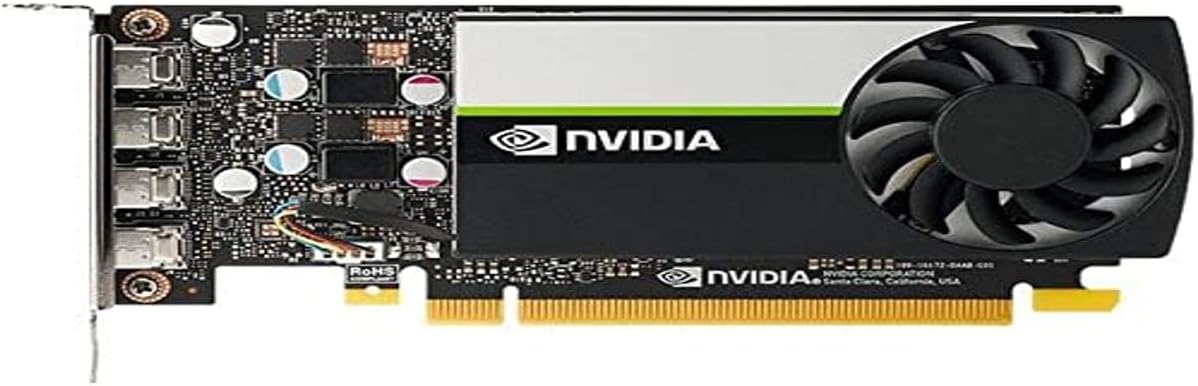
4.6Editor score

4.3Editor score
This side-by-side comparison helps you visualize the key differences between each graphics card option. Use these details to match the hardware specifications with your specific Optiplex model needs.


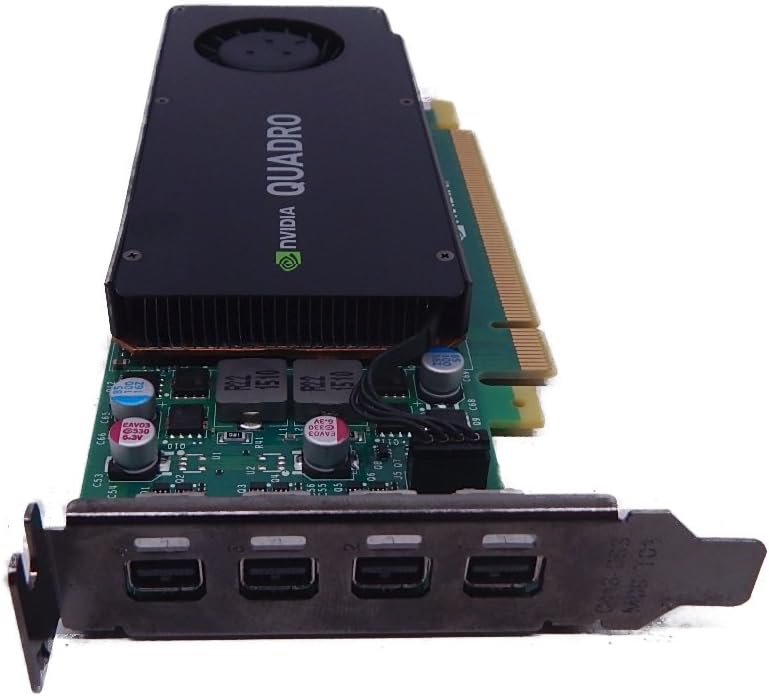
This card stands out as a premium choice for Optiplex owners seeking modern gaming features. With a 4.3 rating, it offers a balance of performance and form factor that fits tight spaces.
We may earn a commission when you buy through this link, at no additional cost to you.
The inclusion of NVIDIA DLSS and Tensor Cores allows for better frame rates in supported titles without sacrificing image quality. The Ampere architecture provides efficient compute power for daily tasks.
While the 6GB memory is sufficient for 1080p gaming, it may limit performance in highly textured AAA titles compared to higher VRAM cards. The lack of an external power connector means it relies on system power.
Gamers with small form factor Optiplex systems should consider this card for its ability to deliver next-gen features in a slim package. It remains a strong recommendation for entry-level modern gaming builds.
The slim low profile design ensures it fits perfectly into Mini Small Form Factor computer cases without modification.
Advanced DLSS technology uses AI to boost performance while maintaining high image quality in supported games.
We may earn a commission when you buy through this link, at no additional cost to you.
Rated 4.6 stars, this card is an excellent choice for professionals needing reliable performance in design and visualization software. Its Turing architecture delivers significant gains over previous generations.
We may earn a commission when you buy through this link, at no additional cost to you.
The ability to drive multiple high-resolution displays makes it ideal for multitasking workflows. Hardware compatibility is ensured through support for major graphics standards and ISV certifications.
While powerful for productivity, it lacks features like DLSS that gamers might seek. The cost is also higher than some consumer alternatives, but justified by stability and support.
Creative professionals and engineers using Optiplex workstations will find this card provides the stability and performance needed for complex models and large datasets without interruption.
Certified with over 100 professional software applications to ensure smooth operation and stability during critical tasks.
Supports up to four 5K displays or two 8K displays per card for immersive visual environments.
We may earn a commission when you buy through this link, at no additional cost to you.
With a 4.7 rating, this card offers exceptional value for professional environments needing efficient compute power. It is optimized for compact business systems where space is premium.
We may earn a commission when you buy through this link, at no additional cost to you.
Powered by Ampere architecture, it handles AI and ray-tracing tasks well. The energy efficient operation ensures it runs cool and quietly even during extended professional use.
The low power draw means no external power connector is needed. However, the Mini DisplayPort outputs may require adapters for standard monitors.
Business owners upgrading Optiplex PCs for engineering or CAD work should consider this card for its reliability and efficient power usage in small chassis.
Low 50W power consumption ensures reliability and performance for extended professional use without high energy costs.
Supports PCI Express 4.0 providing enhanced bandwidth for next-gen connectivity in modern workstations.
We may earn a commission when you buy through this link, at no additional cost to you.
Rated 4.7 stars, this card is a solid mid-range option for gaming. It features advanced Ampere architecture with improved RT and Tensor cores for better visual fidelity.
We may earn a commission when you buy through this link, at no additional cost to you.
The Axial-tech fan design improves cooling efficiency. Dust resistance adds durability for long-term use in varying environments. The OC mode offers higher boost clocks for more performance.
It is larger than low profile cards so check your case clearance. The 2 slot design maximizes cooling but requires more physical space inside the chassis.
Gamers with standard size Optiplex cases will appreciate the balance of cooling and performance. It is a reliable choice for 1080p gaming experiences.
Axial-tech fan design with smaller hub and barrier ring increases downward air pressure for better cooling.
IP5X dust resistance and stainless steel bracket protect against corrosion and particle ingress.
We may earn a commission when you buy through this link, at no additional cost to you.
With a 4.5 rating, this card is a very affordable entry-level choice. It fits easily into small cases and supports basic multimedia and light gaming tasks.
We may earn a commission when you buy through this link, at no additional cost to you.
The single fan design keeps it quiet. It supports HDMI 2.0b and DisplayPort for modern displays. However, the memory is DDR4 which is slower than GDDR variants.
Performance is limited to older or less demanding titles. For casual users or office tasks requiring a dedicated display, it provides a simple and effective upgrade.
Budget-conscious users upgrading an old Optiplex for basic media playback or light games will find this card sufficient without high costs or power draw.
Supports DirectX 12 and HDCP making it suitable for video playback and casual gaming.
Designed as a single fan low profile card for easy installation in small chassis.
We may earn a commission when you buy through this link, at no additional cost to you.
This card carries a 4.6 rating and offers reliable Ampere performance. It features WINDFORCE cooling with two fans to manage heat effectively during gameplay.
We may earn a commission when you buy through this link, at no additional cost to you.
The 6GB GDDR6 memory provides ample capacity for most modern titles. With 96-bit interface and strong compute units it balances performance well within its class.
It does not fit into low profile slots so check your case dimensions carefully. If space allows it offers a robust upgrade path for Optiplex users needing real gaming power.
Gamers with Optiplex systems that have enough room for a dual fan card will benefit from its thermal management and consistent performance in demanding scenarios.
Powered by GeForce RTX 3050 with 2X WINDFORCE Fans for optimized cooling during use.
Integrated with 6GB GDDR6 96-bit memory interface for high speed data transfer.
We may earn a commission when you buy through this link, at no additional cost to you.
Rated 4.5 stars, this card provides a balanced low profile gaming experience. It uses Ampere architecture to deliver modern features in a compact form factor.
We may earn a commission when you buy through this link, at no additional cost to you.
The boost clock of 1492 MHz ensures good performance. It includes HDMI 2.1a and DisplayPort for flexible display connections. The 6GB memory supports detailed textures.
While the low profile design is great for small cases cooling is handled by a single fan. Users should monitor thermal conditions during extended gaming sessions.
This card is ideal for Optiplex users who need gaming performance without sacrificing the small form factor. It brings next-gen features into a compact package.
Low profile bracket allows installation in small systems while maintaining strong 6GB GDDR6 performance.
Includes HDMI 2.1a and DisplayPort 1.4a for support modern display technologies.
We may earn a commission when you buy through this link, at no additional cost to you.
With a 4.4 rating, this card offers reliable legacy support for professional applications. It fits compact footprints and supports multiple displays effectively.
We may earn a commission when you buy through this link, at no additional cost to you.
The low profile design ensures compatibility with older Optiplex models. It includes 4x Mini DisplayPort connectors for multi-monitor setups. The 3 year warranty adds peace of mind.
PCIe 2.0 limits bandwidth compared to newer cards. For basic CAD and business tasks it performs well but is not suitable for high-end rendering or gaming.
Users with older Optiplex systems needing reliable multi-display support will find this card a cost-effective and dependable choice for daily professional workflows.
Features four Mini DisplayPort connectors to enable expansive visual workspaces for professionals.
Comes with a 3 year warranty ensuring long term reliability for business environments.
We may earn a commission when you buy through this link, at no additional cost to you.
This card holds a 4.5 rating and delivers professional performance in a low profile package. It is powered by Pascal technology and supports high resolution displays.
We may earn a commission when you buy through this link, at no additional cost to you.
ISV certification ensures stability in professional apps. It drives up to four 4K displays effectively. The power efficient design helps maintain system temperatures.
While older than Ampere models it remains powerful for many tasks. The 4GB memory is adequate for mid level 3D work and visualization tasks.
Professionals looking for a stable and efficient upgrade for small workstations will appreciate its balance of performance and low power usage in compact chassis.
Provides expansive visual workspace of up to four 4K displays for stunning detail.
Power efficient architecture provides performance required by demanding professional applications in a compact card.
We may earn a commission when you buy through this link, at no additional cost to you.
Rated 4.2 stars, this card provides basic business graphics support. It fits compact systems and offers stable driver support for everyday tasks.
We may earn a commission when you buy through this link, at no additional cost to you.
The Quadro K1200 engine handles standard business applications reliably. It includes 4GB GDDR5 memory for smooth multitasking. Performance is suitable for general use.
It is not designed for high-end rendering or modern gaming. Users seeking basic visual upgrades for office work will find it functional and affordable.
Businesses needing a simple and reliable graphics upgrade for older Optiplex models will appreciate its straightforward design and low power requirements.
Provides standard visual performance for daily business applications without high resource usage.
Ensures stable drivers and integration for consistent operation in business environments.
We may earn a commission when you buy through this link, at no additional cost to you.
Selecting the right graphics card for your Optiplex involves checking several technical constraints and usage requirements. Use this guide to understand the key factors that impact compatibility and performance.
Optiplex computers often come in Small Form Factor or Micro cases that have limited internal space. Low profile graphics cards are designed with a shorter bracket to fit these compact chassis. Always measure the available height and length in your specific model before purchasing to ensure the card fits without obstruction.
Check the card specifications for height and length measurements. If your system is a Micro unit, verify if the case supports any discrete GPU or if you need a specific low profile model.
Many Optiplex systems use low wattage power supplies that lack external PCIe power connectors. Look for cards that run solely on power from the motherboard slot. This usually means checking the TDP or wattage draw to ensure it is within your power supply limits.
Select a card with low power consumption if your system does not have dedicated power cables. This ensures stable operation without overloading the power unit.
Older Optiplex models may use PCI Express 2.0 slots while newer ones support 3.0 or 4.0. Modern cards are backward compatible but may not reach full speed on older slots. Ensure the card you choose supports the bus version of your motherboard for optimal bandwidth.
Verify your motherboard specifications to confirm the PCIe generation. This helps avoid bottlenecks that could reduce the graphics card performance in demanding applications.
Different tasks require different GPU architectures. Gaming benefits from newer Ampere or RDNA architectures with ray tracing and DLSS support. Professional workloads like CAD or design often need certified ISV drivers for stability and accuracy in software.
Match the GPU type to your primary usage. Do not buy a professional card for gaming or a gaming card if stability is critical for business software workflows.
Your monitor connectivity needs will dictate which ports you require. Optiplex upgrades often need cards with HDMI or DisplayPort outputs to connect modern screens. Some professional cards use Mini DisplayPort which may need adapters.
Check the ports on your card against your monitor inputs. Ensure you have enough outputs for all the displays you plan to use simultaneously.
Graphics memory (VRAM) affects how well a card handles high resolution textures and multi-tasking. Modern 1080p gaming typically requires at least 4GB or 6GB of VRAM. Professional tasks benefit from GDDR6 or GDDR6X memory for faster data transfer.
Select a card with sufficient memory for your applications. More VRAM allows for smoother performance in future updates and higher resolution tasks.
Newer architectures often receive driver updates for longer periods. This ensures compatibility with future software releases and games. Check the manufacturer support lifecycle before buying to ensure the card remains relevant.
Prioritize cards from major manufacturers with active driver support. This helps maintain performance and security patches over the life of your system.
Cost varies significantly between entry level and high-end cards. Determine your budget range and look for the best performance per dollar within that limit. Sometimes older models offer better value if they meet your needs.
Compare prices across trusted retailers to find the best deal. Ensure the features match your needs so you do not overspend on unneeded performance.
Installing a new GPU in an Optiplex requires opening the case carefully and removing the old card if present. Secure the new card firmly into the PCIe slot and connect any necessary cables. Close the case and power on the system to install the latest drivers from the manufacturer.
To maintain performance over time, keep your case vents clear of dust and ensure the room temperature remains cool. Periodically check for driver updates to fix bugs and improve compatibility with new software or games. Cleaning the card with compressed air helps prevent overheating.
Monitor the graphics usage using system tools to ensure the card is functioning correctly. If you notice crashes or visual glitches, reinstall the drivers or check the power supply stability. Following these care tips will help your system run smoothly for years.
For Optiplex Micro systems, low profile cards are essential due to space constraints. The PNY T600 and RTX A400 are excellent choices as they are low profile and fit tight spaces. Always check your power supply capacity before installing any card.
Yes, but you must ensure the case supports the card size. Many business Optiplex systems lack external power connectors so choose cards that run on system power. Gaming GPUs can be used if they fit the physical constraints.
Not all, but many Small Form Factor and Micro models do. Full size cards will not fit inside these compact cases. Verify your case dimensions and bracket type before purchasing to ensure compatibility.
Many modern cards like the RTX 3050 and T600 support 4K outputs. Check the display ports on the card to match your monitor inputs. Ensure the card has enough bandwidth to drive 4K at your desired refresh rate.
Most low power cards do not need external cables and run on the PCIe slot. If a card requires more power, your Optiplex power supply may not support it. Check the wattage requirements carefully.
Yes, there are low profile versions of the RTX 3050 designed for small form factors. Make sure your power supply can handle the wattage and your case allows the physical dimensions. It is a popular choice for upgrades.
We reviewed ten excellent options ranging from budget-friendly entry cards to professional workhorse models. Each choice offers a unique balance of size power and performance for different needs.
Prioritize physical compatibility and power limits before looking at features. A card that fits and runs stably is better than one that is powerful but incompatible.
Prices and availability change often so verify current listings before buying. Take advantage of these upgrades to breathe new life into your Optiplex for years of reliable use.