
LGA 1155 Motherboard H61
5.0Editor score
Supports Intel 2nd 3rd Gen
Dual Channel DDR3 Memory
Includes M.2 SSD Interface
This guide compares the top ten cheap motherboard options for budget builders focusing on performance features and value across AMD and Intel platforms today.
Finding a cheap motherboard does not mean sacrificing reliability or essential features for your next computer build. You need a board that supports your chosen processor and offers stable power delivery without breaking the bank. This article highlights ten solid options that balance cost with capability for various budgets.
We evaluated these products based on socket compatibility expansion slots connectivity options and overall build quality. Our analysis covers both AMD and Intel platforms to ensure you find a match for your specific CPU generation. Each entry includes key specifications and real user ratings to help you decide confidently.
Every pick in this list shows distinct advantages whether you need modern PCIe speeds or legacy support. Prices can fluctuate daily so always verify the current cost before finalizing your purchase decision. Check the links provided to see the latest deals and availability for each model now.
5.0Editor score
4.5Editor score

4.5Editor score
This side by side comparison outlines the key specifications and features of all ten boards to help you quickly identify the right match for your system requirements and budget constraints without confusion.





The GIGABYTE B550M K stands out as a top contender for budget builders seeking modern AMD performance. It holds a strong rating from users who value reliability and essential features without premium costs. This board supports Ryzen 5000 series processors making it a versatile choice for upgrades.
We may earn a commission when you buy through this link, at no additional cost to you.
Key strengths include the digital 3 plus3 power phase design which ensures steady power delivery for your CPU. The inclusion of PCIe 4.0 and two M.2 slots provides ample storage and expansion options for future growth. Enhanced thermal armor helps dissipate heat effectively during daily tasks.
Honest trade-offs involve the simpler VRM cooling solution which might limit extreme overclocking potential. However for most users this is acceptable given the low entry price and solid daily performance. The lack of Wi-Fi is minor if you rely on wired connections.
This board is ideal for gamers and creators on a tight budget who need a stable platform. We recommend it for anyone building a Ryzen system that balances cost and capability effectively. Check the latest availability before purchasing to ensure you get the best deal.
The digital VRM design ensures your processor receives stable power even under load.
With PCIe 4.0 and USB 3.2 Gen 1 ports you get fast data transfer speeds.
We may earn a commission when you buy through this link, at no additional cost to you.
This LGA 1155 motherboard offers an incredibly affordable path for those needing a basic office or light gaming PC. It supports Intel Core 2nd and 3rd generation processors as well as Xeon E3 V2 CPUs for flexibility. Users appreciate the simple installation and solid performance for everyday tasks.
We may earn a commission when you buy through this link, at no additional cost to you.
The standout feature is the addition of an M.2 interface which allows for faster NVMe storage upgrades. Dual channel DDR3 slots support up to 16GB of memory ensuring smooth multitasking. Video outputs include VGA and HDMI allowing direct connection to monitors without a graphics card.
Trade-offs include reliance on older DDR3 memory and the absence of a printed user manual. These factors make it less suitable for modern high-end builds but perfect for budget conscious projects. Drivers may require manual installation using tools like Driver Talent.
Buyers looking for a cheap rebuild or home server will find this board very useful. It maximizes value by adding modern storage slots to an older chipset. We suggest verifying CPU compatibility before purchase to ensure your processor supports integrated graphics.
Add a fast NVMe SSD to boost boot times and application loading speeds.
Supports server CPUs like Xeon E3 for better value in specific workloads.
We may earn a commission when you buy through this link, at no additional cost to you.
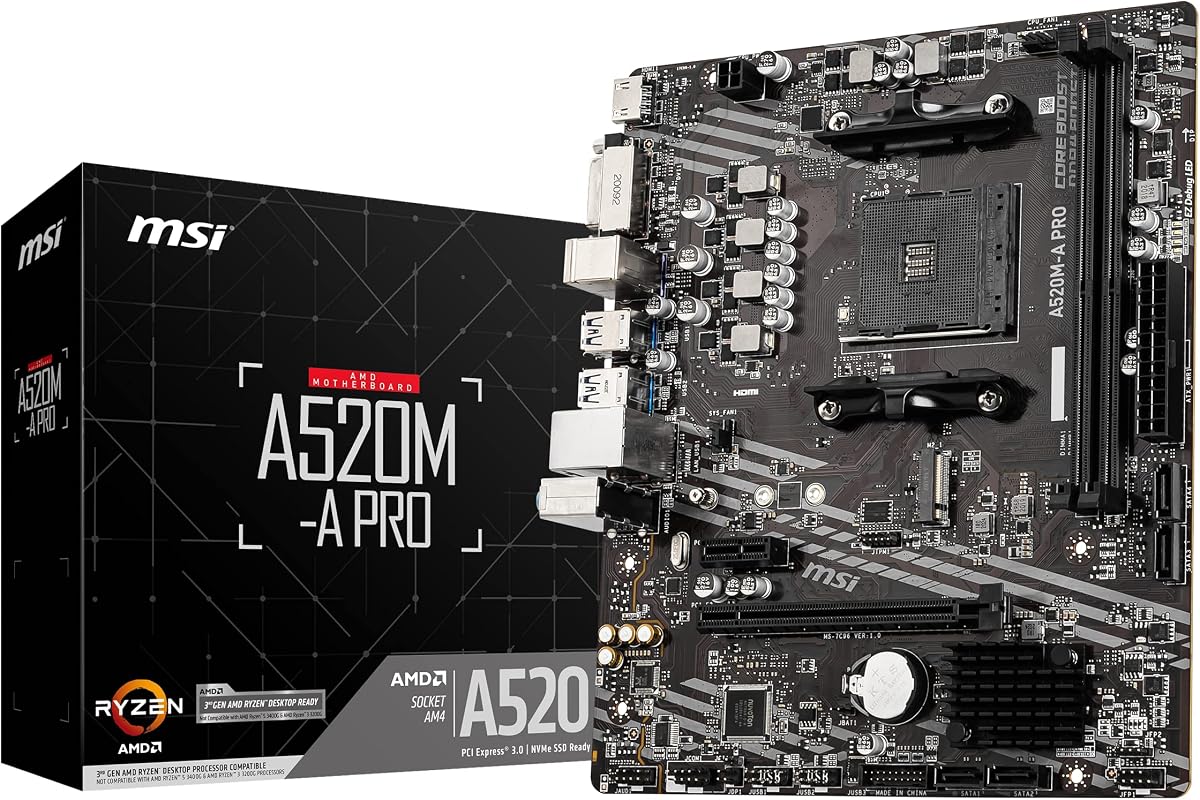
The MSI A520M-A PRO is an excellent entry point for gamers wanting AMD Ryzen power without high costs. It supports Ryzen 5000 and 4000 G-Series processors offering a smooth experience for general tasks. The board has gained praise for its reliable performance and clean design layout.
We may earn a commission when you buy through this link, at no additional cost to you.
Key strengths include support for DDR4 memory up to 4600 MHz which boosts system responsiveness. The Turbo M.2 slot runs at PCIe Gen3 x4 ensuring your storage drive operates at full speed. Audio Boost technology provides studio grade sound quality for immersive gaming sessions.
Trade-offs involve the lack of PCIe 4.0 which might limit future GPU bandwidth though rarely noticeable now. Overclocking features are basic but sufficient for stock or slight performance gains. This board prioritizes value over advanced tuning options for mainstream users.
We recommend this board for first time builders or those upgrading from older systems. It offers a balance of speed and affordability that fits many budgets. Check the supported CPU list before buying to ensure BIOS compatibility out of the box.
DDR4 support up to 4600 MHz ensures your system runs smoothly.
Enhanced audio circuits deliver clearer sound for games and media.
We may earn a commission when you buy through this link, at no additional cost to you.
The ASRock B550M-HDV is a versatile board designed for users who need multiple monitor setups on a budget. It supports a wide range of Ryzen processors and offers robust power delivery with a 6 phase design. This model is highly rated for its reliability and comprehensive feature set.
We may earn a commission when you buy through this link, at no additional cost to you.
Key strengths include three video outputs allowing you to connect HDMI DVI and VGA simultaneously. High-speed memory support up to 4733 MHz ensures your system runs efficiently with modern RAM. PCIe 4.0 readiness provides future proofing for fast storage and graphics cards.
Trade-offs include only two DIMM slots which limits total memory capacity to 64GB. While sufficient for most users this might restrict heavy workloads. The audio codec is standard but handles daily tasks well without issue.
This board is ideal for office workers or multitaskers needing multiple screens. It offers great value for those who need modern connectivity without spending too much. Verify chassis compatibility before purchase since the form factor may not fit all cases.
Connect up to three displays using HDMI DVI and VGA ports easily.
Full Spike Protection guards USB and audio ports from electrical surges.
We may earn a commission when you buy through this link, at no additional cost to you.
The MSI PRO B550M-P focuses on stability and thermal management for reliable daily performance. It supports Ryzen 5000 series processors and offers Core Boost technology for improved current delivery. Users appreciate the Frozr AI cooling which adjusts fan settings automatically based on system temps.
We may earn a commission when you buy through this link, at no additional cost to you.
Key strengths include double M.2 connectors allowing both Gen4 and Gen3 storage options. Steel Armor on the PCIe slot protects your graphics card from physical damage and interference. The board maintains low temperatures even under load due to effective heatsink design.
Trade-offs involve a simpler rear IO layout with fewer USB ports compared to premium boards. However this does not impact core functionality for most users. The basic design keeps costs down while maintaining essential high-performance features.
We recommend this board for builders who prioritize thermal performance over aesthetic features. It is a solid choice for a quiet efficient system that handles gaming and work well. Check your case dimensions since the micro ATX shape requires specific clearance.
Frozr AI Cooling adjusts fans to keep your system quiet and cool.
Use both slots for fast NVMe drives and large capacity storage.
We may earn a commission when you buy through this link, at no additional cost to you.
The MSI B550M PRO-VDH WiFi delivers premium features like built-in wireless connectivity at a competitive price. It supports Ryzen 5000 series processors and includes Core Boost for steady current delivery. Users praise the convenient Flash BIOS Button that allows updates without a CPU installed.
We may earn a commission when you buy through this link, at no additional cost to you.
Key strengths include the M.2 Shield Frozr which prevents your SSD from thermal throttling during heavy use. Premium thermal pads rated for 7W per meter enhance heat dissipation from the VRMs. The board also supports high-speed USB 3.2 Gen 2 for faster data transfers.
Trade-offs involve a slightly higher cost than non-WiFi models but justified by the wireless convenience. The software suite may feel complex for first time users but offers deep customization. Overall the feature set outweighs the minor software learning curve.
This board is perfect for users who want a wireless ready system without extra adapters. It offers a premium feel with robust protection and cooling features. We suggest checking the latest firmware to ensure full compatibility with your processor.
Built-in Wi-Fi and Bluetooth eliminate the need for extra dongles or cards.
Flash BIOS Button lets you update the firmware easily before installing hardware.
We may earn a commission when you buy through this link, at no additional cost to you.
The GIGABYTE B550 Gaming X V2 is a robust ATX board designed for high-performance Ryzen builds. It features a digital twin 10 plus3 power phase design ensuring stable power delivery for demanding CPUs. Users appreciate the integrated IO shield which speeds up installation significantly.
We may earn a commission when you buy through this link, at no additional cost to you.
Key strengths include Q Flash Plus allowing BIOS updates without installing CPU RAM or GPU. The front USB 3.2 Gen 1 Type-C port offers modern connectivity for cases that support it. RGB Fusion lets you customize lighting to match your system aesthetic easily.
Trade-offs involve the ATX form factor which may not fit in smaller compact cases. The BIOS UI has been refreshed but some users find it less intuitive than competitors. These points are minor given the strong power delivery and upgrade features.
We recommend this board for gamers planning to push their CPU performance higher. It offers the stability needed for overclocking without the cost of high-end models. Verify your case supports ATX boards before finalizing your purchase decision.
The 10 plus3 power phase design ensures your CPU gets steady power.
Front USB Type C provides convenient fast data access for peripherals.
We may earn a commission when you buy through this link, at no additional cost to you.
The Gigabyte A520M K V2 is a simplified board perfect for small form factor builds on a budget. It supports Ryzen 5000 processors and uses standard DDR4 memory for easy upgrades. This model focuses on essential connectivity and reliable performance without extra fluff.
We may earn a commission when you buy through this link, at no additional cost to you.
Key strengths include the Micro ATX format which fits easily into compact cabinets and mid-size cases. Video outputs include HDMI and D-Sub ensuring compatibility with most monitors. The design allows for hassle-free setup even for first time builders.
Trade-offs involve limited expansion slots and basic audio which might not suit enthusiasts. However for general office or light gaming tasks these are acceptable limitations. The board remains affordable and easy to source for tight budgets.
We recommend this board for users prioritizing size and simplicity over advanced features. It is a smart choice for a secondary PC or home theater setup. Verify your case dimensions and required IO ports before purchasing.
The Micro ATX size fits easily into smaller computer cases.
Full support for Ryzen 5000 series ensures modern CPU compatibility.
We may earn a commission when you buy through this link, at no additional cost to you.
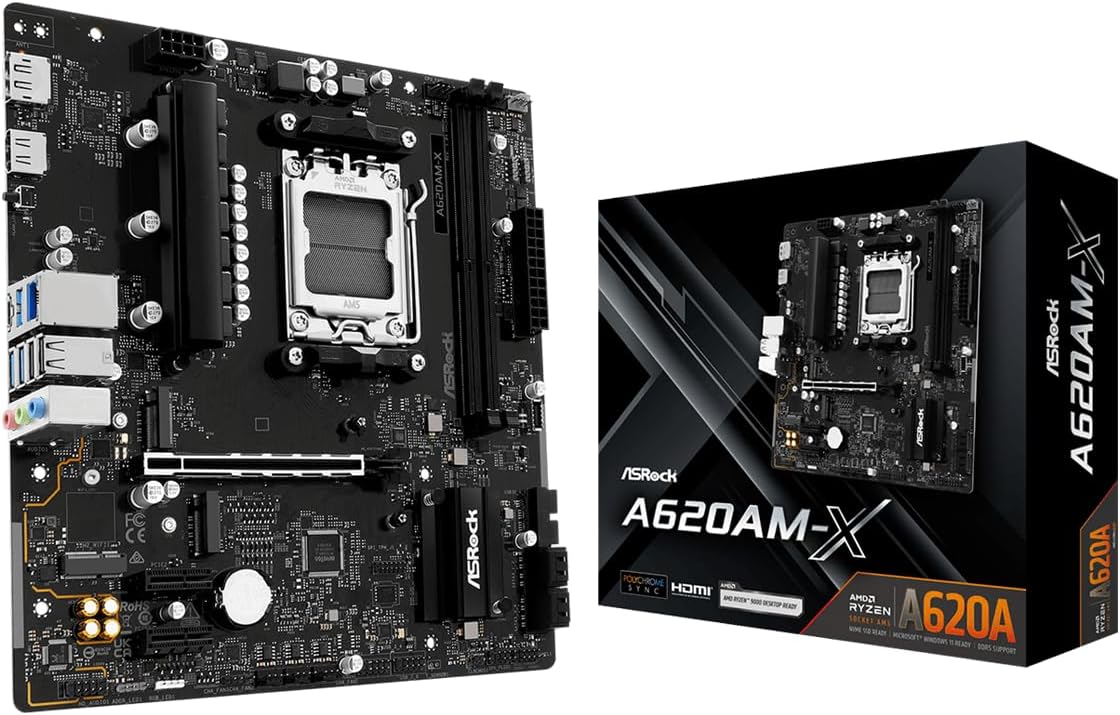
The ASRock A620AM-X offers an affordable entry into the latest AM5 ecosystem with DDR5 support. It supports Ryzen 9000 8000 and 7000 series processors for a long upgrade path. Users value the future-proofing of next-gen DDR5 memory and fast networking options.
We may earn a commission when you buy through this link, at no additional cost to you.
Key strengths include support for DDR5 speeds up to 8000 MHz enabling high bandwidth. Realtek 2.5G LAN provides faster wired connections for streaming or gaming. BIOS Flashback ensures you can update firmware without a CPU for new processor support.
Trade-offs involve the higher cost of DDR5 RAM compared to DDR4 solutions. The power delivery is efficient but basic compared to higher-end boards. For budget builds the benefits of modern architecture outweigh the initial memory investment.
We recommend this board for those planning a long-term build on a moderate budget. It bridges the gap between cost and next-generation performance effectively. Check current DDR5 prices to confirm this fits your total system cost.
DDR5 memory support up to 8000 MHz ensures fast data bandwidth.
AM5 socket support ensures compatibility with future Ryzen processors.
We may earn a commission when you buy through this link, at no additional cost to you.
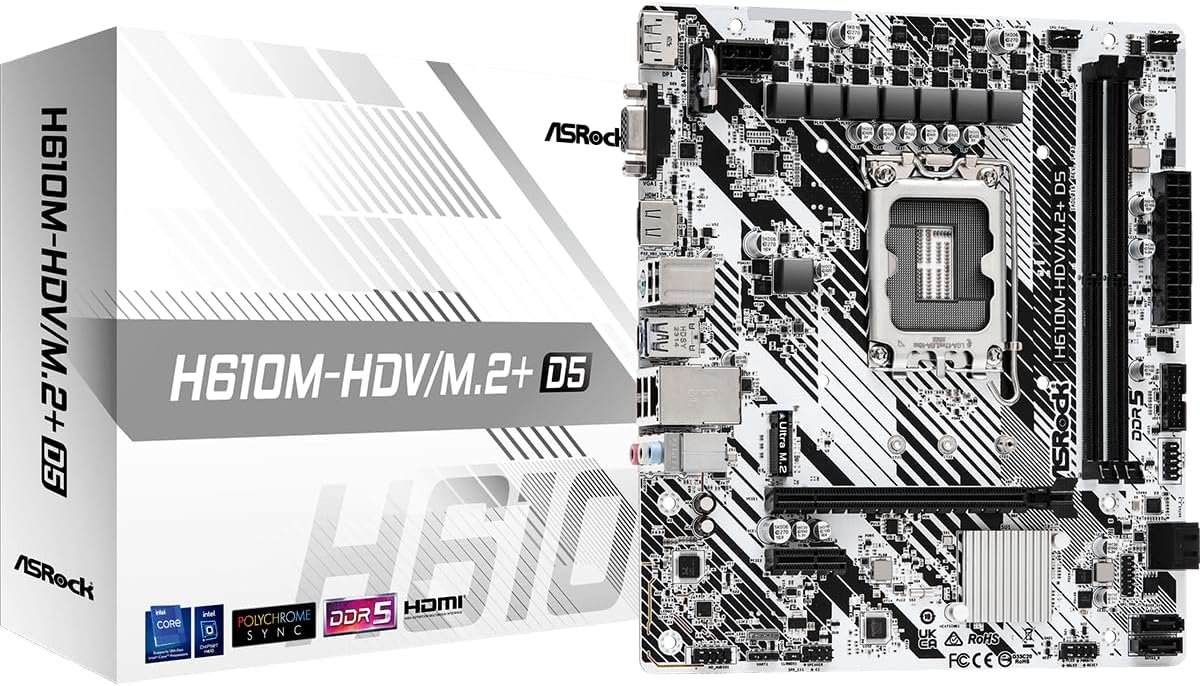
The ASRock H610M-HDV/M.2+ D5 is an affordable option for Intel 12th 13th and 14th Gen users. It supports DDR5 memory and offers a solid PCIe 4.0 slot for graphics cards. Users find it reliable for daily tasks and office applications with good value.
We may earn a commission when you buy through this link, at no additional cost to you.
Key strengths include the LGA 1700 socket which covers a wide range of recent Intel processors. Graphics output options include HDMI DisplayPort and D-Sub ensuring compatibility with many monitors. The board supports DDR5 speeds up to 5600 MHz for fast performance.
Trade-offs involve a basic chipset that limits certain advanced features like CPU overclocking. USB port count is also lower than premium boards but sufficient for most setups. These constraints keep the price low while maintaining essential modern connectivity.
We recommend this board for budget builders needing Intel 12th Gen or newer support. It balances DDR5 readiness with cost efficiency for entry level systems. Check the specific CPU compatibility list to ensure your choice is supported.
Supports 12th 13th and 14th Gen Core processors effectively.
DDR5 memory support ensures future speed and compatibility.
We may earn a commission when you buy through this link, at no additional cost to you.
Selecting the right motherboard requires understanding your processor needs and future upgrade paths. This guide breaks down the key factors to consider when shopping for a budget-friendly board.
The CPU socket determines which processors the motherboard can support. AMD AM4 boards work with Ryzen 5000 4000 and 3000 series while AM5 supports newer 7000 and above. Intel LGA 1700 is used for 12th 13th and 14th Gen Core chips. Always verify the CPU support list before buying.
Ensure the socket matches your chosen processor to avoid incompatibility issues.
Motherboards come in various sizes like ATX Micro ATX and Mini ITX. ATX offers more expansion slots while Micro ATX saves space and cost. Check your case dimensions to ensure the board fits properly. Choosing the right size prevents installation headaches later.
Select a form factor that fits your case and build requirements.
Memory type and speed impact system performance significantly. DDR4 boards are cheaper and widely available while DDR5 offers higher speeds. Check the maximum supported speed and capacity to plan upgrades. Matching RAM with your CPU ensures optimal performance.
Choose DDR4 for value or DDR5 for future speed needs.
VRM quality determines stability under load. More phases and better heatsinks handle higher performance CPUs. Budget boards often have simpler designs which work well for non-overclocked builds. Ensure the power delivery matches your processor requirements.
Look for adequate VRM design for your CPU choice.
PCIe slots connect your graphics card and storage devices. PCIe 4.0 is faster than 3.0 and beneficial for new GPUs. Ensure there is a suitable slot for your GPU and any additional cards. Check the lane count for optimal performance.
Verify PCIe slot version and count for your needs.
M.2 slots allow fast SSD connections while SATA ports support traditional drives. Check the number of M.2 slots to plan storage growth. Some budget boards limit this to one slot. Consider your storage needs when comparing models.
Ensure enough M.2 or SATA ports for your storage plan.
USB and video ports determine how you connect peripherals. Look for enough USB 3.2 ports for devices. Video outputs like HDMI and DisplayPort are essential if using integrated graphics. Verify the IO panel matches your requirements.
Check USB and video outputs for daily connectivity needs.
Gigabit LAN is standard on most boards. Some models include Wi-Fi which saves buying extra adapters. Decide if wireless is necessary for your setup. Wired connections often offer better stability for gaming.
Decide if built-in Wi-Fi is worth the extra cost.
Install the motherboard carefully into your case aligning standoffs properly. Connect all power cables and peripherals ensuring secure connections for stability.
Update the BIOS early using the Q Flash or BIOS Flashback feature. This ensures compatibility with your CPU and improves system security and performance.
Keep the system clean by avoiding dust buildup and monitoring temperatures. Regular maintenance ensures your board runs efficiently and extends its lifespan.
The Gigabyte A520M K V2 offers one of the lowest price points for Ryzen 5000 support. It provides essential features without unnecessary costs. Always check for current deals as prices shift frequently.
Budget boards often limit overclocking features but some allow mild CPU memory tuning. Check the specs for specific overclocking support. High-end VRMs are better for aggressive tuning.
AM5 boards require DDR5 memory so you cannot use DDR4 modules. This means you need new RAM when upgrading to AM5. DDR5 offers faster speeds but costs more initially.
PCIe 4.0 helps with future GPU and storage speeds. Many budget boards now include it as standard. If you have older hardware PCIe 3.0 may be sufficient for now.
Some boards like the MSI PRO B550M-P support BIOS Flashback. You can update using a USB stick and power button. This simplifies CPU compatibility without installing components.
Ensure you have enough USB 3.2 ports for peripherals. HDMI or DisplayPort is vital if using integrated graphics. VGA might help for older monitors.
This guide highlights ten affordable motherboards offering strong value across AMD and Intel platforms. Each pick balances cost with essential features like PCIe speeds and power delivery.
Prioritize compatibility with your CPU and memory type to avoid returns. Consider expansion slots and connectivity options to match your long-term needs.
Prices change often so verify current costs and availability before buying. Check the links for the latest deals and ensure you get the best value.