
GIGABYTE WiFi 6E GC-WBAX210 (2×2 802.11ax/ Tri-Band WiFi/Bluetooth 5.2/ PCIe Expansion Card)
4.6Editor score
Intel AX210 module built-in
6GHz band support
Up to 2400Mbps
This guide compares the top PCIe WiFi cards for desktop PCs, evaluating speed, latency, and connectivity features to help you choose the right wireless upgrade.
Modern desktop PCs often lack the latest wireless connectivity, forcing users to rely on slower or less reliable connections. A high-quality PCIe WiFi card solves this by providing direct motherboard access, ensuring stable speeds for gaming, streaming, and large file transfers without the bottlenecks found in USB adapters.
To compile this list, we analyzed technical specifications, user feedback, and real-world performance metrics across the current market. We focused on standards like WiFi 6, 6E, and 7, looking for cards that offer low latency, strong antenna design, and compatibility with modern operating systems and routers.
Each pick below highlights a specific strength, whether it is budget-friendly performance or cutting-edge tri-band speeds. While product specifications remain consistent, availability and offers may fluctuate, so checking current listings ensures you get the most up-to-date value and feature set for your system.
4.6Editor score
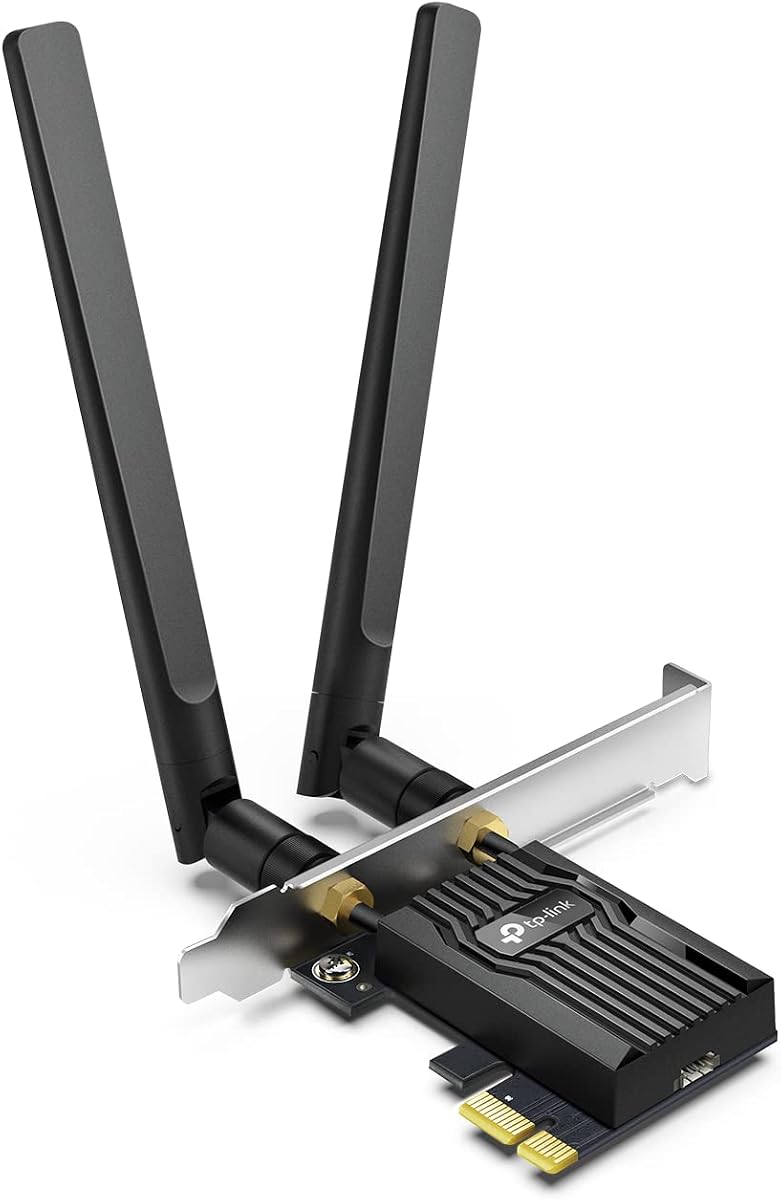
4.5Editor score
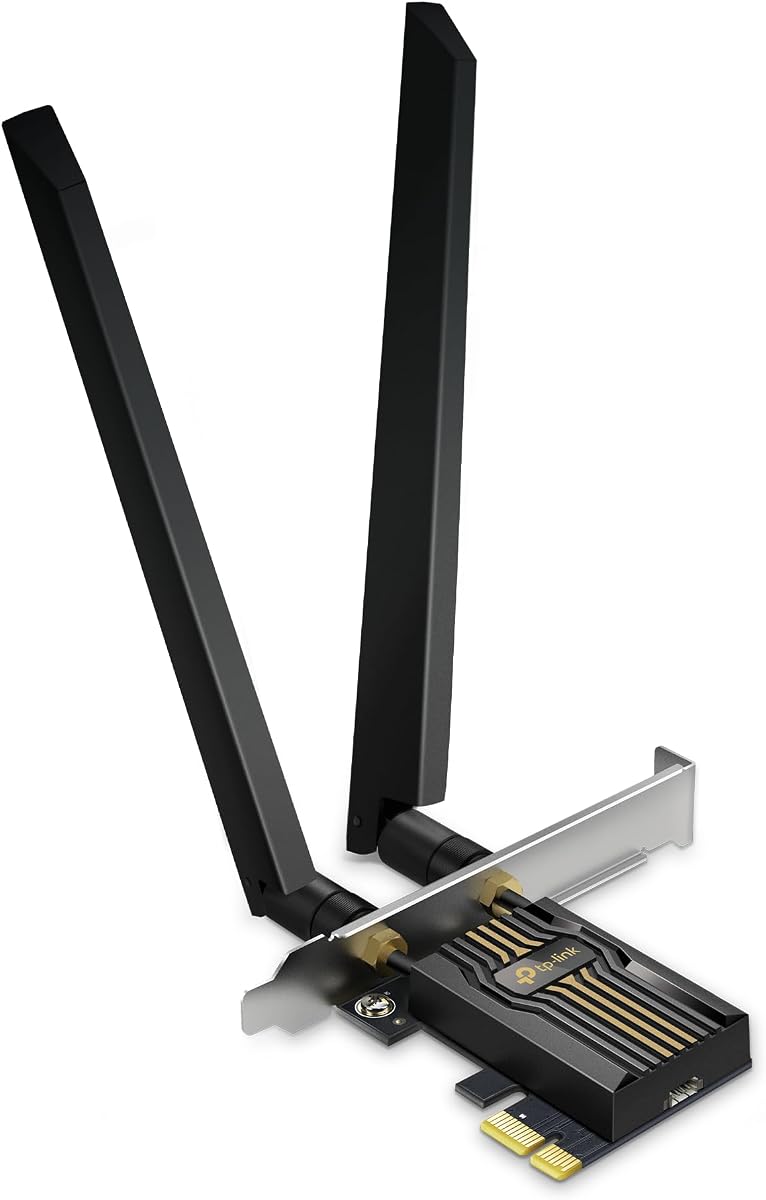
4.4Editor score
The following table provides a side-by-side comparison of the top ten PCIe WiFi cards available today, highlighting key specifications and unique features to help you decide quickly.


The TP-Link Archer TX55E is a standout choice for desktop users seeking reliable wireless connectivity without breaking the bank. Rated highly by users, it delivers consistent performance for daily tasks and gaming by leveraging modern WiFi 6 standards effectively.
We may earn a commission when you buy through this link, at no additional cost to you.
Its OFDMA and MU-MIMO technologies ensure that your data packets are sent efficiently, reducing lag even when multiple devices are connected. The inclusion of Bluetooth 5.2 further enhances its utility by allowing seamless pairing with wireless headphones and controllers.
While it lacks the newer 6GHz spectrum found in WiFi 6E models, its dual-band performance is robust enough for most internet plans. The only minor trade-off is that you must ensure your router supports WiFi 6 to fully utilize the card's potential.
This card is ideal for gamers and streamers on a budget who need to upgrade from older WiFi standards. It provides a significant boost in stability and speed, making it our top recommendation for general desktop wireless upgrades.
Advanced MU-MIMO technology allows simultaneous data transmission, minimizing ping spikes during intense gaming sessions.
Support for WPA3 encryption ensures your network data is protected against modern cybersecurity threats and unauthorized access.
We may earn a commission when you buy through this link, at no additional cost to you.
The Archer TX3000E distinguishes itself with a unique magnetized antenna base that offers unprecedented flexibility in desktop setups. This design choice addresses a common pain point where signal obstruction by the PC case can degrade wireless performance significantly.
We may earn a commission when you buy through this link, at no additional cost to you.
Powered by an Intel chipset, this card provides reliable speeds and low latency suitable for demanding applications. Users appreciate the ability to place the antenna base anywhere on their desk to find the optimal signal path without cluttering the cable management.
The switch to Bluetooth 5.3 over the previous model offers better reliability and range for peripherals. While it shares the same dual-band speed as the previous pick, the physical design improvements make it a strong contender for complex desk environments.
Buyers looking for superior signal placement options should prioritize this model. It combines robust internal hardware with a practical external design that enhances real-world connectivity in homes with thick walls or distant routers.
The magnetized base allows you to position antennas on the metal chassis of your PC for maximum gain and stability.
Intel drivers are generally stable and efficient, ensuring smooth operation with minimal CPU overhead during data transfers.
We may earn a commission when you buy through this link, at no additional cost to you.
For users who want the latest 6GHz band without paying a premium, this GIGABYTE card is the clear budget leader. It utilizes the highly regarded Intel AX210 module, which is known for its stability and broad driver support across operating systems.
We may earn a commission when you buy through this link, at no additional cost to you.
Access to the 6GHz band means significantly less interference in crowded neighborhoods, leading to cleaner connections for streaming and calls. This card unlocks that potential for a very low entry cost, making WiFi 6E accessible to almost everyone.
While it lacks the fancy branding or magnetic bases of more expensive cards, its core functionality is excellent. The trade-off is that you must ensure your router supports WiFi 6E, or you will not get the benefit of the 6GHz spectrum.
This is the best choice for forward-thinking builders who plan to upgrade their router soon or already own a compatible model. It provides the fastest possible entry point into the next generation of wireless networking for desktops.
The 6GHz band is largely free from legacy interference, providing a dedicated highway for high-speed data traffic.
The Intel AX210 module is widely adopted, ensuring that drivers are available and well-maintained by the community.
We may earn a commission when you buy through this link, at no additional cost to you.
The Archer TBE552E is a glimpse into the future of wireless connectivity, delivering speeds that dwarf current standards. Designed for users with high-speed internet plans, it maximizes potential by utilizing the wider channels available in the 6GHz band.
We may earn a commission when you buy through this link, at no additional cost to you.
Multi-Link Operation (MLO) allows the card to transmit data across multiple bands simultaneously, drastically cutting latency and jitter. This feature is particularly valuable for competitive gaming and real-time collaboration tools where milliseconds matter.
However, this performance comes with requirements: you need a WiFi 7 router and Windows 11 to get the full benefit. While it is a significant investment, it is a future-proof solution for users planning a complete home network upgrade.
Early adopters and power users who demand the absolute fastest speeds should consider this card. It sets a new benchmark for what a desktop PCIe card can achieve in terms of throughput and stability.
By bonding bands, MLO ensures a stable connection even if one band becomes congested, preventing sudden lag spikes.
The new modulation scheme packs more data into each signal wave, increasing throughput efficiency by up to 20 percent.
We may earn a commission when you buy through this link, at no additional cost to you.
This model merges the robust performance of the AXE5400 standard with the practical antenna design of its siblings. It offers a sweet spot for users who want the 6GHz benefits of WiFi 6E without jumping to the premium WiFi 7 tier.
We may earn a commission when you buy through this link, at no additional cost to you.
The magnetic base allows for flexible setup options, ensuring you can place the antenna for maximum signal regardless of where your PC sits. Combined with the AX210 chipset, it provides a stable experience even under heavy load.
Users benefit from reduced latency and better handling of multiple connections compared to older dual-band cards. It is an excellent middle ground for households with many devices streaming video or playing games simultaneously.
Recommend this card for users with a WiFi 6E router who need reliability and speed. It balances features and price effectively, making it a versatile choice for most modern desktop setups.
Supports legacy WiFi standards while unlocking 6GHz, ensuring smooth transitions as you upgrade your home network.
WPA3 security protocols provide enhanced protection for your data, safeguarding your network against modern threats.
We may earn a commission when you buy through this link, at no additional cost to you.
This variant of the WiFi 7 card adds a unique visual touch with LED status lighting that indicates network health at a glance. It appeals to users who want both high performance and a setup that reflects their connection status dynamically.
We may earn a commission when you buy through this link, at no additional cost to you.
Under the hood, it shares the powerful BE9300 specs of other top models, including 320MHz channels and MLO. The included USB drive simplifies the installation process, making it easier to get up and running quickly.
While the LEDs are a nice aesthetic touch, the core value lies in the WiFi 7 capabilities. It handles large file transfers and 4K streaming with ease, ensuring no bottlenecks in your data pipeline.
Gamers and streamers who value visual cues and top-tier speed will appreciate this package. It delivers the best available wireless technology for desktops with a touch of personality.
The included USB drive removes the need for manual downloads, streamlining the setup for users without internet access.
The LED light provides an immediate visual indicator of connection status, helping you diagnose issues quickly.
We may earn a commission when you buy through this link, at no additional cost to you.
Generic branding often masks high-quality components, and this card is a prime example of reliable hardware at a great price. It features the same trusted Intel AX210 module found in more expensive name-brand models, ensuring consistent performance.
We may earn a commission when you buy through this link, at no additional cost to you.
With speeds up to 5400Mbps, it handles heavy data loads with ease, making it suitable for streaming and gaming alike. The simplicity of its design means fewer moving parts to fail, offering a straightforward and effective upgrade.
It is a practical choice for users who care more about raw specs and less about specific brand features. If your priority is getting 6GHz performance without extra bells and whistles, this card delivers efficiently.
Value-focused builders will find this option attractive for its balance of performance and cost. It brings modern WiFi 6E benefits to older desktops without a significant financial burden.
The AX210 chipset is a proven workhorse known for its reliability and wide driver support across Windows systems.
Tri-band support allows seamless switching between frequencies to maintain optimal speeds during busy network times.
We may earn a commission when you buy through this link, at no additional cost to you.
This iteration of the TP-Link WiFi 6E card offers the same high-performance features trusted by users worldwide. It is designed to deliver reliable speeds and low latency for desktop users who need consistent connectivity for work and play.
We may earn a commission when you buy through this link, at no additional cost to you.
The use of OFDMA and MU-MIMO ensures efficient network usage, reducing congestion and lag. Combined with Bluetooth 5.3, it offers a comprehensive wireless solution that supports both high-speed internet and peripheral connectivity.
It stands out for its solid build quality and comprehensive bracket options for various case sizes. Users appreciate the stability and speed it provides, making it a reliable choice for those who prefer established brands.
If you value long-term support and proven reliability, this card is an excellent fit. It provides the modern connectivity needed for a seamless digital experience in a well-supported package.
OFDMA technology allows multiple devices to communicate simultaneously, reducing wait times on busy networks.
Bluetooth 5.3 enables quick pairing and stable connections for wireless headphones, keyboards, and controllers.
We may earn a commission when you buy through this link, at no additional cost to you.
MSI brings its gaming pedigree to this WiFi 7 card, offering high performance wrapped in a sleek design. It appeals to gamers who want their hardware to match the high-end aesthetic of their PC build while delivering top speeds.
We may earn a commission when you buy through this link, at no additional cost to you.
The 320MHz channel width allows for massive data throughput, ensuring that bandwidth-intensive tasks run smoothly. Combined with MLO technology, it reduces latency to levels that competitive gamers demand for peak performance.
While it shares the core technical benefits of other WiFi 7 cards, the design and marketing align with gamer needs. The magnetized base adds a practical touch to the gaming-focused aesthetic, ensuring signal strength is maximized.
This card is best suited for gamers who want the best speeds and a cohesive build look. It delivers the reliability and speed required for high-level play with the visual style to match.
320MHz channels on 6GHz offer more room for data, resulting in faster speeds and less congestion.
Designed with gamers in mind, it provides the stability and speed needed for uninterrupted gameplay.
We may earn a commission when you buy through this link, at no additional cost to you.
This model offers the full potential of WiFi 7 with a magnetic base for easy positioning. It supports massive bandwidth, ensuring that even the fastest internet connections are not bottlenecked by your network card.
We may earn a commission when you buy through this link, at no additional cost to you.
The inclusion of the latest Bluetooth 5.4 technology ensures better reliability for peripherals, while WPA3 keeps your network secure. It is a comprehensive solution for users who need every advantage available in modern wireless standards.
Users should note that maximizing these speeds requires a compatible router and robust internet plan. However, the performance gains for streaming and large file transfers are significant and worth the investment.
This card is ideal for users seeking maximum performance and future-proofing. It delivers the speed and features needed to stay ahead of the curve in wireless networking technology.
Prepares your desktop for upcoming network standards and ensures long-term relevance as technology advances.
Utilizes the latest tech to provide the fastest possible speeds and lowest latency available for desktops.
We may earn a commission when you buy through this link, at no additional cost to you.
Selecting the right PCIe WiFi card involves understanding technical standards, your current hardware, and your specific performance needs. This section breaks down the key factors to help you make an informed decision.
The most critical factor is choosing a card that matches your router's capability. WiFi 6 is a great balance of speed and price for most users, while WiFi 6E adds a less congested 6GHz band for high interference areas. WiFi 7 is the newest standard offering massive speeds but requires expensive new hardware to utilize fully.
Check your router's specs before buying; if you have an older WiFi 5 router, a WiFi 7 card will not unlock extra speeds. Ensure the card supports the same standard or higher to maximize your investment.
Many users appreciate the convenience of built-in Bluetooth for connecting controllers and headphones. Newer versions like Bluetooth 5.3 and 5.4 offer better range and stability compared to older standards. Always verify the version listed, as it impacts peripheral performance and power consumption.
Look for cards that explicitly mention the latest Bluetooth version if you plan to use wireless peripherals. This ensures you get the best connection quality for your devices without needing a separate adapter.
Antenna design significantly affects signal strength, especially if your PC case is metal and blocks signals. Some cards feature detachable high-gain antennas that can be placed outside the case for better reception. Others include magnetic bases to attach antennas to the PC chassis.
Choose a card with robust antennas if your PC is far from the router. External or flexible antennas help maintain a strong signal in challenging environments.
Standard PCIe cards are full-height, but many modern cases are small form factor or mini-towers. Ensure the package includes a low-profile bracket so you can install the card in smaller chassis without issues. Verify the PCIe version compatibility as well.
Check your case's clearance before purchasing. A card with both standard and low-profile brackets offers maximum flexibility for different build types.
While most cards support Windows 10 and 11, some newer features like 6GHz access may strictly require Windows 11. Always check the driver compatibility page on the manufacturer's site to ensure your OS will work correctly with the latest features.
Ensure the card supports your current operating system to avoid driver issues. Windows 11 users generally get the best performance from modern WiFi cards.
A great card is useless without stable drivers. Major brands like TP-Link and Intel typically offer reliable and updated drivers through their websites. Third-party or generic cards may have limited support or older driver versions that could cause instability.
Prefer brands with a history of good driver support. Downloading the latest drivers during installation ensures the best performance and security patches.
Prices range significantly from budget-friendly options to premium WiFi 7 cards. Determine what speed you truly need; a cheaper WiFi 6 card often suffices for gigabit internet. Premium features are only worth it if you have a router that can utilize them.
Match the card's price to your internet plan. Avoid overspending on features you cannot use due to hardware limitations.
Modern cards support WPA3, the latest security standard that protects your network against modern threats. This encryption method is more robust than older WPA2 protocols and should be a priority for security-conscious users.
Ensure the card supports WPA3 to keep your data safe. This feature helps defend against common hacking attempts and brute-force attacks.
To install your new card, power down your PC and unplug it from the wall. Open the case, insert the card into a PCIe slot, and secure the bracket screws. Connect the antennas to the back of the card to ensure they are tightly fastened.
After restarting your computer, download the latest drivers from the manufacturer's website rather than relying on Windows defaults. This ensures you get the full feature set and performance optimizations designed for your specific hardware.
Regularly update your firmware and drivers to maintain security and performance. If you notice signal drops, try repositioning the antennas for better line-of-sight to your router.
Most modern motherboards have a free PCIe slot that is compatible with these cards. Ensure your motherboard has an available slot and that your case can accommodate the card size. Always check the PCIe version compatibility on your motherboard manual.
Yes, PCIe cards generally offer better stability and speed because they connect directly to the motherboard. They have less interference and allow for more powerful antennas compared to most USB options.
While Windows can detect the card, manually installing drivers from the manufacturer ensures the best performance. This guarantees you have the latest updates and full feature support.
You need a WiFi 6E or WiFi 7 card to utilize the 6GHz band. A standard WiFi 6 card will not access the new 6GHz frequencies even with a compatible router.
High-quality cards with OFDMA and MU-MIMO reduce latency significantly. Choosing a card with low-latency features can improve your gaming experience by minimizing lag spikes.
Most cards include a USB cable that must be plugged into a front-panel USB header on your motherboard. This enables the Bluetooth functionality of the card. Check your case manual for header locations.
MLO is a feature of WiFi 7 that allows simultaneous data transmission across multiple bands. It reduces latency and improves stability by bonding connections together.
We have reviewed ten top PCIe WiFi cards ranging from budget-friendly WiFi 6 options to high-end WiFi 7 models. Whether you need basic connectivity or ultra-fast bandwidth, there is a model on this list to suit your specific desktop setup.
Prioritize compatibility with your router and motherboard to ensure you get the most out of your purchase. Look for features like MLO and robust antenna designs if you play games or stream high-quality video regularly.
Prices and availability can change quickly, so please verify the current listings before making your decision. Investing in the right card now ensures your PC remains ready for future internet speeds.