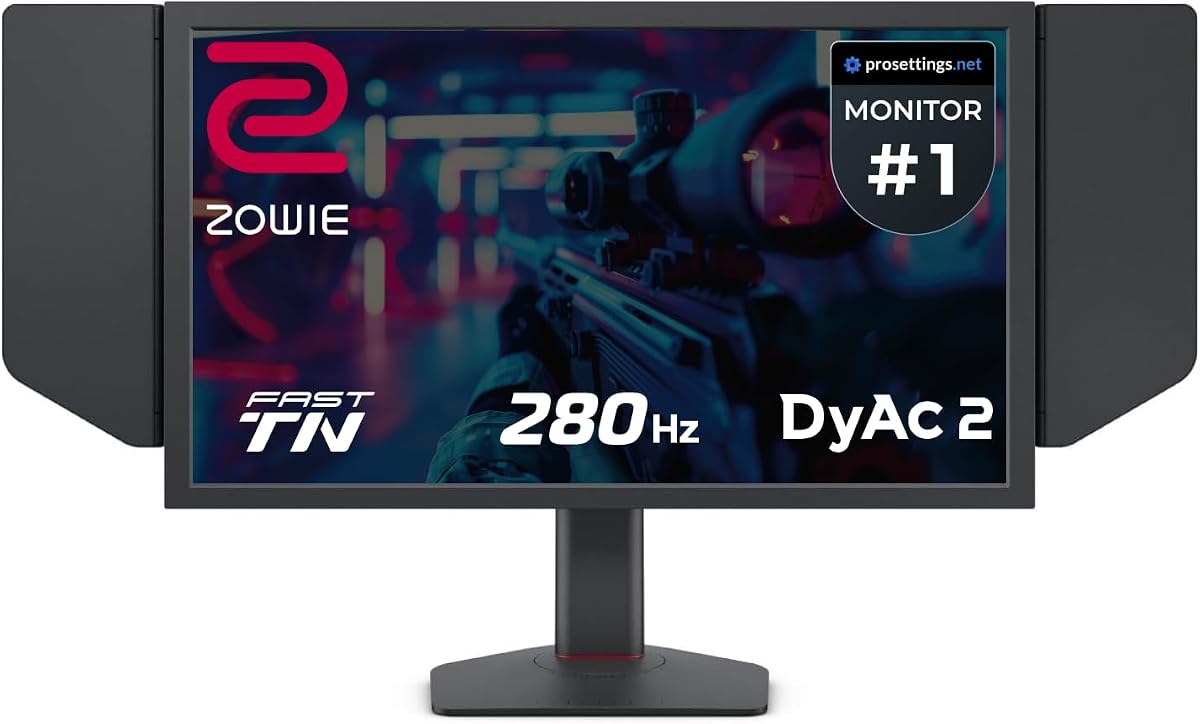
BenQ Zowie XL2546X+
4.3Editor score
280Hz refresh rate
DyAc 2 technology
Fast TN panel
Finding the right monitor can transform your gaming experience entirely. Benq offers a wide range of displays tailored for competitive play and immersive visuals. Each model brings unique technologies designed to enhance clarity and speed during intense gameplay sessions.
We have carefully analyzed ten top models based on their performance metrics and user feedback. Our comparison focuses on refresh rates, response times, and specific gaming features that matter most to players. This list covers various sizes and panel types to suit different needs.
Each pick highlights key strengths and ideal use cases for specific types of gamers. Prices and availability can change frequently, so checking the current listings is recommended. We aim to provide clear insights to help you make an informed decision today.
4.3Editor score

4.3Editor score

4.6Editor score
As an Amazon Associate we earn from qualifying purchases.
Below is a side-by-side comparison of all ten models to help you quickly identify key specifications and features relevant to your gaming needs.


This monitor stands out for its industry-leading motion clarity and fast response times. It receives high ratings for its ability to deliver sharp visuals during rapid gameplay. The DyAc 2 technology ensures that moving objects remain clear and distinct.
We may earn a commission when you buy through this link, at no additional cost to you.
Key strengths include the improved Fast TN panel which offers better electrical conductivity. This results in reduced overshoot and more responsive controls. The color performance has been redesigned to offer more vibrant hues for better enemy identification.
While the viewing angles are typical for TN panels, the trade-off is acceptable for competitive play. The focus remains on speed and clarity rather than wide color gamut for general media consumption. This makes it ideal for esports tournaments.
Gamers who prioritize frame rates and motion accuracy should consider this model highly. It is built for serious players who need every advantage in fast-paced shooters. The final recommendation is strong for competitive gaming setups.
DyAc 2 provides dual backlight technology that enhances blur reduction significantly.
Redesigned panels offer more vibrant colors than previous TN generations.
We may earn a commission when you buy through this link, at no additional cost to you.
This model offers a balance of performance and affordability for dedicated gamers. It maintains the signature DyAc 2 technology for superior motion clarity. Users appreciate its ability to reduce distractions from unwanted afterimages during play.
We may earn a commission when you buy through this link, at no additional cost to you.
Strengths include the Fast TN panel which provides clearer outlines of moving images. This helps players focus on targets without visual clutter. The color performance is meticulously redesigned to offer vibrant hues for identifying enemies.
The refresh rate is lower than the higher tier models but remains competitive. The soft light output facilitates eye adaptation for long sessions without causing fatigue. It is a practical choice for budget-conscious competitive players.
Anyone looking for reliable esports performance without the highest price tag will find this suitable. It prioritizes core gaming needs like speed and clarity. The recommendation is solid for entry-level competitive setups.
The monitor reduces unwanted afterimages to help players focus better.
Soft light output helps facilitate eye adaptation during extended use.
We may earn a commission when you buy through this link, at no additional cost to you.
This flagship model delivers the highest refresh rate in the Zowie series. It combines this with DyAc 2 technology for unmatched motion clarity. Users report exceptional sharpness and responsiveness during intense competitive matches.
We may earn a commission when you buy through this link, at no additional cost to you.
A standout feature is the vivid color film which improves performance by 35%. This enhances target visibility and reduces color wash-out common in TN panels. The electrical conductivity improvements ensure liquid crystal responsiveness is maximized.
The premium price reflects the top-tier specifications and specialized design. It is built for professionals who need every millisecond advantage in their gameplay. The trade-off is higher cost for absolute performance leadership.
Gamers with high-end rigs and a focus on competitive integrity should invest in this. It sets the standard for fast gaming monitors currently available. The final recommendation is strong for serious competitive professionals.
Vivid color film reduces color wash-out and improves target visibility.
600Hz refresh rate provides the smoothest possible motion experience.
We may earn a commission when you buy through this link, at no additional cost to you.
This monitor brings console gaming features to a high resolution display. It supports HDMI 2.1 and includes built-in eARC for superior audio quality. The 4K resolution ensures sharp visuals in single-player and immersive games.
We may earn a commission when you buy through this link, at no additional cost to you.
Strengths include the Pixsoul Engine which enhances the aesthetic palette for games. KVM allows seamless connectivity across multiple devices with a single setup. The remote controller adds convenience for managing settings without keyboard interaction.
Trade-offs include slightly higher input lag than dedicated esports monitors. This is acceptable for immersive gaming where graphics quality takes precedence over frame rates. It bridges the gap between casual and high-end displays.
Players who value visual fidelity and console connectivity will appreciate this model. It is a versatile choice for both work and gaming environments. The recommendation fits those wanting 4K versatility.
Built-in eARC supports up to 7.1 channels for better console sound.
Plug-and-play across platforms with DP 1.4 and HDMI 2.1.
We may earn a commission when you buy through this link, at no additional cost to you.
This display is engineered specifically for MacBook users needing a seamless workflow. It features Mac Color Match and dual USB-C ports for 90W power delivery. You can adjust brightness and volume directly from your MacBook keyboard.
We may earn a commission when you buy through this link, at no additional cost to you.
Strengths include the vibrant P3 wide color gamut which offers accurate visuals. The stand allows height and tilt adjustments for maximum comfort during long sessions. It expands your MacBook display capabilities significantly with a single cable.
Trade-offs include a refresh rate not optimized for competitive gaming. It focuses on productivity and visual fidelity rather than frame rates. This is a conscious choice for creative professionals and daily users.
Mac users looking for a reliable and colorful secondary screen should consider this. It enhances the ecosystem integration of Apple devices with desktop monitors. The recommendation is strong for creative workflows.
Dual USB-C ports deliver 90W for your MacBook and 15W for iPad.
Calibrated for MacBook with BenQ exclusive color tuning for P3.
We may earn a commission when you buy through this link, at no additional cost to you.
This monitor balances casual gaming with heavy productivity and eye care. It features a 100Hz refresh rate which is sufficient for most non-competitive games. The Low Blue Light Plus filters harmful blue-violet radiation to maintain vivid colors.
We may earn a commission when you buy through this link, at no additional cost to you.
Key strengths include the B.I. Gen2 which auto adjusts brightness based on ambient light. Coding Mode and ePaper Mode ensure readability and comfort for long reading sessions. Input Hotkey allows seamless device switching between work and play.
The refresh rate is lower than esports models but smooth for general gaming. It prioritizes long-term eye health and comfort over raw frame rates. This makes it ideal for mixed use setups at home or office.
Users who play games casually and prioritize eye health should look at this model. It reduces fatigue significantly during extended work and play hours. The recommendation is strong for mixed daily tasks.
Low Blue Light Plus filters shorter blue-violet radiation harmful to eyes.
B.I. Gen2 auto adjusts brightness based on content and ambient light.
We may earn a commission when you buy through this link, at no additional cost to you.
This monitor is designed for developers who also enjoy late night gaming sessions. It features a Nano Matte Panel to minimize distractions and deliver clarity. The 2000:1 contrast ratio ensures deeper blacks and high contrast images.
We may earn a commission when you buy through this link, at no additional cost to you.
Key strengths include Coding Modes with Dark and Light themes for better code differentiation. The Night Hours Protection provides minimum brightness technology for eye protection in dark rooms. MoonHalo Backlight ensures focus with customizable brightness settings.
While it supports gaming, the primary focus is on readability and eye comfort. The trade-off is speed for clarity and reduced eye strain during night use. This suits hybrid work and gaming environments perfectly.
Developers and night owls who want a specialized eye-care display should consider this. It protects your vision without sacrificing the ability to enjoy media. The recommendation is solid for night-focused work.
Advanced coding modes deliver clear fonts and better code differentiation.
Night Hours Protection offers minimum brightness for dark room usage.
We may earn a commission when you buy through this link, at no additional cost to you.
This model is optimized for both work and play with practical features. It features an edge-to-edge display that helps you focus on important tasks. The built-in noise-cancelling microphone allows for clear communication during calls or chats.
We may earn a commission when you buy through this link, at no additional cost to you.
Strengths include Eye-Care technology which reduces fatigue for optimal comfort. Adaptive Brightness optimizes display performance for work and play to protect your vision. The White Monitor design adds a clean aesthetic to your workspace.
Trade-offs include lower resolution compared to 2K or 4K models. The microphone only works with laptops or external PCs connected via USB-C. It is a niche choice for hybrid office and home users.
Users needing a clean monitor that handles office calls and casual games will appreciate this. It streamlines connectivity with a single USB-C cable and daisy chain. The recommendation fits hybrid home office setups.
Built-in noise-cancelling microphone shifts focus to what's important.
All-in-one cable synchronizes images videos data with 60W power.
We may earn a commission when you buy through this link, at no additional cost to you.
This monitor targets creatives who need accurate color consistency across devices. It is factory-calibrated with an average Delta E ≤ 2 for intuitive color matching. ICCSync automatically matches profiles between your Mac and monitor when switching modes.
We may earn a commission when you buy through this link, at no additional cost to you.
Strengths include 95% P3 and 100% sRGB coverage for wide color accuracy. The Anti-Glare Nano Matte panel diffuses ambient light to preserve contrast and comfort. It supports 100Hz refresh for smooth casual gaming and video editing.
The price reflects the professional calibration and Mac-specific features. It is designed for environments where color fidelity is critical. The trade-off is cost for guaranteed accuracy without manual tuning.
Designers and editors who work with Mac devices should consider this highly. It ensures consistency across screens and supports ergonomic productivity. The recommendation is strong for professional creative work.
Factory calibrated with average Delta E less than or equal to 2.
Nano Matte panel diffuses ambient light to preserve color accuracy.
We may earn a commission when you buy through this link, at no additional cost to you.
This monitor offers a competitive refresh rate at an entry-level price point. It supports AMD FreeSync Premium to reduce screen tearing during intense sessions. The 180Hz refresh rate ensures smooth visuals for casual and competitive gaming.
We may earn a commission when you buy through this link, at no additional cost to you.
Strengths include the Zero-Frame design which gives a widescreen look without bezels. HDR Ready capability improves color and contrast for supported content. VESA mounting compliant allows you to mount it flexibly on walls or arms.
Trade-offs include a VA panel which may have slower pixel response than TN. It is a cost-effective choice for those not requiring absolute top-tier speed. It provides solid value for most standard gaming needs.
Budget-conscious gamers who still want high refresh rates should look at this model. It delivers performance where it matters most for general play. The recommendation is strong for budget gaming setups.
180Hz refresh rate reacts more quickly to changes for a smoother experience.
Zero-Frame design allows focus on the content without bezel distraction.
We may earn a commission when you buy through this link, at no additional cost to you.
Choosing the right gaming monitor involves balancing several technical factors to match your specific needs and budget.
Refresh rate determines how many frames the monitor displays per second. Higher rates like 400Hz or 600Hz provide smoother motion and reduced blur for competitive play.
Prioritize higher refresh rates if you play fast-paced shooters or esports titles.
Response time measures how quickly a pixel changes color. Lower response times reduce ghosting and ensure sharp images during rapid movement.
Look for monitors with 1ms response times to minimize visual lag during action.
TN panels offer the fastest speeds and lower response times. IPS panels provide better colors and wider viewing angles but may have slower response times.
Choose TN for pure speed and IPS if you value color accuracy for media.
Resolution affects the sharpness and detail of your display. 1080p is standard for esports while 1440p and 4K offer more detail for immersive gaming.
Higher resolutions require more powerful graphics cards to maintain high frame rates.
Features like DyAc 2 help reduce motion blur by controlling backlight flicker. This enhances clarity during fast movements in competitive games.
Select models with specific blur reduction tech if motion clarity is a priority.
Ensure the monitor supports the ports you need like HDMI 2.1 or USB-C. These connections allow for high bandwidth and versatile device integration.
Check for HDMI 2.1 if you use next-gen consoles for maximum performance.
Monitors with Low Blue Light and brightness intelligence reduce eye strain. This is essential for long sessions of gaming or work.
Invest in eye-care tech if you spend several hours daily in front of screens.
An adjustable stand allows for height tilt and swivel adjustments. This helps position the screen correctly to prevent neck and eye strain.
Prioritize height adjustable stands for comfort during extended use sessions.
Proper cable management ensures optimal signal stability for gaming. Use DisplayPort or HDMI cables that match the monitor's speed requirements for best performance.
Regular cleaning of the screen with a microfiber cloth helps maintain clarity. Avoid harsh chemicals that could damage the delicate panel coatings over time.
Calibrate settings periodically to match your environment and content types. Adjust brightness and color modes to reduce eye strain during long play sessions.
The BenQ Zowie XL2586X+ is often recommended for competitive gaming due to its 600Hz refresh rate and DyAc 2 technology. However the XL2546X+ offers great value for those on a tighter budget while maintaining essential esports features.
Yes models like the MOBIUZ EX271U are designed with console features like HDMI 2.1 and built-in eARC. These ensure optimal performance with next-gen consoles for immersive experiences.
Many Benq Zowie monitors feature refresh rates ranging from 280Hz to 600Hz. These high speeds provide significant motion clarity advantages for fast-paced gaming environments.
DyAc technology significantly reduces motion blur which is critical for competitive shooters. It helps maintain sharp outlines of moving objects allowing for better precision and target tracking.
The XL series focuses on esports and speed with TN panels. MOBIUZ series targets general gaming with higher resolutions and IPS panels for better color accuracy.
Absolutely many Benq models feature Eye-Care technology and ergonomic stands. The GW and PD series are specifically designed for mixed office and creative workflows.
Most Benq gaming monitors support AMD FreeSync Premium technology. While G-Sync compatibility varies checking the specific product specifications is recommended for NVIDIA users.
Benq monitors are known for durability and quality build. With proper care and calibration they can serve users reliably for many years without significant degradation.
Choosing the right Benq monitor depends on your specific gaming style and setup. The XL series dominates in speed while the MOBIUZ and GW series excel in versatility and eye care.
Prioritize refresh rates and response times if you play competitive shooters. If you value resolution and color accuracy focus on IPS models or the MOBIUZ series for immersive play.
Always verify current pricing and availability before making your final purchase. Checking current listings ensures you get the best deal for your gaming setup today.