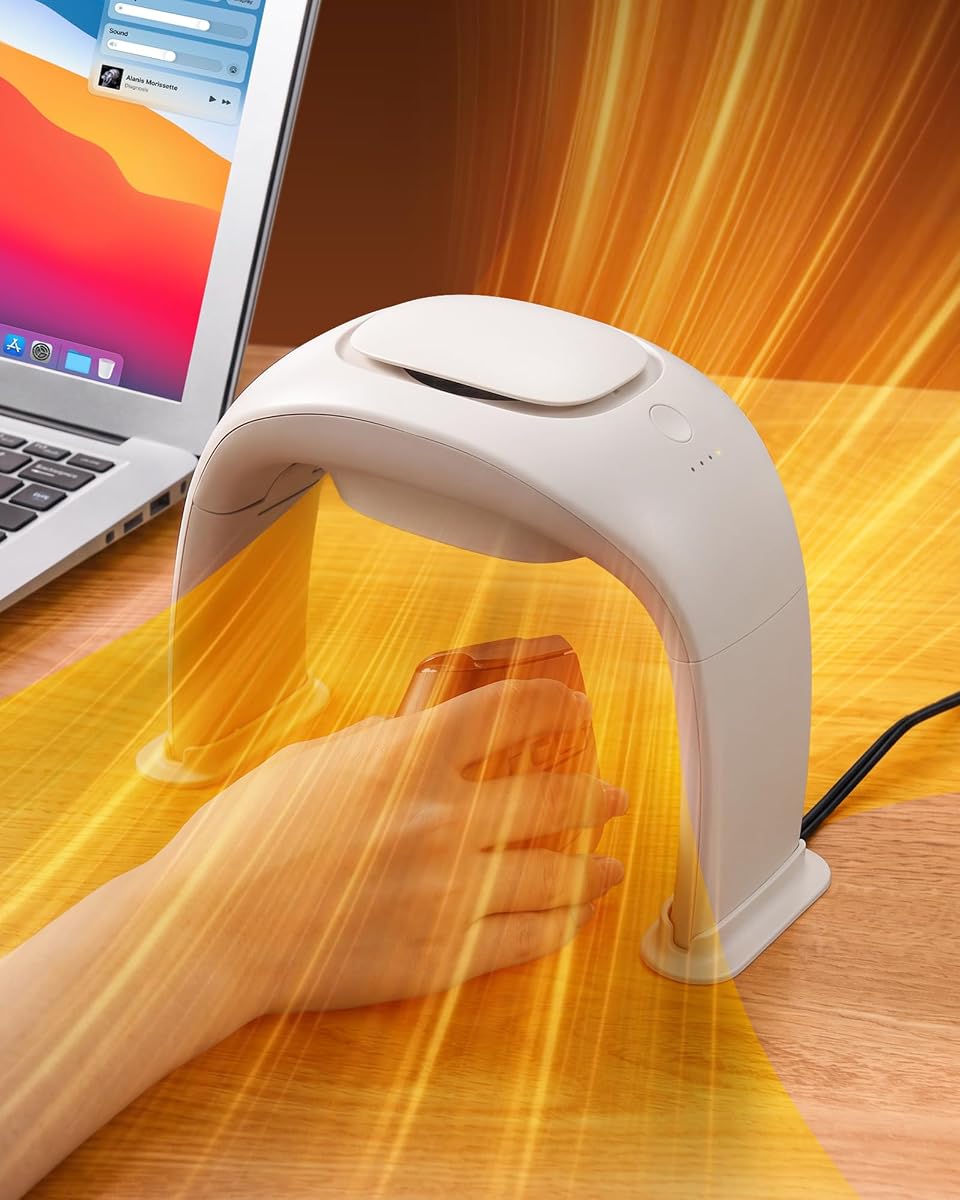
Desk Hand Warmer Over Mouse
4.5Editor score
Super quiet ceramic heating under twenty decibels
Free mouse operation with 360 degree warmth
Tipping auto shut off for enhanced safety
Discover the top hand warmer mouse pad options for 2026. We compare heating tech, safety, and ergonomics to help you choose the perfect desk accessory.
Cold hands can make typing and gaming uncomfortable during winter months. A hand warmer mouse pad provides consistent warmth directly to your fingers and wrists while you work. These devices combine functionality with comfort to keep your workspace inviting and cozy.
We evaluated ten popular models based on heating speed, safety features, and ergonomic design. Our analysis considers power sources, temperature controls, and build quality to ensure reliable performance. This list covers options for every budget and desk setup style.
Each pick highlights key strengths and potential limitations found in user feedback and specs. Prices and availability change frequently so check current listings before buying. Our goal is to help you find a reliable solution for cold desk days.
4.5Editor score

4.2Editor score

4.3Editor score
This side by side comparison highlights key specifications for all ten models. We focus on heating methods, temperature ranges, safety mechanisms, and design features to help you differentiate between similar options.


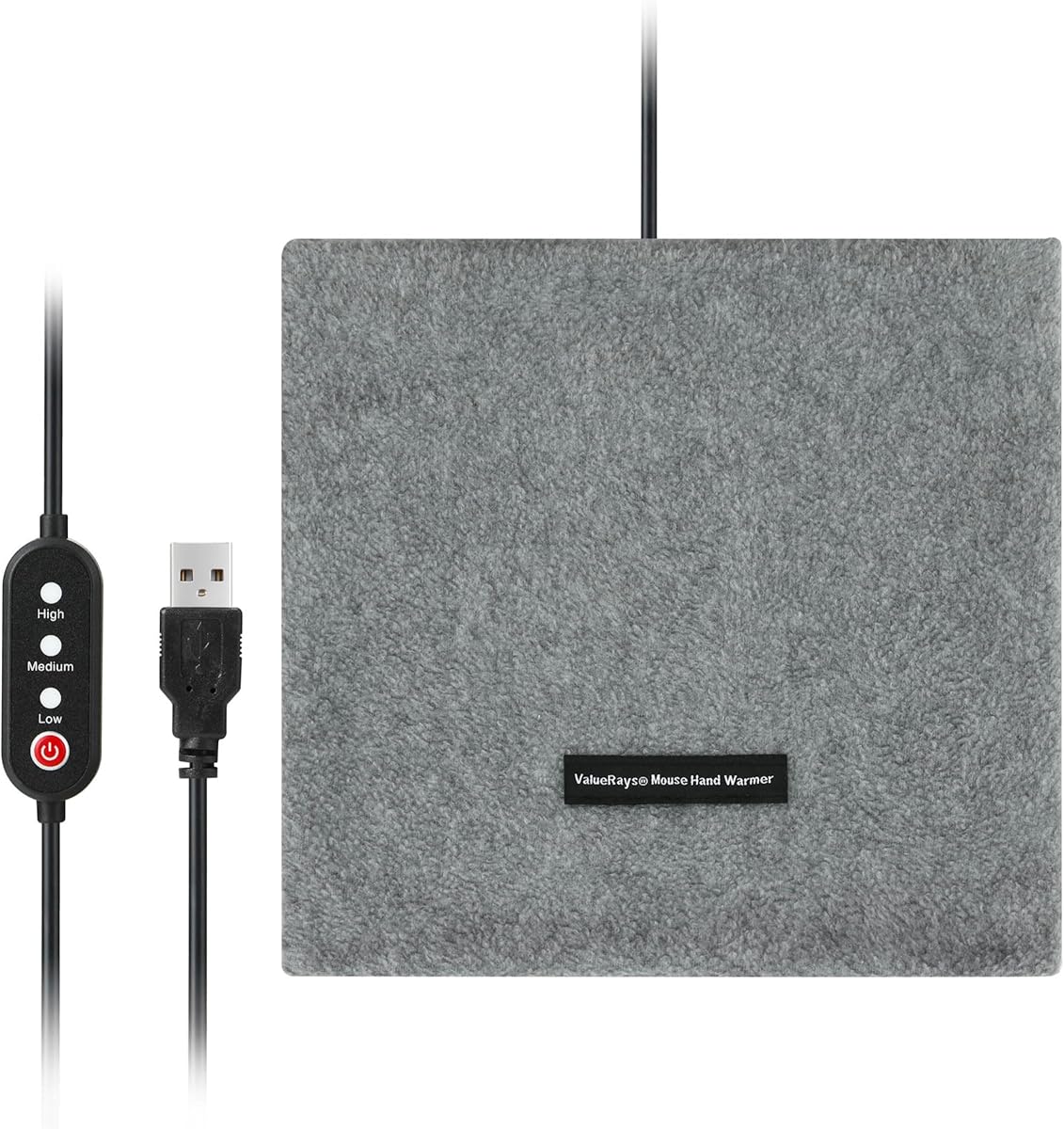
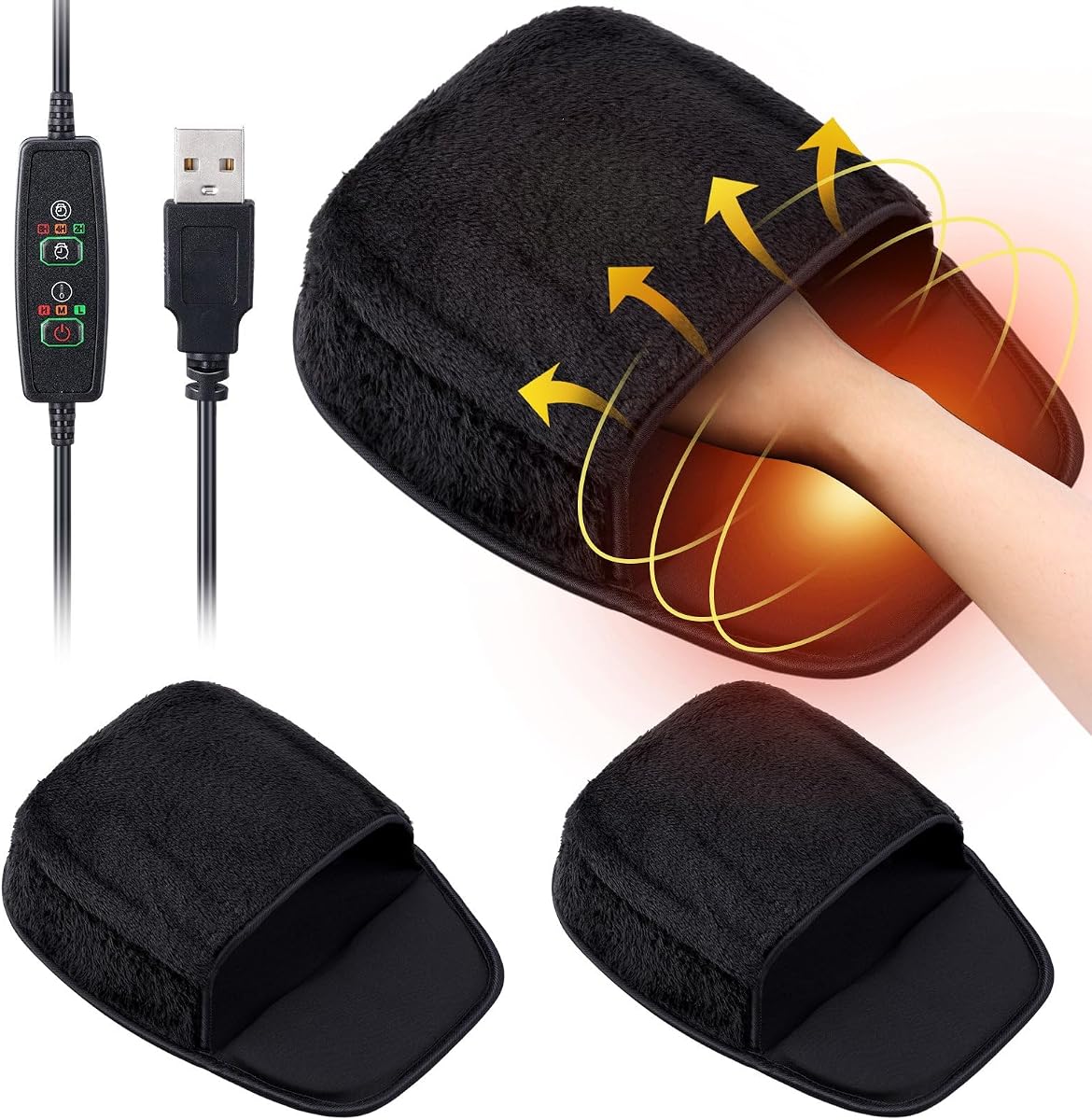

This heated mouse pad stands out for its enclosed cocoon design that wraps your entire hand in warmth. Unlike flat mats that only warm your wrist, this model covers fingers knuckles and palm evenly. It holds a solid 4.2 rating from users who appreciate the consistent heat distribution and safe operation features.
We may earn a commission when you buy through this link, at no additional cost to you.
The PTC heating element distributes heat safely with three temperature levels from low to high. Built-in auto shut-off timers offer 2, 4, and 8-hour options to prevent energy waste. The ergonomic wrist rest supports your hand in a neutral position which reduces strain during long work or gaming sessions.
A trade-off is the weight at 400 grams which is heavier than standard mats. The neoprene shell might feel bulky if you prefer minimal desk accessories. However these are acceptable given the superior warmth coverage and safety features that flat mats lack.
This model is ideal for remote workers or anyone battling cold hands at a desk. If you need reliable full-hand warmth without exposing fingers to drafts this is the top recommendation. It works with any mouse type and includes a controller for immediate use.
The enclosed design ensures your fingers and palm stay warm while your hand back is protected from cold drafts.
Auto shut off timers and UKCA CE compliance provide peace of mind for overnight or long session use.
We may earn a commission when you buy through this link, at no additional cost to you.
This desk hand warmer delivers premium performance with its advanced PTC heat generating ceramic technology. It holds a 4.5 rating from users who value its quiet operation and effective heat transfer. The design allows free mouse operation while providing warmth without pressing against your hand back.
We may earn a commission when you buy through this link, at no additional cost to you.
The unit offers three heating modes ranging from intermittent gentle warmth to continuous high heat. With 100W power it heats quickly and maintains constant temperature via a smart energy-saving chip. Safety is prioritized with tipping auto shut-off and over-temperature protection features built-in.
It requires a 110V plug which limits portability compared to USB models. The size is larger than minimal desk accessories but the foldable design helps reduce space use when not in use. These are minor trade-offs for the superior heating power and silence.
Ideal for home offices where quiet and strong warmth are priorities this model excels. It suits users who need reliable desk heating without disturbing others nearby. The compact foldable form makes it easy to store away after work hours.
Less than 20 decibels of noise ensures your work or gaming sessions remain undisturbed by heater sounds.
Advanced PTC ceramics and energy-saving chips maintain constant warmth while reducing power consumption.
We may earn a commission when you buy through this link, at no additional cost to you.
This affordable option uses MCH technology and PTC ceramic heating to keep hands warm efficiently. It holds a 4.3 rating from users who appreciate its quiet performance and safety features. The foldable design makes it easy to store away after daily use.
We may earn a commission when you buy through this link, at no additional cost to you.
Three temperature options allow adjustments to prevent overheating while maintaining comfort. Safety protections include tip-over and overheat protection with anti-scald grille for added security. At 15 decibels it operates quietly enough for work without distraction.
The activity space is smaller than some larger warmers which may limit mouse movement. The plastic build feels less premium but remains functional for the price. These trade-offs are acceptable for budget-conscious users needing reliable warmth.
This model suits students or office workers seeking compact and quiet warmth. If you need a portable heater that folds away easily this is a strong choice. The safety features make it suitable for unsupervised or overnight sessions.
The foldable design ensures it does not take up permanent space on your desktop after use.
Tip-over and overheat protections add layers of security for worry-free operation around sensitive electronics.
We may earn a commission when you buy through this link, at no additional cost to you.
This pack includes two heated mouse pads which allows distribution across home and office desks. It holds a 3.6 rating suggesting some users experienced inconsistent heating or build issues. The large size provides ample space for mouse movements without obstruction.
We may earn a commission when you buy through this link, at no additional cost to you.
The heater and mouse pad are separate so you can choose to use heating or just the pad. This flexibility adds value but means no integrated temperature control. The plush material provides a soft surface for wrists during long sessions.
Users report limited durability and lack of temperature adjustment options compared to higher-end models. This makes it less suitable for those needing precise warmth levels. The two-pack offset some drawbacks by offering backup options.
Best for users needing multiple pads without a high price point. If you want basic USB warmth without controls this is a practical choice. The large size ensures standard mice fit easily.
Separate heater and pad components let you adapt to different desk needs without buying new accessories.
We may earn a commission when you buy through this link, at no additional cost to you.
These pads offer a soft thick plush surface that feels comfortable to touch during use. A 3.8 rating indicates mixed feedback on long-term durability and heat consistency. Two pieces are included so you can place them in different rooms easily.
We may earn a commission when you buy through this link, at no additional cost to you.
The heating element is detachable which makes cleaning simpler than integrated models. Large dimensions ensure your mouse has room to move without hitting edges. The two-pack adds versatility for households with multiple workstations.
Some users report the heating element has limited durability over time. Lack of temperature control means you cannot adjust heat levels once powered. This limits use for those with specific warmth preferences.
Ideal for those wanting comfortable soft pads without complex controls. If you need basic warmth with easy cleaning this is a good option. The plush feel reduces friction during mouse movements.
Detachable heating elements allow hand washing to keep the pad fresh and free of odors.
We may earn a commission when you buy through this link, at no additional cost to you.
This heated desk mat offers extensive coverage for both keyboard and mouse on your workspace. A 4.5 rating reflects high satisfaction with its heating performance and build quality. The PU leather surface resists water and scratches for easy maintenance.
We may earn a commission when you buy through this link, at no additional cost to you.
Three heat levels are indicated by color codes making selection simple. Auto shut off after four hours prevents energy waste during forgotten sessions. The wide dimensions ensure full desk coverage which keeps arms warm too.
It requires a US 110V plug so international users need adapters. The mat is not foldable so storage takes space when not in use. These limits are minor for US users needing broad coverage.
Best for home offices needing full desk warmth and protection. If you prefer a smooth waterproof surface this is a top choice. The auto shut off makes it safe for long work periods.
The large 31.5 inch width protects your entire desk while providing heat for keyboard and mouse use.
We may earn a commission when you buy through this link, at no additional cost to you.
This model uses upgraded double ball bearings to reduce operational noise significantly. It has a 4.3 rating indicating users appreciate the fast heating and ergonomic design. The wide activity space accommodates both left and right handed users comfortably.
We may earn a commission when you buy through this link, at no additional cost to you.
Foldable legs allow the unit to stand upright for compact storage. An intelligent energy saving chip maintains constant temperature while reducing power usage. This efficiency keeps costs lower during extended daily sessions.
The white finish may show marks or dirt over time more than darker colors. Stabilizers are required to prevent tipping which adds steps to setup. These are manageable trade-offs for the energy savings and quiet operation.
Ideal for users needing quiet efficient warmth without large energy bills. If you prefer ergonomic design with foldable features this is a solid pick. The chip ensures reliable constant heat for all day use.
Smart chips adjust power usage automatically to maintain warmth without wasting electricity.
We may earn a commission when you buy through this link, at no additional cost to you.
This USB model uses infrared technology to provide consistent heat distribution to your hands. A 3.8 rating suggests decent performance though few detailed reviews exist for comparison. The manual control switch gives direct on off access without complex settings.
We may earn a commission when you buy through this link, at no additional cost to you.
Compact design fits easily on small desks without occupying much room. USB connection allows power from laptops or adapters without wall plugs needed. This portability supports use during travel or temporary workspaces.
Less user feedback makes reliability harder to predict versus established models. Fewer smart features like auto shut off mean manual monitoring is needed. This suits users who want basic operation without advanced tech.
Best for those preferring manual control and simple setup. If you need a portable USB option without extra bells this is practical. The infrared method ensures even warmth across your palms.
Direct switch operation removes complexity for users who want straightforward on and off functionality.
We may earn a commission when you buy through this link, at no additional cost to you.
This two pack includes pads with three temperature modes and auto off timers. It has a 3.4 rating indicating some consistency or durability issues among users. The built-in wrist cushion helps reduce strain during long typing sessions.
We may earn a commission when you buy through this link, at no additional cost to you.
Non slip rubber base ensures the pads stay in place during active mouse use. Auto off timers provide safety for users who forget to unplug devices. The two-pack allows usage in multiple spots without buying extras.
Lower ratings suggest quality control varies between units purchased. This means some may not last as long as other models. However the feature set is strong for the price point.
Suitable for buyers wanting feature rich options at lower cost. If you need wrist support and timers this adds comfort and safety. The two-pack is useful for multi desk setups.
Built-in wrist cushions align with natural curves to lower fatigue during extended computer use.
We may earn a commission when you buy through this link, at no additional cost to you.
This model offers premium PU leather construction that resists wear and stains. Without ratings yet early users may be finding its performance. The three temperature settings give control for different comfort needs during cold days.
We may earn a commission when you buy through this link, at no additional cost to you.
Non-slip bottom ensures the mat stays in place during intense gaming or typing. Its multi-functional design works as desk pad mouse pad and keyboard warmer. This versatility reduces need for separate desk accessories.
Lack of ratings makes reliability harder to verify compared to established products. Newer items may have unforeseen quality quirks not yet reported. Testing before return window closes is recommended for assurance.
Ideal for users needing a versatile large surface for desk use. If you prefer leather look and multi-use this offers broad utility. The three heat settings help customize warmth levels.
High-quality PU leather provides durability while protecting your desk from scratches and stains.
We may earn a commission when you buy through this link, at no additional cost to you.
Selecting the right hand warmer mouse pad involves weighing heating tech, safety, and design. This section outlines factors to consider so you find a model matching your workspace needs.
Most pads use PTC ceramic or MCH tech for consistent heat. PTC resists overheating while MCH offers quick warm-ups. Check specs to ensure even distribution across the surface.
Choose PTC or MCH models for safer longer lasting warmth.
Models vary from single settings to multiple levels. Multiple levels let you adjust warmth to the weather or personal needs. Auto shut off timers add safety for long sessions.
Prioritize models with multiple heat levels for flexibility.
USB power suits laptops and portable setups. Wall plug models often offer higher wattage for faster heat. Confirm you have access to needed outlets.
USB fits portable setups while wall plugs offer power.
Foldable designs save space when not in use. Enclosed models warm full hands but add bulk. Flat pads are slim but warm only wrists.
Balance full hand warmth with desk space needs.
Look for auto shut off and tip over protection. Overheat protection prevents burns during long sessions. Certifications like UL ensure tested safety standards.
Safety features protect against accidents and energy waste.
PU leather and plastic materials affect durability. Neoprene is soft but harder to clean. Check reviews for long term wear reports.
Select durable surfaces matching your desk habits.
Ensure the pad supports your mouse size and type. Large spaces suit big mice while small fits minimal setups. Test if your mouse glides smoothly.
Verify mouse space matches your equipment size.
Quiet models prevent distraction during focus work. Some fans or heaters create noise. Check decibel ratings if silence matters.
Choose low noise units for quiet offices.
Connect the device to your chosen power source before first use. Plug USB models into computers or hubs and wall models into outlets. Ensure the surface is clean and dry before activating heating.
Adjust temperature settings to your comfort level. Start low and increase as needed to avoid overheating. Use auto shut off timers for overnight sessions to save power.
Clean the surface regularly to maintain hygiene. Wipe PU leather or plastic with damp cloth and remove heating elements if possible. Store folded or flat in a dry place when not in use.
These devices use internal heating elements like PTC ceramic to generate heat. They distribute warmth across the surface or hand enclosure. USB or wall power connects to activate the element and maintain temperature.
Most models include safety features like auto shut off and overheat protection. Check for UL or CE certifications before purchase. Avoid using damaged units and follow manufacturer guidelines.
Yes most pads work with any mouse type including wireless. Ensure the surface provides enough glide room. The heating does not interfere with mouse sensors or signals.
Auto shut off timers and energy saving chips reduce power use. Leaving devices on overnight can waste energy so use timers. Some models are designed to lower power when target temps are met.
Lifespan varies based on build quality and usage. Some users report several years while others face early failures. Regular care and avoiding overuse extend durability.
Many pads allow cleaning if heating elements are removable. Follow manufacturer instructions to avoid damaging the heater. Wipe non removable parts with damp cloth instead.
Most models plug and play without software. Some have switches or manual buttons for control. Always check specs to ensure compatibility with your setup.
Yes they keep hands warm during long gaming sessions. Ensure the pad does not limit mouse movement. Many models offer stability for smooth gaming control.
We highlighted top options including enclosed cocoon designs and quiet ceramic heaters. These picks balance safety features with comfort for varied workspace needs.
Prioritize safety features and heating tech that match your usage. Consider power sources and portability before making your final choice.
Prices change frequently so verify current listings and deals. Check reviews and specs to ensure the product meets your needs.