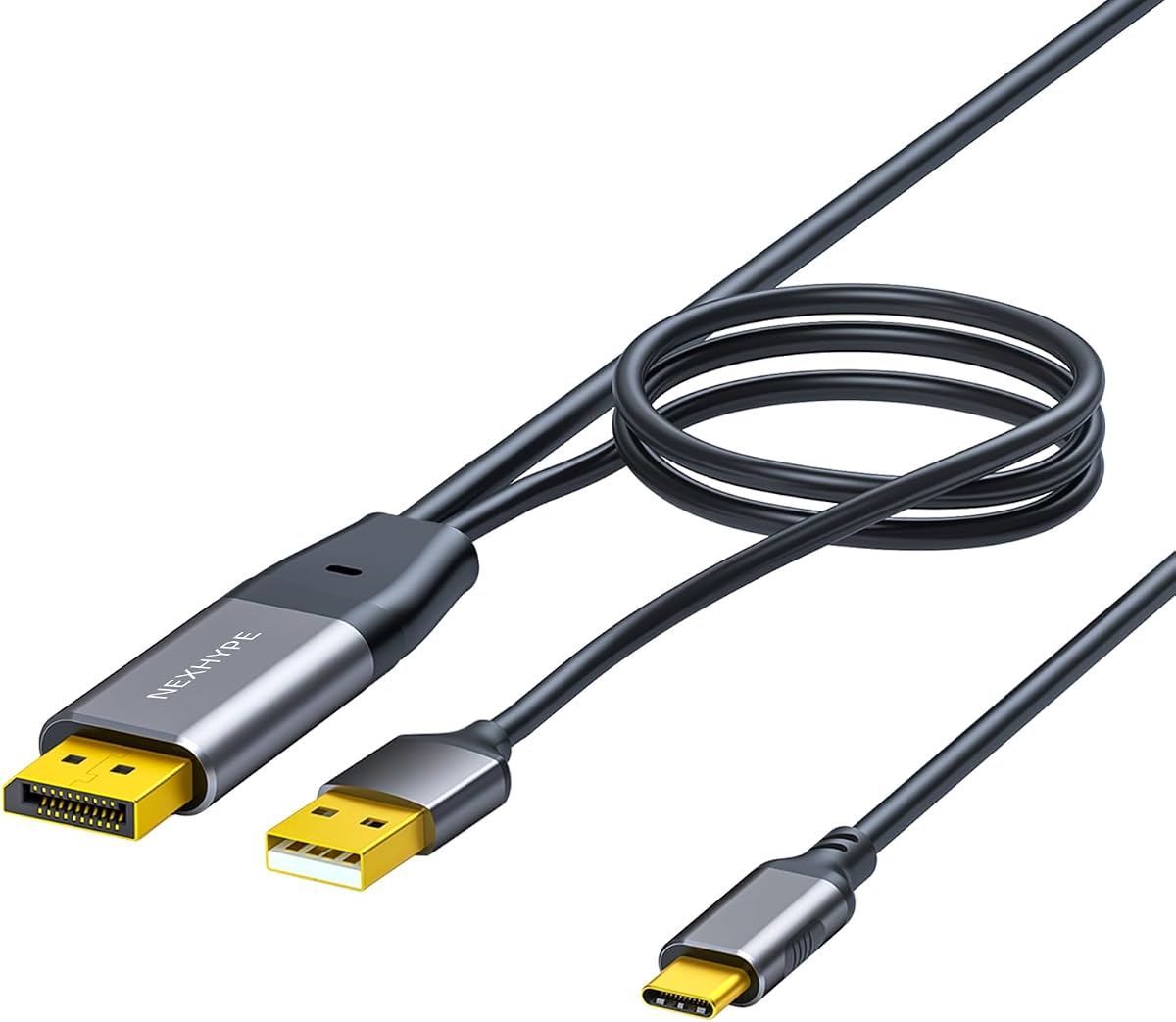
DisplayPort to USB-C Cable with Power 6.6ft
4.7Editor score
Integrated USB Power Design
Durable Aluminum Housing
Wide Multi Device Compatibility
This guide compares the top Displayport Adapter for AR Glasses models for 2026, analyzing resolution support, power delivery, and compatibility to help you
Finding the right Displayport Adapter for AR Glasses is crucial for immersive experiences. You need reliable connectivity that supports high resolutions and stable power delivery for your setup.
We compared ten leading adapters based on compatibility, resolution support, and build quality. Each option was evaluated for its ability to handle modern AR glasses and portable monitors effectively.
Each pick highlights key strengths and ideal use cases. Prices may change so verify current offers before buying to ensure you get the best value for your specific AR setup needs.
4.7Editor score
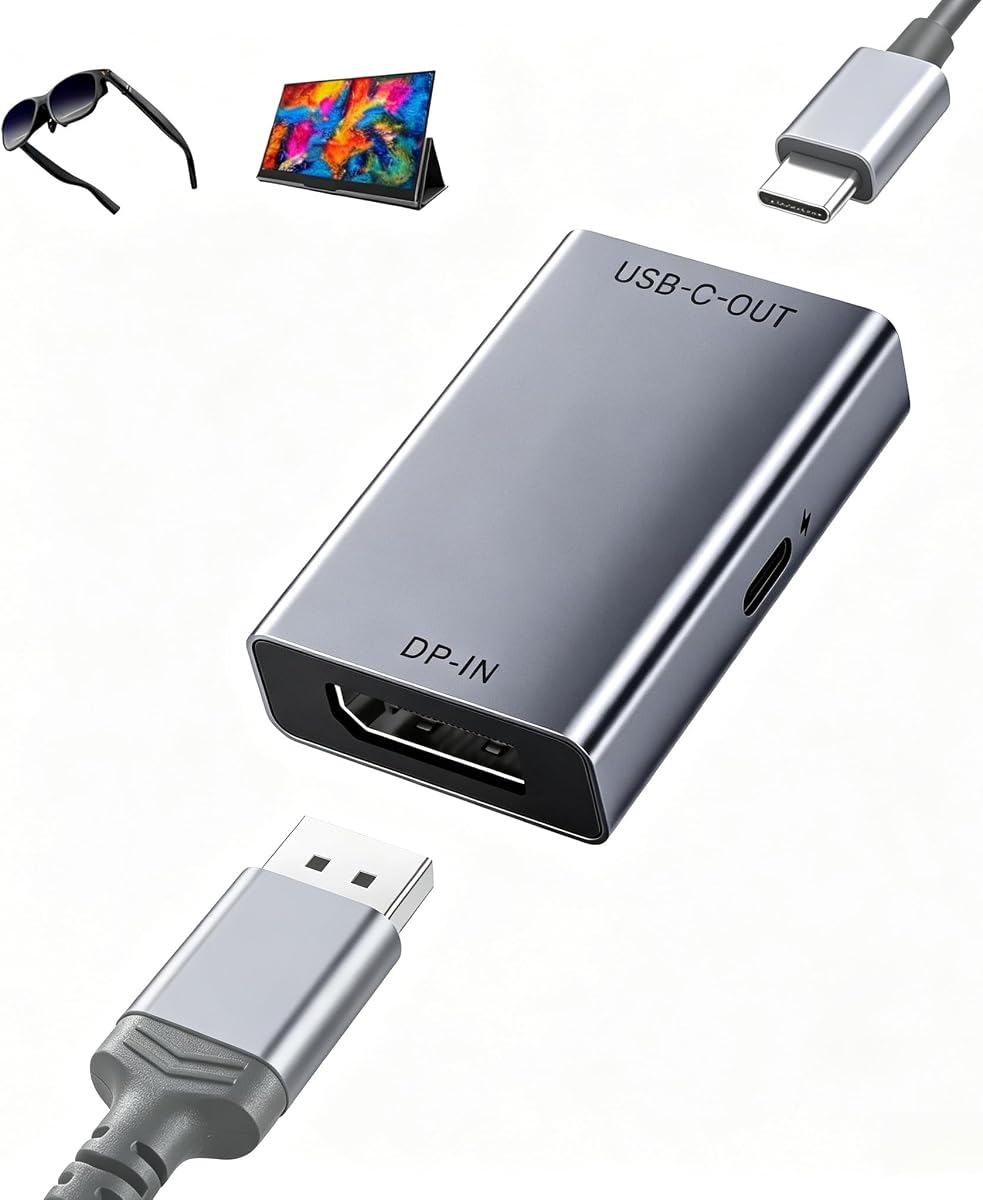
4.5Editor score

4.8Editor score
This side-by-side comparison details the specifications and capabilities of each adapter. We focus on resolution limits, power delivery options, and specific device compatibility to guide your decision.


This adapter offers high performance with 4K@120Hz support making it ideal for fast motion content. It holds a strong rating for reliability and versatility across many AR glass brands.
We may earn a commission when you buy through this link, at no additional cost to you.
The aluminum alloy housing ensures durability and heat dissipation during long sessions. Its chipset stabilizes connections ensuring smooth visual streaming without frequent drops or flickers.
Users note that audio might need switching to DP mode on some glasses. Also it only works one way so USB-C to DP is not possible on this model.
It fits gamers and power users needing fluid visuals on AR displays. If you have a DP source and want high refresh rates this is a top recommendation.
The 120Hz support provides smoother motion for gaming and action videos reducing blur significantly.
The aluminum casing helps dissipate heat maintaining performance during extended use periods.
We may earn a commission when you buy through this link, at no additional cost to you.
This cable provides great value with an integrated power line for battery free monitors. It rates highly for its flexibility and broad support for various AR devices.
We may earn a commission when you buy through this link, at no additional cost to you.
The gold plated connectors resist corrosion while the PVC jacket allows easy bending. The length offers freedom to place devices away from the source comfortably.
Some users note it supports portable monitors up to 1080P. Also devices with HDMI need an extra adapter since this cable lacks HDMI ports.
It suits budget conscious buyers needing reliable power and video. For casual use and standard resolutions this cable delivers strong performance per dollar.
The extra USB line powers devices while transmitting video reducing need for separate chargers.
The PVC material makes the cable easy to route around furniture or in tight spaces.
We may earn a commission when you buy through this link, at no additional cost to you.
This cable targets professionals needing precise color and touch features on USB-C displays. Its high rating reflects stability and performance for creative workflows.
We may earn a commission when you buy through this link, at no additional cost to you.
Graphene shielding and aluminum cooling help maintain signal integrity. The USB-A power tail stabilizes touch signals which is rare in standard adapters.
However it is not compatible with Switch 2 or bidirectional setups. Also GPUs need DSC support for Studio Display use which may limit some users.
If you edit video or need reliable touch it is a premium choice. The long warranty and responsive support add significant value for work setups.
Designed to handle video editing and color critical tasks with high fidelity.
The power tail ensures full touch functionality on compatible monitors.
We may earn a commission when you buy through this link, at no additional cost to you.
This adapter adds a USB hub making it useful for connecting peripherals directly. It supports high refresh rates and color depth for visual quality.
We may earn a commission when you buy through this link, at no additional cost to you.
The active conversion helps achieve 4K@120Hz on supported displays. The aluminum housing with silicone pad prevents slipping and aids heat dissipation during heavy use.
However the hub requires a separate data cable which adds complexity. Power to AR glasses is low so external power might be needed for larger displays.
It suits users needing peripheral connections alongside high refresh video. If you want a hub in one device this is a versatile option to consider.
The USB ports allow keyboards or mice to connect directly to the adapter.
10 bit color ensures smoother gradients for design and media work.
We may earn a commission when you buy through this link, at no additional cost to you.
This adapter emphasizes power delivery with 65W output to keep displays charged. It supports ultra high 8K resolutions for future proofing setups.
We may earn a commission when you buy through this link, at no additional cost to you.
The graphene cable is flexible and tangle free suitable for travel. It avoids drivers for easy setup with any DP 1.4 source device.
It lacks touchscreen support which limits it for interactive monitors. Also the short cable length might restrict placement options depending on your desk.
Power users wanting to charge screens via the adapter will appreciate it. For static displays needing high power this adapter is a strong candidate.
The 65W PD port can keep portable monitors powered without extra plugs.
8K support at 30Hz ensures compatibility with future high resolution displays.
We may earn a commission when you buy through this link, at no additional cost to you.
This adapter is ideal for desktop setups where space is limited. The short length reduces cable clutter while maintaining high speed data transmission.
We may earn a commission when you buy through this link, at no additional cost to you.
The female USB-C port allows direct connection to AR glasses. It includes a power cable but high power devices might need extra power sources.
Users should note the signal is single sided so flipping may be needed. This can be annoying if you connect and disconnect frequently during use.
It fits desktop users needing a clean compact setup. For tight spaces and direct connections this adapter offers a practical solution.
The short length helps reduce cable clutter on crowded desks.
Being single sided may require users to adjust orientation for proper connection.
We may earn a commission when you buy through this link, at no additional cost to you.
This cable offers a standard length suitable for most home setups. It reliably delivers 4K resolution and touch functionality for compatible monitors.
We may earn a commission when you buy through this link, at no additional cost to you.
The aluminum casing and gold plating ensure durability and signal stability. It requires no drivers and connects directly from DP sources to USB-C devices.
However it does not supply power to the monitor so external power is needed. This is important to note if you plan to use portable monitors.
It is a reliable choice for users who have separate power. If you want a standard length and touch support this works well.
The 6ft length provides enough reach for typical desk arrangements.
It supports touch signals provided the monitor itself has touch hardware.
We may earn a commission when you buy through this link, at no additional cost to you.
This adapter is unique with specific optimization for Switch 2 dock mode. It offers high refresh rates suitable for gaming on AR glasses.
We may earn a commission when you buy through this link, at no additional cost to you.
The ultra short design makes it portable and easy to carry. It also supports pass through PD3.0 charging to keep your device powered during play.
Users should ensure ventilation as it may generate more heat during TV mode. The short cable also means limited flexibility in placement of devices.
It is a must for Switch 2 gamers wanting AR displays. For handheld console users this adapter provides specialized compatibility not found elsewhere.
Designed specifically for Switch 2 TV mode and handheld console casting.
The tiny size makes it ideal for travel and on the go use.
We may earn a commission when you buy through this link, at no additional cost to you.
This cable provides solid touch support and standard 4K output. It is a practical choice for connecting PCs to AR glass or monitors.
We may earn a commission when you buy through this link, at no additional cost to you.
The 6.6ft length ensures flexibility in desktop placement. It requires a USB power connection to stabilize signal which is common for stable transmission.
It does not power monitors so external adapters are needed for battery free displays. Also verify DP Alt Mode support to avoid compatibility issues with VR setups.
It works well for general desktop to monitor setups. If you need basic touch and video transfer without extra features this fits.
Supports touch interactions for monitors that have built in touch panels.
Requires a stable USB power connection to ensure signal integrity.
We may earn a commission when you buy through this link, at no additional cost to you.
This adapter offers a magnetic connection specific to Viture glasses. It supports high data speeds and 4K video for clear visuals.
We may earn a commission when you buy through this link, at no additional cost to you.
The magnetic port allows quick easy connection and disconnection. You can pair with mobile docks to use neckband on two displays simultaneously.
It only works with Viture magnetic ports so other brands cannot use it. Also note XR glasses are not included so you need your own set.
It is ideal for Viture users seeking seamless connectivity. If you own Viture gear this adapter provides convenience not found in standard plugs.
The magnetic connection simplifies plugging and unplugging the cable.
Works with mobile docks to enable simultaneous dual display usage.
We may earn a commission when you buy through this link, at no additional cost to you.
Selecting the right adapter involves evaluating resolution, power, and device compatibility. Here are key factors to consider for a reliable setup.
Check the maximum resolution and refresh rate supported by the adapter. High refresh rates like 120Hz reduce motion blur for gaming and video. Ensure your source device supports DP 1.4 for these features.
Prioritize adapters that match your glasses capabilities to avoid bottlenecks.
Some adapters include USB power ports to charge your display. This is useful for battery free monitors. Others rely on the host device for power. Verify wattage needs for your specific glasses.
Choose options with PD 65W if you need to power larger screens without extra chargers.
Not all adapters work with every AR brand. Check lists for Xreal, Rokid, or Viture. Some models support DP Alt Mode only while others offer specific ports. Confirm before buying.
Ensure the adapter explicitly states support for your glasses model to avoid connection issues.
Look for aluminum or graphene reinforced construction. Gold plated connectors prevent corrosion and maintain signal quality. These details extend the life of the adapter under daily use.
A durable build protects against wear and ensures consistent performance over time.
If you use interactive monitors, verify touch capabilities. Audio support often requires setting devices to DP mode. Standard cables may not carry audio or touch without extra ports.
Select models that explicitly mention audio and touch sync for full feature use.
Cable length affects how you place devices. Shorter cables suit travel but limit desk space. Longer cables offer flexibility but can get tangled. Decide based on your typical environment.
Balance length with portability depending on whether you travel or use desktop only.
Most adapters do not require driver installation. However some may need firmware updates on your glasses. Confirm setup requirements to avoid software headaches when connecting.
Stick to plug and play solutions for hassle free installation and daily use.
Good products include at least 12 month warranty and responsive support. Technical issues can arise so having access to engineers helps troubleshoot effectively. Check return policies for added security.
Choose brands with strong support to ensure long term satisfaction and reliability.
Connect the Displayport end to your PC or graphics card output port securely. Ensure the USB-C end connects firmly to your AR glasses or portable monitor.
If audio is missing, check device settings and switch to Displayport mode. Update AR glasses firmware to the latest version for best compatibility with adapters.
Store adapters in a dry place and avoid bending cables too tightly. Regularly inspect connectors for dust or corrosion to maintain clean signal transmission.
Most adapters are plug and play and do not require driver installation. However some AR glasses may need firmware updates to work correctly. Always check your device specs before purchasing.
Compatibility depends on DP Alt Mode support. Many adapters list supported brands like Xreal or Viture but universal support is rare. Check the product details for specific model matches before buying.
Audio often requires switching settings to DP or UAC mode. Ensure your source device outputs audio via Displayport. Also try restarting glasses to reset audio preferences.
Some models support 8K at 30Hz but most common ones cap at 4K. Verify the maximum output resolution in product specs to match your display needs.
Use adapters with integrated USB power lines or PD delivery. Some need extra chargers for larger monitors. Confirm wattage needs to ensure stable power during use.
Yes some adapters offer specialized support for Switch 2 dock mode. Others exclude Switch due to signal incompatibility. Check for explicit Switch 2 claims before purchasing.
Active adapters convert signals internally for higher resolutions while passive rely on source devices. Active ones support 4K@120Hz often while passive may be limited to lower rates.
The Displayport Adapter for AR Glasses options offer various solutions for high quality visual streaming. Top picks balance resolution power delivery and build quality for reliable use.
Prioritize adapters matching your glasses model and refresh needs. Check power options and cable length to ensure comfortable daily use setups.
Prices and availability change so verify current offers on Amazon before buying. Always check return policies to protect your investment in case of compatibility issues.