
Hard Drive Eraser Bootable USB Disk Wipe Tool for PC
3.3Editor score
DoD 5220.22-M compliant wipe
Dual USB-A and USB-C bootable
Works on HDDs and SSDs
Securing your data is more critical than ever before. Whether you are selling a laptop or decommissioning old servers, simply deleting files is not enough. Hard drive shredder erasers provide the reliable methods needed to ensure sensitive information remains private.
We have evaluated the leading tools available today. From portable USB utilities to industrial physical destruction machines, our list covers a wide range of solutions. Each product was selected based on security standards, ease of use, and reliability.
Every pick below highlights key strengths and ideal use cases. You will see which tools work best for individuals and which suit enterprise needs. Keep in mind that product availability and pricing can change over time.
3.3Editor score

4.1Editor score

As an Amazon Associate we earn from qualifying purchases.
The table below offers a side-by-side look at all ten products. It highlights key capabilities like connection type, drive compatibility, and destruction methods. This comparison helps you quickly identify which tool fits your specific data security requirements.
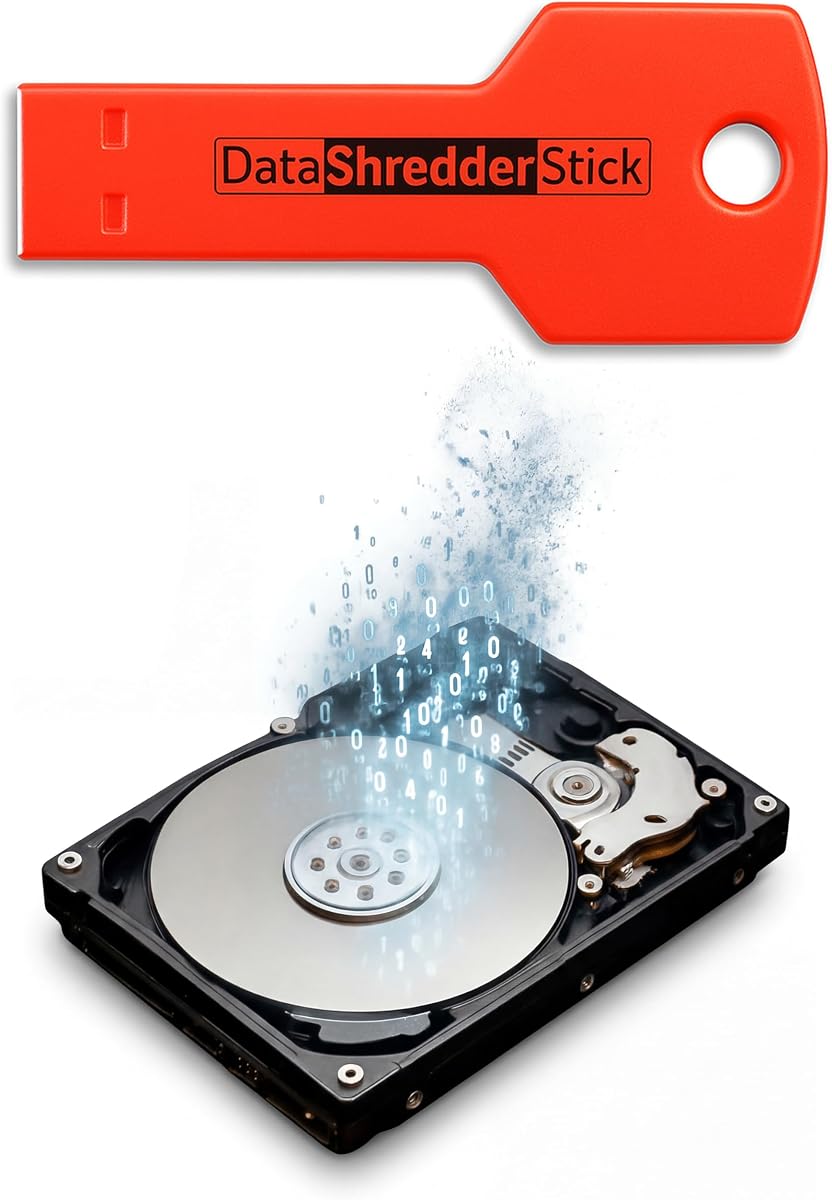


The Hard Drive Shredder Stick for Windows is designed for users who need a simple way to secure digital files without complex software. It uses secure overwrite methods to ensure that deleted files cannot be recovered by standard tools. This makes it a solid choice for protecting sensitive information before sharing or disposing of a drive.
We may earn a commission when you buy through this link, at no additional cost to you.
This tool stands out because it requires no installation. You simply plug the USB into any Windows computer and start using it immediately. The interface is straightforward, allowing you to drag and drop files or select entire drives for wiping. It handles both internal and external drives effectively, which is great for users managing multiple storage devices.
One trade-off is that it is limited to Windows systems. Users with Mac or Linux machines will need to look elsewhere. Also, it does not physically destroy the drive, so if you need to ensure a drive can never be used again, this tool focuses on data sanitization rather than hardware destruction. For most home users this is a minor limitation.
This tool is ideal for anyone managing personal or business data on Windows who wants peace of mind. It ensures passwords and financial records are truly gone. If you need a reliable software-based solution for regular file wiping, this stick provides an accessible and effective option.
Since no setup is needed, you can start protecting your data right away. This is useful for urgent privacy needs where time matters.
The ability to wipe entire drives ensures that hidden system files and recovery partitions are also cleared. This prevents accidental data recovery from overlooked areas.
We may earn a commission when you buy through this link, at no additional cost to you.
The DupliM HDD Demolisher offers a mechanical approach to data security by physically destroying the hard drive components. It uses a manual hydraulic pump to break the chassis and deform the platters. This ensures that data cannot be recovered through any means. It is particularly useful for organizations that need to dispose of drives without relying on power.
We may earn a commission when you buy through this link, at no additional cost to you.
The fully enclosed design adds a layer of safety for the operator. By containing the destruction process, it reduces the risk of sharp debris flying out. The unit can handle two drives at once, making it efficient for batch processing. Its compatibility with various drive types including IDE and SCSI makes it versatile for older hardware.
While effective, this tool requires physical effort to operate. It is not a plug-and-play solution like software tools. The manual operation might be slow for high-volume needs compared to industrial shredders. However, for small to medium batches where electrical access is limited, it provides a reliable and safe solution.
This machine is best suited for businesses or individuals who want to guarantee physical destruction. It is ideal for scenarios where drives must be disposed of securely and immediately. If you need a rugged tool that works independently of power grids, this demolisher is a strong candidate.
The hydraulic system works consistently without needing electricity. This makes it perfect for remote locations or emergency decommissioning situations.
Fully enclosing the drive during destruction protects the user from metal shards. This is a critical feature for any physical destruction device.
We may earn a commission when you buy through this link, at no additional cost to you.
The Garner PD-5 Hard Drive Destroyer focuses on bending and breaking hard drives to prevent data recovery. It targets the internal components including data platters to ensure that information is lost forever. This physical approach is one of the most secure ways to dispose of sensitive data.
We may earn a commission when you buy through this link, at no additional cost to you.
The design of this product ensures that it can handle hard drives up to two inches in height. By breaking the chassis and mangles the parts, it makes the drive unusable. This is especially important for industries where data breaches could lead to serious legal or financial consequences.
A limitation is the specific size constraints and lack of detailed operational specs. It may not suit every drive form factor. However for for standard internal drives this unit provides a robust solution. It is less about ease of use and more about absolute destruction.
This tool is best for IT professionals who need to verify that drives are physically compromised. It offers peace of mind that data cannot be retrieved. If you prioritize physical security over convenience, the Garner PD-5 is a solid choice for destruction.
The machine ensures that even the magnetic platters are destroyed. This prevents specialized labs from recovering data fragments.
Using mechanical force reduces the need for complex electronics. This can make the device durable over long periods of use.
We may earn a commission when you buy through this link, at no additional cost to you.
The Hard Drive Eraser Bootable USB Disk Wipe Tool offers an affordable way to meet high security standards. It allows you to boot into a secure environment to wipe drives without relying on the installed operating system. This is critical for ensuring that viruses or OS issues do not interfere with the erasure process.
We may earn a commission when you buy through this link, at no additional cost to you.
This tool complies with the DoD 5220.22-M standard which is a government benchmark for data sanitization. It supports dual USB connections allowing compatibility with both modern and older PCs. You can erase multiple internal or external drives at once which saves time for IT tasks.
The main trade-off is that it requires you to boot from the USB which might be unfamiliar to some users. Also user the user rating is modest compared to other tools. However the core functionality of secure wiping remains strong and it is very cost effective.
This is the best option for users on a budget who still need certified security. It is perfect for small businesses or individuals preparing computers for resale. If you need a reliable and affordable tool that follows strict standards, this USB drive is a top pick.
Meeting DoD standards gives this tool credibility. It ensures that data is overwritten in a manner that meets professional security requirements.
Running outside the main OS prevents malware from blocking the wipe. This ensures that the deletion process is clean and effective.
We may earn a commission when you buy through this link, at no additional cost to you.
The DESTRUCT USB Gadget is marketed as a military grade hard drive wiper designed for ease of use. It aims to completely erase hard drives before devices are sold or traded. This makes it an attractive option for consumers who want to protect their privacy without technical hassle.
We may earn a commission when you buy through this link, at no additional cost to you.
This tool is straightforward allowing you to erase data without complex steps. It focuses on the end result of cleaning your drive so it can be reused safely. The idea is to prevent anyone from accessing personal files when a computer changes hands.
While it claims military grade destruction, specific technical details are minimal. This leaves some room for uncertainty regarding the overwrite standard used. However, for general home users looking to recycle old laptops, it provides a direct solution. The simplicity is its main selling point.
This gadget is best for individuals selling old computers. It ensures that personal data is wiped away to keep a clean device. If you prioritize ease of use over detailed technical specs, this tool offers a practical solution for data removal.
The gadget is built to be accessible to everyone. You do not need to be an IT expert to use it.
The main goal is to stop identity theft before a device leaves your control. This protects photos and documents from prying eyes.
We may earn a commission when you buy through this link, at no additional cost to you.
The Beamo Bootable Drive Eraser USB offers a subscription free way to wipe data securely. It overwrites every sector of the drive so files are truly gone. This utility works with a wide variety of storage devices including USB flash drives and SD cards making it versatile.
We may earn a commission when you buy through this link, at no additional cost to you.
The process is designed to be simple with an on-screen menu that guides you step by step. You just plug in the USB boot from it and select your drive. This removes the need for technical skills and makes the task accessible for home users and small teams.
One thing to note is that it requires a reboot which might be inconvenient for quick tasks. Also the menu is basic which might lack advanced options found in pro tools. However for most users this is not an issue. The reusable nature adds long term value.
This tool is ideal for anyone who wants a permanent solution without recurring costs. It is great for clearing devices before recycling or donating. If you want to wipe multiple drives over time without paying fees this USB is a smart choice.
Unlike some tools that only handle hard drives this one covers many storage types. This means you can secure phones and tablets too.
Paying once allows you to use the tool as often as needed. This saves money compared to software that charges annual fees.
We may earn a commission when you buy through this link, at no additional cost to you.
The StarTech.com Single Bay SSD/HDD Hard Drive Eraser is a dedicated hardware unit for secure wiping. It works standalone so you do not need a computer to operate it. This ensures a clean environment for erasure. It supports nine erase modes including NIST and DOD standards.
We may earn a commission when you buy through this link, at no additional cost to you.
The LCD menu display makes it easy to set up and verify the process. You can select the erase method and see drive info directly on the device. It is designed for IT professionals who need reliability and compliance. The included USB to SATA adapter adds flexibility.
A trade-off is the cost compared to USB tools. However the standalone nature and advanced modes justify the price. It allows for secure erasure without installing software. If you manage many drives or need audit ready reports this unit is very effective.
This device is the top choice for IT professionals and businesses. It ensures that drives are sanitized correctly every time. If you need a reliable tool that meets strict standards without software dependencies this StarTech eraser is the best pick.
Meeting NIST and DOD requirements ensures your erasure is legally sound. This helps avoid liability when disposing of data.
Operating without a PC removes the risk of OS based malware interfering. This creates a trusted environment for wiping.
We may earn a commission when you buy through this link, at no additional cost to you.
The Secure Data Wipe USB brings trusted professional tools to a portable drive. It includes software like DBAN and ShredOS which are well known in the industry. This makes it a powerful option for secure data removal without needing to download files.
We may earn a commission when you buy through this link, at no additional cost to you.
It is compatible with Windows Linux and BIOS based PCs. This broad compatibility ensures it works on most devices. The USB drive boots easily allowing you to remove data quickly. This is useful for IT teams or individuals managing mixed device environments.
The main limitation is that you rely on the preloaded software. If the software needs updates you might need to refresh the drive. However for most users this is sufficient. The focus on industry standards adds confidence to the product.
This USB is best for those who want to use established tools without setup. It is great for selling or recycling old hardware. If you need a portable solution with trusted software this wipe drive is a strong recommendation.
DBAN and ShredOS are respected tools for wiping. Having them ready saves you time searching for safe software.
The tool supports both BIOS and UEFI systems. This means it works on older and newer computers alike.
We may earn a commission when you buy through this link, at no additional cost to you.
The Kobra HDD Hard Disk Drive Shredder is an industrial solution for high volume destruction. It can destroy up to 250 drives per hour with H-3 security level particles. This ensures that data is completely unreadable. It also handles CDs DVDs and USB drives making it a universal media shredder.
We may earn a commission when you buy through this link, at no additional cost to you.
The touch screen control and continuous duty motor make it efficient for long sessions. The low noise design reduces disturbance in the workspace. A large waste container allows for extended operation without frequent emptying. This is designed for data centers and government use.
The main trade-off is the high price and size. It is not meant for small offices or home use. However for large organizations dealing with asset disposal daily this speed and capacity are essential. It offers a professional grade solution for bulk destruction.
This shredder is the best choice for enterprise and institutional use. It guarantees security and efficiency for massive amounts of hardware. If you need to dispose of assets quickly and securely this Kobra unit is the top industrial pick.
Unlike many shredders this one handles various media types. This centralizes the destruction process for different devices.
The motor and bin design allow for continuous use. This minimizes downtime during large disposal projects.
We may earn a commission when you buy through this link, at no additional cost to you.
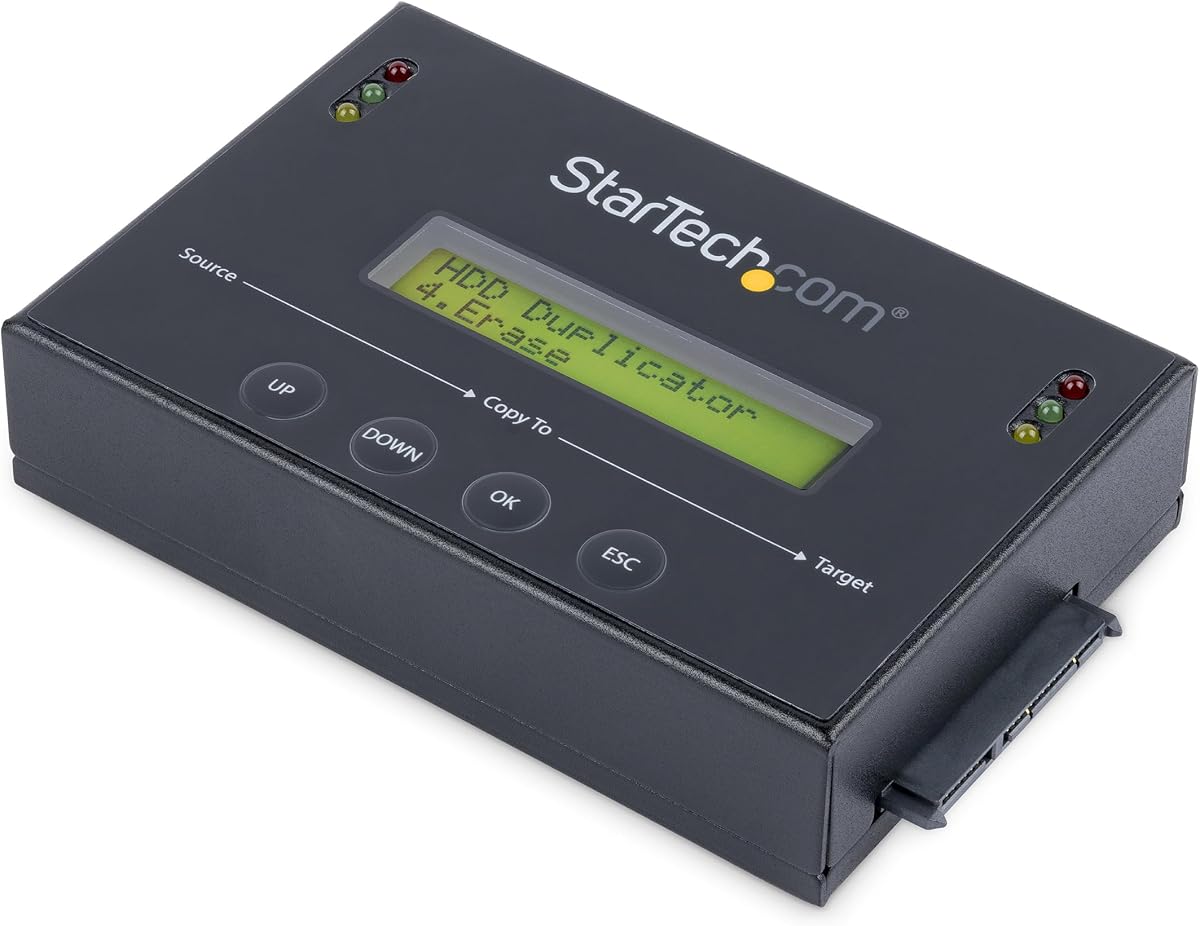
The StarTech 1:1 SATA Duplicator Eraser serves two functions cloning and wiping drives. It supports SATA drives up to 3.5 inches and offers fast duplication speeds. For erasing it includes modes that meet DoD and NIST standards ensuring secure data removal.
We may earn a commission when you buy through this link, at no additional cost to you.
The unit allows you to copy data to a new drive and erase the old one efficiently. It uses an LCD menu for setup and offers a copy and compare feature to verify clones. This makes it useful for IT teams deploying systems or disposing of old drives.
A trade-off is that it is more complex than a simple eraser. Setting up cloning might take more steps than wiping. However for organizations needing both tasks this efficiency is valuable. It saves time in inventory management.
This device is best for IT departments managing disk assets. It streamlines the process of replacing and disposing of hardware. If you need to clone drives and securely wipe others this duplicator eraser is a versatile and top-rated choice.
Being able to clone and erase in one unit saves desk space. This simplifies workflows for hardware management.
The compare feature ensures that cloned drives are error free. This adds a layer of reliability to data migration.
We may earn a commission when you buy through this link, at no additional cost to you.
Choosing the right tool depends on how much security you need and what devices you own. This guide covers the most important factors to consider.
Physical destruction physically damages the drive to make it unusable. Software erasure overwrites data to make it unrecoverable. Choose physical if you need to dispose of hardware permanently. Choose software if you want to reuse the drive.
If you need to reuse the drive. physical damage is not a good option. Use software tools for this case.
Look for tools that meet standards like DoD 5220.22-M or NIST SP 800-88. These standards ensure that data is wiped thoroughly. Compliance is vital for businesses handling sensitive data.
Ensure your chosen tool explicitly states it meets these standards for legal peace of mind.
Check if the tool works with your drive types such as HDD or SSD. Some tools are limited to specific sizes like 2.5 or 3.5 inches. Ensure it supports SATA IDE or other interfaces you have.
Verify that the tool lists support for all the drives you need to wipe.
Some tools require booting from USB or installing software. Others are standalone hardware units with buttons. Choose a method that matches your technical comfort level. Simple interfaces save time.
Select the tool that feels most straightforward for your routine tasks.
Tools range from affordable USBs to expensive industrial machines. Consider how many drives you will wipe over time. A one-time purchase might be cheaper than paying for subscriptions or services.
Calculate the total cost based on your expected volume of data erasures.
Industrial shredders can handle hundreds of drives per hour. USB tools take longer per drive. Choose based on your daily volume. High volume needs require faster equipment.
If you only wipe one drive a year slow speed is not an issue.
Physical shredders can be dangerous due to sharp parts. Look for enclosed designs or protective shields. Software tools are safer as they only involve computing power. Prioritize operator safety.
Check if the product includes safety warnings or protective features.
Hardware tools often come with warranties and technical support. This is crucial if the device fails. Software tools might rely on email support. Good support ensures you can resolve issues quickly.
Review the warranty terms before buying hardware tools for long term use.
For USB tools, insert the drive into a computer and boot from it. Follow the on-screen instructions to select the target drive and start the wipe. Ensure you have backed up any data you want to keep before starting.
For hardware units, connect the drive to the ports and select the mode. For physical shredders, place the drive into the chamber and operate the mechanism safely. Always use protective gear if the device handles physical destruction.
Store your tools in a safe and dry place. Keep USB drives away from magnets and extreme temperatures. Clean hardware units regularly to prevent dust buildup. Follow manufacturer guidelines to maintain tool performance.
A hard drive eraser uses software to overwrite data so it cannot be recovered. A shredder physically destroys the drive to make it unusable. Erasers allow reuse of the drive while shredders do not. The choice depends on your security needs.
No simple formatting only hides data. It can often be recovered with standard tools. Secure erasure requires overwriting the data multiple times to ensure it is gone. Always use a dedicated tool for true security.
Most tools are designed for easy use. Some require booting from USB but the steps are guided. Hardware units often have buttons and displays. If you can follow basic instructions you can use these tools effectively.
Yes many tools support both SSDs and HDDs. SSDs use different methods like TRIM commands which these tools support. Always check the compatibility list to ensure it handles your specific SSD type properly.
It depends on the size of the drive and the method used. A 1TB drive might take several hours to overwrite completely. Physical destruction is much faster taking only minutes. Speed varies by product and capacity.
H-3 refers to a specific particle size from shredding. It ensures that the drive fragments are too small to recover data. This is a high security standard often used by government agencies. It guarantees thorough physical destruction.
Most USB erasers are bootable and do not need installation. You plug them in and boot the computer from the USB. This avoids installing anything on the hard drive you are wiping. It is a clean and isolated process.
Some tools work with Macs while others are Windows only. Check the product details for operating system support. Standalone hardware units often work with any device that uses SATA. Always verify before buying.
We have reviewed the top ten tools for data destruction ranging from budget USBs to industrial shredders. The StarTech Single Bay Eraser offers the best balance for pros while the Hard Drive Eraser Bootable USB is the top budget pick. For large organizations the Kobra Shredder provides unmatched volume and speed.
Prioritize standards like DoD or NIST if you handle sensitive information. Physical destruction is best when you do not plan to reuse the drive. If you need a quick and cost effective solution for home use a bootable USB tool is often sufficient.
Prices and availability change frequently so always check the current listings before buying. Ensure that you select the tool that matches your specific security and operational needs. With the right choice you can dispose of data safely and with confidence.