
acer SB240Y G0bi
4.6Editor score
Full HD Resolution
120Hz Refresh
IPS Panel Type
Edge to edge monitors offer expansive visual real estate that transforms how you work and play. These displays minimize bezels to provide an immersive viewing experience. Whether you need productivity or gaming power, finding the right model is key.
We evaluated ten top models based on resolution, refresh rate, and panel technology. Our analysis covers everything from budget-friendly options to premium OLED screens. Each product was assessed for comfort, connectivity, and overall performance capabilities.
Each pick highlights specific strengths and ideal use cases for different users. Note that prices fluctuate often so check current listings before buying. We aim to help you choose the best fit for your setup needs today.
4.6Editor score

4.4Editor score

4.3Editor score
As an Amazon Associate we earn from qualifying purchases.
The following table provides a side-by-side comparison of all ten selected edge to edge monitors. It highlights key specifications like resolution, refresh rate, and panel technology to help you quickly identify the best fit for your specific workflow or gaming needs.





The Dell 34 Monitor S3425DW stands out as a versatile edge to edge monitor for professionals and casual gamers alike. With a 4.4 rating it delivers reliable performance across various tasks. Its VA panel provides deep contrast while the 120Hz refresh rate ensures smooth motion.
We may earn a commission when you buy through this link, at no additional cost to you.
This monitor excels in color reproduction with 99% sRGB coverage making it ideal for creative work. The improved ComfortView Plus feature reduces harmful blue light to under 35% for all-day comfort. Additionally the re-engineered sound quality offers detailed audio without external speakers.
While the VA panel offers great contrast it may have slower response times than IPS panels during fast transitions. The HDR readiness is present but lacks peak brightness found in premium OLED models. These trade-offs are acceptable for its price point and daily use case.
If you need a single cable solution for your desk this monitor is a top recommendation. The USB-C port delivers up to 65W power allowing you to charge a laptop while displaying content. It balances productivity and entertainment effectively.
This feature reduces blue light without sacrificing color accuracy for eye comfort.
Connect and charge your laptop with a single cable for a clean desk.
We may earn a commission when you buy through this link, at no additional cost to you.
The acer SB240Y G0bi is an exceptional entry-level edge to edge monitor with a 4.6 rating. It offers a zero-frame design that maximizes screen visibility for its size. Users appreciate the IPS panel which provides consistent colors from wide angles.
We may earn a commission when you buy through this link, at no additional cost to you.
Its Adaptive-Sync support ensures a smooth tear-free experience during gaming and video playback. The 120Hz refresh rate delivers fluid motion which is impressive for this price tier. The 1ms response time helps minimize ghosting during fast action scenes.
The main limitation is the Full HD resolution which may not suit high-end creative work. It also lacks modern connectivity options like USB-C. These are minor drawbacks given the low cost and performance balance it offers.
For students or budget-conscious buyers this monitor delivers excellent value. It fits well in small spaces while providing a cinematic feel thanks to the edge-to-edge bezel design. It is a reliable choice for general office and gaming tasks.
Maximizes screen visibility for a clean and immersive look.
1ms response time and 120Hz refresh reduce blur in fast games.
We may earn a commission when you buy through this link, at no additional cost to you.
The LG 45GX950A-B represents the pinnacle of edge to edge monitors with OLED technology. Its 5K2K resolution provides unmatched sharpness and clarity for text and images. The OLED panel offers perfect blacks and vibrant colors that make games look incredible.
We may earn a commission when you buy through this link, at no additional cost to you.
With a 0.03ms response time this monitor eliminates ghosting completely for crisp motion. The Dual Mode feature allows switching between high resolution and high refresh rates. USB-C with 90W power delivery keeps your desk clean and connected.
The premium price tag limits its accessibility to enthusiasts and professionals. There is also a theoretical risk of burn-in with static images though LG mitigates this with pixel shift technology. These factors are acceptable trade-offs for the visual performance.
If you want the absolute best visual quality this monitor is the clear choice. It transforms both work and play with its immersive curve and stunning pixel density. It is perfect for those who prioritize image quality over cost.
Perfect blacks and vibrant colors create an immersive viewing experience.
Switch between high res for work and high speed for gaming instantly.
We may earn a commission when you buy through this link, at no additional cost to you.
The Z-Edge 49 inch Ultrawide provides a cinematic 49-inch display for total immersion. Its DQHD resolution is equivalent to two QHD monitors side by side. This makes it perfect for multitasking and expansive gaming environments.
We may earn a commission when you buy through this link, at no additional cost to you.
The 165Hz refresh rate and 1ms response time ensure smooth gameplay without tearing. Built-in KVM functionality allows control of two devices with one keyboard and mouse. PIP and PBP modes help manage content from multiple sources efficiently.
The size requires a significant desk space and may be overwhelming for small offices. The 1500R curvature is aggressive and might not suit everyone's preference. However these are minor issues compared to the productivity benefits it offers.
This monitor is ideal for streamers or power users needing large screen real estate. It consolidates multiple screens into one seamless view. If you have the space this offers incredible value for its feature set.
Replace two monitors with one ultra-wide display for better multitasking.
Control two computers with one set of peripherals for convenience.
We may earn a commission when you buy through this link, at no additional cost to you.
The Dell UltraSharp U4924DW is a premium edge to edge monitor for professional settings. It offers a 49-inch viewable screen with Dual Quad HD resolution for clarity. The build quality is robust and designed for daily office use.
We may earn a commission when you buy through this link, at no additional cost to you.
USB Type-C connectivity allows efficient data transfer and power delivery for your laptop. The Edge WLED backlight ensures a smooth and clear display for long sessions. VESA mount compatibility gives flexibility in setup options.
The 5ms response time may be noticeable in fast-paced gaming scenarios. Its price is higher than other options which may not fit all budgets. These trade-offs are worth it for business-grade reliability and support.
Professionals needing a reliable large format screen will appreciate this model. It minimizes desk clutter while maximizing workspace visibility. If you prioritize stability and connectivity this is a top choice.
Power and transfer data efficiently with a single cable connection.
Mount the display on a wall for flexible ergonomic setup.
We may earn a commission when you buy through this link, at no additional cost to you.
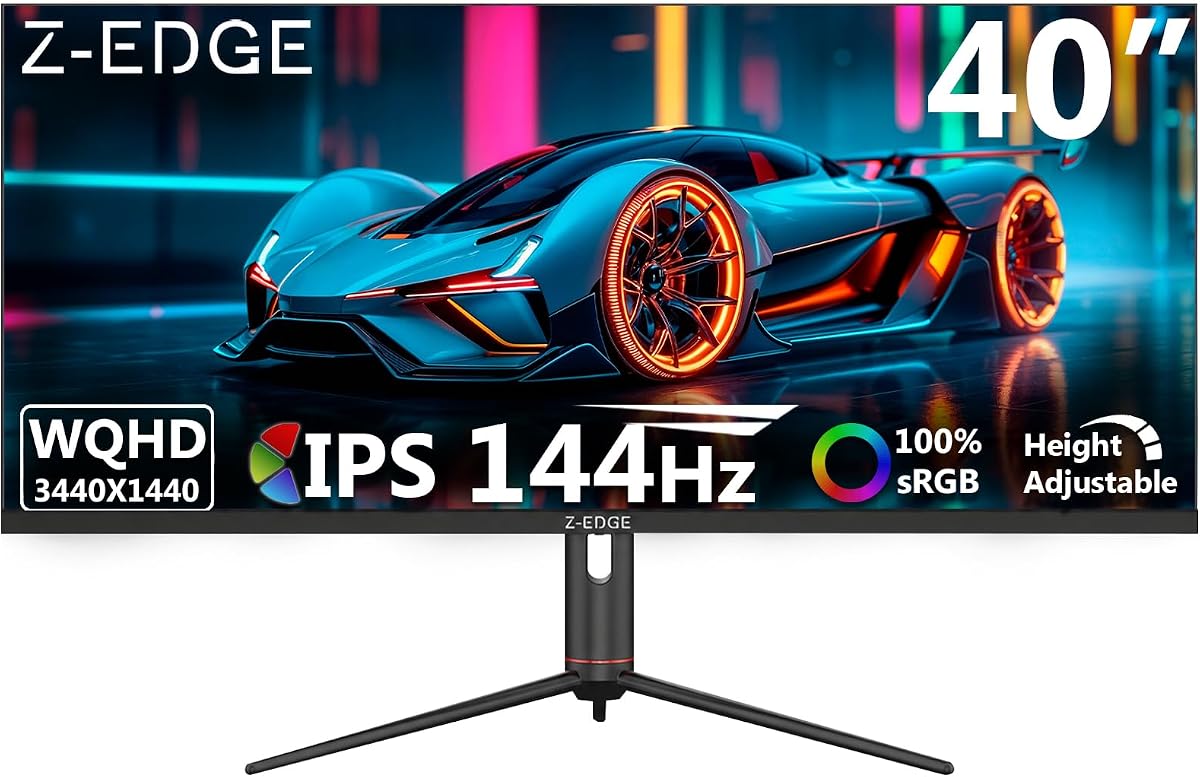
The Z-Edge 40 inch Ultrawide offers an ideal balance of gaming and productivity. Its IPS panel ensures consistent colors across wide viewing angles. The 144Hz refresh rate via DP provides a smooth gaming experience.
We may earn a commission when you buy through this link, at no additional cost to you.
It features PIP and PBP multitasking modes to manage multiple inputs. The ergonomic stand allows height tilt and swivel adjustments for comfort. Built-in speakers save space on the desk while providing basic audio.
HDMI supports up to 100Hz which is lower than the DP speed. HDR performance is adequate but not exceptional. For this price range these limitations are acceptable for most users.
Gamers seeking a mid-range edge to edge option will find this reliable. It delivers fluid motion and good colors without breaking the bank. It is a versatile choice for general home office use.
View your content accurately from any angle without color shifts.
Customize height and tilt to reduce neck strain during long use.
We may earn a commission when you buy through this link, at no additional cost to you.
The Corsair XENEON Edge is a compact 14.5-inch display perfect for secondary tasks. It features a 2K resolution and touchscreen for easy interaction. Its unique ability to mount inside a PC case makes it stand out.
We may earn a commission when you buy through this link, at no additional cost to you.
You can install it internally to show system metrics or chat channels. Externally it works as a standalone monitor for phones or laptops. The wide viewing angles ensure vibrant colors in various lighting conditions.
It is not meant for primary gaming due to the 60Hz limit. The size is small for productivity tasks. However for system monitoring or mobile gaming it is highly effective.
PC builders and mobile gamers will appreciate its versatility. It adds functionality to builds without needing a full monitor. It is a niche product that excels at its intended use.
Mount inside your case to show stats or chat without clutter.
Interact easily with widgets using five-point capacitive touch.
We may earn a commission when you buy through this link, at no additional cost to you.
The Sceptre Curved 34-inch is designed for high-performance gaming needs. With a 240Hz refresh rate and 1ms response it delivers buttery-smooth visuals. The 100% sRGB ensures vibrant colors for multimedia tasks.
We may earn a commission when you buy through this link, at no additional cost to you.
Seamless connectivity with multiple HDMI and DisplayPort ports keeps your setup versatile. Blue-Light Shift technology reduces eye strain during long sessions. The curved design wraps around your view for better immersion.
Build quality is functional but lacks the premium feel of higher-end models. The built-in speakers are basic and may need external audio. These are minor issues given the speed and value.
Competitive gamers needing fast refresh rates will find this model appealing. It offers a balance of performance and affordability. For esports titles this monitor provides a smooth edge.
240Hz refresh rate ensures smooth visuals for competitive gaming.
Blue-Light Shift promotes healthier viewing habits for long use.
We may earn a commission when you buy through this link, at no additional cost to you.
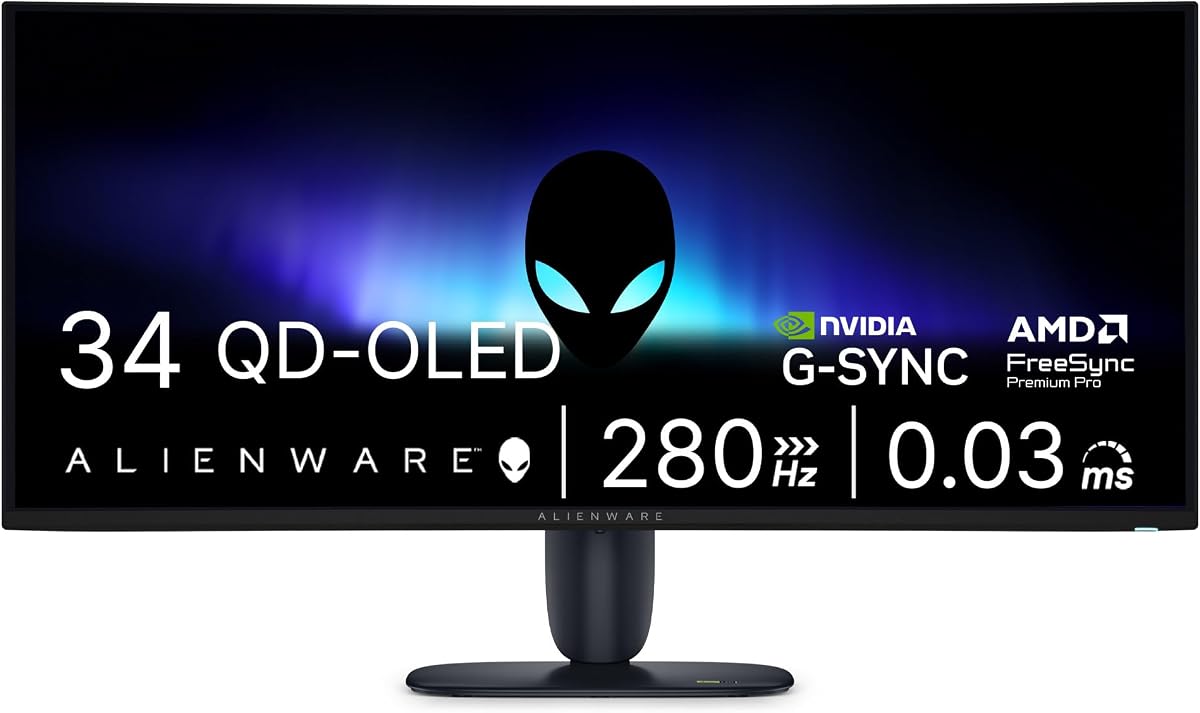
The Alienware 34 Gaming Monitor uses QD-OLED for stunning visuals and speed. It delivers 280Hz refresh rates and 0.03ms response time for instant reaction. The UWQHD resolution ensures crisp detail in every game.
We may earn a commission when you buy through this link, at no additional cost to you.
G-SYNC support eliminates screen tearing and stuttering completely. The colors are rich and vivid thanks to the quantum dot technology. This makes it a top choice for high-end gaming setups.
The price is high and OLED panels can suffer from burn-in. You must manage static images carefully to maintain longevity. However the visual quality outweighs these concerns for many users.
If you want the ultimate gaming experience this monitor is excellent. It combines brightness with speed better than most competitors. Ideal for gamers seeking premium performance and quality.
Quantum dots boost brightness and color volume for better images.
G-SYNC ensures smooth gameplay with no screen tearing.
We may earn a commission when you buy through this link, at no additional cost to you.
The Samsung 57" Odyssey Neo G9 is the ultimate edge to edge gaming monitor. It features Dual 4K UHD resolution equivalent to two UHD monitors. The 1000R curvature provides an immersive wraparound experience.
We may earn a commission when you buy through this link, at no additional cost to you.
Quantum Matrix Technology creates controlled brightness and contrast for stunning visuals. HDR1000 and 240Hz refresh rates ensure top-tier performance. It supports DisplayPort 2.1 for next-gen connectivity.
The price is extremely high and desk space requirements are substantial. Not every setup can accommodate its size. For those with the space and budget it offers a unique experience.
Enthusiasts seeking a massive field of view should consider this model. It changes how you perceive gaming by filling your entire peripheral vision. It is a statement piece for ultimate immersion.
Get the resolution of two monitors in one seamless wide screen.
1000R curve pulls you into the action for deep focus.
We may earn a commission when you buy through this link, at no additional cost to you.
Choosing the right edge to edge monitor depends on your specific needs and budget. This guide outlines key factors to consider before making your final decision.
Panel types such as IPS VA and OLED dictate color accuracy and contrast. IPS offers wide viewing angles while OLED provides perfect blacks. Choose based on your need for color fidelity or contrast.
Prioritize IPS for work or OLED for gaming immersion depending on your priority.
Resolution determines image sharpness and available workspace. Higher resolutions like DQHD or 5K2K offer more screen real estate. Ensure your graphics card can handle the chosen resolution.
Select resolution based on content type and hardware capability.
Refresh rates like 120Hz or 240Hz impact motion smoothness for gaming. Faster response times minimize ghosting and blur. Higher rates are critical for competitive play.
Aim for 144Hz minimum for smooth gaming and general use.
Aspect ratios vary from standard 16:9 to ultra-wide 32:9. Larger screens offer immersion but require more desk space. Choose a size that fits your room and viewing distance.
Balance size with ergonomics to avoid neck strain.
Ports like USB-C HDMI and DisplayPort determine device compatibility. USB-C allows single-cable charging and data transfer. Ensure your setup supports the desired connection types.
Prioritize USB-C for cleaner cable management.
Features like blue light filters and flicker-free tech protect eyes. Prolonged viewing requires comfort to reduce strain. Look for certifications like ComfortView or Eye Safe.
Invest in eye care features for long work sessions.
Adjustable stands with tilt and height support better posture. Some models offer VESA mounts for custom setups. A good stand improves comfort and desk organization.
Ensure the stand offers at least tilt and height adjustment.
Budget varies greatly across entry-level to premium models. Define what features matter most to you. Higher price often brings better build and performance.
Choose value based on essential features not extras.
Position the monitor at eye level and arm's length to reduce strain. Adjust brightness to match room lighting for comfort. Use night mode in the evening to reduce blue light exposure.
Connect your devices using high-quality cables to ensure signal integrity. Enable refresh rate and adaptive sync features in your system settings. Calibrate colors if you work with image editing.
Clean the screen with a soft microfiber cloth to avoid scratches. Avoid harsh chemicals that can damage the panel. Regularly update drivers for optimal performance and stability.
Yes, edge to edge monitors provide an immersive experience with minimal bezels. They improve productivity by offering wider screens for multitasking. They are worth it for both work and gaming setups.
DQHD or 4K resolutions are ideal for productivity due to sharper text and space. They allow multiple windows side by side comfortably. Higher resolutions reduce the need for scrolling.
High resolutions like 5K2K require powerful GPUs to render smoothly. Lower resolutions like 1080p are less demanding. Ensure your hardware matches the display to avoid lag.
IPS and OLED panels generally offer the best color accuracy and consistency. OLED provides deeper blacks while IPS offers uniform brightness. Choose based on your content needs.
Keep your distance and adjust brightness to match the room. Use blue light filters and take regular breaks. Position the center of the screen at eye level for ergonomics.
Curved screens offer better immersion for wide displays. Flat screens are better for editing where geometry matters. Choose based on your preference for gaming versus productivity.
USB-C is great for single cable charging and data. DisplayPort supports higher refresh rates and resolutions. HDMI is common for consoles and older devices.
Most monitors last 5 to 7 years with proper care. Avoid static images to prevent burn-in on OLEDs. Regular updates and maintenance can extend their lifespan.
The ten picks reviewed offer options for every budget and need. From the affordable acer SB240Y to the premium LG 45GX950A-B there is something for everyone. Each model brings unique strengths in resolution and design.
Prioritize resolution and refresh rate based on your main tasks. If gaming is key look for speed. For work seek color and ergonomics. Match the monitor to your usage habits for best results.
Prices fluctuate so always check current listings before purchasing. We hope this guide helps you find the perfect edge to edge monitor for your setup today.